

RPM (Red Hat Package Manager)
RPM is the package management system for Red Hat Enterprise Linux, CentOS, Fedora, and similar distributions. It works with files that have a.rpm extension and provides five fundamental operations: installing, uninstalling, upgrading, querying, and verifying packages. These operations are executed via the rpm command with specific options:
-
To install a package:
-i: Install the package.-v: Verbose mode for detailed output.-h: Display the installation progress.
-
To uninstall a package:
-
To upgrade an existing package:
Note the uppercase
Ufor upgrade. -
To query the RPM database (located at
/var/lib/rpm) for details about installed packages: -
To verify an installed package against its original metadata:
Verification compares the current file metadata with the original data, ensuring the package’s integrity and trustworthiness.
YUM (Yellowdog Updater Modified)
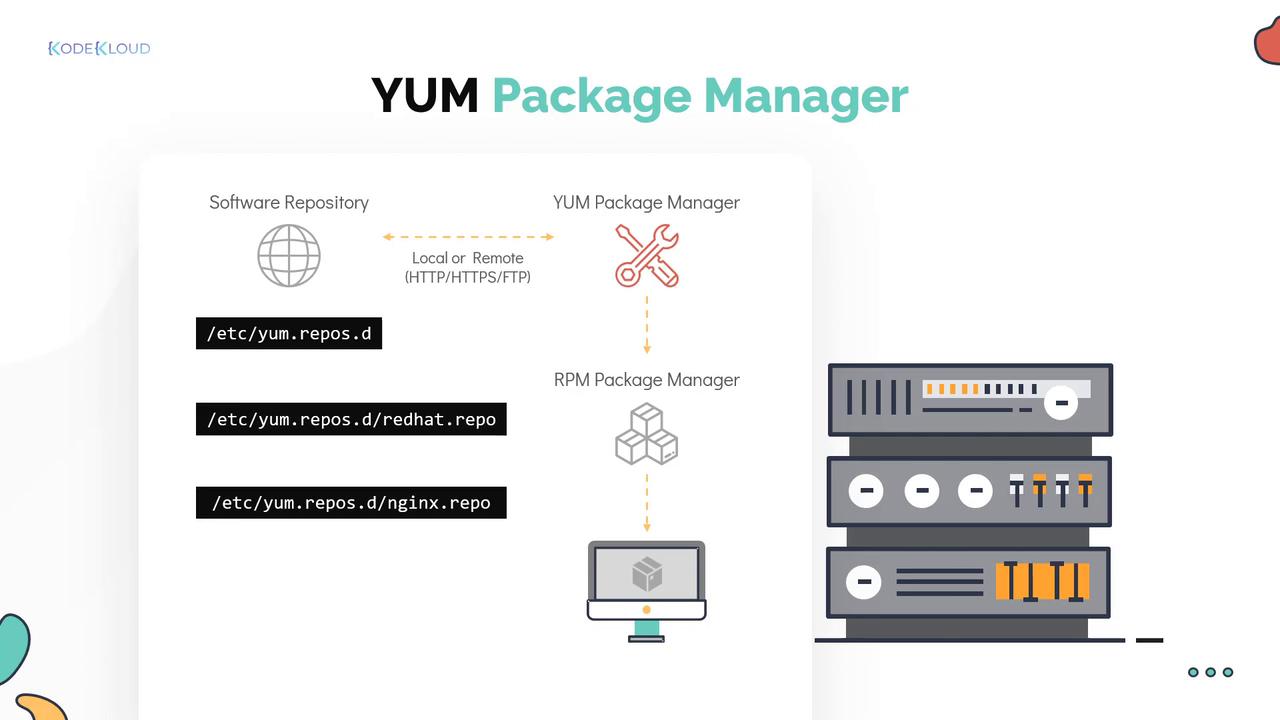
YUM is a free and open-source package manager that automates dependency resolution for RPM-based systems. It seamlessly interacts with software repositories—a structured collection of RPM packages—making software management straightforward.Repository Configuration
Repository configurations are stored in.repo files located in the /etc/yum.repos.d directory. YUM leverages these configuration files to locate and manage software packages. Repositories can be local or remote (accessed via FTP, HTTP, or HTTPS). For example, a file like redhat.repo on a Red Hat system with an active subscription points to the official repository.
In cases where the official repository does not offer the latest software version or the required package, you can add a third-party repository. For instance, by creating a repository file for NGINX, you can install its latest version.
YUM Installation Process
When you run ayum install command, YUM conducts a comprehensive transaction check:
- It verifies if the package is already installed.
- It searches the enabled repositories in
/etc/yum.repos.dfor the package. - It checks for any missing or outdated dependencies.
y (this confirmation step can be automated with appropriate command flags).
An example transaction summary might look like this:
Common YUM Commands
Below is a table summarizing several basic YUM commands and their use cases:Example: Listing Configured Repositories
Example: Finding the Package for a Specific Command
Example: Updating All Packages
Always review the transaction summary before confirming an update or installation to avoid conflicts or unintended changes.