

tar, compress those archives, and prepare them for remote backups. This workflow is essential for system administrators and DevOps engineers who need reliable, space-efficient backups.
Typical backup workflow:
- Archive: Pack multiple files and directories into one file (e.g.,
backup.tar). - Compress: Shrink the archive size (e.g.,
backup.tar.gz). - Transfer: Copy the compressed archive to a remote server, shared drive, or cloud storage.
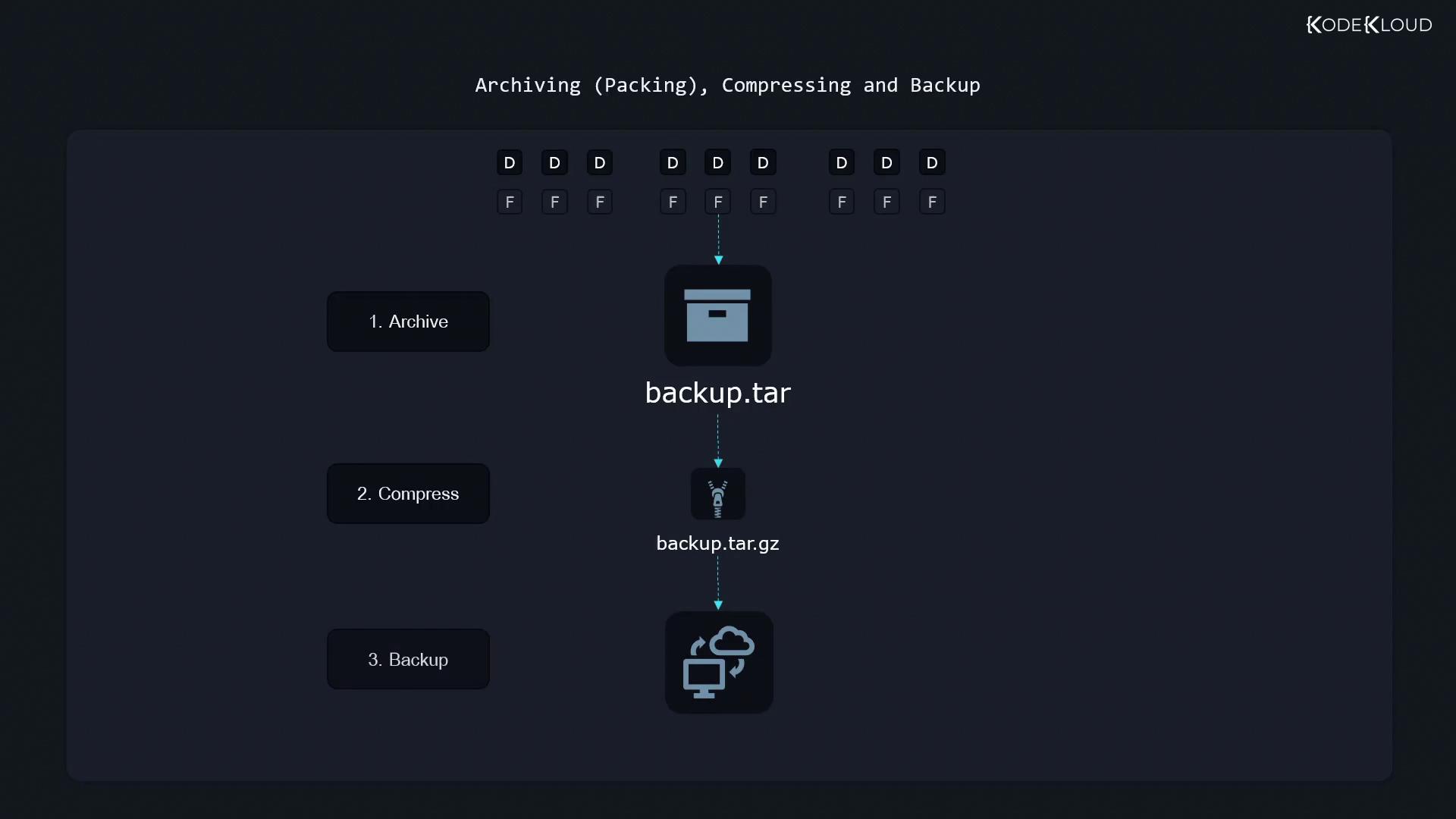
Why Use tar?
Tar (tape archive) was originally designed for magnetic tapes but remains the de facto tool for:- Bundling multiple files or directories into a single tarball (
.tar). - Preserving file metadata: permissions, timestamps, and ownership.
Common tar Commands at a Glance
Listing Contents of an Existing Archive
To preview what’s insidearchive.tar:
Always put the
--file (or -f) option at the end of your option list, immediately followed by the archive name.Creating and Appending to a Tarball
Create a New Archive
Append Files or Directories
- Using a relative path like
pictures/stores entries aspictures/.... - An absolute path (
/home/aaron/pictures/) preserves the full directory structure inside the archive.
Extracting an Archive
Always list contents before extracting:Extract into Current Directory
/home/aaron/work, the files will unpack into /home/aaron/work/Pictures/.
Extract to a Specific Directory
Preserving Ownership and Permissions
By default,tar preserves permissions and ownership metadata in the archive. However, regular users cannot restore files to other owners. To fully retain all metadata, run extraction as root:
Extracting as root (
sudo) may overwrite critical system files if the archive contains absolute paths. Always verify archive contents before restoring.