

Table of Contents
- Understanding Ownership
- Viewing Owner, Group, and Permissions
- Changing Owner and Group
- File Types and Permission Bits
- Permission Evaluation Order
- Modifying Permissions with chmod
- Using Octal Notation with chmod
- Resources & References
Understanding Ownership
Every file or directory on Linux has:- User owner (UID)
- Group owner (GID)
root can change its permissions or ownership.
Viewing Owner, Group, and Permissions
Runls -l to display permissions, owner, group, size, and timestamp:
-rw-r-----: File type and permission bitsaaron: User ownerfamily: Group owner
Changing Owner and Group
Change Group: chgrp
You can only switch to groups you belong to. Use
groups to list them:Change Owner: chown
Only root (or via sudo) can change the user owner:
File Types and Permission Bits
The first character inls -l indicates the file type:
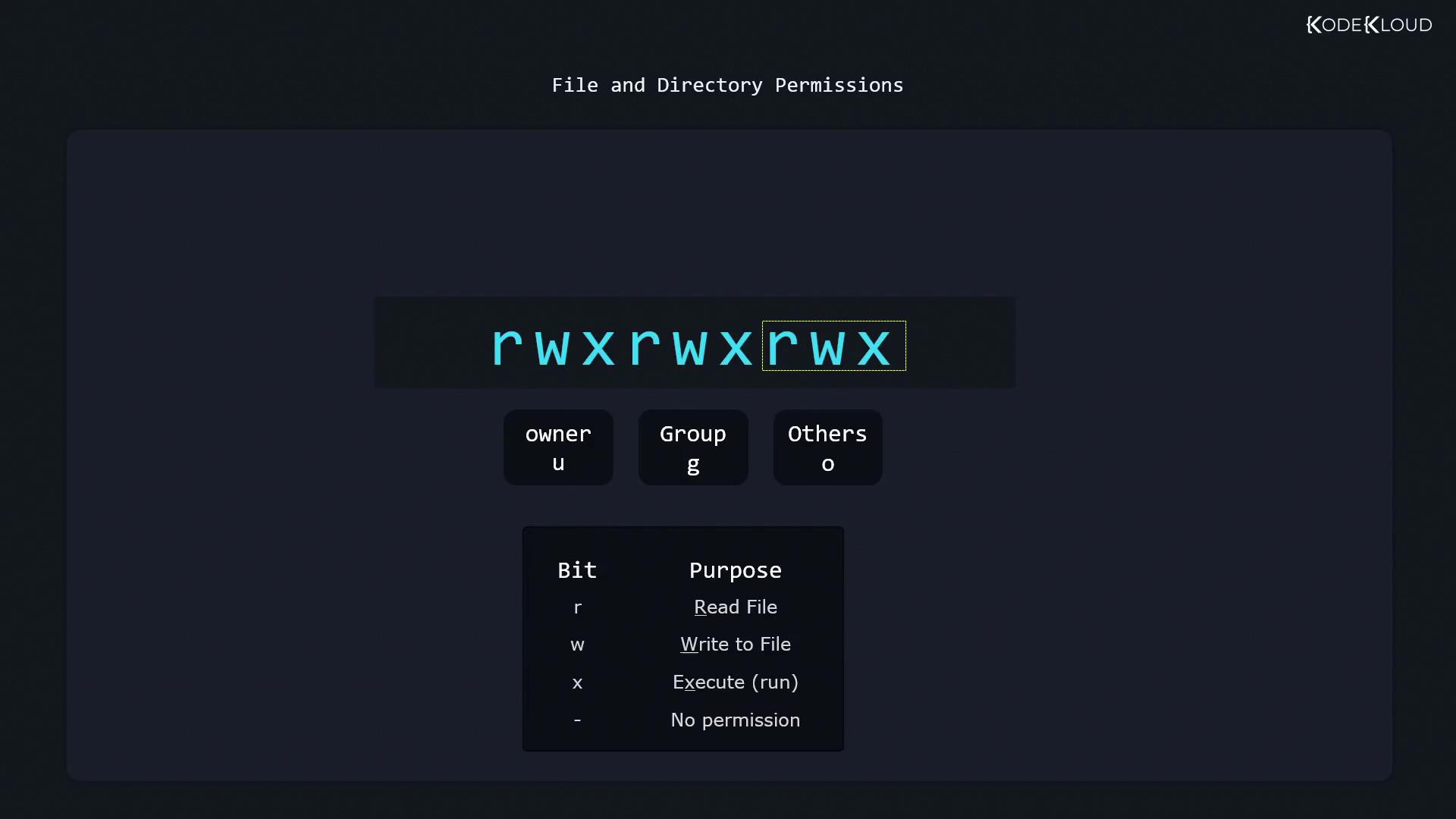
Permission bits follow in three sets (owner, group, others):
[!note] For directories:
r: list contentsw: create/delete filesx: change into the directory
Permission Evaluation Order
Linux checks permissions in this order:- Owner
- Group
- Others
aaron:family with permissions -r--rw----:
- As aaron: owner bits (
r--) apply → no write - As jane (in
family): owner bits skipped, group bits (rw-) apply → can write - Else: “others” bits determine access.
Modifying Permissions with chmod
General syntax:- who:
u(owner),g(group),o(others),a(all) - +: add permissions
- -: remove permissions
- =: set exact permissions
Adding Permissions
Grant write to owner:Removing Permissions
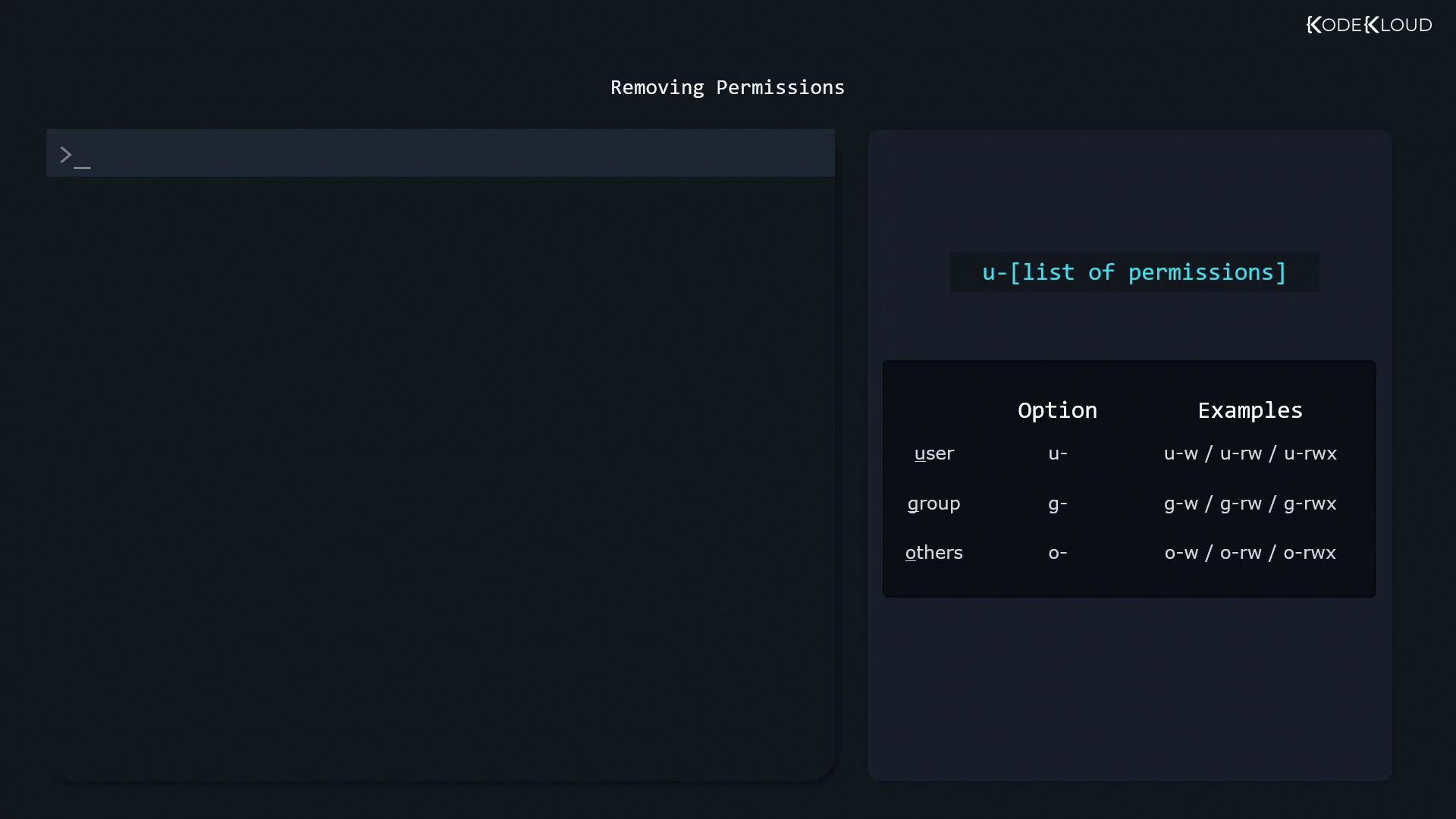
Use- to revoke bits. Common patterns:
u-w: remove owner writeg-rw: remove group read/writeo-rwx: remove all for others
Setting Exact Permissions
Overwrite existing bits with=:
Combining Multiple Changes
Separate specs with commas:Using Octal Notation with chmod
Octal mode is a compact way to set permissions. First, inspect withstat:
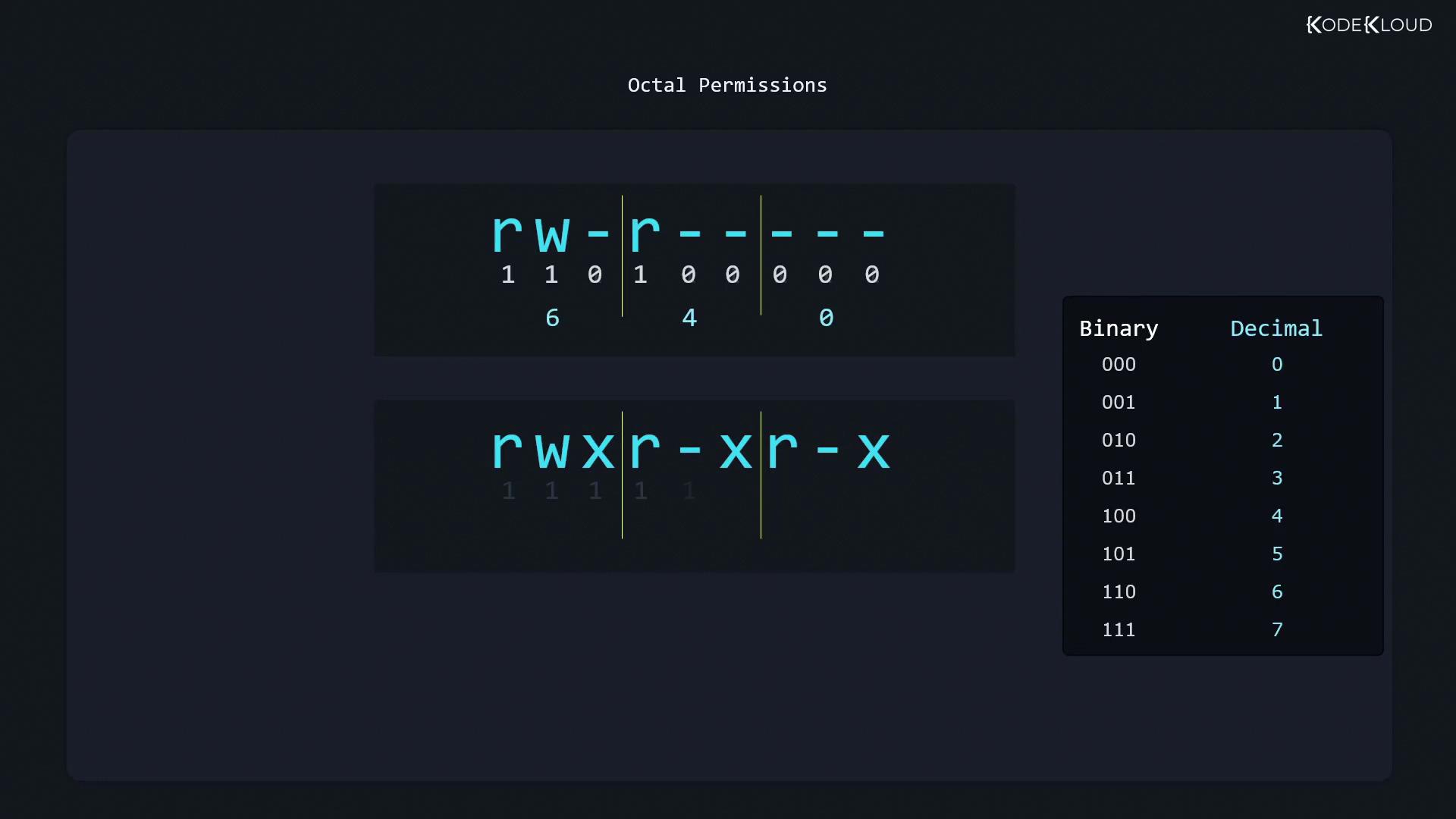
[!note] Each octal digit = read (4) + write (2) + execute (1).
For0640:
- Owner
6=rw-- Group
4=r--- Others
0=---
0640 directly: