

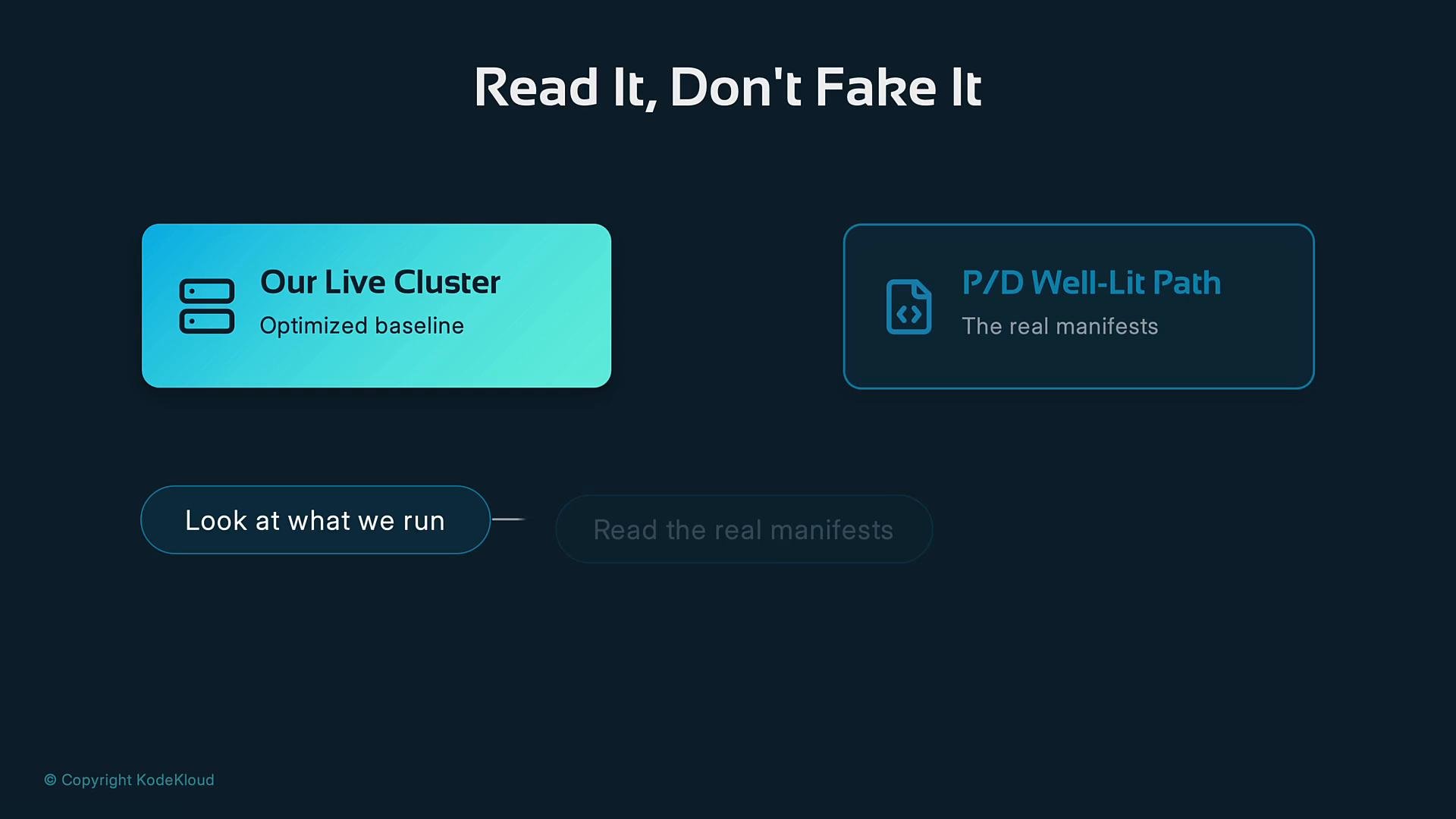
We won’t fake cross-machine memory transfers. Instead, we’ll inspect the real P/D manifests and compare them to what our cluster actually runs — the distance between them is smaller than you might expect.
1) Inspect what the cluster actually runs
Start by listing pods and their labels in thellm-d namespace:
llm-d.ai/role label is the key switch:
2) How manifests change for P/D split
Adopting the P/D split introduces a second deployment for prefill. The layout (relevant files) looks like:3) The decode pod sidecar (routing proxy)
When enabling P/D, a small routing-proxy sidecar is added to decode pods. It acts as the receiving dock for KV blocks that prefill pods produce. The sidecar listens on the pod’s external port (8000); vLLM is moved behind it on 8200.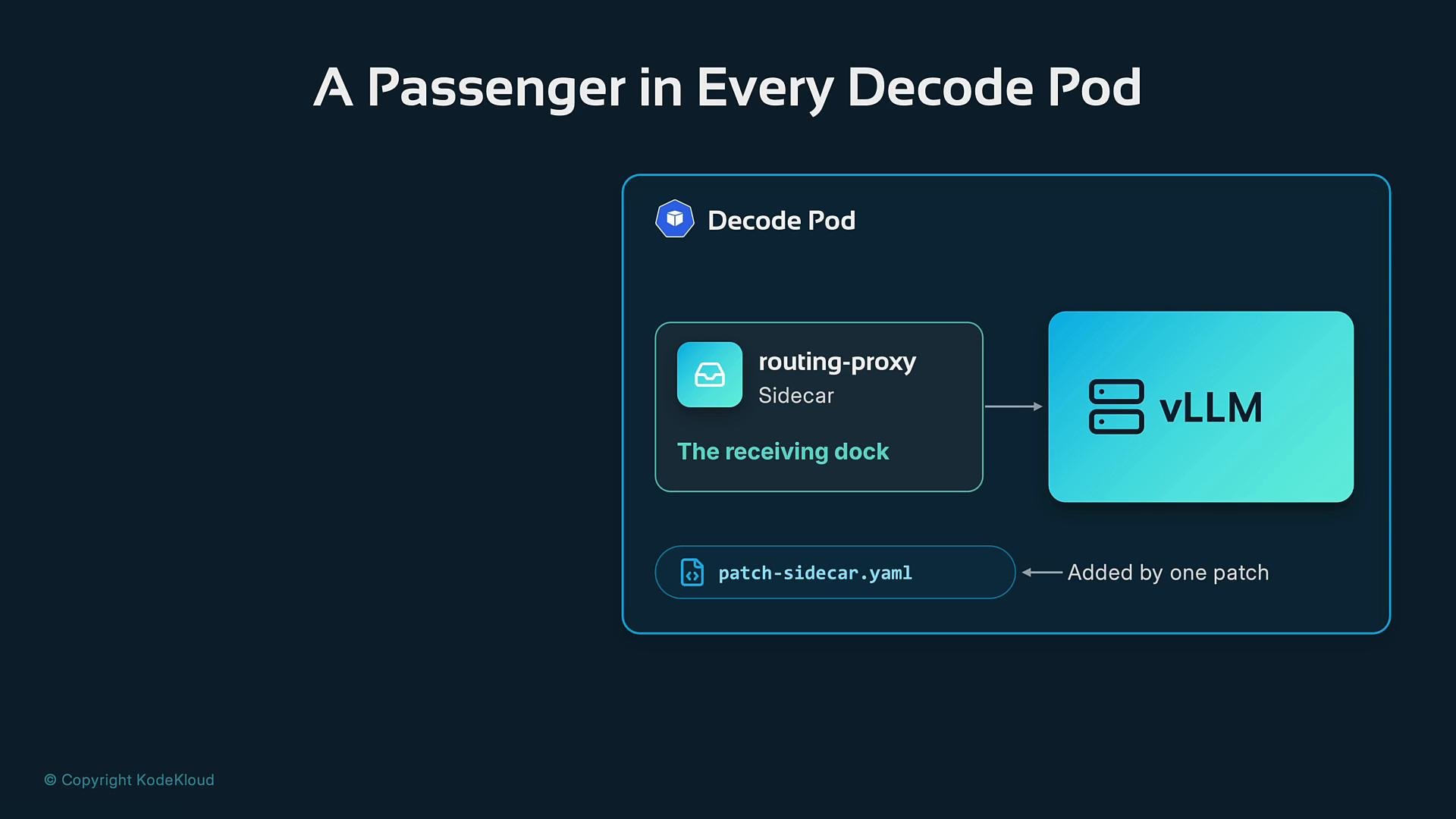
4) One pool, two roles — how routing binds them
Both prefill and decode deployments join a single inference pool. Note the pool selector matches on a sharedllm-d.ai/guide label, not llm-d.ai/role. That allows the router to treat them as one fleet while roles differentiate scheduling behavior internally.
Router chart fragment:
5) The Endpoint Picker Plugin (EPP) — scheduling profiles and decider
The EPP config holds the P/D routing logic. It loads plugin-style filters/scorers and defines two scheduling profiles —prefill and decode. Filters match pod labels (llm-d.ai/role) and a decider plugin marks requests that should be split.
EPP plugin excerpt:
6) Request flow with P/D enabled
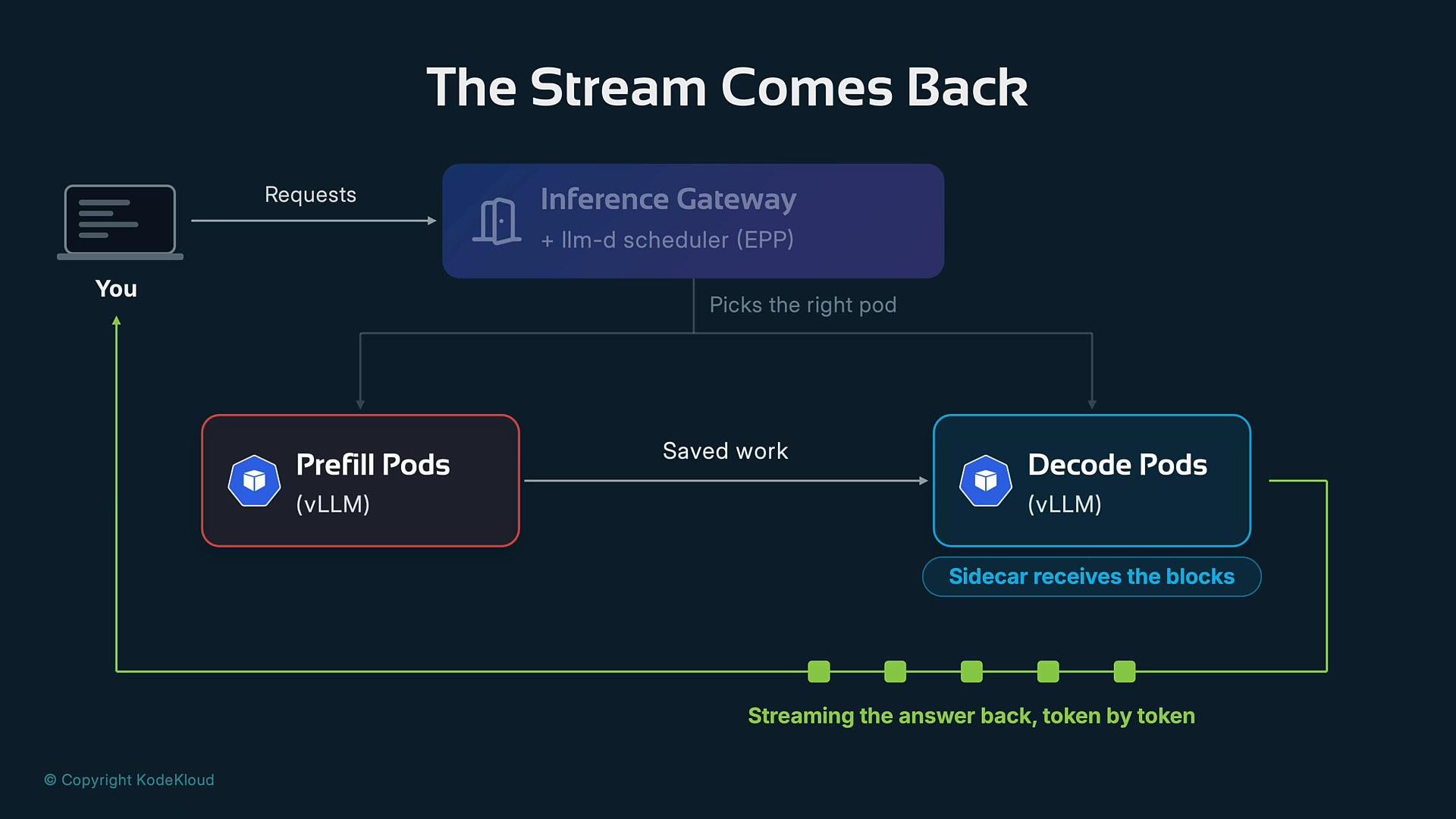
Step through a long request:- Client → Inference gateway.
- Gateway invokes EPP: the decider marks the request for P/D and EPP picks a prefill pod first (based on
prefillprofile). - Prefill pod reads the prompt, performs the heavy model pass and produces saved work (KV blocks).
- KV blocks are transferred to the chosen decode pod (point-to-point transfer).
- Decode pod — with the routing-proxy sidecar receiving the blocks — resumes from the saved state and streams tokens back to the client.
7) NIXL — the KV transfer library
What is NIXL? It is an inference transfer library used to accelerate point-to-point KV block transfers in disaggregated LLM deployments. In practice it reduces transfer latency and overhead for large KV caches.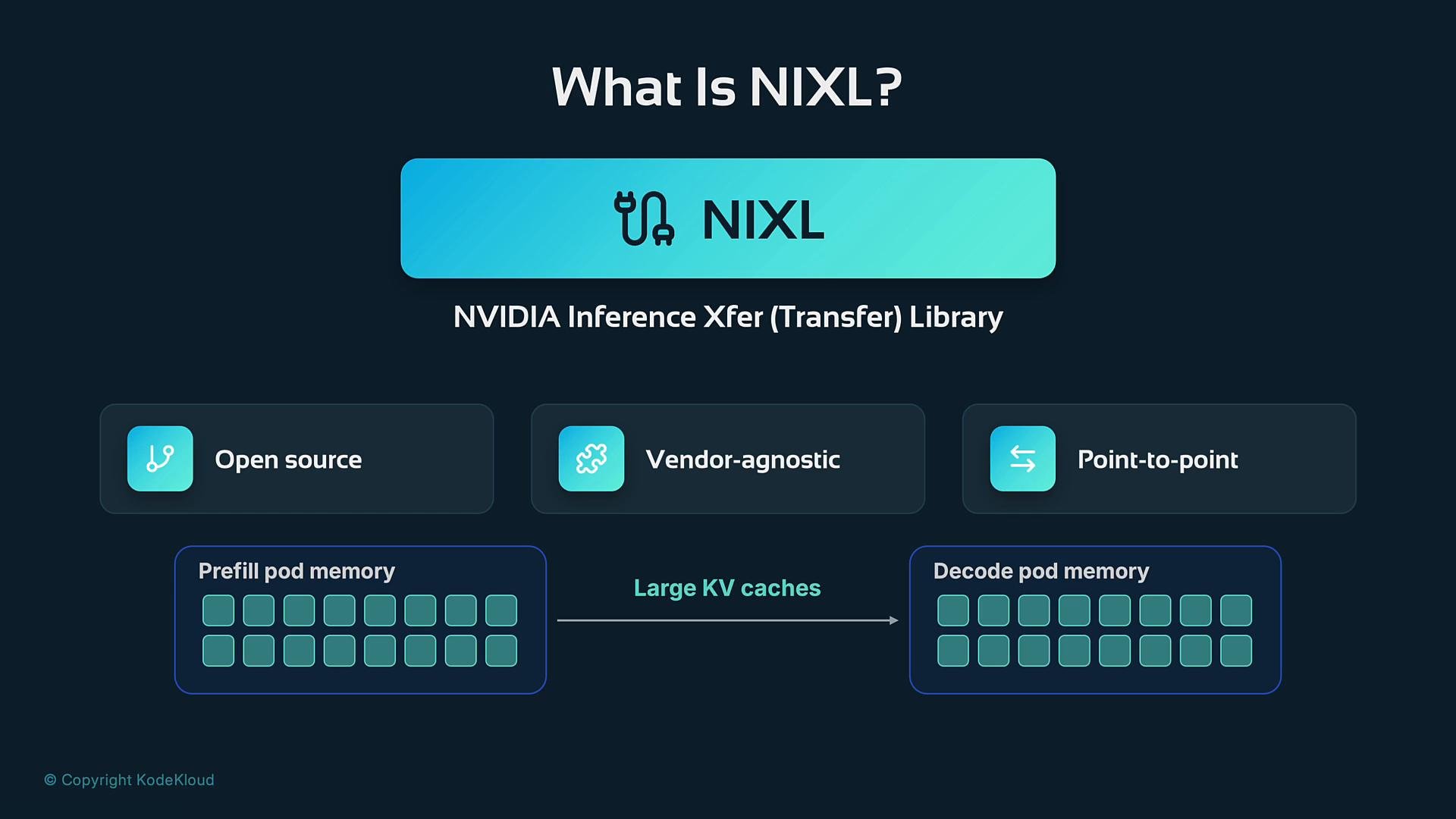
- Block size (
--block-size=128) determines KV granularity. Smaller blocks mean more transfers but finer-grained caching; larger blocks reduce per-transfer overhead but may move extra state. - The connector selection (
NixlConnector) andkv_roledetermine whether the pod sends, receives, or does both (kv_both).
Key takeaways
- The P/D split separates heavy, bursty prefill reads from low-latency decode streams; this allows independent tuning and can greatly increase throughput for long-context workloads.
- You do not need a fundamentally different vLLM binary: the split is implemented by labels, a tiny sidecar, EPP scheduling profiles, and a KV transfer connector.
- We do not simulate cross-node transfers in this lesson; instead we read the real manifests and show the genuine patches and configurations used in the P/D well-lit path.
- If you adopt P/D in production, ensure your network topology and NICs can handle low-latency, high-throughput point-to-point transfers (this is where the split pays off).
Links and references
- Kubernetes documentation — Concepts overview
- vLLM: vllm project on GitHub
- For production-style routing and endpoint picking, consult your router/EPP documentation and plugin references (this example used an Endpoint Picker Plugin configuration).