Welcome to the next module: a focused tour of the Central Processing Unit (CPU). Every action your computer or smartphone performs — from streaming video to running AI models or gaming — relies on this compact but powerful chip. Modern CPUs perform trillions of operations per second; if you tried to do that work at one operation per second, it would take roughly 30,000 years. How does a tiny piece of silicon achieve this? In this lesson we’ll break down the CPU’s internal structure, how it runs instructions, and what those marketing numbers (cores, threads, GHz) actually mean. Learning objectives:
  • Identify a CPU’s major components and their roles.
  • Explain how a CPU processes instructions, including multithreading and multitasking.
  • Interpret common CPU specs (cores, threads, clock speed) and predict how multiple cores affect performance.
Cody will guide us through the concepts, so don’t worry if some terms are new.
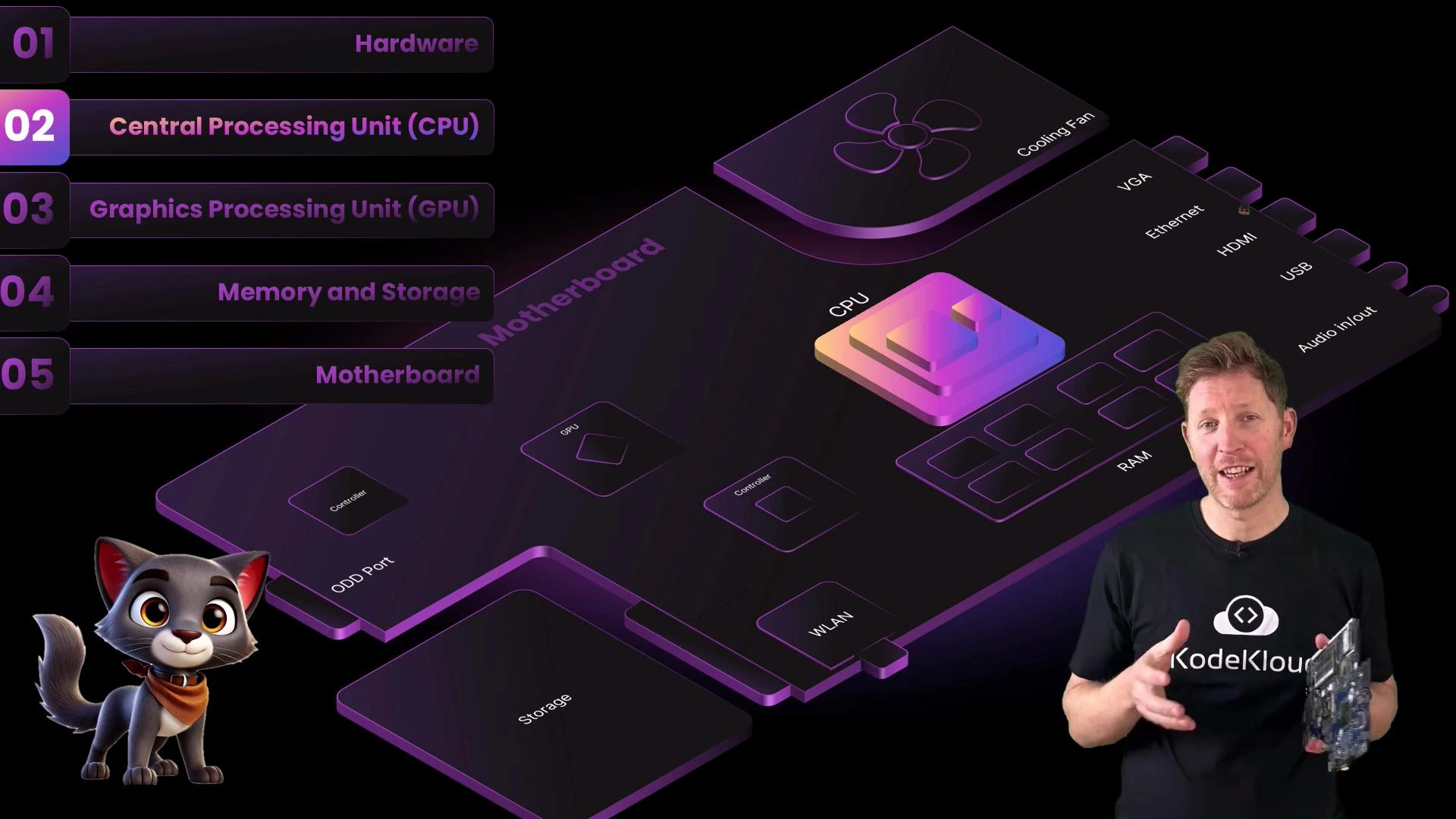
A stylized, purple-tinted diagram of a computer motherboard with labeled parts like the CPU, RAM, cooling fan, and ports. In the foreground is a presenter holding a circuit board and a small cartoon cat character in the lower-left corner.
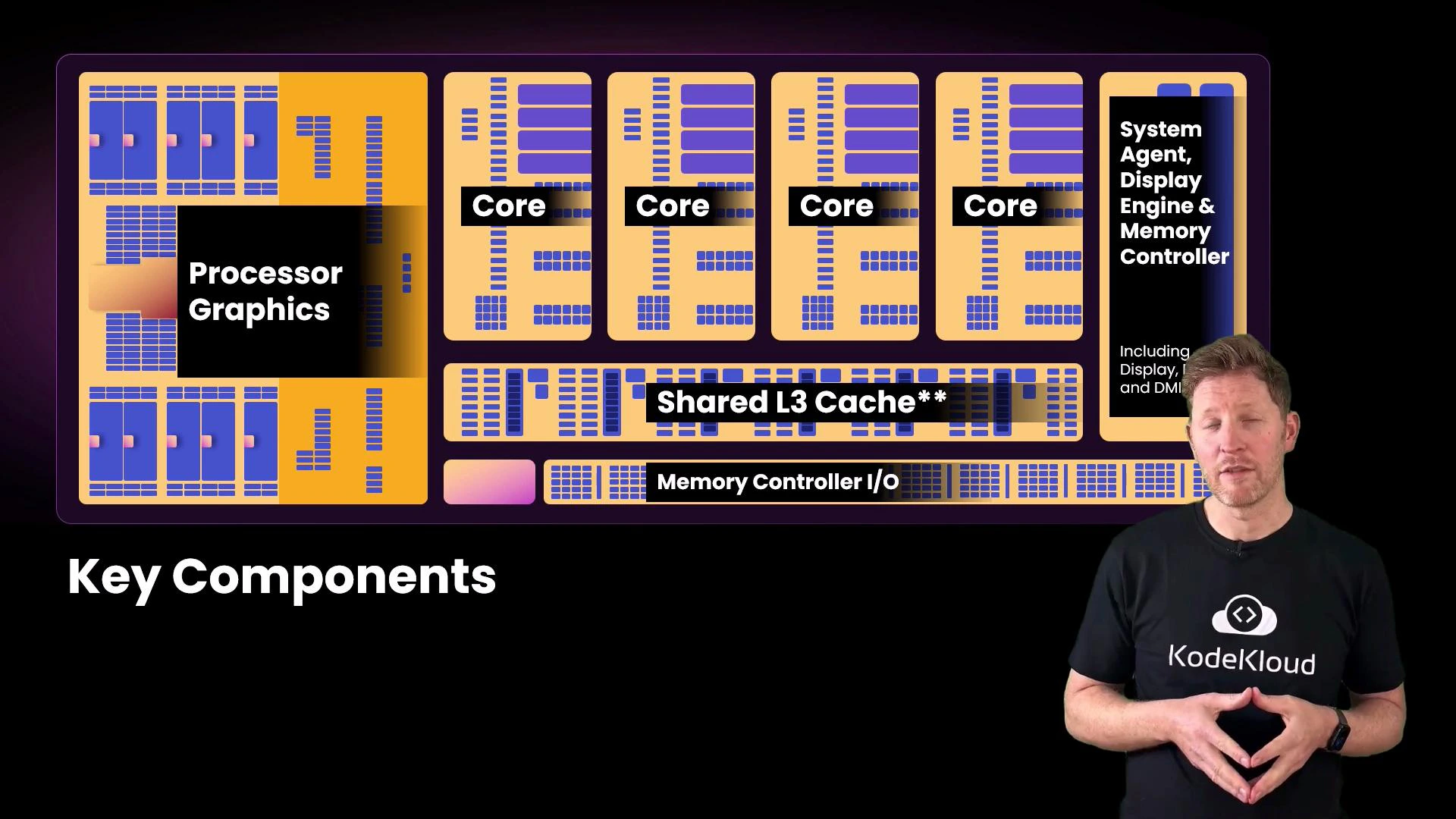
Selecting CPUs for your team’s laptops can feel overwhelming: different brands, varying core counts, advertised clock speeds, and threads. Let’s make this concrete using a sample spec line: Intel Core i7 — “20 cores (8P + 12E), up to 5.6 GHz, 28 threads.” We’ll decode what each number means and why they matter. This simplified die diagram highlights where the CPU’s major subsystems live.
A presentation slide showing a colorful CPU block diagram labeled with parts like "Processor Graphics", "Core", "Shared L3 Cache" and "Memory Controller I/O" under the heading "Key Components." A presenter wearing a KodeKloud shirt stands to the right of the slide.
Key CPU components and their functions:
ComponentRole
CoresIndependent execution units; each core can fetch, decode, and execute instructions like a mini-CPU. More cores enable more true parallel work.
Processor graphicsIntegrated GPU for display and graphics workloads; reduces the need for a discrete GPU in many everyday scenarios.
System agent / Memory controllerCoordinates data movement between cores, RAM, and I/O devices; crucial for memory throughput and low latency.
Cache (L1 / L2 / L3)Very fast on-chip memory that stores frequently used instructions and data close to cores to reduce access latency and increase throughput.
Returning to the example spec, the headline reads “20 cores (8P + 12E), 28 threads.” What is a thread? A thread is a sequence of programmed instructions — an execution context. Multithreading lets a core present multiple execution contexts so it can make progress on several threads more efficiently.
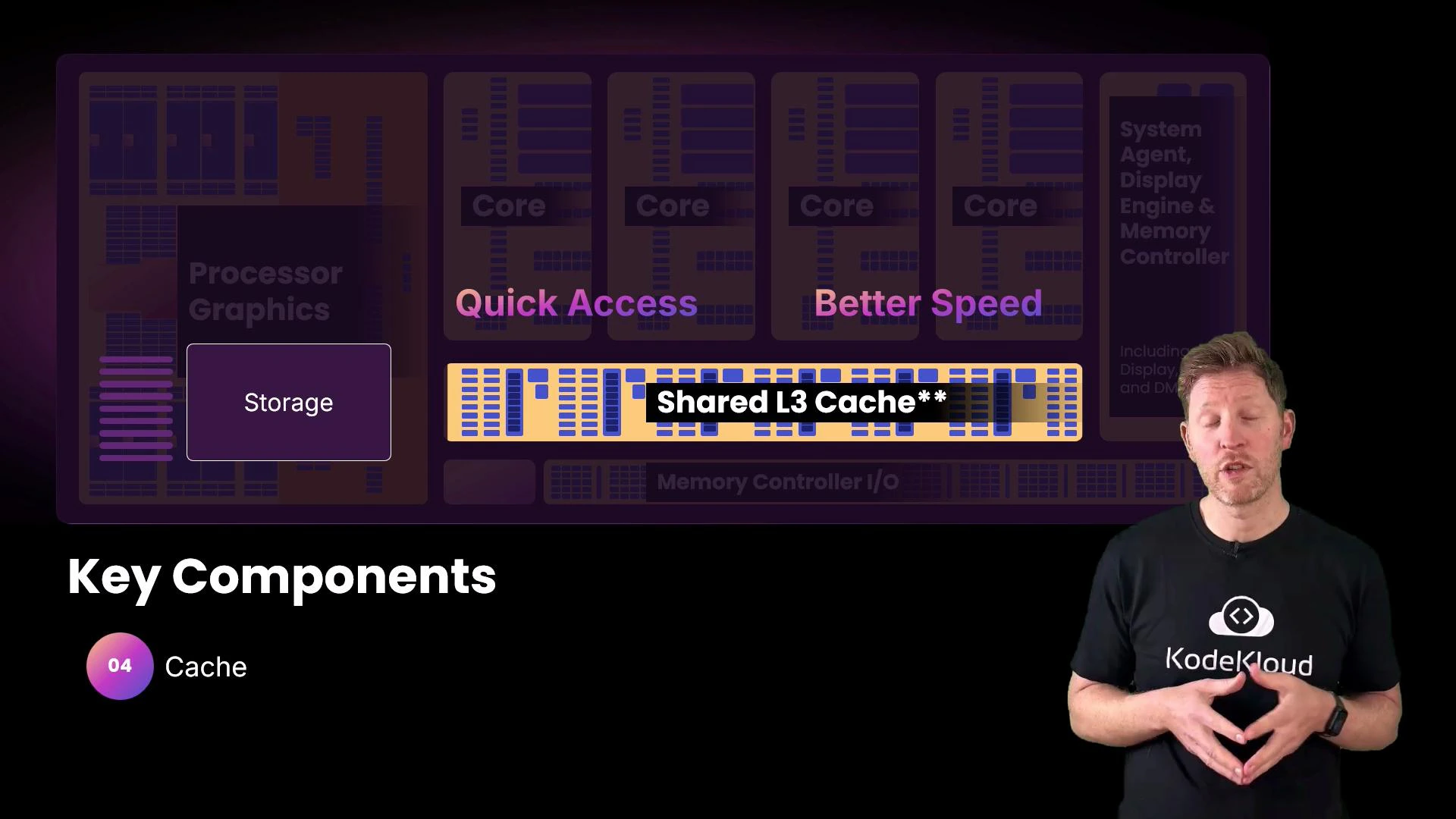
A slide illustrating processor architecture with a highlighted "Shared L3 Cache" and labels like "Quick Access" and "Better Speed," plus "Key Components" and "Cache" noted below. A presenter wearing a KodeKloud t-shirt stands on the right speaking.
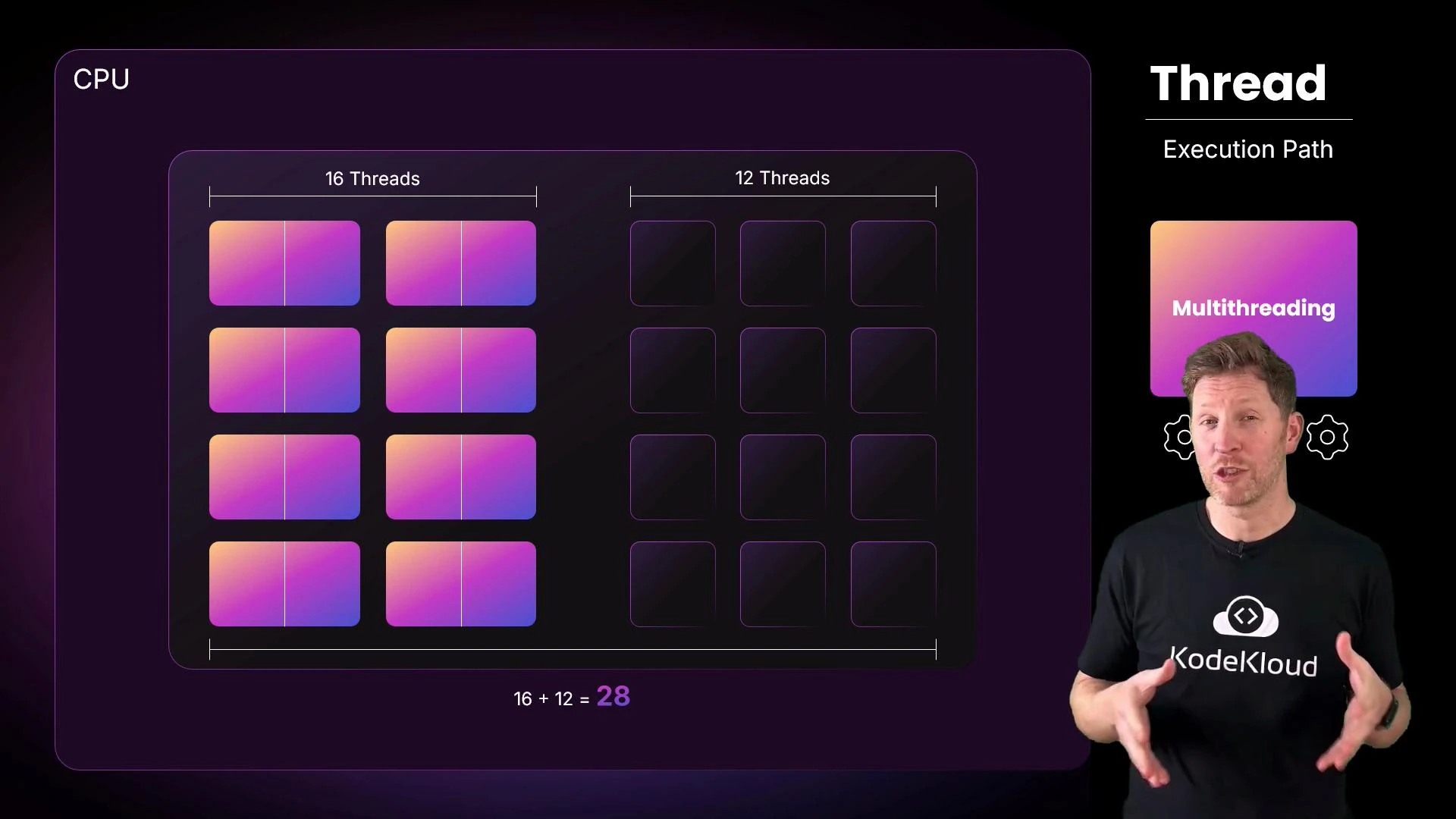
How the 20 cores become 28 threads (for the pictured Core i7):
  • The 8 performance (P) cores support simultaneous multithreading (SMT). Each P-core can run 2 threads → 8 × 2 = 16 threads.
  • The 12 efficiency (E) cores do not support SMT and run 1 thread each → 12 × 1 = 12 threads.
  • Total threads = 16 + 12 = 28.
A stylized CPU diagram on the left shows blocks labeled "16 Threads" and "12 Threads" (16 + 12 = 28) with colorful tiles. On the right a presenter wearing a KodeKloud shirt stands beside the heading "Thread — Execution Path" and a "Multithreading" graphic.
Multitasking at a glance
  • Single-core, single-threaded: tasks run one after another. The OS scheduler swaps tasks quickly to give the illusion of concurrency.
  • Multiple cores: truly parallel execution — different cores run different tasks simultaneously (e.g., video decoding, UI, background sync).
  • Multithreading (SMT): a single core presents multiple logical threads and can interleave or parallelize work on replicated pipeline resources to improve utilization.
Example of three independent tasks producing text output:
Hello, Kody!
Hello, KodeKloud!
Hello, World!
  • If there are more runnable tasks than available physical cores, the OS performs context switches so each task gets time on the CPU.
  • Modern systems also offload specialized work to GPUs, NPUs, or dedicated accelerators to free CPU cores for general-purpose tasks.
SMT improves throughput by letting a core handle multiple execution paths, but it doesn’t double performance for every workload. SMT helps most when threads have complementary resource usage (e.g., one thread stalls on memory while another uses execution units).
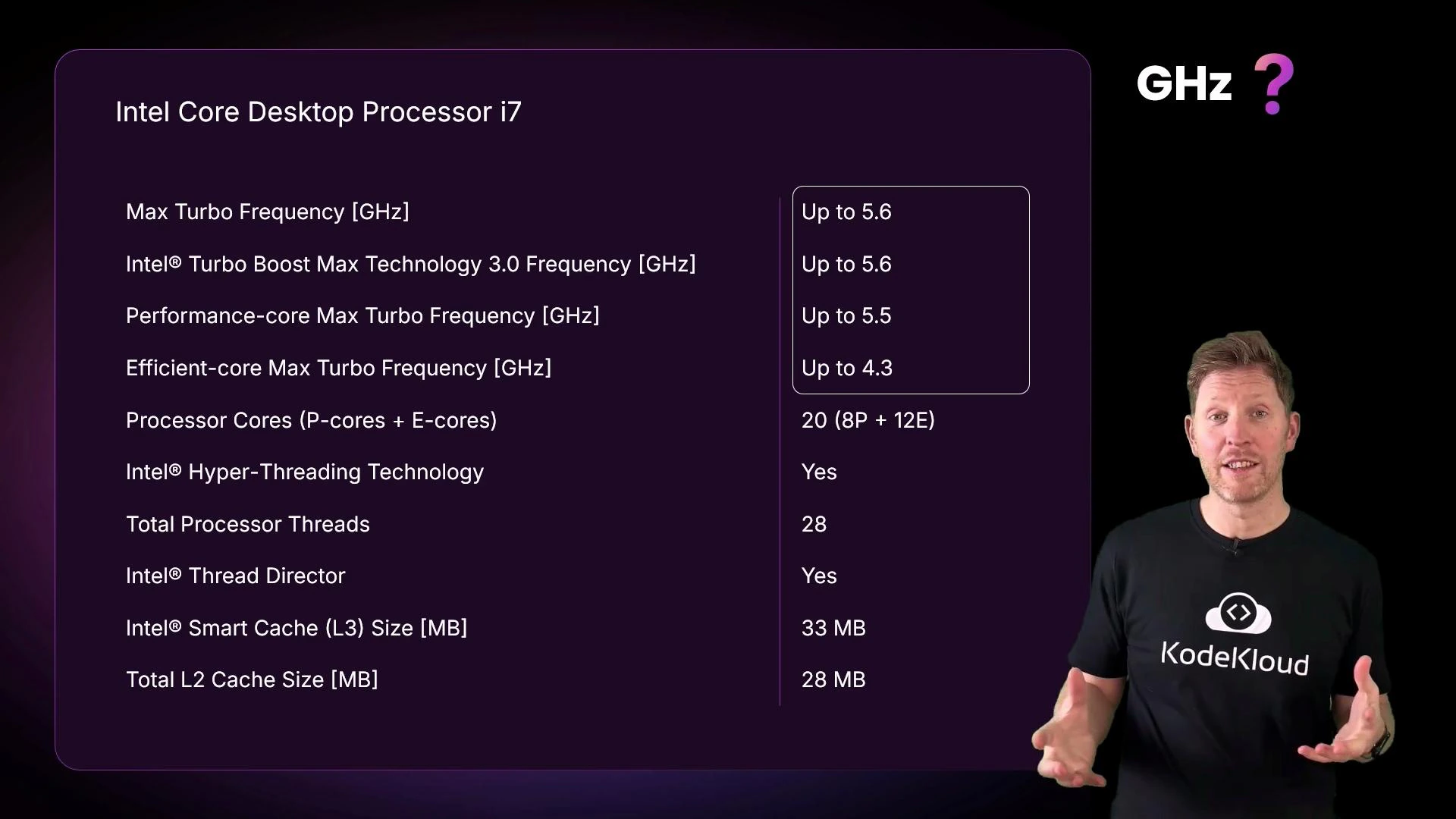
Next: clock speed and what “up to 5.6 GHz” means.
A presentation slide showing Intel Core Desktop Processor i7 specifications (Max Turbo up to 5.6 GHz, Performance/Efficient core turbo values, 20 cores (8P+12E), 28 threads, 33 MB L3, etc.). A man wearing a KodeKloud T-shirt stands to the right, gesturing toward the slide.
Giga = billion, hertz = cycles per second. 5.6 GHz = 5.6 billion clock cycles per second. Think of the clock as a regular beat: each tick is an opportunity for the CPU to start or continue micro-operations. However, several important caveats apply:
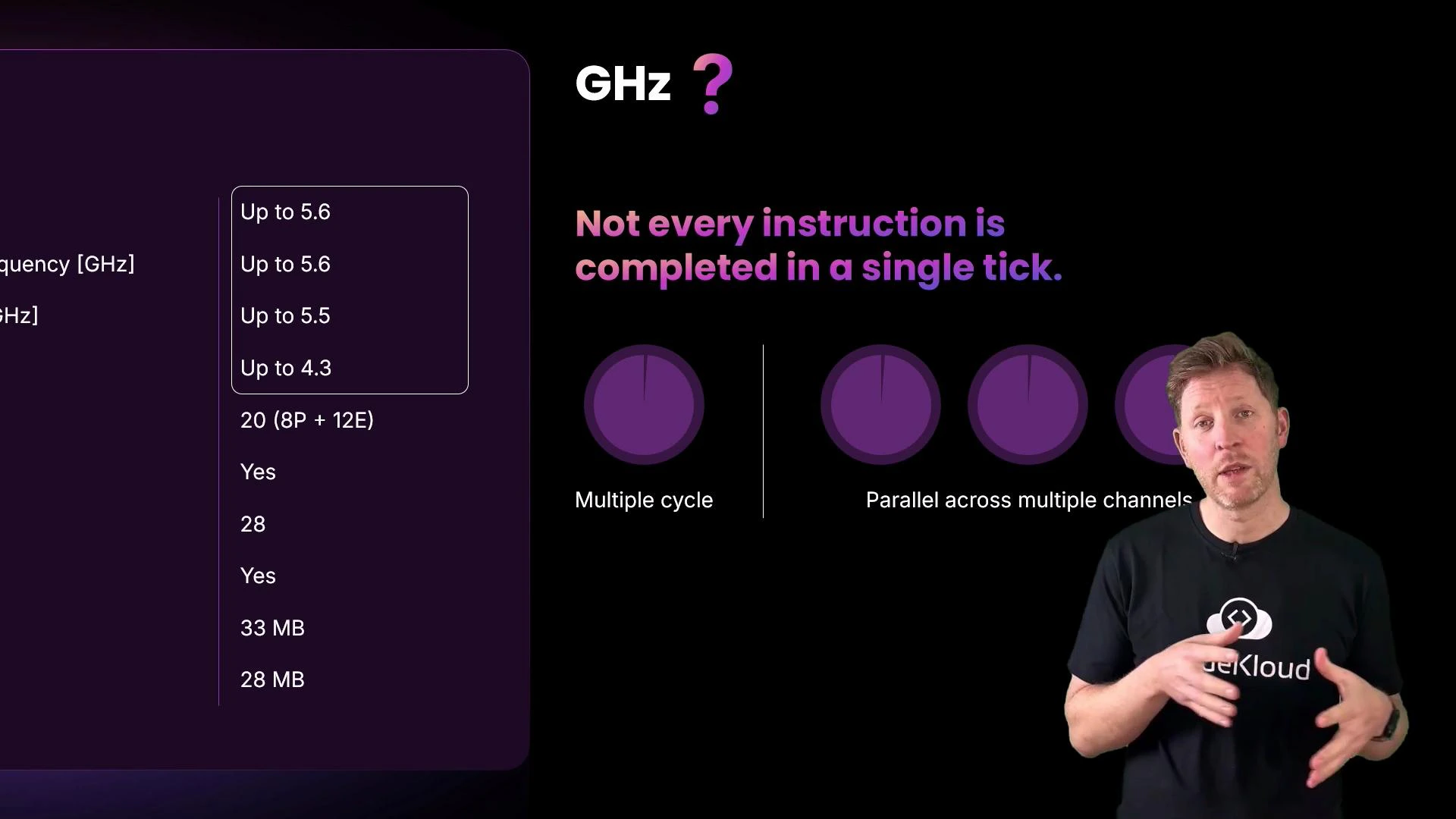
  • Not every instruction completes in a single clock cycle; complex operations may take many cycles.
  • CPUs use pipelining, out-of-order execution, and multiple execution units to complete parts of multiple instructions across overlapping cycles.
  • “Turbo” or “Max Boost” frequencies are the highest achievable clocks for a limited time under favorable power/thermal conditions.
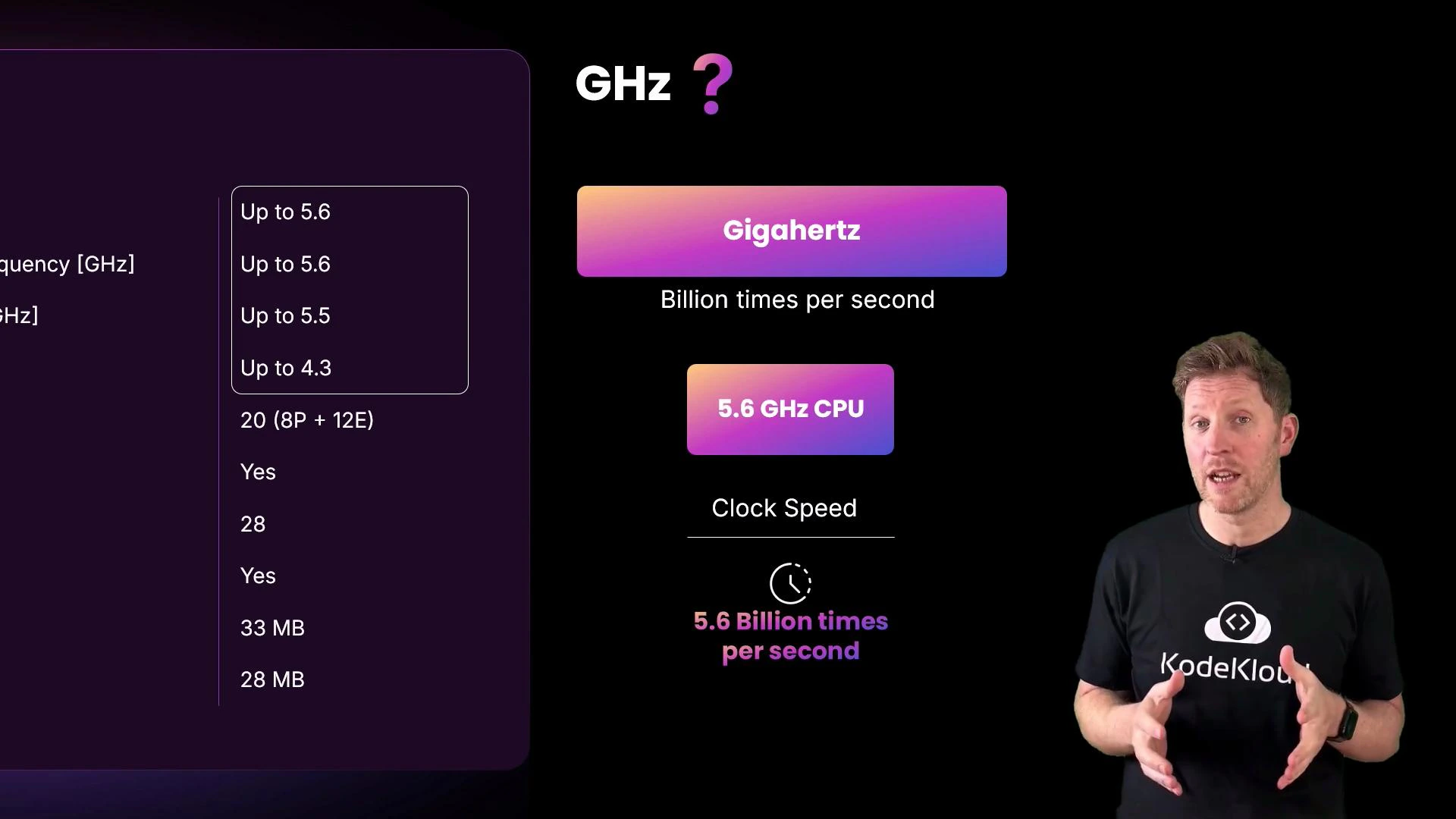
A presenter in a black KodeKloud t-shirt gestures on the right while a colorful infographic about gigahertz and a 5.6 GHz CPU (noting "5.6 billion times per second") is shown on a dark background. A partial specs table appears on the left.
Putting GHz into perspective:
  • A hummingbird flaps ~80 times per second. 5.6 GHz is roughly 70 million times faster.
  • An electric toothbrush vibrates ~1,000 times per second. 5.6 GHz is about 5.6 million times faster.
But remember: raw frequency is only one factor. Architecture efficiency, cache size and hierarchy, memory bandwidth and latency, core count, and the workload’s parallelism all shape real-world performance.
A presenter in a black t-shirt is speaking in front of a presentation slide. The slide reads "Not every instruction is completed in a single tick" and shows purple circular graphics alongside a table of GHz values.
Do not equate higher GHz directly with better performance for all workloads. A newer CPU with lower clock speed can outperform an older, higher-clocked chip due to architectural improvements, larger caches, or more efficient execution pipelines.
Summary — evaluating laptop CPUs for procurement
  • Prioritize the workload: many office apps and web browsing benefit from higher single-thread performance and good integrated graphics; software compilation, virtualization, and heavy multitasking benefit from more cores and threads.
  • Consider thermal and power limits: thin laptops may not sustain turbo clocks for long due to cooling constraints.
  • Look beyond headline numbers: compare cache sizes, memory support (LPDDR vs. DDR), and real-world benchmarks for your typical applications.
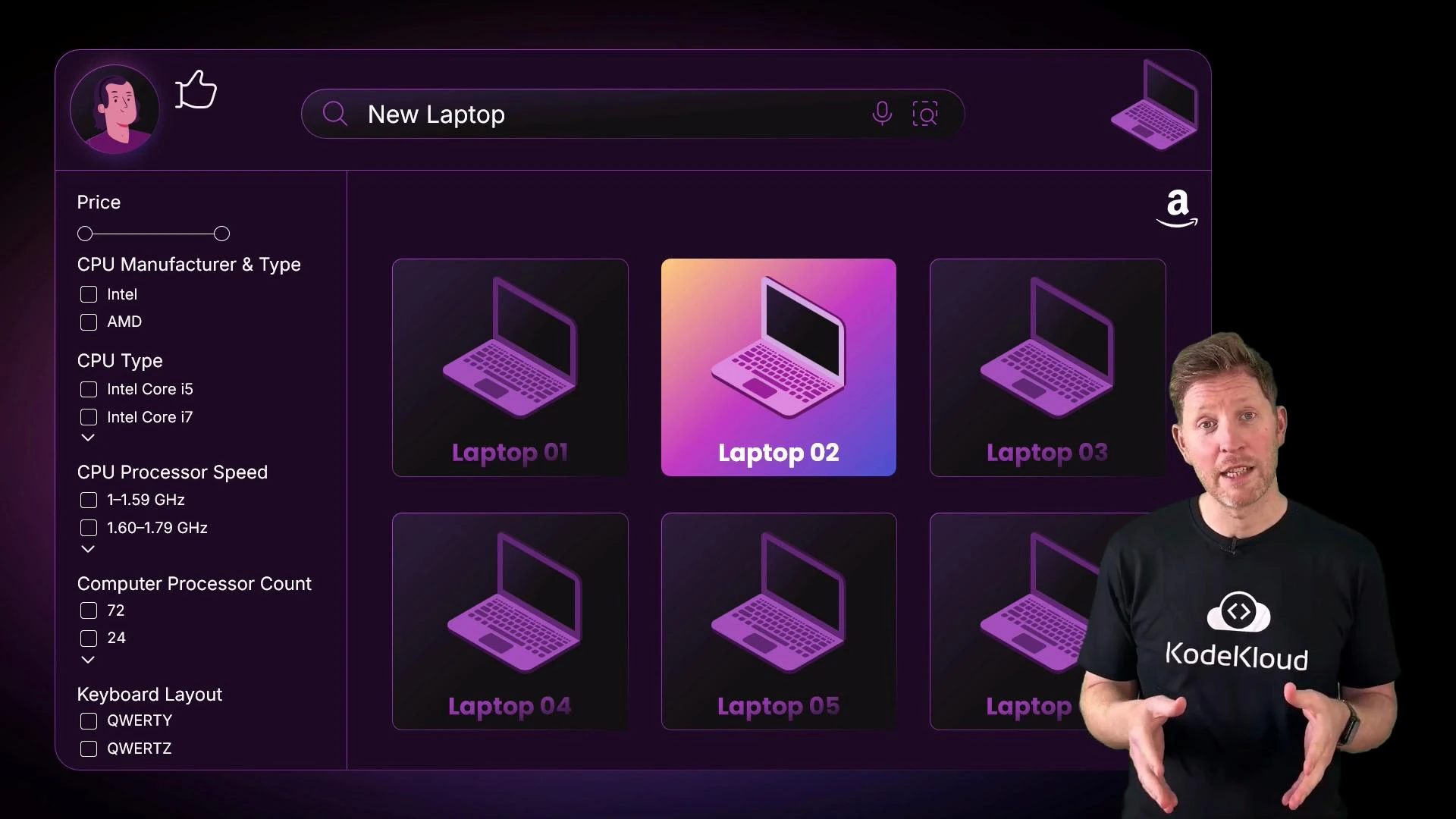
A presenter stands on the right wearing a "KodeKloud" shirt. To the left is a dark purple product page titled "New Laptop" with filter controls and a grid of stylized laptop cards, with "Laptop 02" highlighted.
Further reading and references Armed with these concepts, you can make informed CPU choices for your team and better interpret the marketing spec lines on product pages.

Watch Video