

- If the request is disallowed, respond with HTTP 429 (Too Many Requests) and a
Retry-Afterheader indicating when the client may retry (either seconds or an HTTP-date). This prevents aggressive clients from repeatedly retrying and amplifying traffic on a throttled service. - For allowed responses, include headers that help clients behave politely, for example how many requests remain and when the quota resets. Typical headers are
Retry-After,X-RateLimit-Limit,X-RateLimit-Remaining, andX-RateLimit-Reset(or semantic equivalents your API consumers expect).
Provide
Retry-After plus remaining/quota-reset headers whenever possible. These signals let well-behaved clients back off proactively and reduce needless retry storms.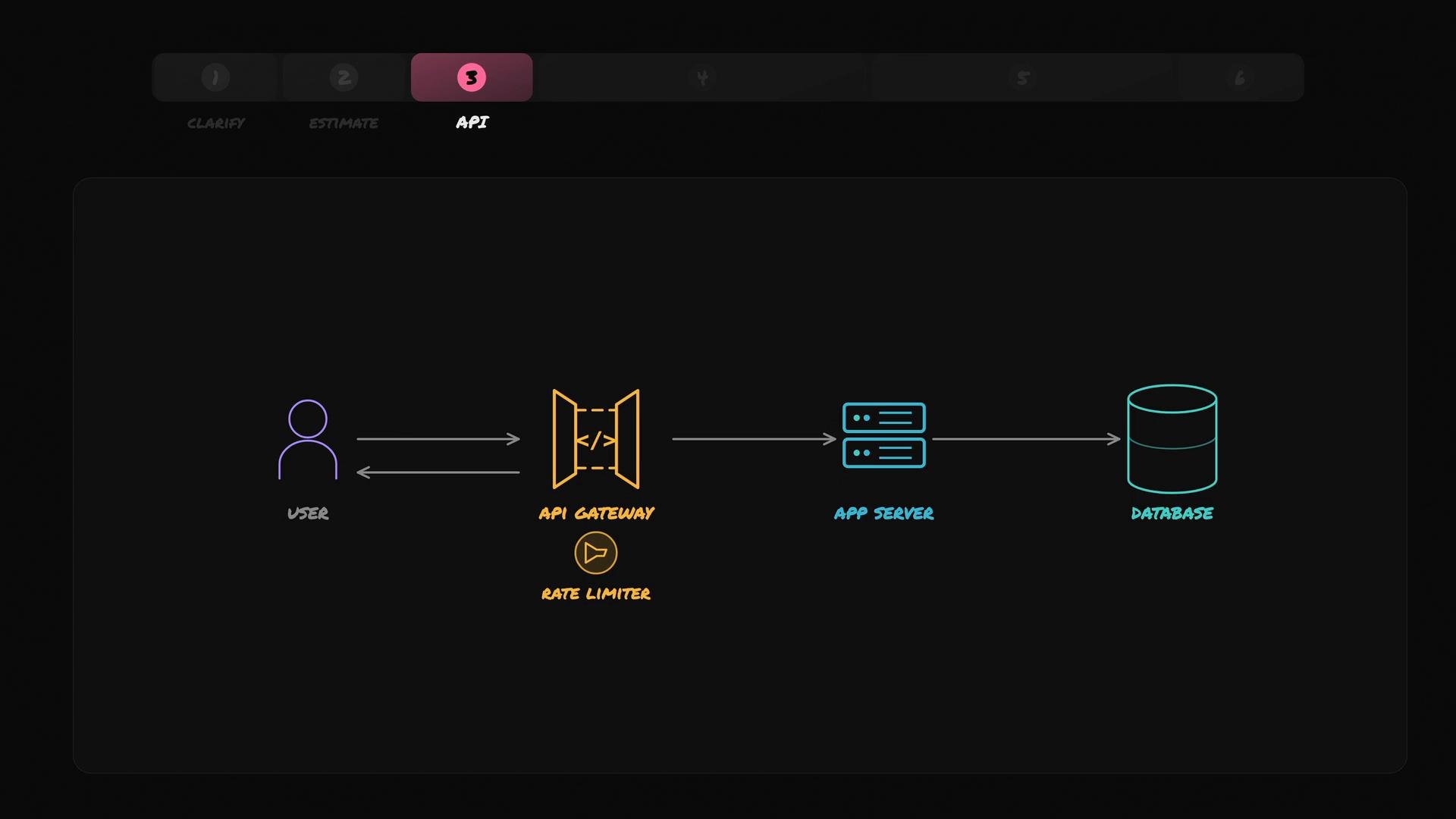
- Track counts per fixed, clock-aligned window (for example: per minute).
- When Alan’s request arrives:
- If Alan’s counter for the current minute is less than 100, increment it and allow the request.
- When the minute rolls over, reset Alan’s counter to zero.
- If the counter has reached 100, reject the request.
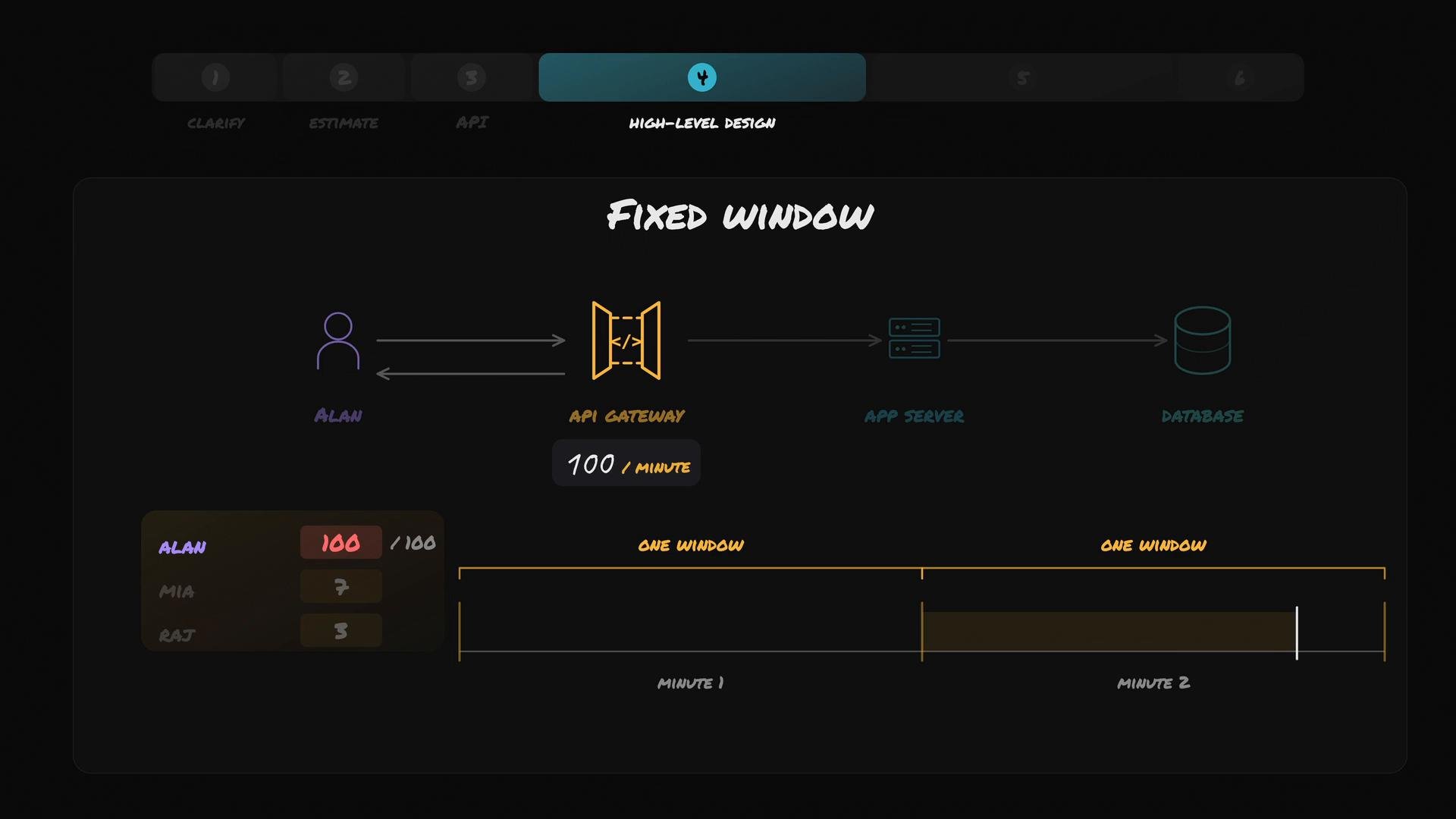
- If Alan sends 100 requests in the last second of minute N and 100 more in the first second of minute N+1, the fixed-window limiter still allows 200 requests within ~2 seconds while promising “100 per minute”. This is the sharp-edge or boundary-burst problem.
- Keep a log of exact timestamps for each request per user.
- On each new request, remove timestamps older than 60 seconds and count the remainder.
- If the count is below the quota (100), allow the request and append its timestamp; otherwise, reject it.
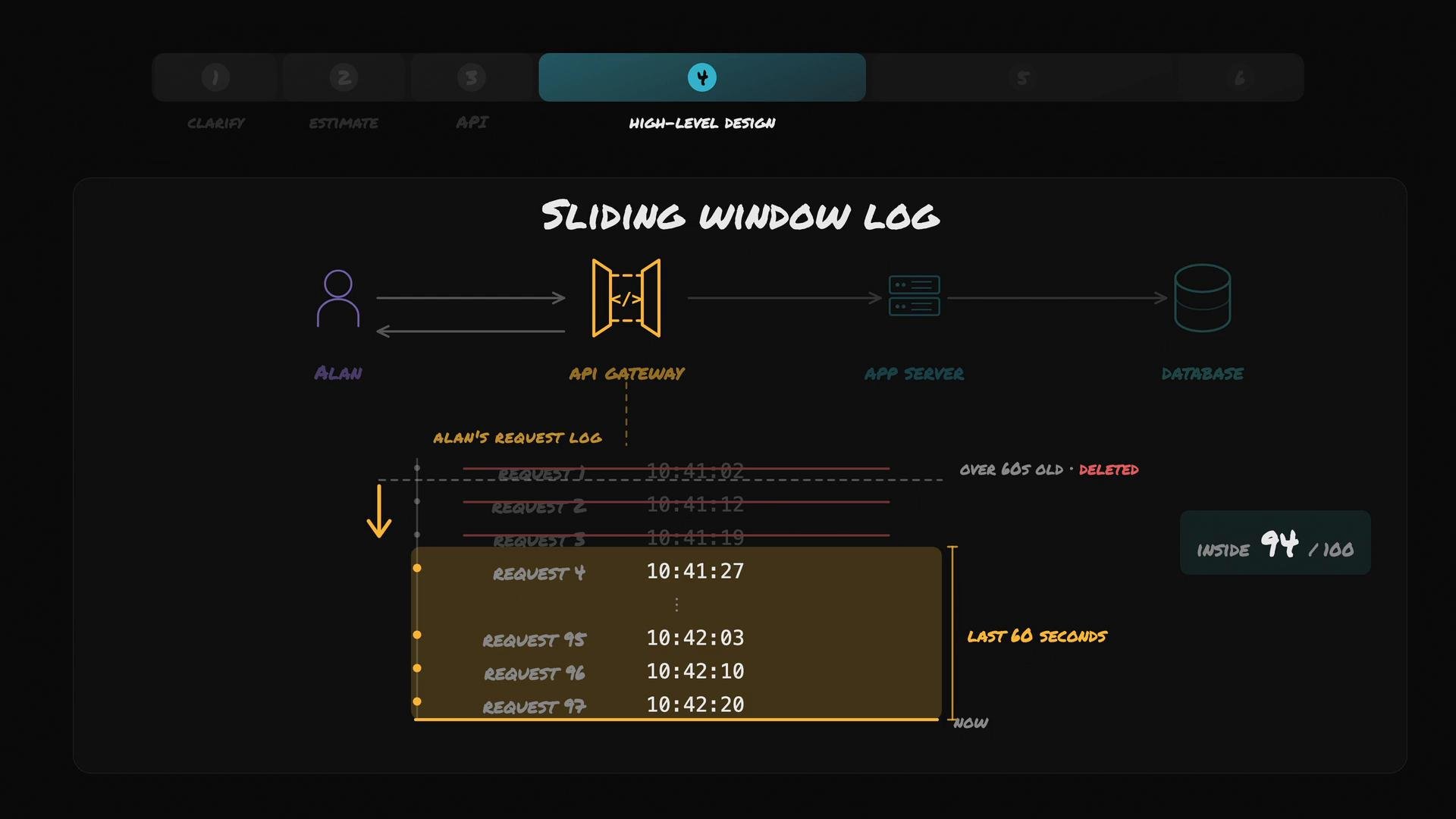
- Store precise timestamps of recent requests per user.
- On each request, evict timestamps older than the configured window (e.g., 60s), then count remaining timestamps.
- Reject when the count meets or exceeds the quota.
Sliding-window logs provide accurate limiting but are costly: storage grows with request volume, and eviction/counting work increases per request. For large user bases or high quotas, CPU and memory usage may become significant.
When to choose which:
- Choose fixed window when simplicity, low memory, and low CPU overhead matter and occasional short bursts are acceptable.
- Choose sliding-window-log when you need precise enforcement of “last X seconds” windows and can afford extra memory and CPU. Consider hybrid or approximate alternatives (e.g., sliding window counter with buckets, token bucket, leaky bucket) if you need a middle ground.
- RFC 6585 — 429 Too Many Requests (HTTP status code): https://tools.ietf.org/html/rfc6585
- MDN: HTTP 429 Too Many Requests — https://developer.mozilla.org/en-US/docs/Web/HTTP/Status/429
- Articles on rate limiting algorithms (token bucket, leaky bucket, sliding window): search for “rate limiting token bucket vs leaky bucket vs sliding window”