

Step 1 — Clarify requirements (ask these questions)
- How do we identify who is making an API call?
- Account ID (logged-in users)
- IP address
- API key
For this design exercise we assume:
- Count per account for logged-in users.
- Count per IP for non-logged-in requests.
- What is the limit per user?
In interviews, avoid pretending limits are production-ready. Say you would measure real traffic (requests/minute per user) and set thresholds to sit comfortably above typical usage while protecting the system.
- What should happen when the limit is exceeded?
- Queue excess requests and process later.
- Reject excess requests immediately.
Retry-After header is safer and clearer.
Queuing excess requests can lead to duplicate operations if clients retry while waiting. For most APIs, it’s preferable to reject excess requests with a clear HTTP 429 response and an explicit retry window.
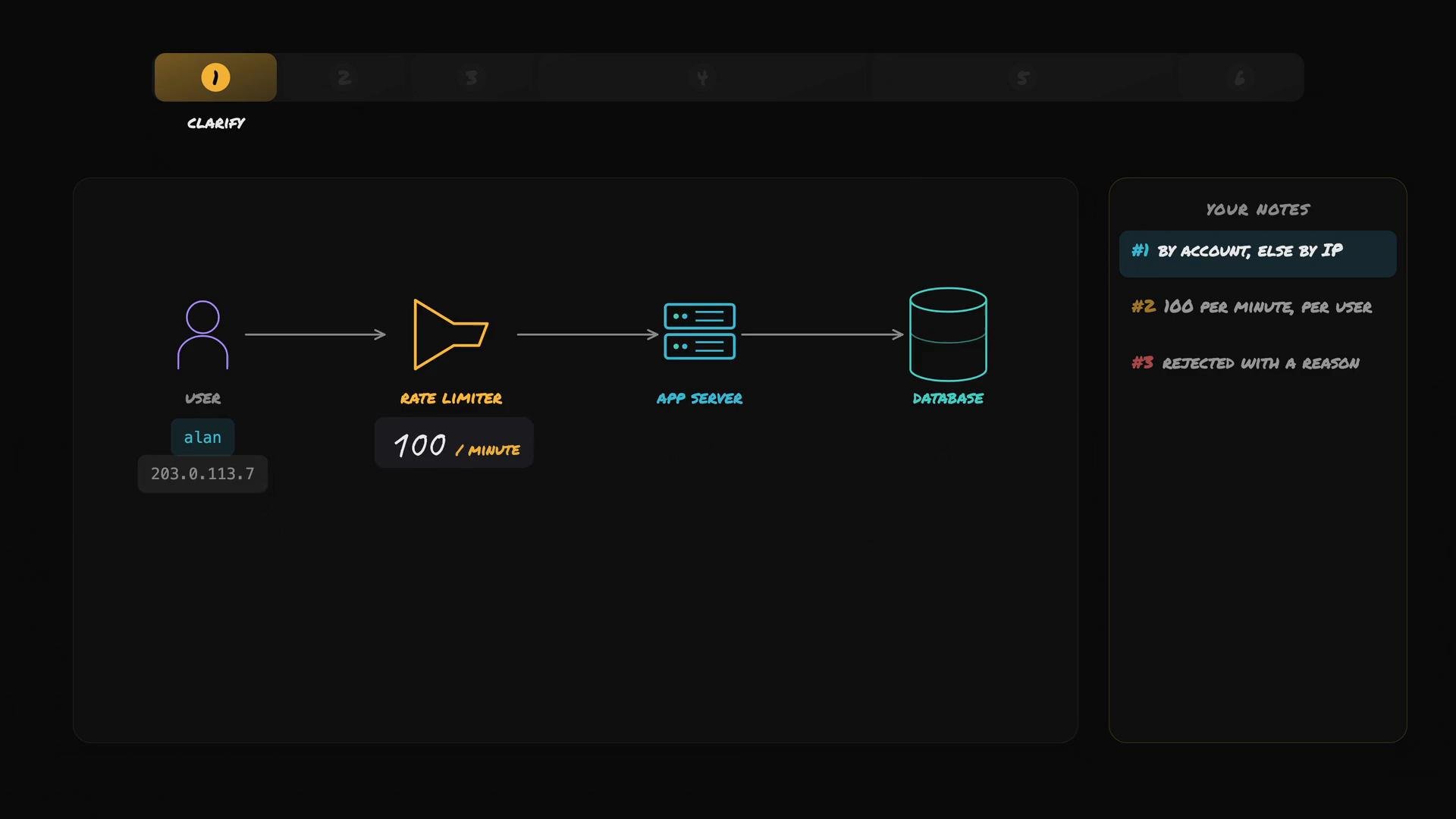
- Limit: 100 requests per minute per user.
- Identification: by account for logged-in users, otherwise by IP.
- Behavior: reject excess requests with a clear response (HTTP 429 +
Retry-After).
Step 2 — Back-of-the-envelope estimation
Only estimate numbers that affect architecture choices (memory, throughput, peak QPS, etc.). Two key numbers for this design are: storage per user, and total request rate hitting the rate limiter.1) Storage per user
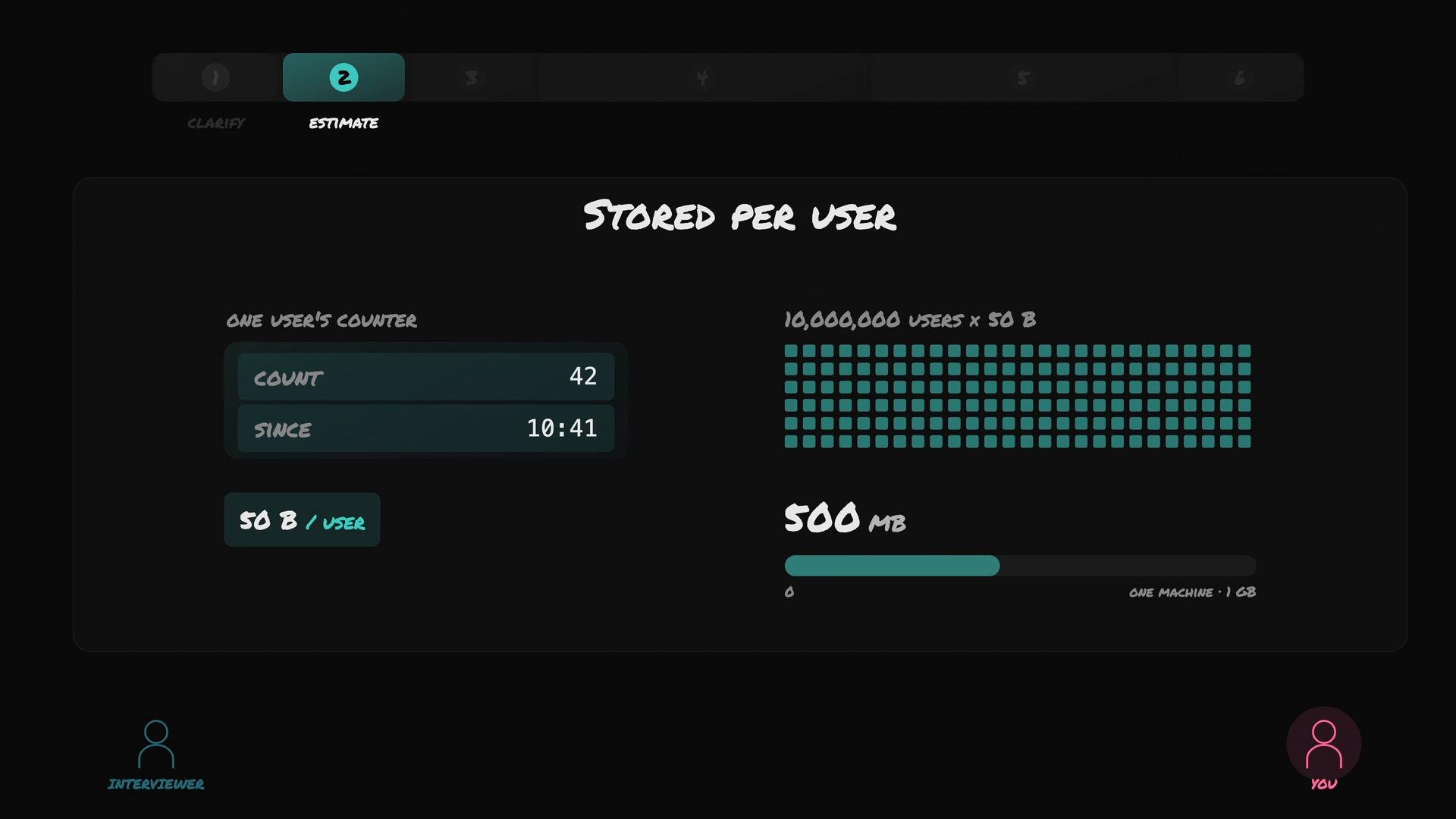
A minimal per-user state for a fixed-window or sliding-window counter typically stores:- a numeric counter
- a timestamp for the window start or last update
- 10,000,000 active users × 50 bytes/user ≈ 500 MB — small enough to store in memory on one reasonably sized server if desired, or sharded across multiple instances.
2) Request traffic (QPS estimate)
Example scenario:- 10,000,000 users, average 100 requests/day per user ⇒ 1,000,000,000 requests/day total.
- 1,000,000,000 requests/day ≈ 11,574 requests/second (≈ 12k RPS) average.
- If peak = 3× average, peak ≈ 35,000 RPS.
Important clarification: the “100 requests/day per user” is an average activity metric — not the per-minute throttle. The per-minute limit (100/min) protects against short bursty abuse; normal users typically generate far fewer than 100 requests in a single minute.
Design implications (short checklist)
- Memory: ~50 B/user (adjust if design uses buckets or logs).
- Throughput: design rate limiter to handle average and peak RPS (e.g., 12k average, 35k peak in the example).
- Placement: rate limiter should be on the request path (edge or API gateway) to protect downstream services.
- Failure handling: fail-open vs fail-closed — prefer fail-open only if downstream can rate-limit again; otherwise fail-safe decisions depend on SLA.
- Responses: use HTTP 429 +
Retry-Afterto guide clients.
Links and further reading
- HTTP 429 Too Many Requests: https://developer.mozilla.org/en-US/docs/Web/HTTP/Status/429
- Common rate limiting algorithms: Token Bucket, Leaky Bucket, Fixed Window, Sliding Window
- Implementations and patterns: Redis-based counters, in-memory sharded counters, API gateways with built-in rate limiting