

execute_sql, get_table_info, list_table_ids), and the agent calls those tools while composing its own SQL. Below you’ll find a clear, step-by-step walkthrough covering:
- imports and environment bootstrap
- model initialization
- configuring the MCP Toolbox bridge to BigQuery
- agent instructions and schema guidance
- the runner loop that sends a user query and streams the agent’s final reply
Imports and environment bootstrap
Load environment variables and suppress the ADK experimental warning before importing ADK modules. The ADK issues a one-time warning for experimental features (MCP support), so filter warnings before ADK imports:InMemoryRunnerruns the agent and maintains session state.typesandtypes.Partlet you construct multimodal messages (text, files, audio, etc.).McpToolset,StdioConnectionParams, andStdioServerParameterscreate the MCP/stdio bridge to the Toolbox subprocess.
.env example
Copy.env.example to .env and fill in the actual keys. Never commit a file containing secrets.
Copy
.env.example to .env and fill in your actual keys. Never commit .env.Model initialization
Create aLiteLlm model instance using your KodeKey/OpenAI-compatible endpoint and model name. Replace the model name with the model available on your endpoint.
Configure the MCP Toolbox bridge to BigQuery
The ADK launches the Toolbox binary in stdio mode; Toolbox connects to BigQuery and exposes a set of tools.argsuses--prebuilt bigquery --stdio. Toolbox connects to BigQuery using Application Default Credentials (rungcloud auth application-default loginif needed).envensures Toolbox seesBIGQUERY_PROJECT, so it can set the project for queries.tool_filterrestricts the model to only the tools it needs for safety.
Toolbox uses Application Default Credentials (ADC). Run
gcloud auth application-default login and verify ADC access before starting the agent. Always close Toolbox from the same task that started it to avoid noisy shutdown tracebacks.Agent definition and instructions
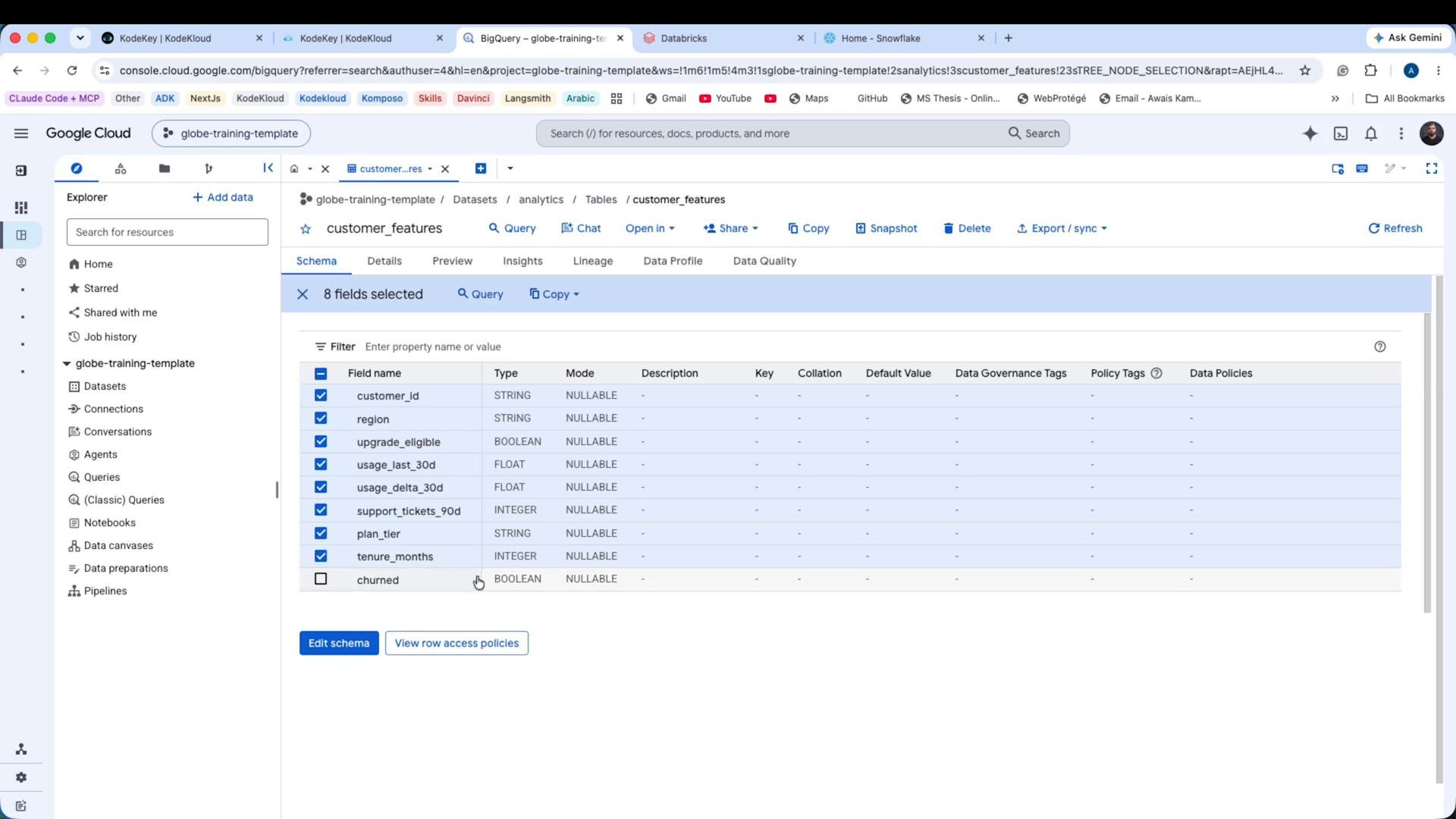
Create anLlmAgent named churn_agent. Provide the task instruction plus the BigQuery table schema so the model can reason without querying the churned label:
- It enables the model to reason about which columns are available without repeatedly querying schema.
- It explicitly forbids using the
churnedlabel so the agent cannot return ground-truth labels.
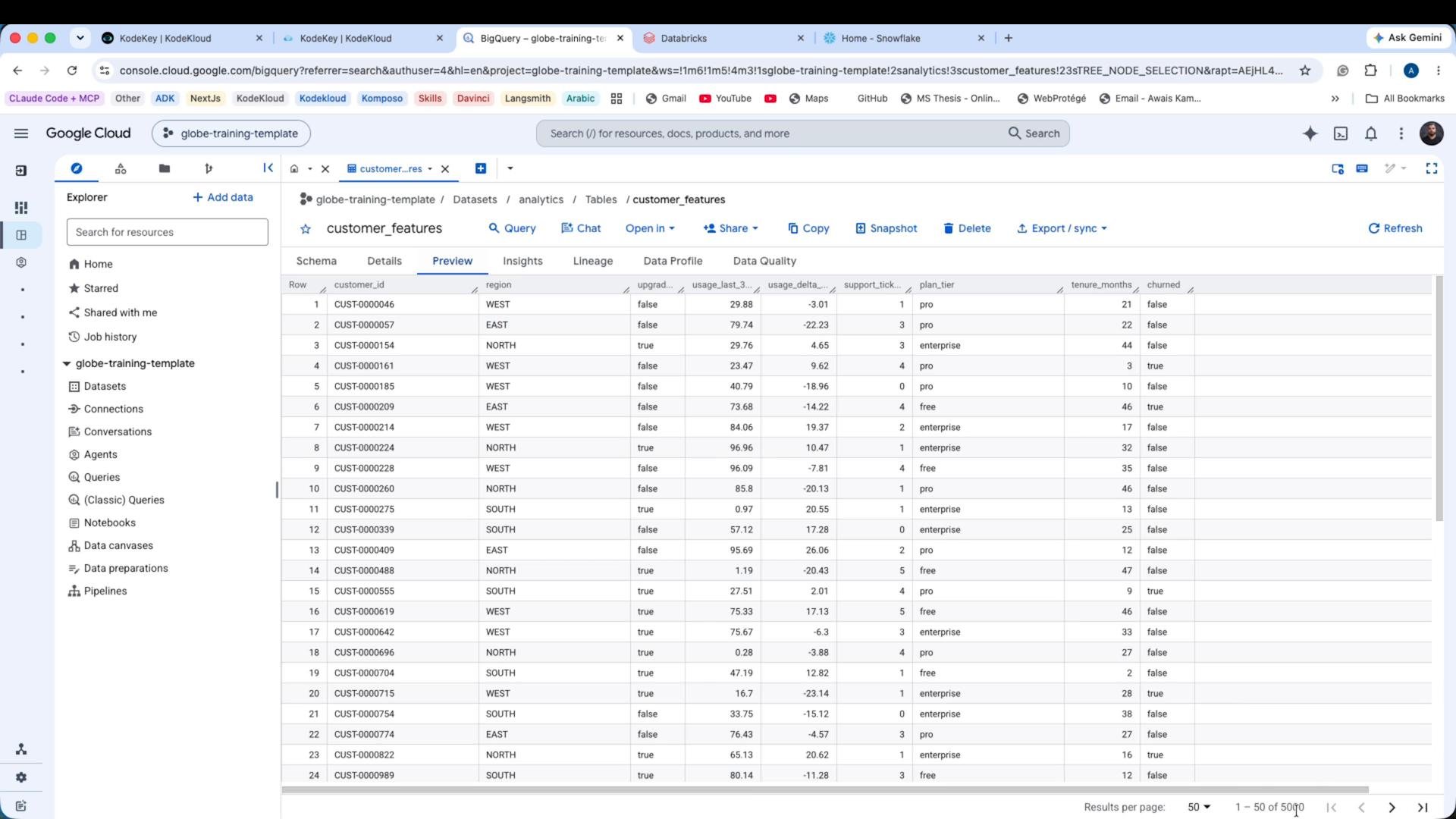
Preview of the BigQuery table (for context)
Below is a preview screenshot ofanalytics.customer_features from BigQuery. This demonstrates the table layout and the churned column (which the agent must not query):
Main runner and session loop
The main function runs the agent withInMemoryRunner, opens a session, sends a user question, and streams events until the agent emits a final response. It also ensures the Toolbox subprocess is closed cleanly.
types.Part? ADK’s content parts support multimodal inputs (text, images, audio, etc.), so the typed Part makes messages explicit and extensible.
Example run and sample output
Run the script:churned column), reasons over signals, and returns a risk assessment and one recommended retention action:
Closing notes and best practices
- Always close the MCP Toolbox subprocess from the same task that started it to avoid noisy cancel-scope tracebacks at interpreter shutdown.
- Minimize the
tool_filterto only the tools the agent actually needs — principle of least privilege for safety. - Use
get_table_infowhen you want the agent to fetch schema information programmatically instead of embedding the schema in the instruction. - Provide clear instructions and a schema in the agent prompt so the model can reason without accidentally leaking labels like
churned.
Links and References
- Google Cloud BigQuery Documentation
- Authenticate with Application Default Credentials (gcloud)
- KodeKey / OpenAI-compatible endpoints (use your provider’s docs for model names and API details)
- ADK and MCP tools are part of the Google ADK developer tooling (see repo/docs for the ADK you are using)