It’s Monday morning again — the first day of week 2 — and Claire’s name is already at the top of your inbox. The subject line reads, “One more question, sorry.” Ah, well, Mondays. Let’s open the email. Which five accounts have the sharpest usage drops right now? You know you’ll keep getting this question. Last week you’d open your editor and start writing a helper like list_sharpest_drops. This week you skip hand-writing that function and attach an MCP server instead — fulfilling last week’s promise to automate query execution for the agent. A few small helper functions you might have written by hand look like:
Authentication doesn’t change: your existing Application Default Credentials still cover BigQuery. The same .env file keeps your Google and model API keys and project ID:
Next comes the server: Google’s MCP Toolbox for Databases — an open-source MCP server built exactly for this job. It connects to databases and publishes ready-made tools that agents call directly, so you no longer have to maintain custom query-running logic.
A dark teal slide titled "One More Question." It shows a mock email from "Claire · Customer Success" asking which five accounts have the sharpest usage drops and apologizing for asking again.
The Toolbox ships as a single self-contained binary — no installer or runtime to manage. Running it is a two-step process: download the binary, then make it executable.
You never manually run a long-lived server process. The ADK launches the Toolbox as a subprocess and communicates via STDIO: ADK writes MCP requests to the Toolbox’s stdin and reads MCP responses from its stdout. Start the prebuilt BigQuery plugin like this:
Using --stdio makes the Toolbox exchange MCP messages over standard input and output instead of a network socket. This lets the ADK spawn, supervise, and terminate the Toolbox as a local subprocess.
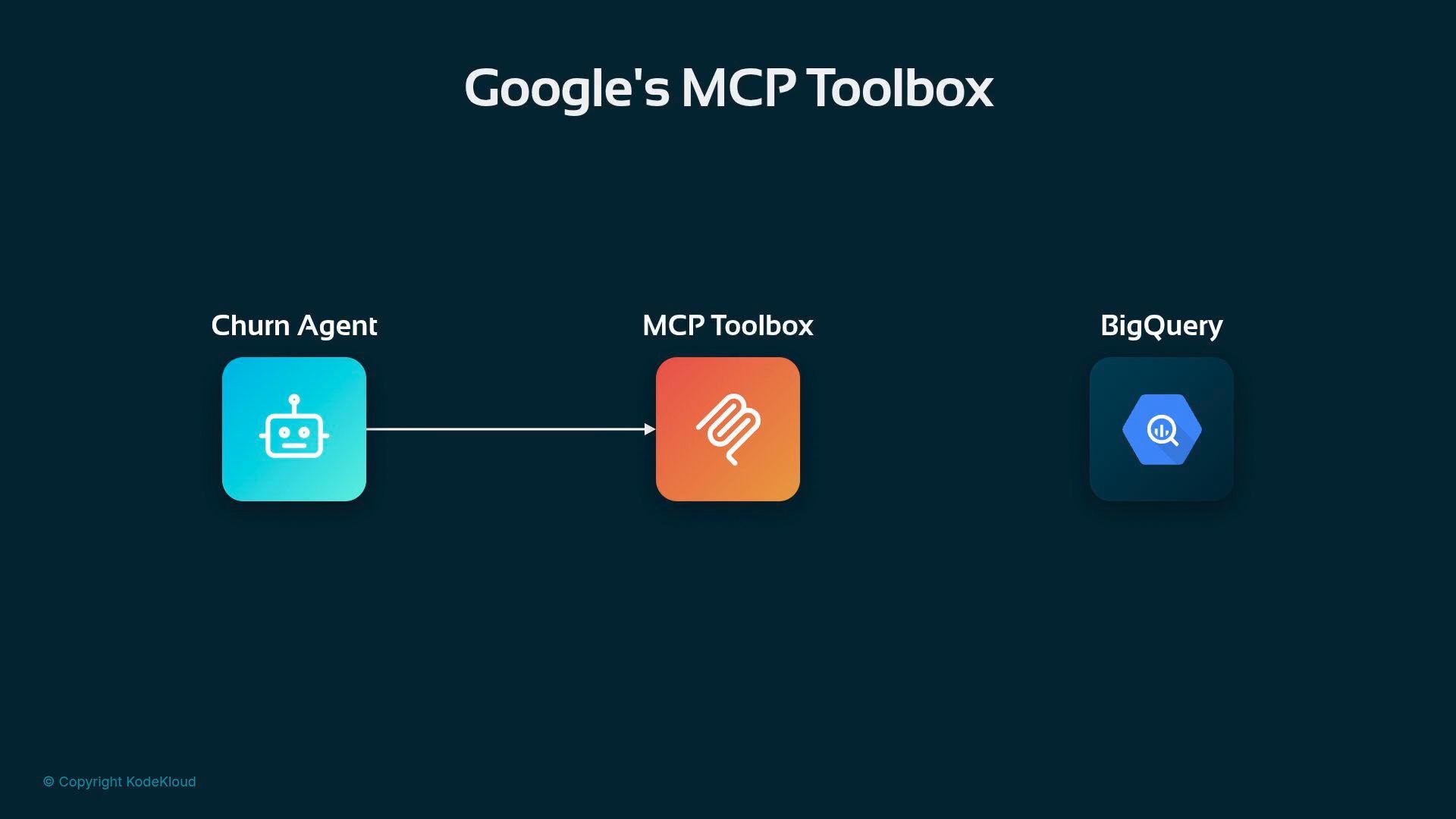
A dark-themed diagram titled "Google's MCP Toolbox" showing three app icons: a "Churn Agent" robot on the left, an orange "MCP Toolbox" in the center, and a "BigQuery" icon on the right, with an arrow from the Churn Agent to the MCP Toolbox.
Toolbox publishes nine ready-made BigQuery tools; two are especially relevant for this scenario: These tools let the agent request schema information and execute SQL directly against BigQuery without you writing or maintaining the plumbing.
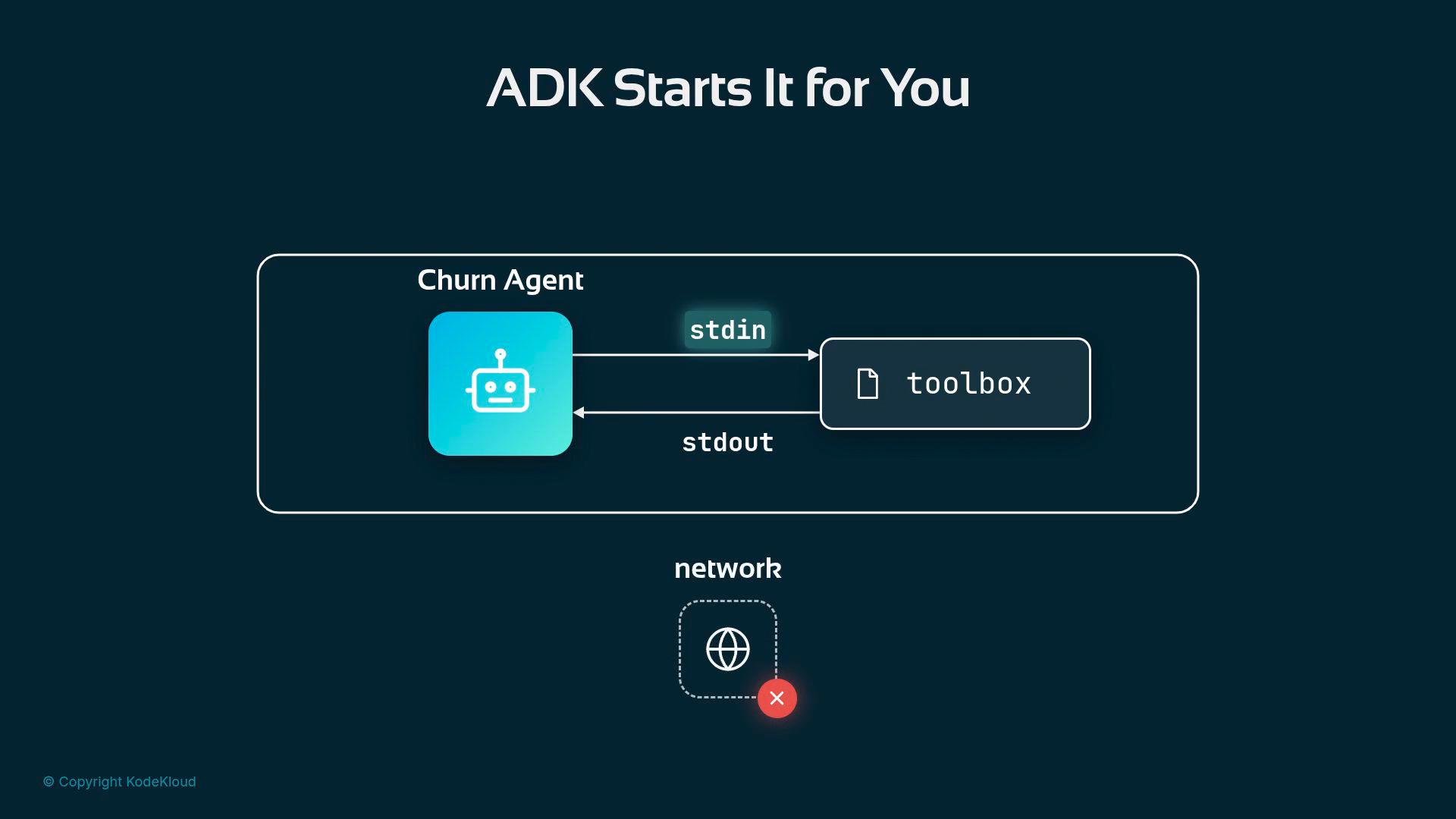
A dark-themed diagram titled "ADK Starts It for You" showing a Churn Agent (robot icon) exchanging stdin/stdout streams with a toolbox component. Below it is a network icon with a red error mark indicating no network connection.
With the MCP Toolbox running as a subprocess, the agent can focus on asking higher-level questions — for example, “Which five accounts have the sharpest usage drops?” — and rely on get_table_info to inspect schemas and execute_sql to run the resulting queries. This reduces maintenance, centralizes database access, and improves safety by keeping SQL execution within the managed MCP server layer. Links and references
  • BigQuery documentation
  • MCP (Model Context Protocol) — protocol used by the ADK and Toolbox to exchange messages
  • Google’s MCP Toolbox for Databases — prebuilt server with database connectors and tools

Watch Video