

SNOWFLAKE_* environment variables.
Ensure you have a
.env file (or environment variables) with the required keys for KodeKey and Snowflake: KODEKEY_BASE_URL, KODEKEY_API_KEY, and SNOWFLAKE_ACCOUNT, SNOWFLAKE_USER, SNOWFLAKE_PASSWORD (or PAT), SNOWFLAKE_DATABASE, SNOWFLAKE_SCHEMA, SNOWFLAKE_WAREHOUSE, SNOWFLAKE_ROLE. If you use a custom toolbox path, set TOOLBOX_BIN. The MCP Toolbox reads the SNOWFLAKE_* variables to authenticate when launched.Consolidated example script
The script below is a cleaned and consolidated example that highlights the important pieces and where they belong:What changed for Snowflake (MCP specifics)
- The core agent, model, and instruction text remain the same as other warehouse integrations (BigQuery, Databricks, etc.).
- The MCP Toolbox is started with arguments that select the Snowflake adapter/prebuilt configuration. That change is effectively a single adapter/arg swap in the toolbox/server parameters.
- The toolbox process reads the
SNOWFLAKE_*environment variables for authentication; by callingload_dotenv()and passingos.environinto the toolbox subprocess environment, the toolbox can authenticate with Snowflake automatically.
Environment variables
Do not commit credentials to source control. Use environment variables, secrets managers, or CI/CD vaults for production deployments. If you are sharing logs, sanitize
SNOWFLAKE_PASSWORD and API keys.UI screenshots referenced in this lesson
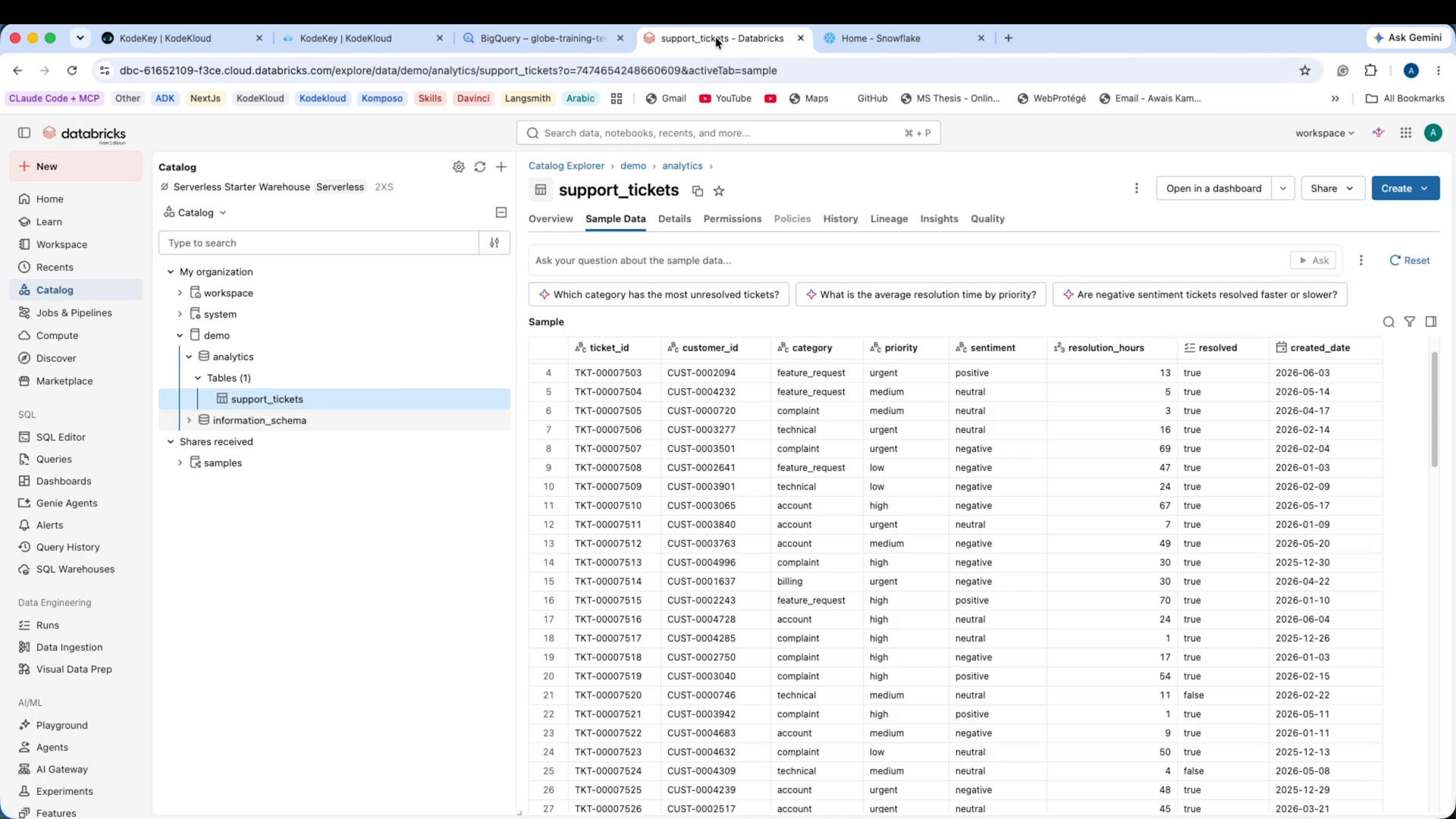
customer_features) so the agent can distinguish friction (support issues) from disengagement signals.
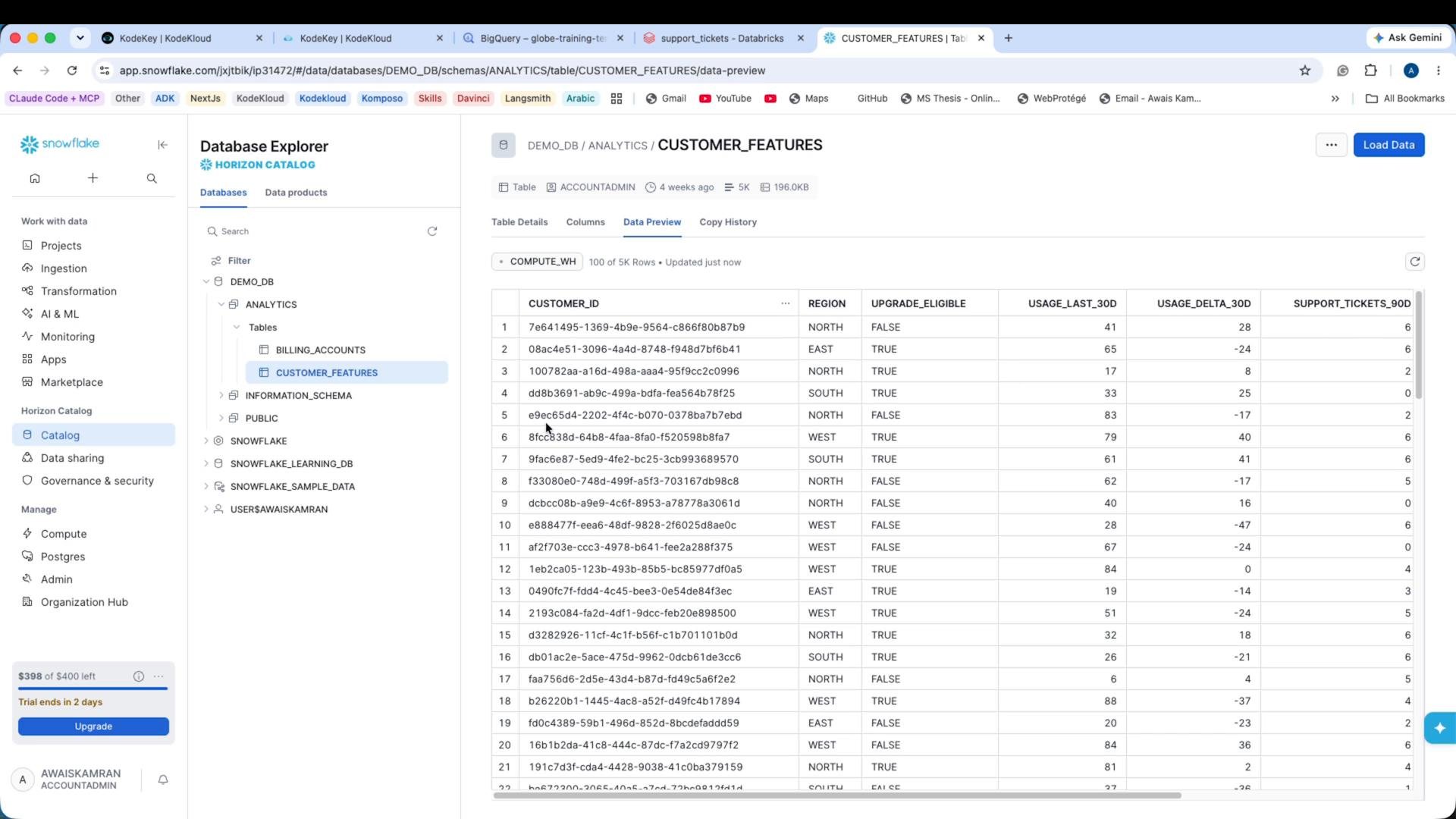
CUSTOMER_FEATURES table contains the per-customer signals referenced in the agent instruction. The TABLE variable in the script points to this fully qualified table (database.schema.table).
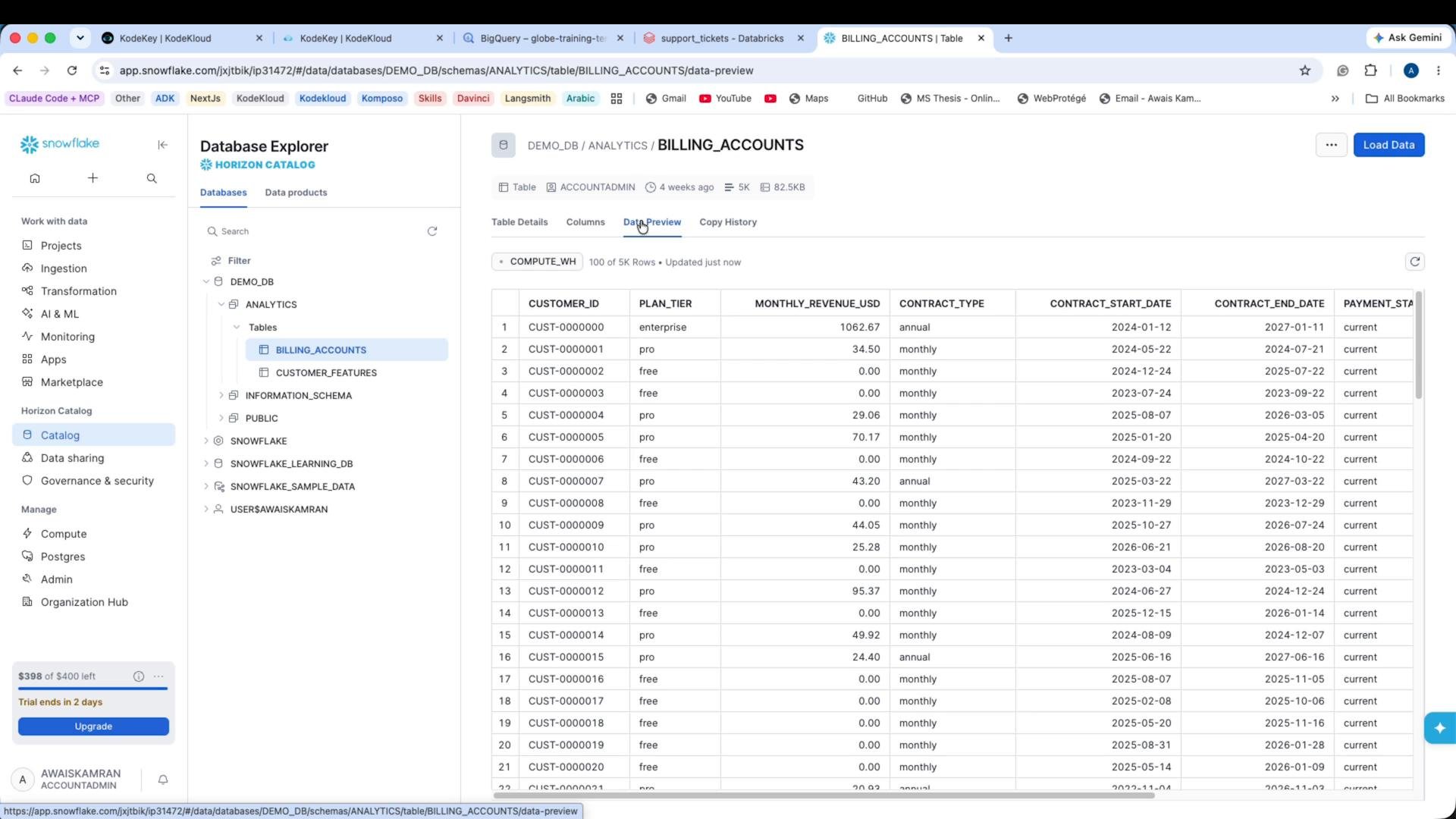
Running the script
Execute the demo locally:- Risk level (low / medium / high)
- The signals the model cited (e.g., low recent usage, negative usage trend, high support tickets)
- Positive indicators (e.g., plan tier, upgrade eligibility)
- A recommended retention action
- Risk level: medium
- Signals:
- Low tenure (e.g., 2 months)
- Declining engagement (usage_delta_30d: -15%)
- Moderate recent usage (usage_last_30d: 85) — combined with the negative trend suggests waning adoption
- Positive indicators:
- Low support friction (2 tickets in 90 days)
- Enterprise plan tier
- Upgrade eligible
- Recommended Retention Action: Schedule a proactive business-review call within 1–2 weeks to investigate the usage decline and present a tailored success plan; given enterprise status and upgrade eligibility, position the discussion as value-driven rather than purely reactive.
Cleanup warnings you may see
You might see a non-fatal cleanup warning in some ADK/toolbox versions when the MCP stdio session is torn down. Example: Warning: Error during MCP session cleanup for stdio_session: Attempted to exit cancel scope in a different task than it was entered in This usually appears during subprocess/session cleanup and does not necessarily indicate the agent failed. If the agent produced the expected output, the run was successful.Summary and best practices
- The agent logic and instructions are portable across warehouses; only the MCP Toolbox adapter/args change to target a different warehouse (Snowflake in this demo).
- Make sure
SNOWFLAKE_*environment variables are available to the toolbox subprocess so it can authenticate and expose the SQL tool. - Use the MCP prebuilt Snowflake configuration or the proper adapter flag in
StdioServerParameterswhen constructingMcpToolset. - Keep secrets out of source control; use environment management or secret stores for production.
Links and references
- Snowflake Documentation
- Google ADK / Agents (reference)
- If you use KodeKey or another inference proxy, consult the provider docs for
api_baseand key usage.