

analytics.customer_features, as the agent’s data source.
That demo made my week. I talked to the product analytics team: you now have read access to analytics.customer_features in BigQuery. Every row is one customer — you can point your agent at the real thing.
P.S. Marcus from the platform asked what exactly your agent gets to see. I said I would ask you. We’ll come back to that next week.
Yesterday the agent answered a question using a dictionary with two fake rows. Today it will query a real feature table containing thousands of customers. The agent itself barely changes: same model, same runner, same session, same question. The instruction is updated so the model understands the real columns. The one real code change is inside one function: get_customer. Previously it did a dictionary lookup; now it runs a parameterized SQL query. That is the essence of a tool.
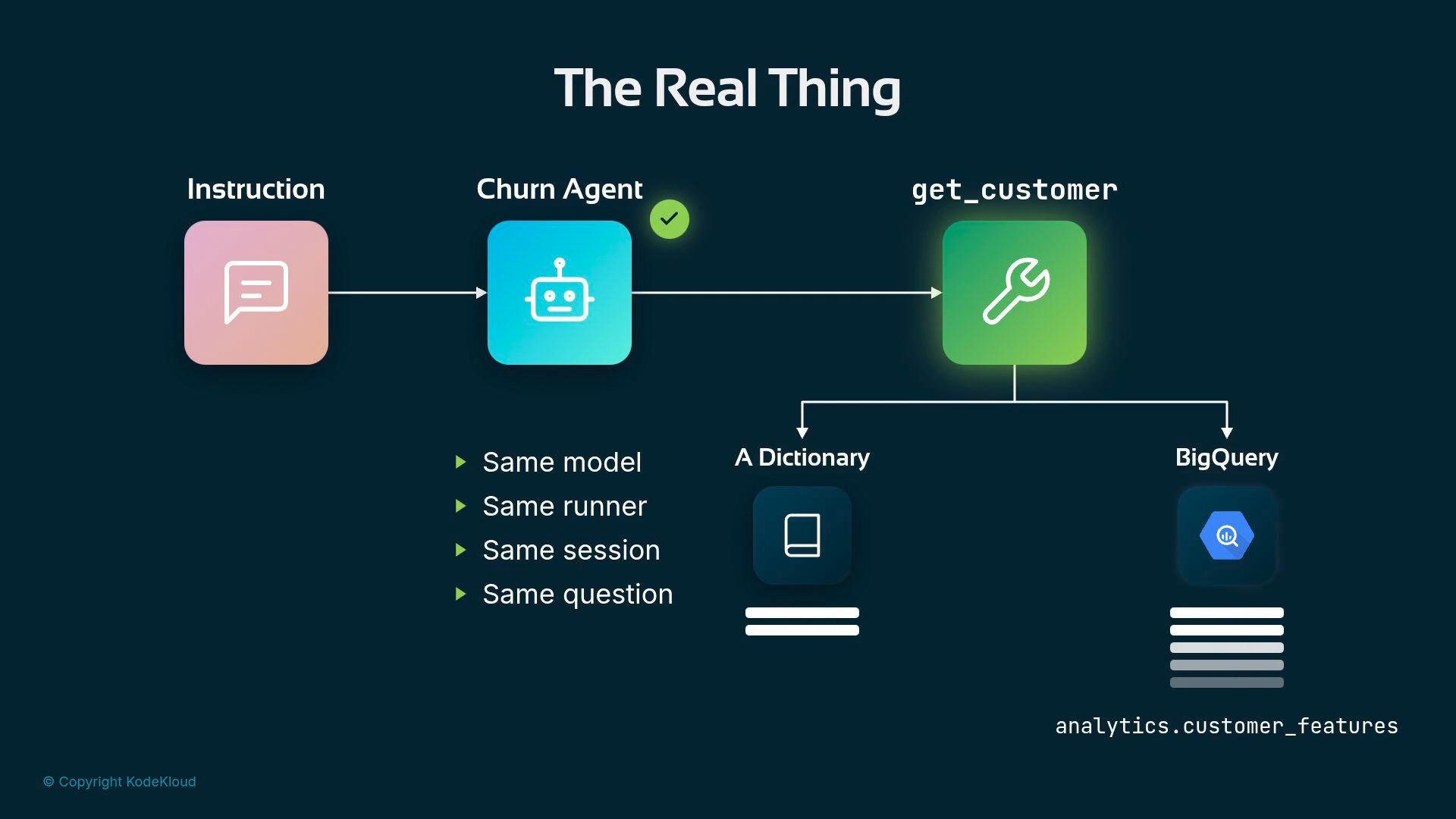
customer_id in → dict out) and keep the tool responsible for data access.
Credentials: one for the model, one for BigQuery
This lesson is a short version and omits some deployment mechanics. You will use two credentials that serve different purposes: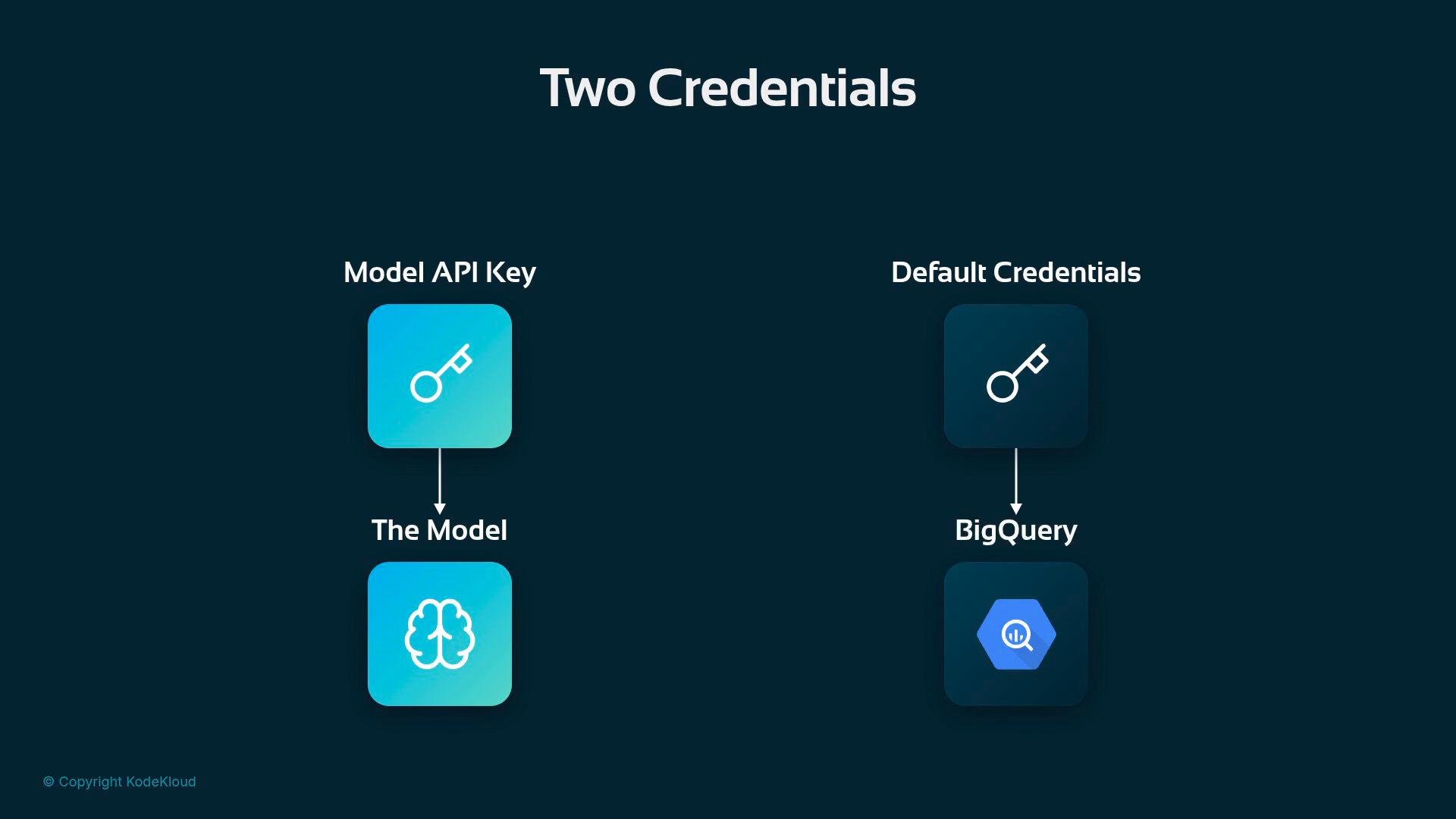
gcloud command. Your .env file gains exactly one new line for the Google Cloud project ID:
The schema: what the agent reads
Everything the agent decides will be drawn from these columns. Each row is one customer and carries an ID, a region, and several features. Represent these columns explicitly to the model so it can reason over them consistently.
Example row from
analytics.customer_features:
support_tickets_90_days is a plain count (e.g., 5 tickets). Additional context (ticket severity, time to resolution) would change the agent’s reasoning — consider adding those if you need finer signals.
Implementing get_customer (parameterized SQL)
What doesn’t change is the tool contract: keep the function nameget_customer, the signature (customer_id: str) and the one-line docstring explaining churn signals. The body changes to run a parameterized SELECT against analytics.customer_features and return a Python dict.
Using a parameterized query (@cid) is critical: it tells BigQuery to treat the value as data (not SQL), which protects against prompt injection and SQL injection-like attacks.
Here is the adjusted function:
cid parameter as a scalar value, not part of the SQL text.
How to instruct the agent with real columns
Update the agent’s instruction so the model understands how to interpret these columns. The same heuristics from the toy demo apply, but now tie them to exact column names:- Low
usage_last_30_days→ disengagement. - Sharply negative
usage_delta_30_days→ steep decline in usage. - High
support_tickets_90_days→ friction and unresolved issues. - Low
tenure_months→ increased churn risk. - Consider
plan_tierandupgrade_eligiblewhen suggesting remediation (e.g., targeted offers).
- A concise risk level (e.g., LOW / MEDIUM / HIGH).
- The signal(s) that drove the decision (list the relevant columns and values).
- One concrete retention action (e.g., a customer success call within 48 hours).
Run the agent on a real customer
Now run the agent and ask about a real customer: You: “Is customer cust-0003115 at risk?” The model decides to callget_customer. The tool fires the parameterized query at BigQuery, one real row comes back, the model reads it, and returns a verdict with supporting signals.
Example interaction and output:
Tool scope and limitations
Before you close the file, consider what this tool can and cannot do.get_customer answers exactly one kind of question: “tell me about this one customer.” One ID goes in, and one row comes out. This is a deliberate design:
- Narrow tools make model-to-tool handoffs predictable.
- Parameterized queries protect your database from injected SQL.
- If you need to answer other question patterns (for example, “Which customers should I call urgently this week?”), write a new function and SQL that returns multiple rows or aggregates. Each distinct question pattern usually becomes a distinct tool.
Design tools narrowly and use parameterized queries. Narrow tools make model-tool handoffs predictable and parameterization protects your database from injected SQL.