

1. Data Exploration and Quality Checks
Begin by launching your Jupyter Notebook and loading the mock CSV file into a DataFrame. This CSV dataset is destined for your ML model, but first, its quality must be verified.Before diving into transformations, always inspect your data using basic functions such as
head(), info(), and describe().Loading the Data
Start by importing Pandas and reading the CSV:Inspecting Data Types and Missing Values
Check the DataFrame summary to inspect data types and count non-null entries: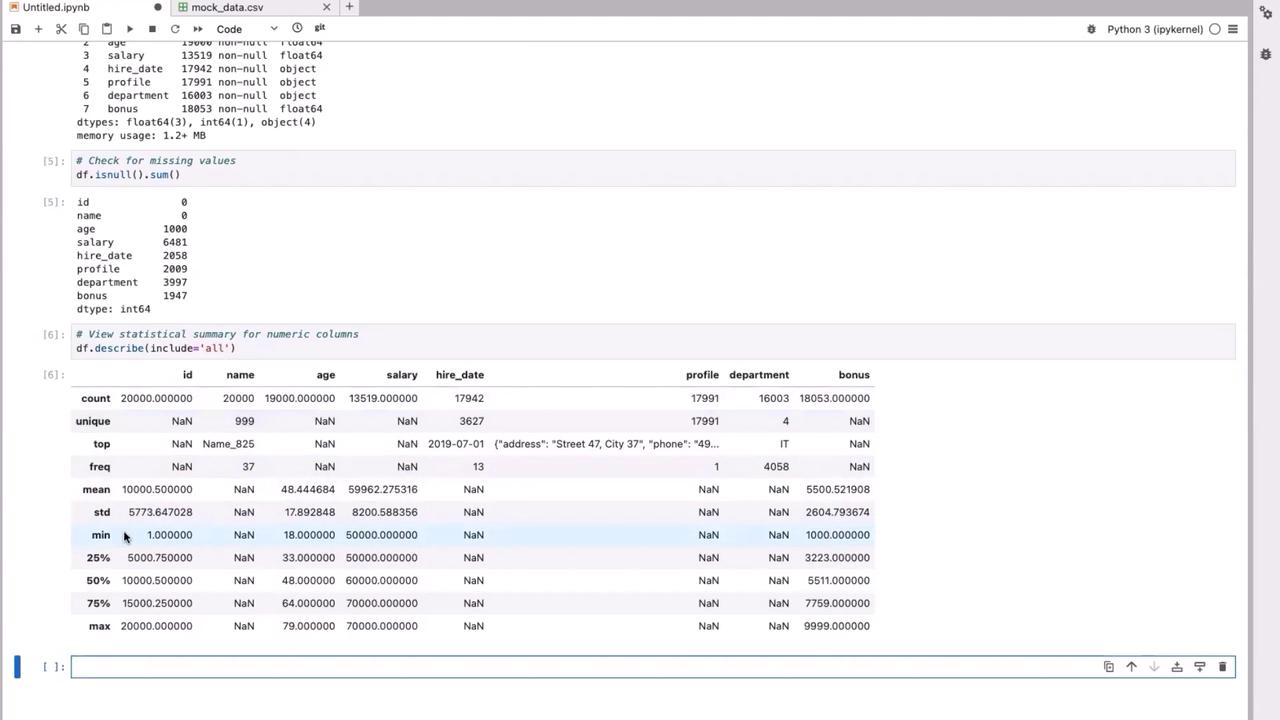
Analyzing Categorical Data
To better understand categorical properties, inspect the unique values in the ‘department’ column:NaN value, which indicates missing data that could affect grouping and analysis later.
2. Data Cleaning
Cleaning your dataset is a vital step before modeling. You’ll address missing numeric values and categorical inconsistencies.Handling Missing Numeric Values
Identify rows with missing numeric values such as ‘age’ or ‘salary’:Handling Categorical Data
For categorical columns such as ‘department’, replace missing values with a default placeholder:3. Transforming Complex JSON Data from the “profile” Column
The “profile” column contains JSON strings with structured details like address, phone number, and email. Transform these into Python dictionaries and extract the individual fields as separate columns.Converting JSON Strings
First, import the JSON module:Extracting Information from JSON
Extract specific fields from the JSON data: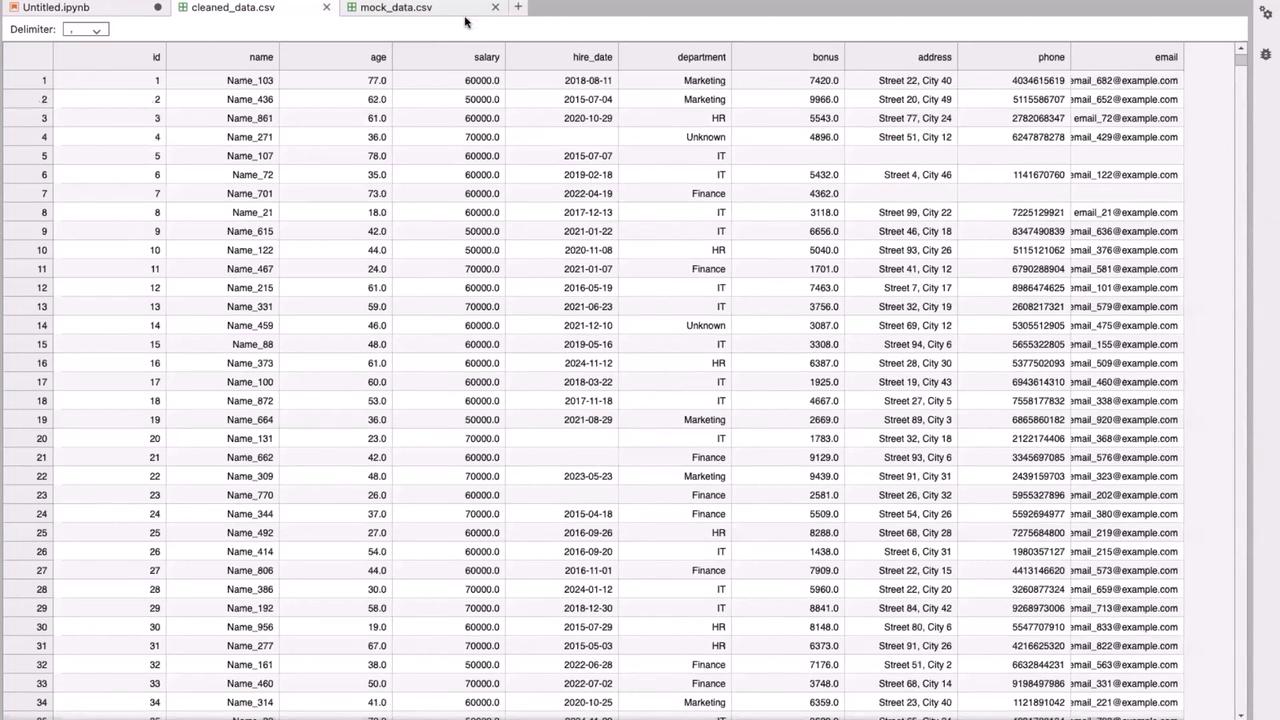
4. Further Data Transformations
With your cleaned data saved, you can perform additional transformations by reloading the dataset.Adding Derived Columns
For instance, you can create a new column “address_length” to verify that addresses meet a certain length requirement:Grouping and Aggregation
Aggregate key metrics by grouping data by the ‘department’ column:Grouping and aggregation help in identifying trends and outliers within each department, which is critical for further ML model tuning.
5. Conclusion
In this tutorial, we covered the following steps to transform raw data into actionable insights for machine learning pipelines:- Explored the dataset using Pandas functions such as
head(),info(),isnull(), anddescribe(). - Cleaned missing numeric values by imputing medians and handled missing categorical data with placeholders.
- Transformed a complex JSON column into separate, meaningful columns.
- Derived new columns, including address length and salary categories, to provide additional insights.
- Grouped and aggregated data by department to summarize key metrics.