Use this file to discover all available pages before exploring further.
Hello and welcome back.In this lesson, we demonstrate how to run an experiment locally and store its results in an MLflow service configured earlier. We’ll use scikit-learn for this example and learn how to log key metrics, store models, and view experiments in the MLflow UI.Let’s jump into our VS Code editor.
Create a new file named example_mlflow.py in your VS Code editor and paste the code below. This script sets the MLflow tracking URI, creates synthetic regression data, splits it into training and testing sets, and defines a helper function to train models, make predictions, log metrics, and store models in MLflow.
from sklearn.metrics import mean_squared_error, r2_score, mean_absolute_error, explained_variance_scorefrom sklearn.datasets import make_regressionfrom sklearn.model_selection import train_test_splitfrom sklearn.linear_model import LinearRegressionfrom sklearn.tree import DecisionTreeRegressorfrom sklearn.ensemble import RandomForestRegressorimport mlflowimport mlflow.sklearnimport numpy as np# Set the MLflow tracking URI to the remote MLflow servermlflow.set_tracking_uri("http://localhost:5000")# Create synthetic data for regressionX, y = make_regression(n_samples=100, n_features=4, noise=0.1, random_state=42)# Split the data into training and testing setsX_train, X_test, y_train, y_test = train_test_split(X, y, test_size=0.2, random_state=42)# Set the experiment name in MLflowmlflow.set_experiment("ML Model Experiment")def log_model(model, model_name): with mlflow.start_run(run_name=model_name): # Train the model model.fit(X_train, y_train) # Make predictions y_pred = model.predict(X_test) # Compute key metrics mse = mean_squared_error(y_test, y_pred) rmse = np.sqrt(mse) mae = mean_absolute_error(y_test, y_pred) r2 = r2_score(y_test, y_pred) evs = explained_variance_score(y_test, y_pred) # Log metrics to MLflow mlflow.log_metric("mse", mse) mlflow.log_metric("rmse", rmse) mlflow.log_metric("mae", mae) mlflow.log_metric("r2", r2) mlflow.log_metric("explained_variance", evs) # Log the model itself mlflow.sklearn.log_model(model, model_name) print(f"{model_name} - MSE: {mse}, RMSE: {rmse}, MAE: {mae}, R2: {r2}, Explained Variance: {evs}")# Linear Regression Modellinear_model = LinearRegression()log_model(linear_model, "Linear Regression")# Decision Tree Regressor Modeltree_model = DecisionTreeRegressor()log_model(tree_model, "Decision Tree Regressor")# Random Forest Regressor Modelforest_model = RandomForestRegressor()log_model(forest_model, "Random Forest Regressor")print("Experiment completed! Check the MLflow server for details.")
Make sure you have scikit-learn installed. Open a new terminal session and run the following command:
$ pip install scikit-learn
You might see output similar to:
Requirement already satisfied: scikit-learn in /home/codespace/.local/lib/python3.12/site-packages (1.5.2)Requirement already satisfied: numpy>=1.19.5 in /home/codespace/.local/lib/python3.12/site-packages (1.21.1)Requirement already satisfied: scipy>=1.1.0 in /home/codespace/.local/lib/python3.12/site-packages (1.14.1)Requirement already satisfied: joblib>=1.0.0 in /home/codespace/.local/lib/python3.12/site-packages (1.4.2)Requirement already satisfied: threadpoolctl>=2.0.0 in /home/codespace/.local/lib/python3.12/site-packages (3.5.0)[notice] A new release of pip is available: 24.2 → 24.3.1[notice] To update, run: python3 -m pip install --upgrade pip
Once installed, run the example file with:
$ python3 example_mlflow.py
Remember: Your MLflow UI must be running (in a separate terminal) so that the experiment data logs correctly.
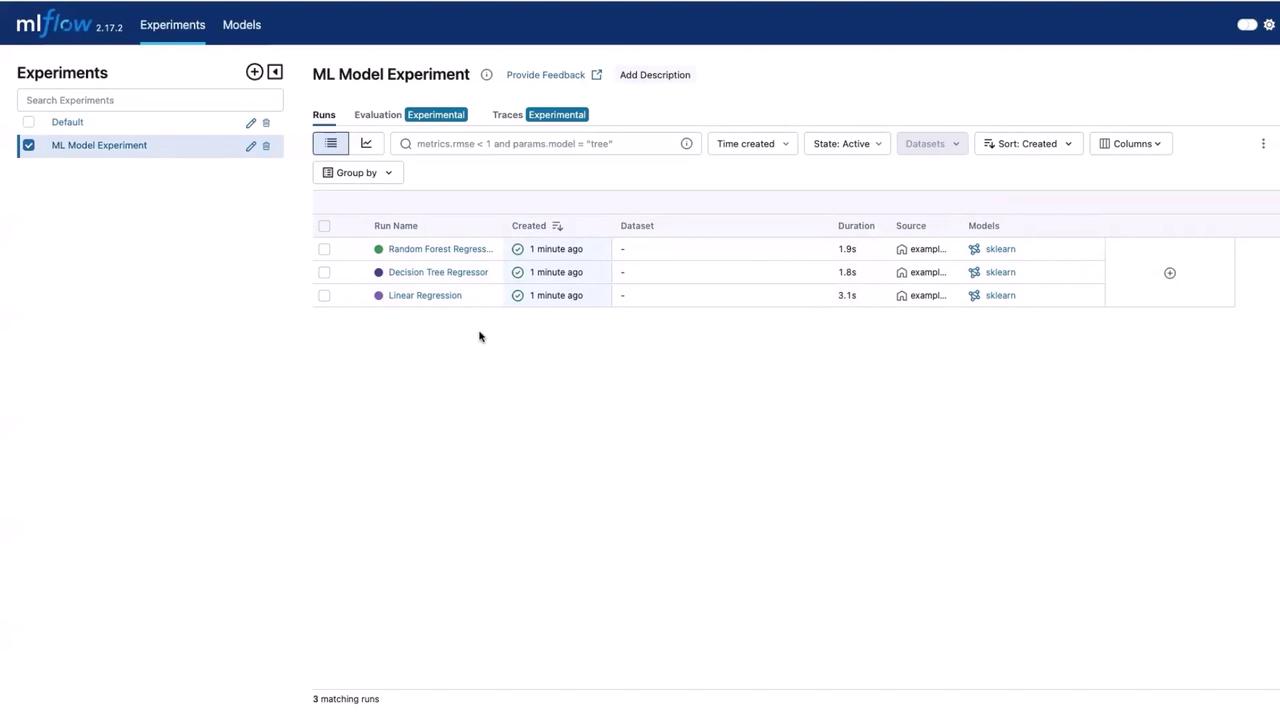
After the execution, open the MLflow UI and navigate to the experiments section to find a new experiment titled “ML Model Experiment”. Here, you will see three runs corresponding to the following models:
Linear Regression
Decision Tree Regressor
Random Forest Regressor
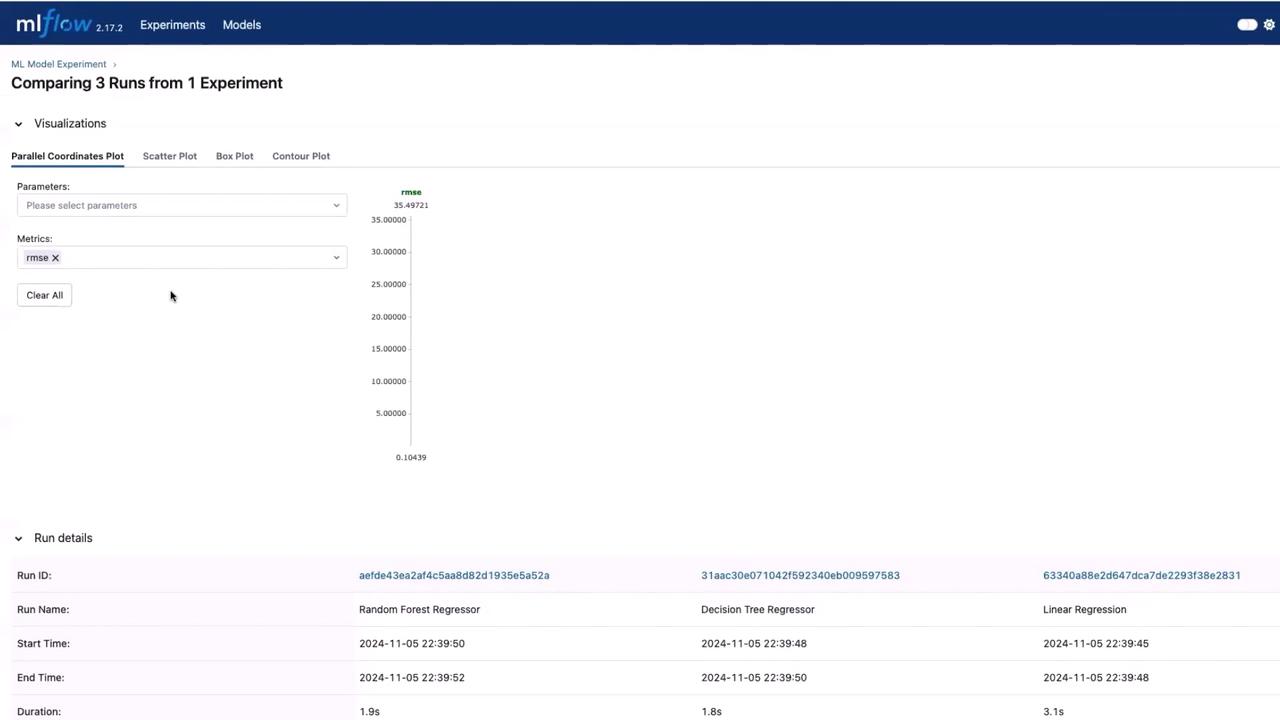
By selecting this experiment, you can view details such as run duration and input data. Use the evaluation section and select all the model runs, then click “Compare” to analyze key metrics side by side.
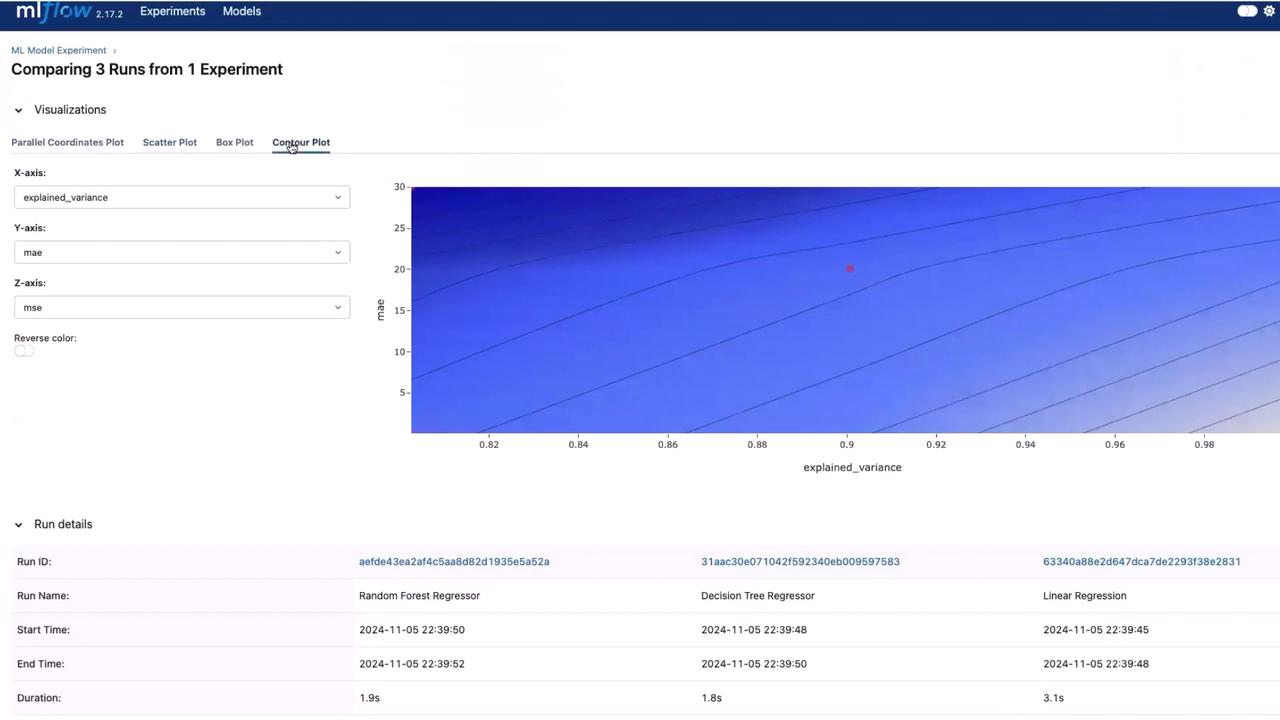
This comparison view provides valuable insights into the performance metrics of each model.Another useful visualization is the contour plot, which helps compare metrics like explained variance, mean absolute error (MAE), and mean squared error (MSE) across runs.
This interface is invaluable for data science experiments, as it simplifies the process of selecting the best model based on performance metrics.
That concludes this lesson. In our next article, we will discuss how to store the model file in the model registry.Thank you, and see you in the next lesson!