

Architecture Overview
Our solution architecture is designed for seamless interaction between users, microservices, and the ML model. Users interact through a dashboard, and requests are sent to an API endpoint to perform predictions. This endpoint, hosted on platforms like AWS, GCP, Azure, or an on-premises server, then communicates with the BentoML service that serves the ML model stored in an artifact registry (e.g., MLflow or the BentoML repository).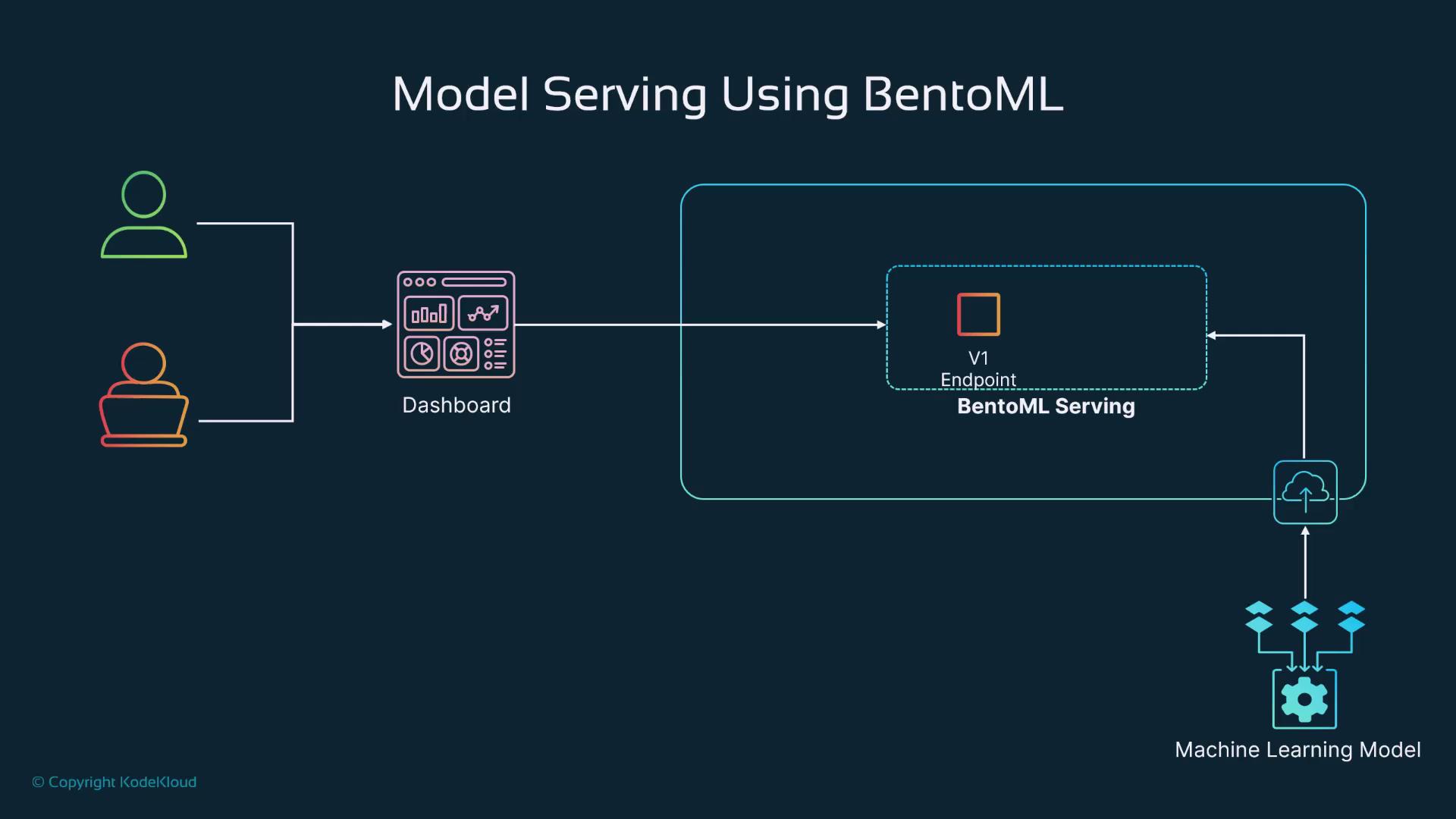
This diagram outlines the flow from the user interface to the deployed ML model, emphasizing the role of microservices and API endpoints.
Setting Up the Environment
Begin by creating a virtual environment to manage your project dependencies. In your working directory, run the following command:Training and Saving the V1 Model
In this section, we build a basic linear regression model for predicting house prices using synthetic data. The following code demonstrates how to generate the data, split it into training and testing sets, and configure it for training:Serving the V1 Model
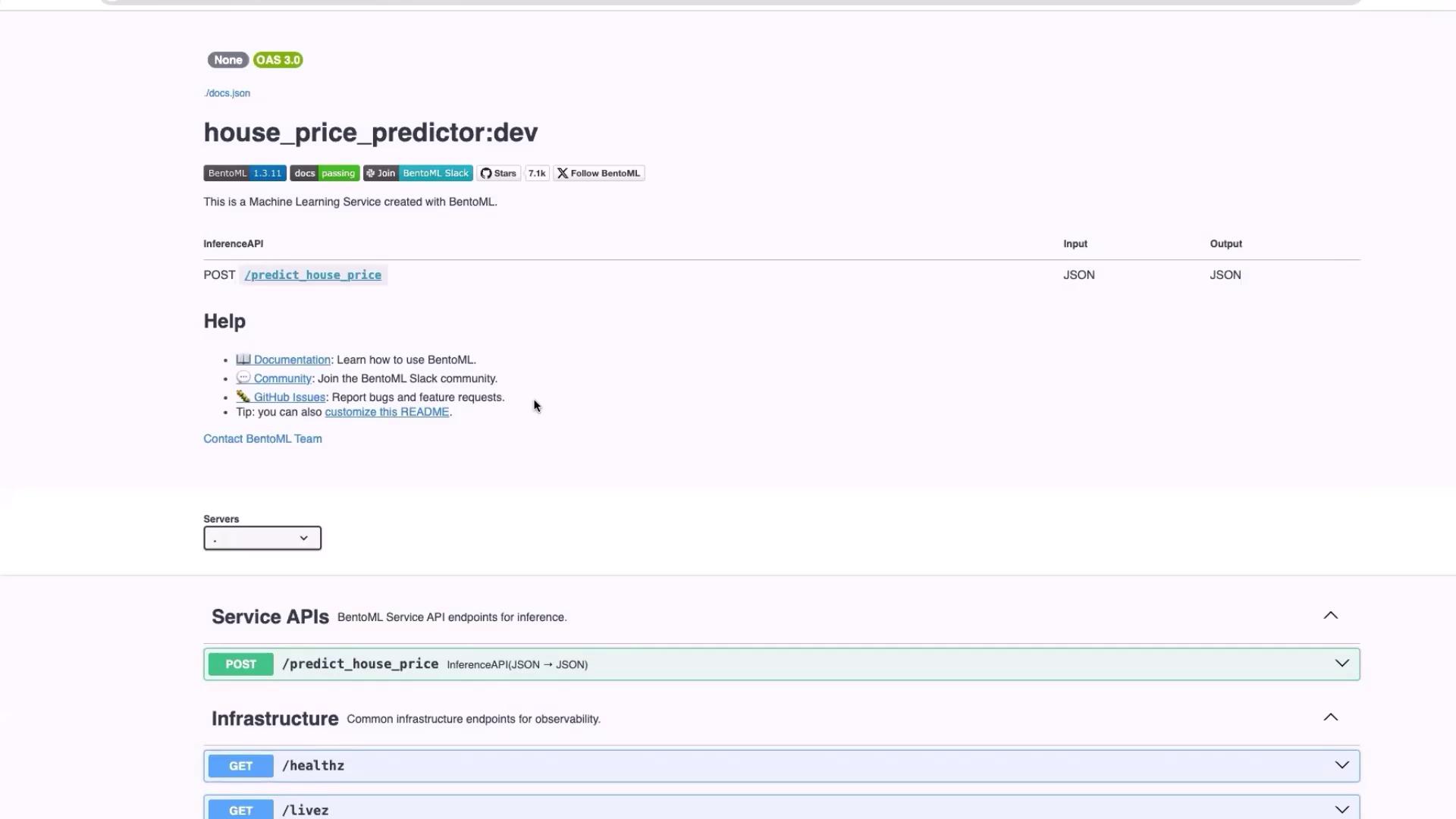
We now create an API endpoint to serve the trained model. The following code inmodel_service_v1.py loads the latest house price model from the repository, initializes a BentoML service, defines a Pydantic input schema, and registers the prediction endpoint:
Upgrading the Model (V2)
The second version of our model includes additional features that can enhance prediction accuracy. The upgraded model integrates parameters such as the number of bathrooms, house age, distance to the city center, and more. Below is the updated training script (model_train_v2.py):
model_service_v2.py) that incorporates the expanded input schema and then use the following commands:
Recap
In this guide, we covered the following key steps:Integrating ML models with BentoML streamlines the deployment process, making it easy to serve and update models for real-time predictions.