

If you’re new to Kubernetes, start with Mumshad’s “Kubernetes for the Absolute Beginners - Hands-on Tutorial” on KodeKloud: https://learn.kodekloud.com/user/courses/kubernetes-for-the-absolute-beginners-hands-on-tutorial. This guide assumes a basic familiarity with Kubernetes concepts; the summary below focuses on the core ideas needed for package management and cluster administration.
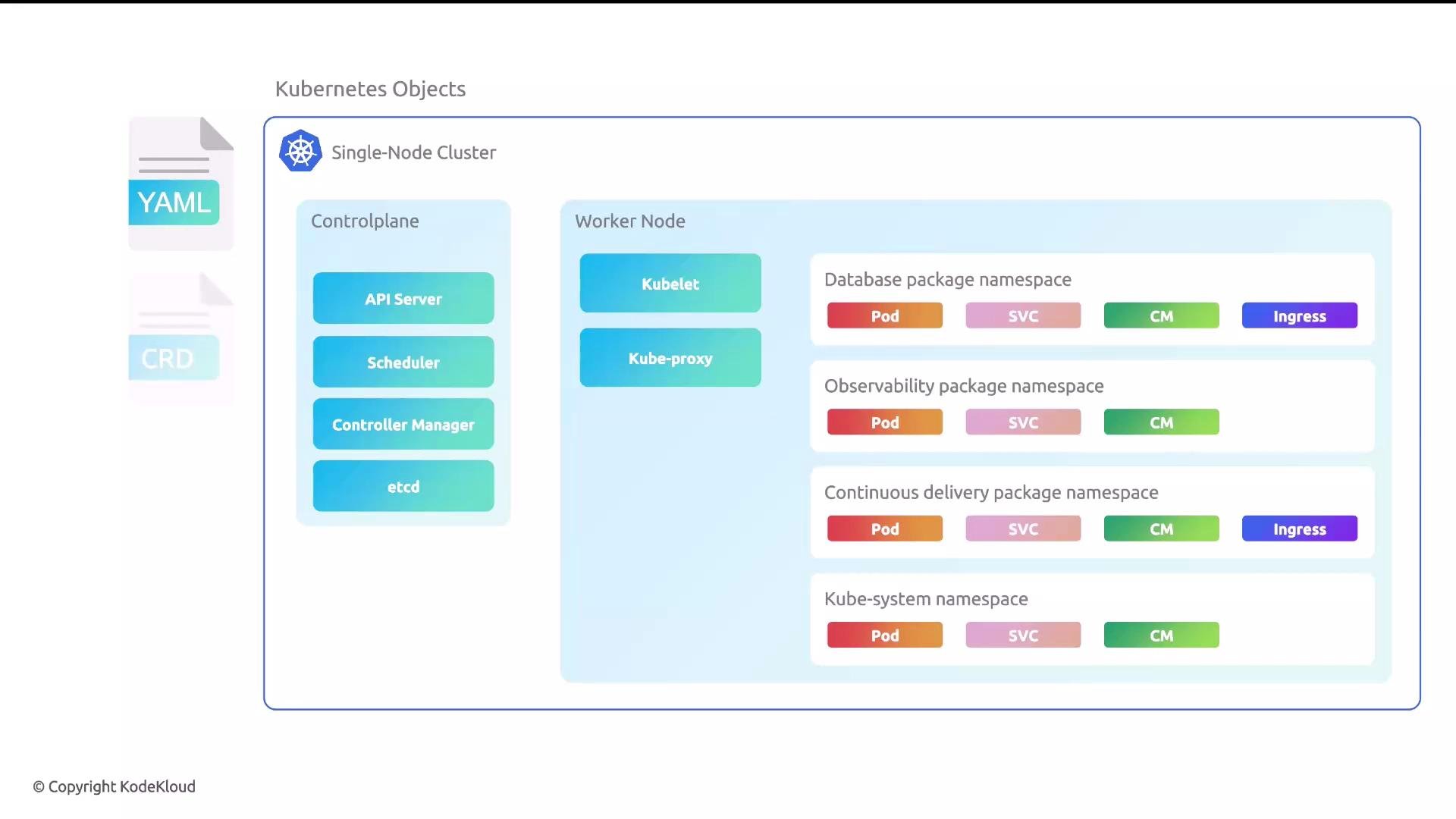
Key concepts
- Cluster: A set of nodes (physical or virtual) managed by Kubernetes.
- Control plane: Centralized components that manage the cluster state and scheduling.
- Worker nodes: Run containerized workloads (Pods).
- Objects (Manifests): Declarative YAML resources (Pods, Services, Deployments, CRDs, etc.) that describe desired state.
- API-first: Everything in Kubernetes is exposed and managed via the Kubernetes API (kubectl, controllers, operators).
Core components
Below is a concise breakdown of the control plane and node-level components you’ll encounter frequently.
We’ll use a single-node cluster for labs, but the same components apply in multi-node production clusters.
Built-in Kubernetes objects
Kubernetes provides built-in types used to define applications and infrastructure. Common examples include:- Namespace
- Pod
- Deployment
- Service
- ConfigMap
- Secret
- Ingress
Manifest structure
Kubernetes manifests are declarative YAML documents that generally follow the same top-level fields:apiVersion, kind, metadata, and spec. The example below shows a typical Deployment and a custom Package manifest (a CRD-style resource).
Custom Resource Definitions (CRDs) extend the Kubernetes API by allowing you to define new resource types. After a CRD is created, the API accepts and stores objects of that new type and they can be managed with the same tooling (
kubectl, operators, controllers).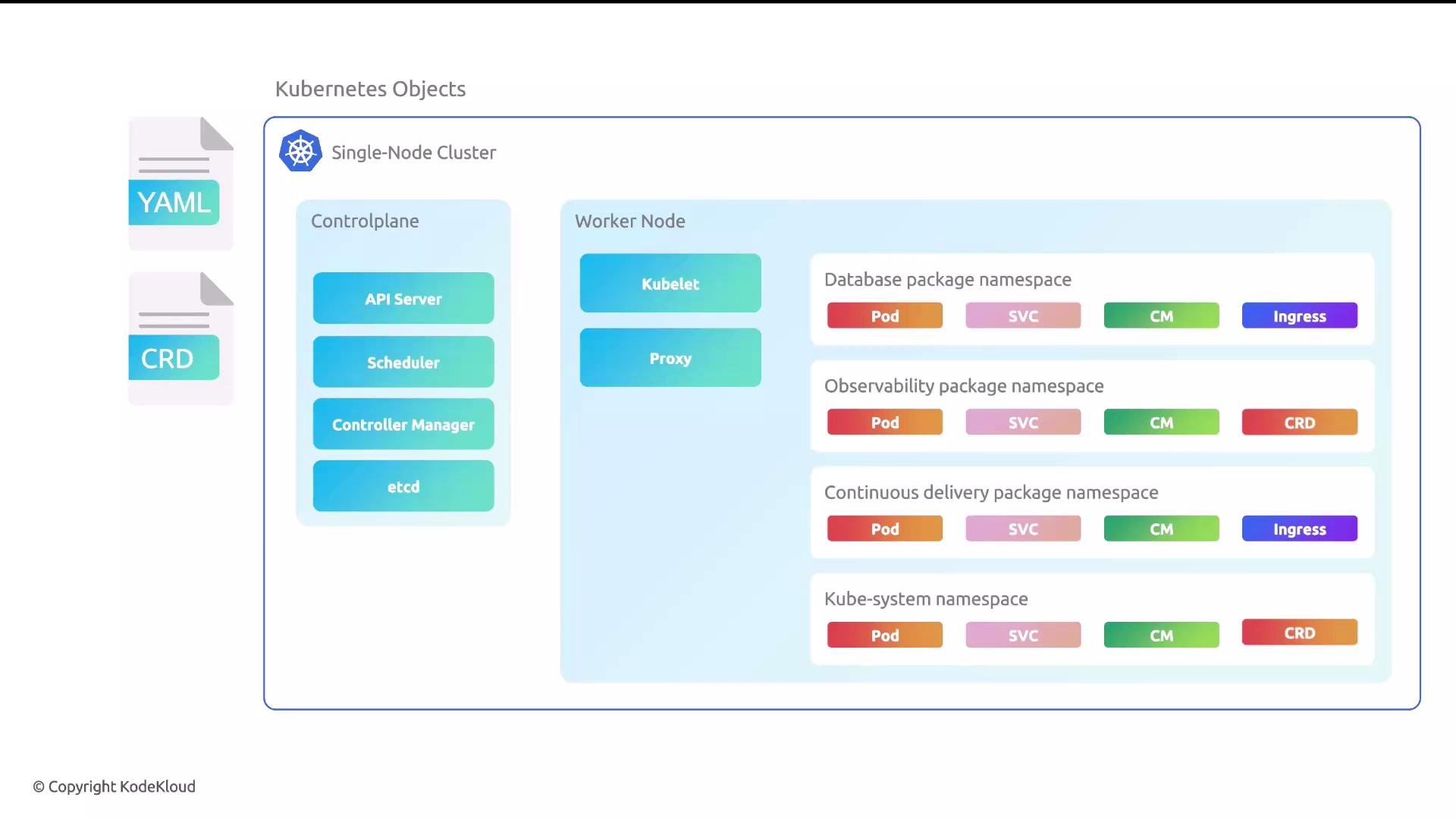
Operational landscape and ecosystem
Kubernetes provides primitives and an extensible API, but running a cluster at scale requires assembling many complementary tools. As Kelsey Hightower famously said, Kubernetes is a platform for building platforms — you still choose, integrate, and operate the pieces that meet your needs. The Cloud Native Landscape (CNCF) categorizes projects across areas such as build, delivery, observability, and storage. Selecting the right tools (networking, policy, CI/CD, observability, etc.) is part of the administrative responsibility.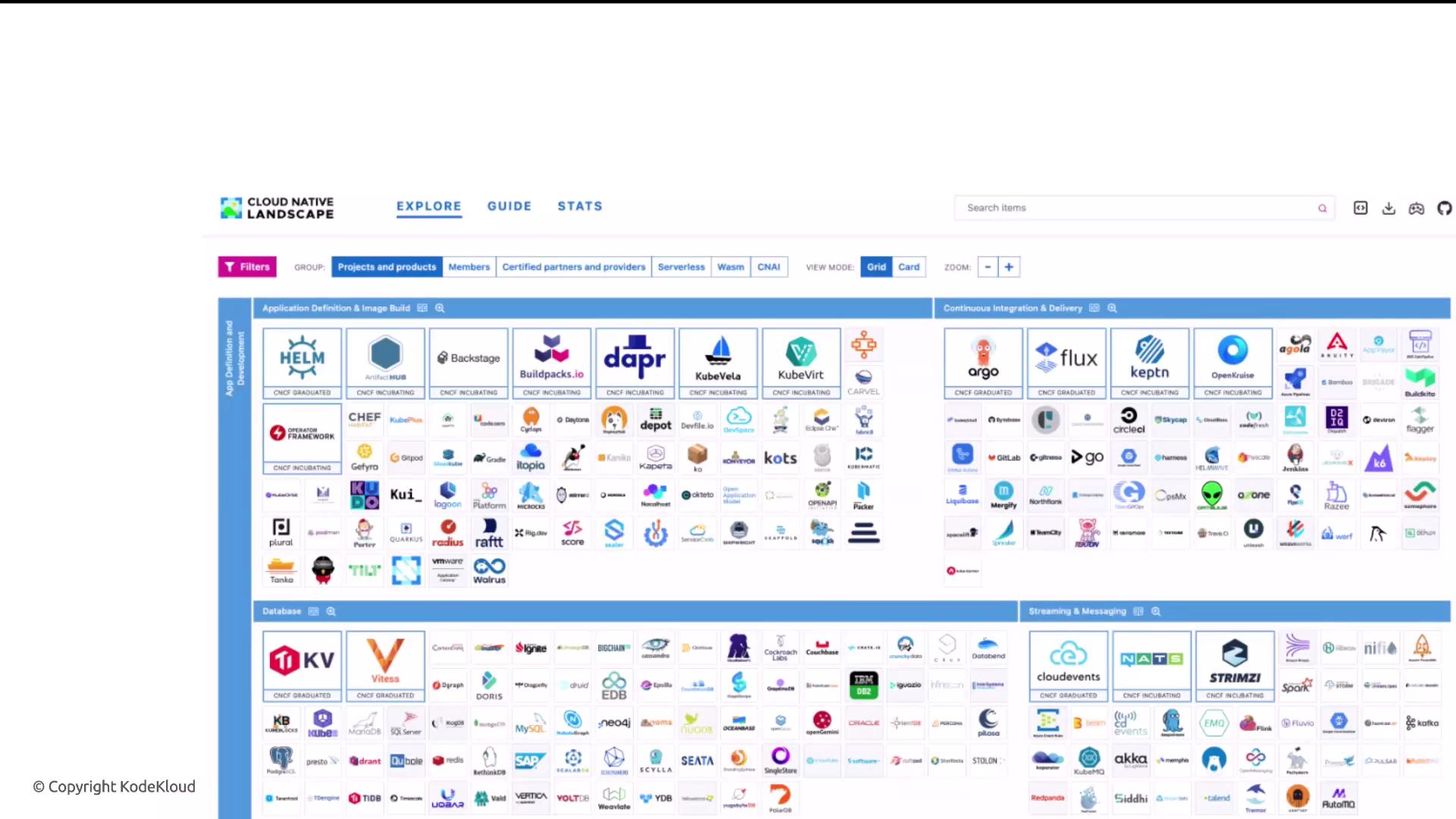
- Networking and security: Cilium
- Policy/authorization: Open Policy Agent (OPA)
- GitOps / CD: Argo CD
- Observability: Jaeger (tracing), Grafana (metrics)
Role of the Kubernetes administrator
Kubernetes administrators (cluster operators) are responsible for building and maintaining the platform and its packages. Core responsibilities include: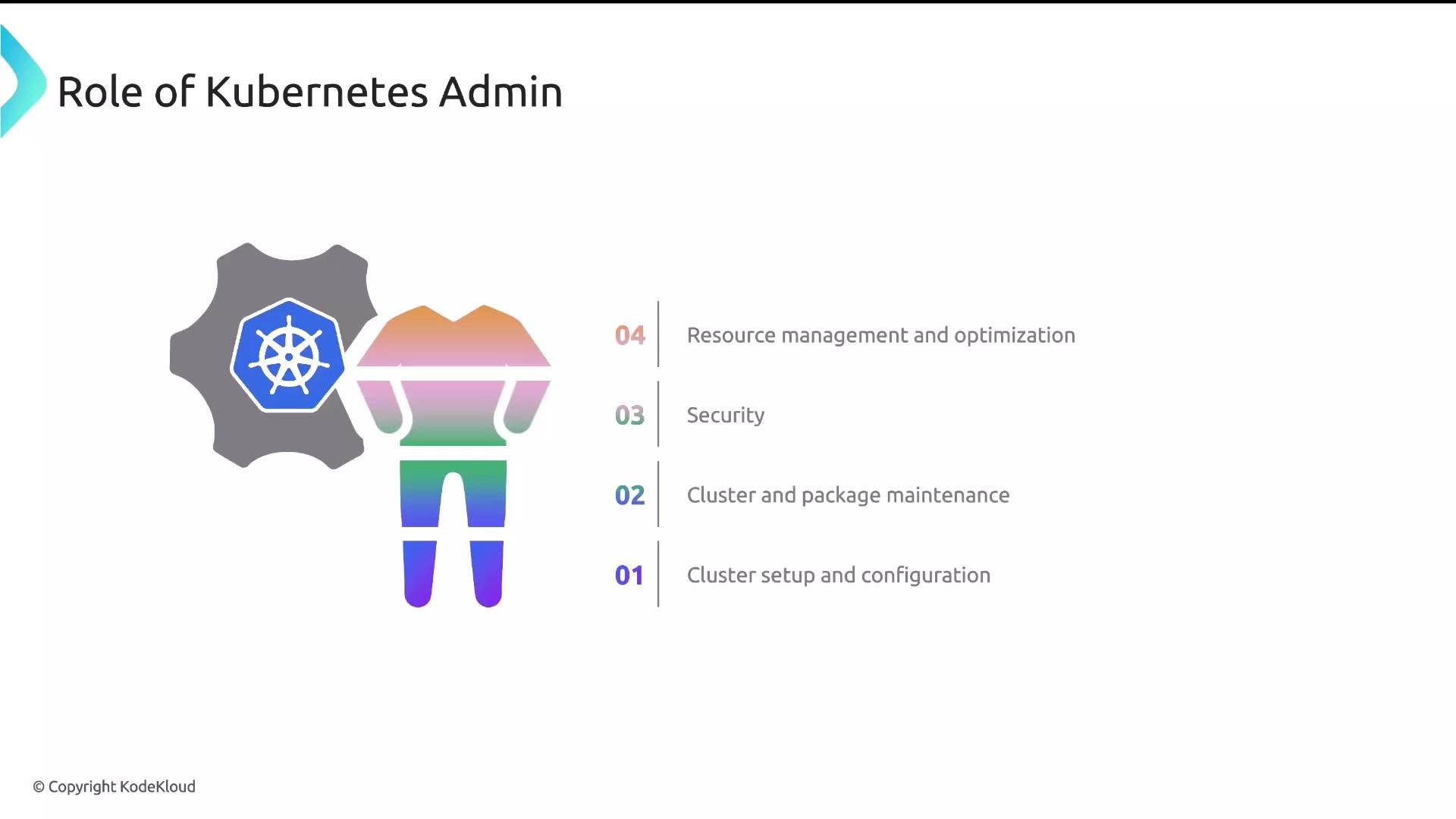
Next steps
With this refresher complete, you have the cluster and object context needed to continue into package management topics: package authorship, CRDs for package controllers, installation workflows, and upgrade/rollback patterns.Links and references
- Kubernetes official docs: https://kubernetes.io/docs/
- Cloud Native Landscape (CNCF): https://landscape.cncf.io/
- KodeKloud: https://learn.kodekloud.com/user/courses/kubernetes-for-the-absolute-beginners-hands-on-tutorial
- Argo CD: https://argo-cd.readthedocs.io/
- Open Policy Agent (OPA): https://www.openpolicyagent.org/