

- The primary ways to interact with Glasskube (CLI, UI, declarative).
- The core architecture and controllers that power package reconciliation.
- How to install and bootstrap Glasskube into a cluster.
- Practical next steps and useful references.
Primary interaction methods
Glasskube provides three main interfaces for managing packages. Use the table below to quickly compare them.Architecture overview
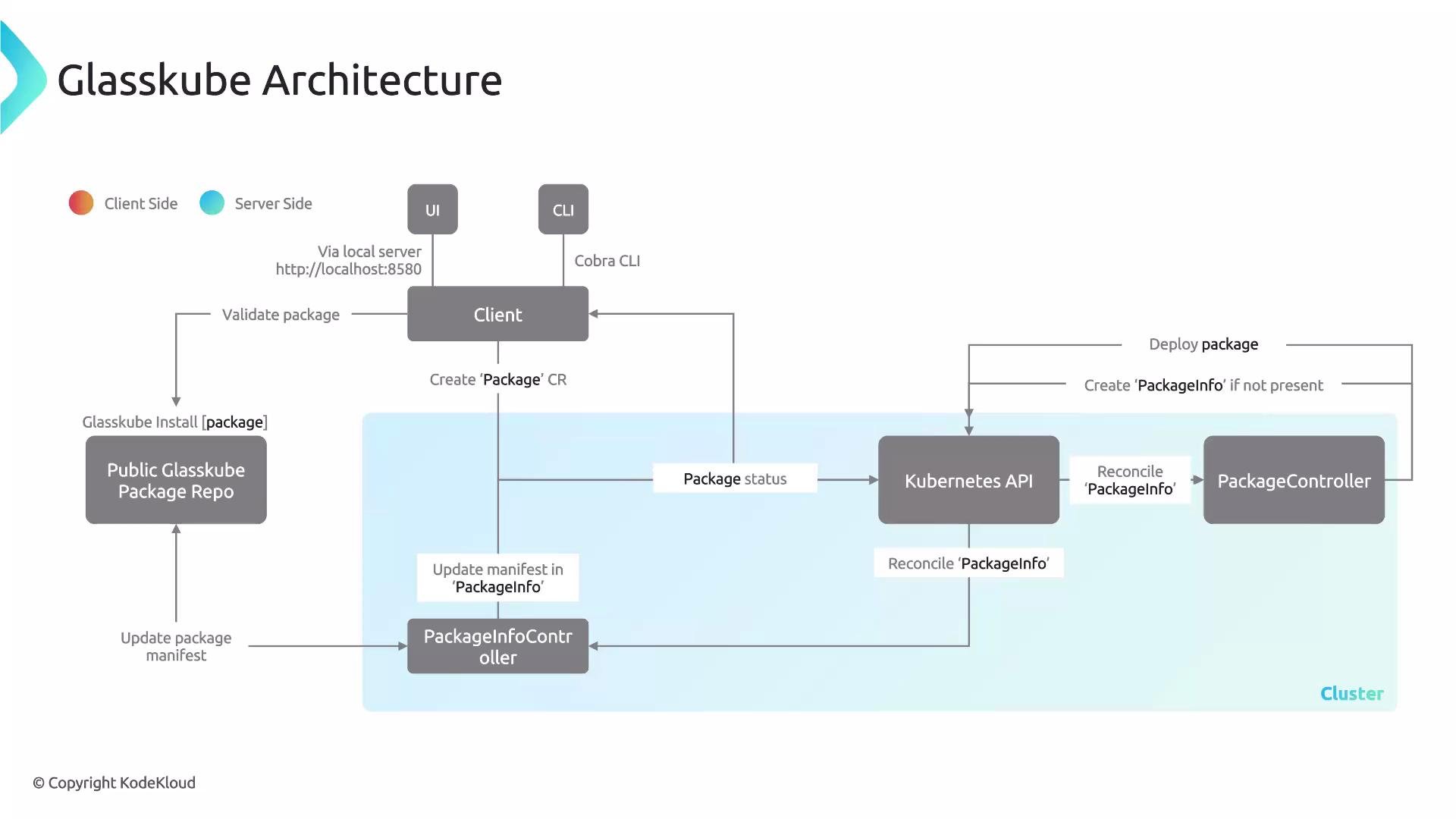
Glasskube follows a client-server model:- Server-side: controllers running in-cluster (Package Controller, PackageInfo Controller) that reconcile package CRs and manage package lifecycles.
- Client-side: CLI, UI, and configured repositories (public or private) that submit
Package/ClusterPackageresources and query status.
Key server-side controllers
- Package Controller: manages package lifecycle operations (install, update, rollback) by reconciling
PackageandClusterPackageCRs. - PackageInfo Controller: fetches package manifests and metadata from repositories and exposes that information to the cluster via
PackageInfoCRs.
Package installation flow (single repository)
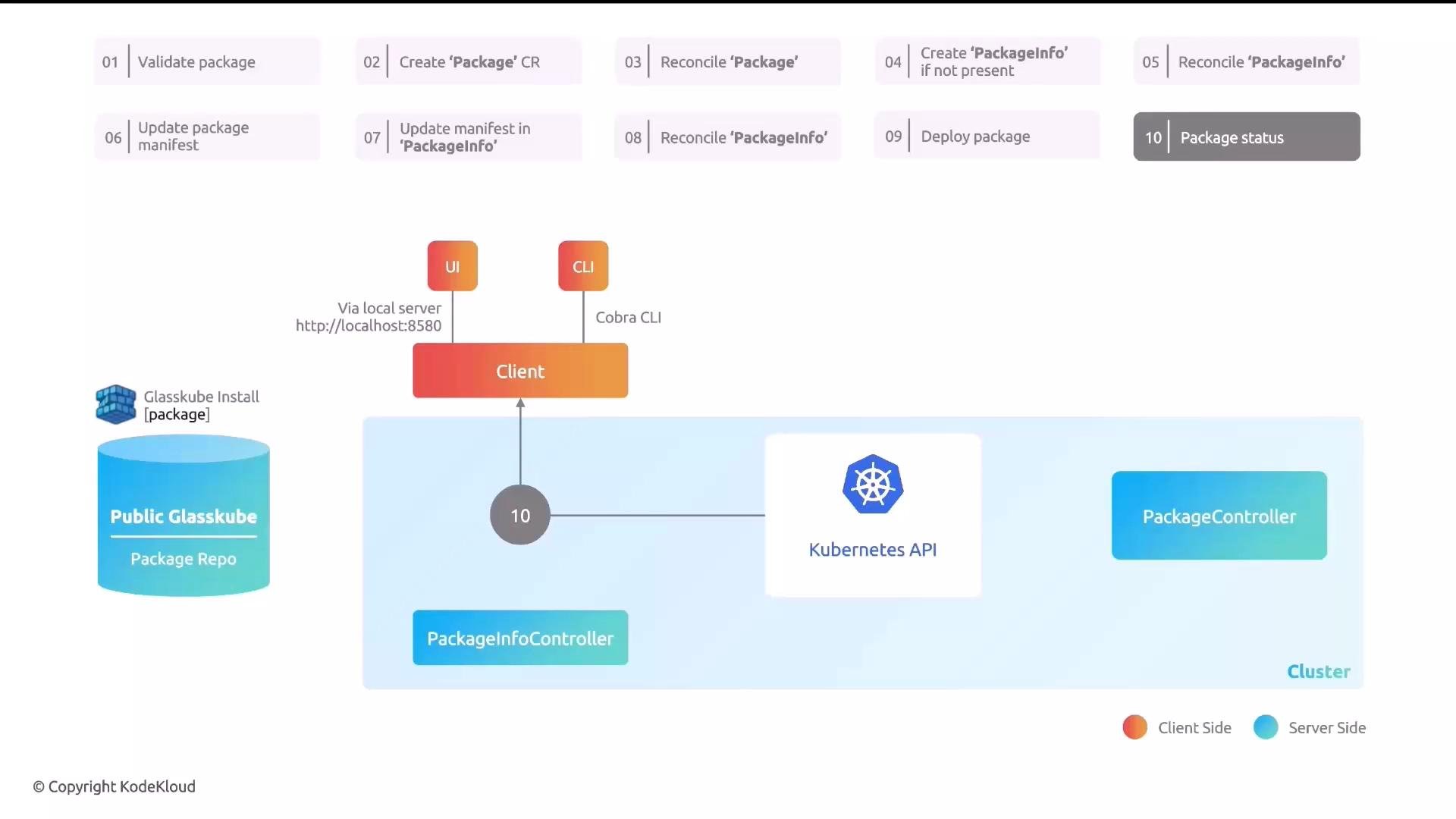
A typical single-repository install flow:- A user selects a package in the CLI or UI.
- The client validates the selection against the configured repository.
- The client creates a
PackageorClusterPackageCustomResource in the cluster. - The Kubernetes API notifies controllers and triggers reconciliation.
- If needed, a
PackageInfoCR is created and reconciled by the PackageInfo Controller. - PackageInfo fetches manifest and version details from the repository and updates the CR status.
- The Package Controller reads the manifest and deploys the package resources through the Kubernetes API.
- The client (CLI/UI) receives updates as reconciliation progresses.
Multiple repositories and repository UI
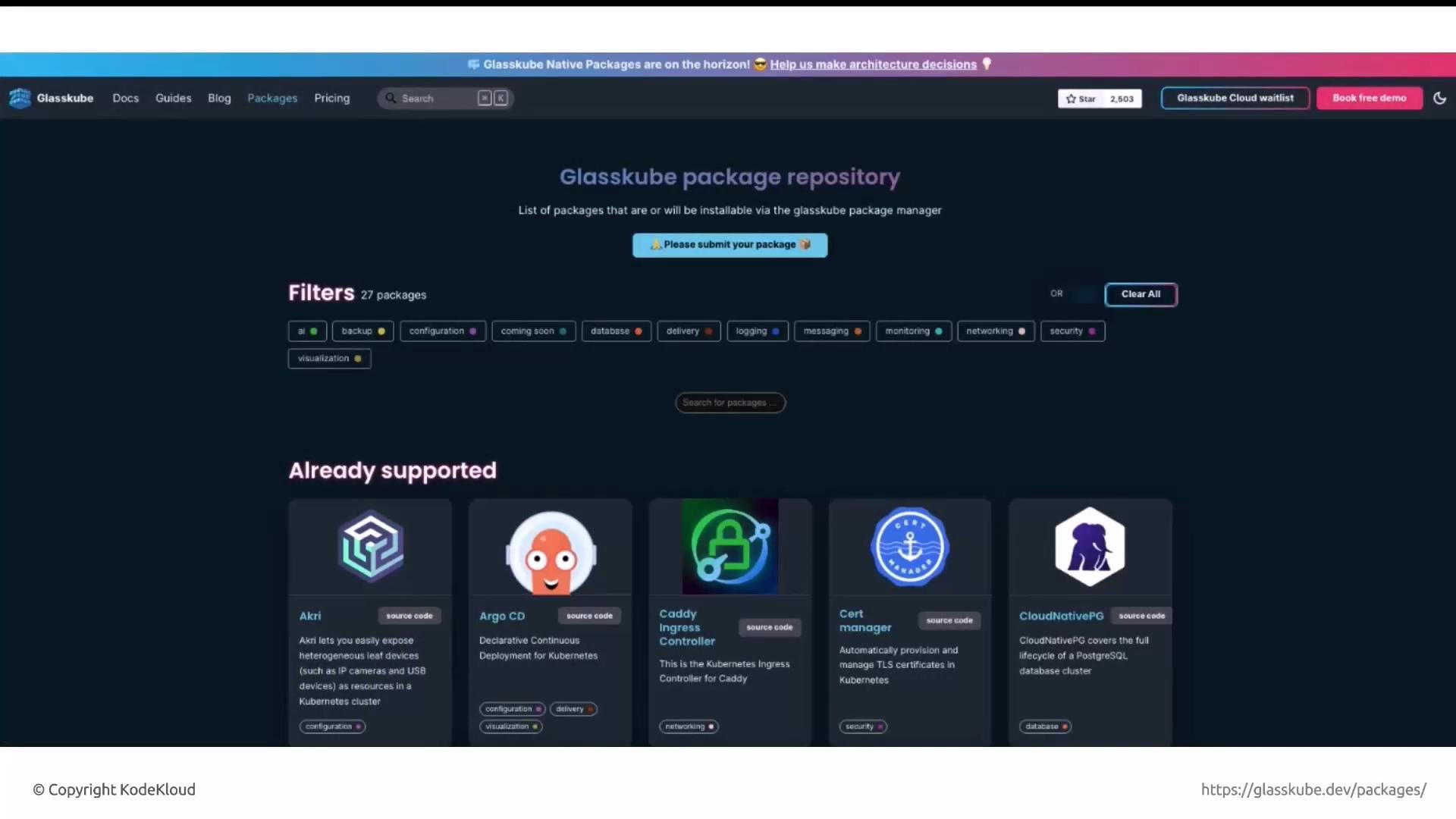
Glasskube supports multiple repositories. This enables:- Central public catalogs,
- Private team catalogs,
- Aggregation of multiple public sources.
Getting started: install the CLI and bootstrap
Install the Glasskube CLI using a platform-appropriate method. Example commands:Before running
glasskube bootstrap, ensure your kubeconfig is pointed to the correct cluster context. Glasskube will install server-side components (the package operator) into the selected context.Example: checking version before and after bootstrap
Before bootstrapping you may see the package operator is not installed:glasskube bootstrap (and allowing installation to complete), re-run:
Pros and cons (summary)
Use this quick comparison to evaluate Glasskube for your team: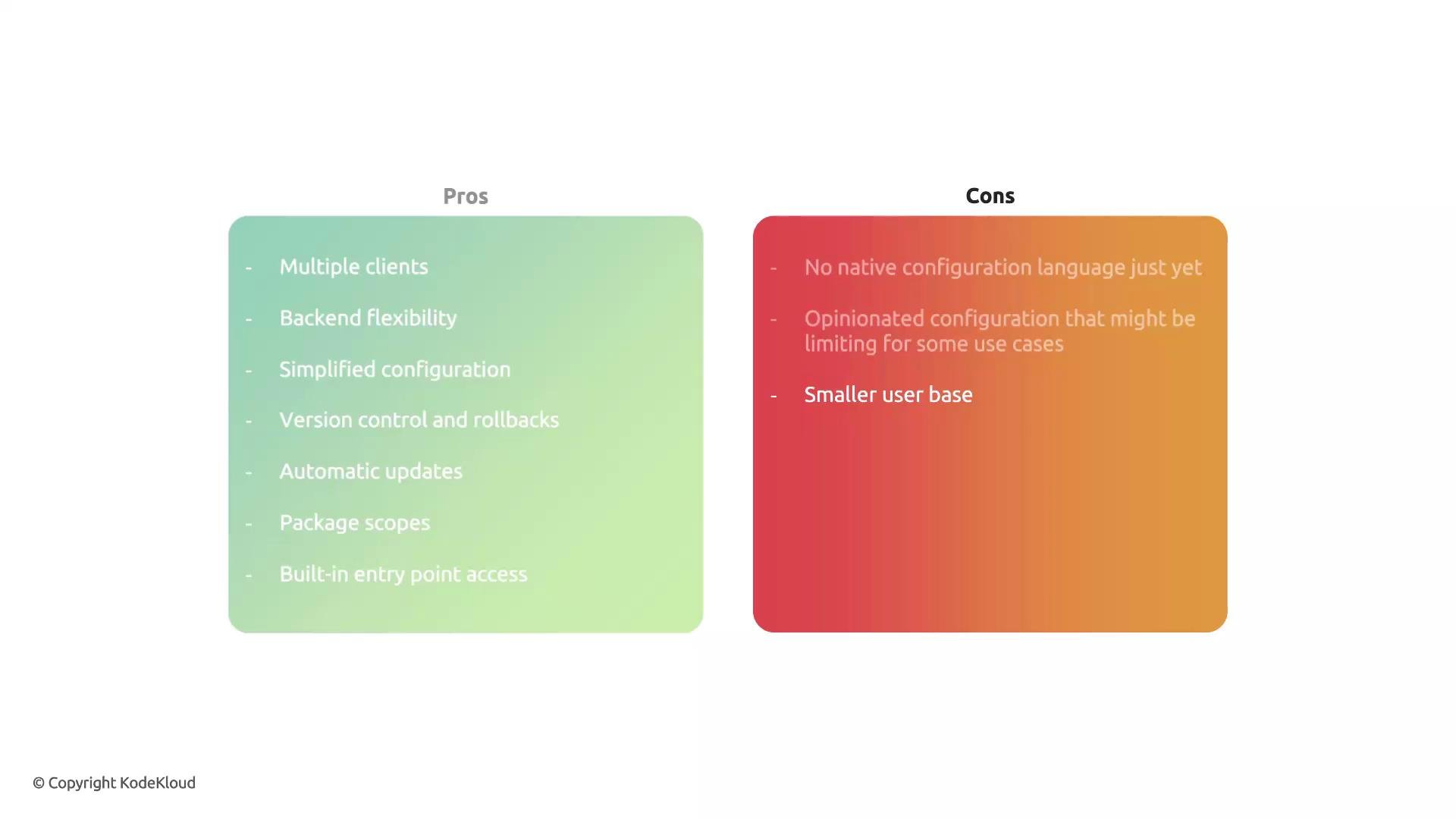
Next steps
- Install the CLI and run
glasskube bootstrapin a test cluster. - Try installing a package via the CLI:
glasskube install <package>and observe thePackage/PackageInfoCRs. - Experiment with private repositories and a GitOps workflow (store
ClusterPackageCRs in Git). - Explore automatic updates and package scopes for multi-tenant scenarios.
Links and references
- Kubernetes Documentation
- Helm Documentation
- Glasskube releases and downloads: https://releases.d1.glasskube.dev/
- General GitOps resources: https://www.gitops.tech/