

EC2 Instance States
Stopping an instance does not delete attached EBS volumes or Elastic IP addresses—you will continue to incur charges for those resources until you release them.
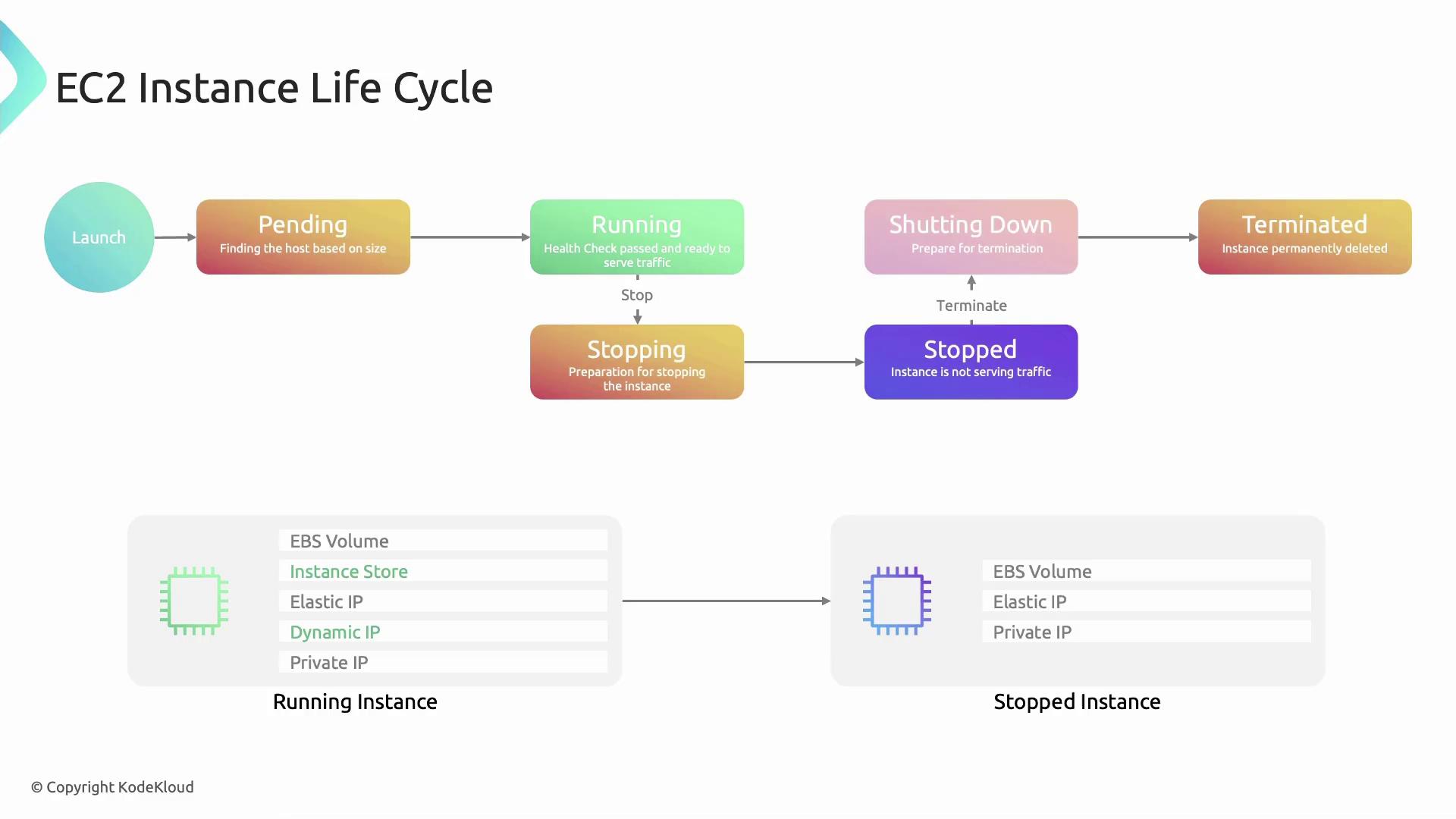
Detailed State Transitions
-
Pending
- AWS locates capacity for your chosen instance type.
- Resources are reserved, networking is configured, and the hypervisor initializes the VM.
-
Running
- Health checks complete and instance-store volumes attach.
- A public IP is assigned (if enabled at subnet level).
- Your applications can now serve traffic.
-
Stopping
- Issued via Console, AWS CLI (
aws ec2 stop-instances), or within the guest OS. - The guest OS performs a clean shutdown; the hypervisor marks resources for release.
- Issued via Console, AWS CLI (
-
Stopped
- Compute resources are released, halting billing for CPU and memory.
- Storage (EBS), private IP, and Elastic IP remain allocated.
-
Shutting-down
- Occurs when you terminate an instance from either the
runningorstoppedstate. - AWS deallocates virtual hardware; cleanup operations begin.
- Occurs when you terminate an instance from either the
-
Terminated
- The instance record is removed from your account.
- Instance-store volumes and default EBS volumes flagged for deletion are erased.
Edge Cases and Best Practices
Sending a terminate command is irreversible. Ensure you’ve backed up any critical data on instance-store volumes or unencrypted EBS volumes before terminating.