

- AWS Management Console: https://aws.amazon.com/console
Never store real credentials or sensitive secrets in plaintext files, screenshots, or version control. Use secret management services (for example, AWS Secrets Manager, HashiCorp Vault) and environment-specific credential injection for automation.
- S3 (Simple Storage Service): https://aws.amazon.com/s3
-1234) to ensure uniqueness.
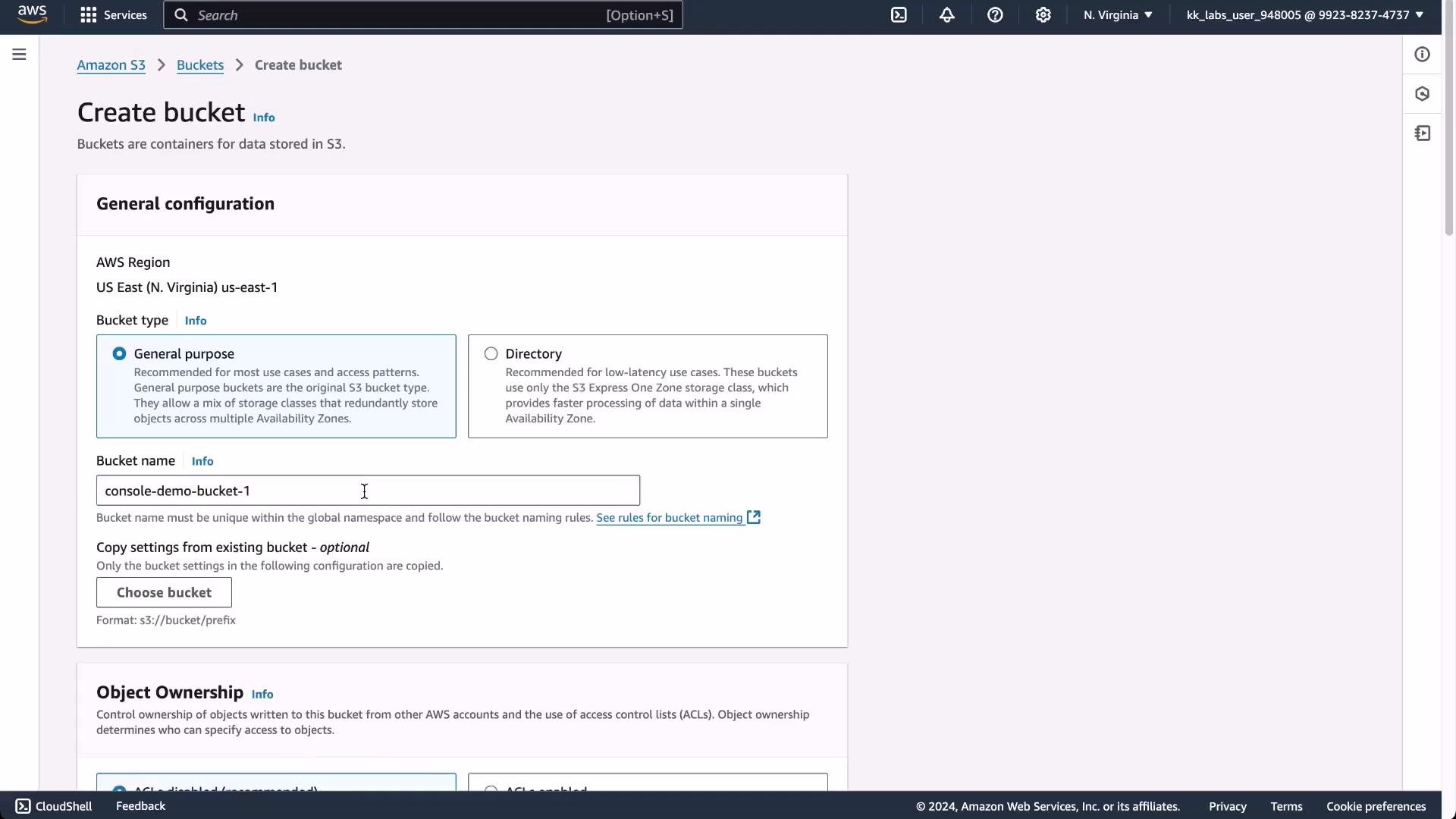
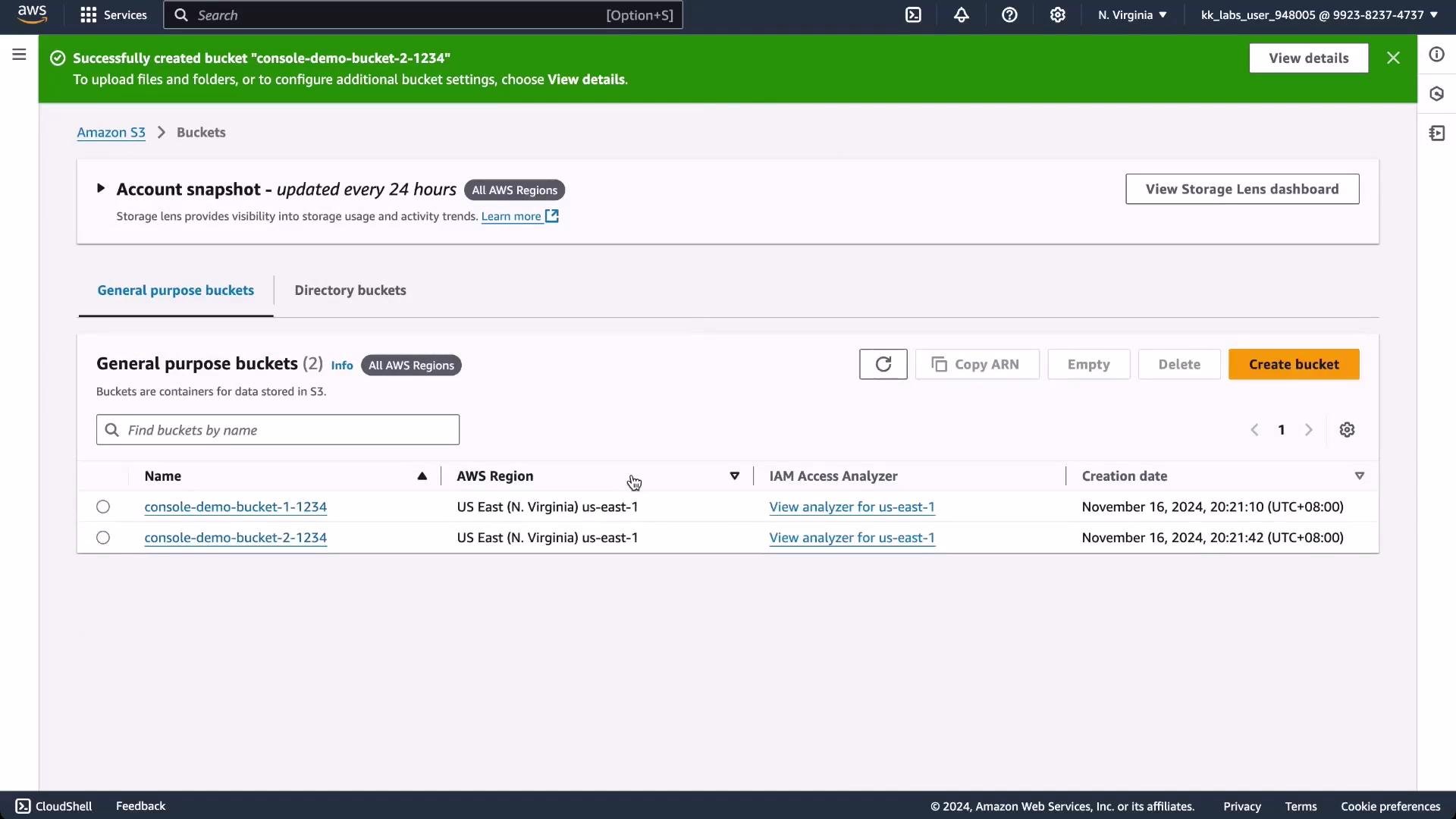
console-demo-bucket-1-1234, you can upload objects (files) for a website or other uses. You might also create additional buckets (for example console-demo-bucket-2-1234) and add tags—key/value metadata pairs like env=dev—to help with cost allocation, organization, and access policies.
- Time-consuming and error-prone: GUIs require many manual steps (clicks and selections); small mistakes are easy to make and difficult to catch.
- Hard to reproduce: Recreating the same environment across dev/staging/production is manual and inconsistent without a repeatable definition.
- Limited visibility and auditing: While consoles provide some change history, tracking exact diffs, rollbacks, and approvals is more difficult than with version-controlled definitions.
- Scaling and automation barriers: Integrating manual console steps into CI/CD pipelines is complex or impossible.
These limitations are the main reasons teams adopt Infrastructure as Code (IaC). IaC enables version-controlled, repeatable, and auditable provisioning of cloud resources—reducing manual errors and improving reproducibility.
- Explore IaC tools: Terraform, AWS CloudFormation, AWS CDK
- Learn about secret management and CI/CD integration to automate infrastructure safely
- Useful links:
- AWS Management Console: https://aws.amazon.com/console
- AWS S3: https://aws.amazon.com/s3
- AWS Cloud9: https://aws.amazon.com/cloud9/