

- Enable and configure Autocompletion safely.
- Define an allowlist/denylist for automated commands.
- Generate code, tests, and docs with a single instruction set.
- Run and verify the output locally using a Python virtual environment.
Prerequisites
- Cursor AI with Agent Mode enabled
- Python 3.8 or higher installed
- A CSV file named
customers.csvcontaining customer data
1. Enable Autocompletion Mode
First, open Cursor Settings and turn on Autocompletion mode. Read the disclaimer carefully before proceeding.Enabling Autocompletion mode may increase the risk of prompt injection. Only proceed if you trust the source of your prompts.
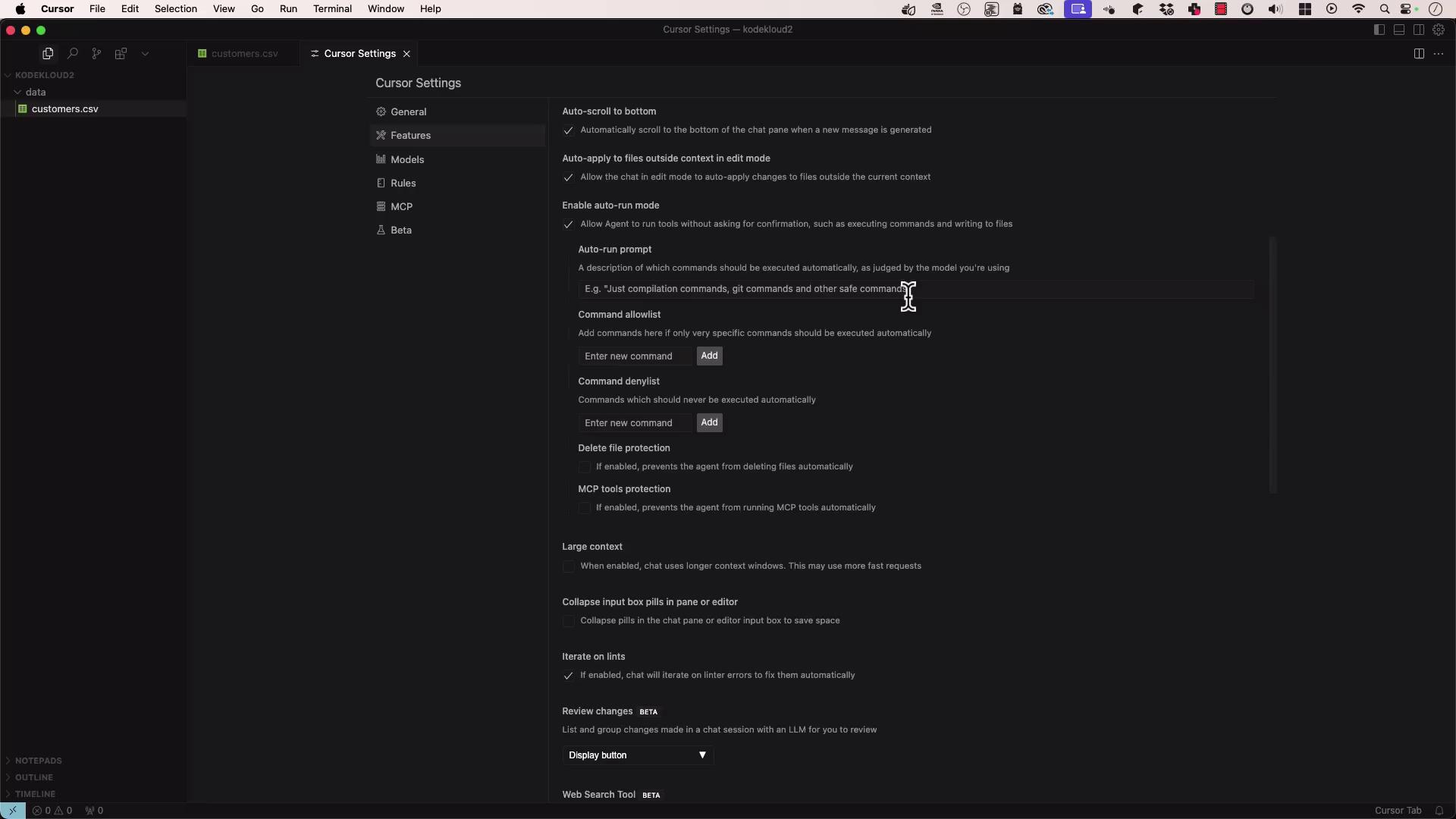
Configure Autocompletion Settings
Save these settings and switch to Agent mode.
2. Attach Data and Select Model
- Upload
customers.csv(large CSV with customer records). - Choose whether to include the full context or let the agent use intelligent compression.
- Select your model (e.g.,
gpt-4o-cloud).
3. Provide an Instruction List
Ask the agent to perform these steps:- Create
process_customers.pyto readcustomers.csv. - Extract first and last names → write to
namevalues.csv. - Extract phone numbers → write to
phone.txt. - Install
pytest. - Generate a
pytesttest suite validating the script.
- Read the first 200 lines of
customers.csv. - Produce
process_customers.pywith data-processing logic. - Create unit tests in
test_process_customers.py. - Display all proposed code changes for your approval.
4. Set Up Your Local Environment
Open a terminal and create a Python virtual environment:5. Run the Data Processing Script
Execute the generated script:The script writes output files
namevalues.csv and phone.txt without printing to the console. Verify with: