Effective documentation strategies for Python projects, including inline docstrings, external references, AI-generated content, and enforcing standards with Cursor AI.
In this lesson, we’ll explore effective documentation strategies for Python projects—covering inline docstrings, external references, AI-generated content, and enforcing standards with Cursor AI.
def read_csv(file_path): """ Read data from a CSV file and print each row. Args: file_path (str): Path to the CSV file. Returns: None: Prints rows to stdout, no return value. Example: >>> read_csv("data.csv") ['col1', 'col2'] ['val1', 'val2'] """ import csv with open(file_path, "r") as f: csvreader = csv.reader(f) for row in csvreader: print(row)
Well-structured docstrings improve readability and enable automatic tool support (e.g., Sphinx, MkDocs).
For broader context or API details, link out to a centralized docs site:
Copy
Ask AI
# Production: replace with a secure random keyapp.config["SECRET_KEY"] = "dev"app.config["DATABASE"] = os.path.join(app.instance_path, "task_manager.sqlite")
import csvimport sqlite3import osfrom flask import Flask, g# Initialize Flask appapp = Flask(__name__)app.config["SECRET_KEY"] = "dev" # Change for productionapp.config["DATABASE"] = os.path.join(app.instance_path, "task_manager.sqlite")def read_csv(file_path): with open(file_path, "r") as f: csvreader = csv.reader(f) for row in csvreader: print(row)# Ensure the instance folder existsos.makedirs(app.instance_path, exist_ok=True)
AI-Enhanced Version (agent prompt: “Create PEP 8 documentation for this file”):
Copy
Ask AI
def read_csv(file_path): """ Read data from a CSV file and print each row. Args: file_path (str): Path to the CSV file. Returns: None Example: >>> read_csv("data.csv") ['header1', 'header2'] ['value1', 'value2'] """ with open(file_path, "r") as f: csvreader = csv.reader(f) for row in csvreader: print(row)
Using Cursor AI Rules to Enforce Documentation Standards
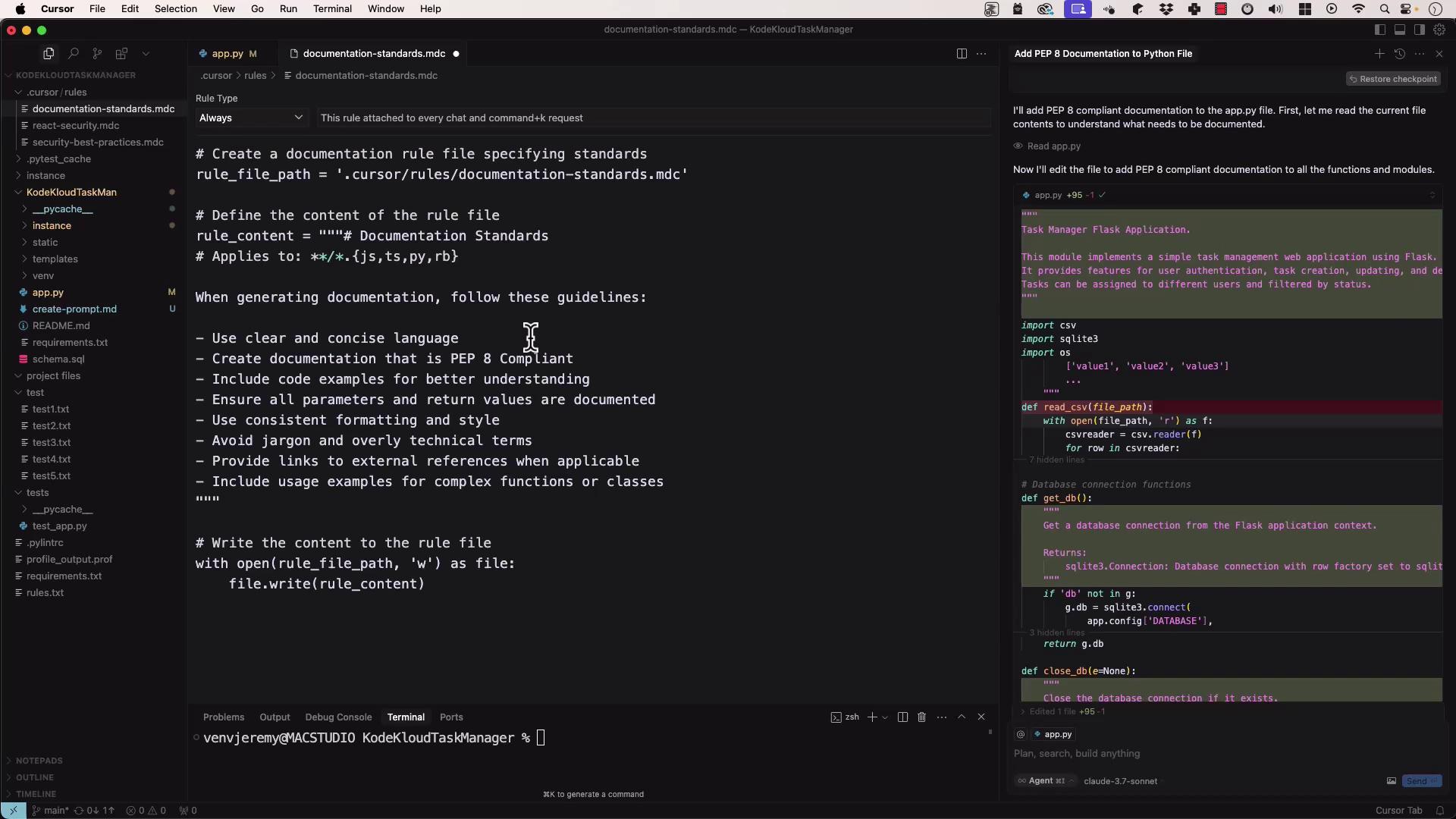
Define a documentation_standards.mdc to guide every AI invocation:
Copy
Ask AI
# documentation_standards.mdc# - Use clear, concise language.# - Document all parameters and return values.# - Include usage examples for non-trivial functions.# - Follow PEP 8 formatting: docstring quotes, indentation, line length.# - Highlight edge cases and error handling in examples.
Copy
Ask AI
# Apply standards to read_csvimport csvdef read_csv(file_path): """ Read data from a CSV file and print each row. Args: file_path (str): Path to the CSV file. Returns: None Example: >>> read_csv("data.csv") ['header1', 'header2'] ['value1', 'value2'] """ with open(file_path, "r") as f: csvreader = csv.reader(f) for row in csvreader: ...
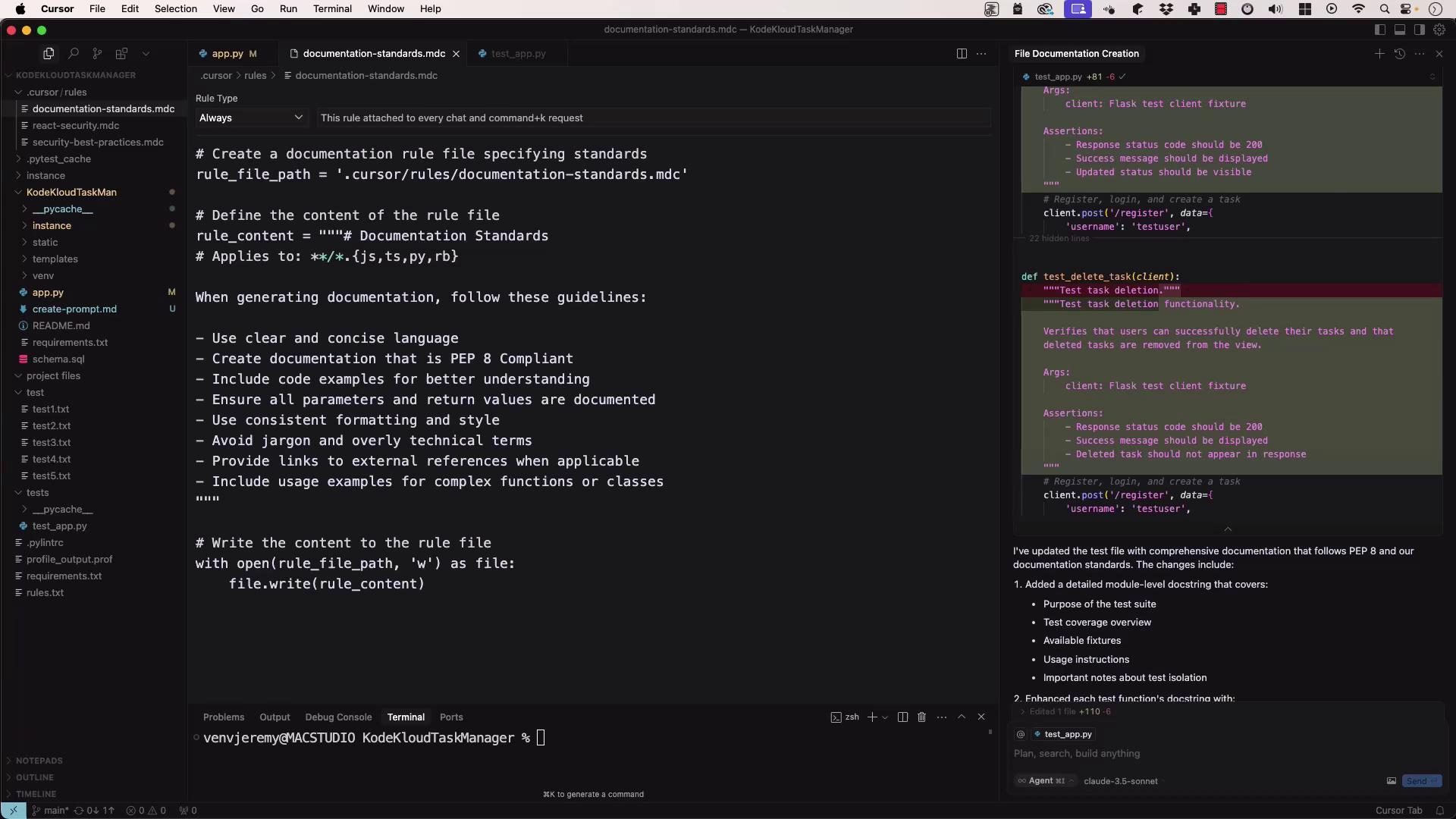
When you run the agent against a test file (e.g., test_app.py), it will produce a PEP 8-compliant suite:
Copy
Ask AI
# Write the content to the rule filewith open(rule_file_path, "w") as file: file.write(rule_content)import osimport tempfileimport pytestdef test_read_csv(tmp_path): """ Test read_csv with a temporary CSV file. """ data = tmp_path / "test.csv" data.write_text("a,b\n1,2\n") read_csv(str(data)) # assertions here...
By combining inline docstrings, external references, AI-generated content, and a robust rule set, you’ll ensure your Python code remains well-documented, consistent, and up to date.