

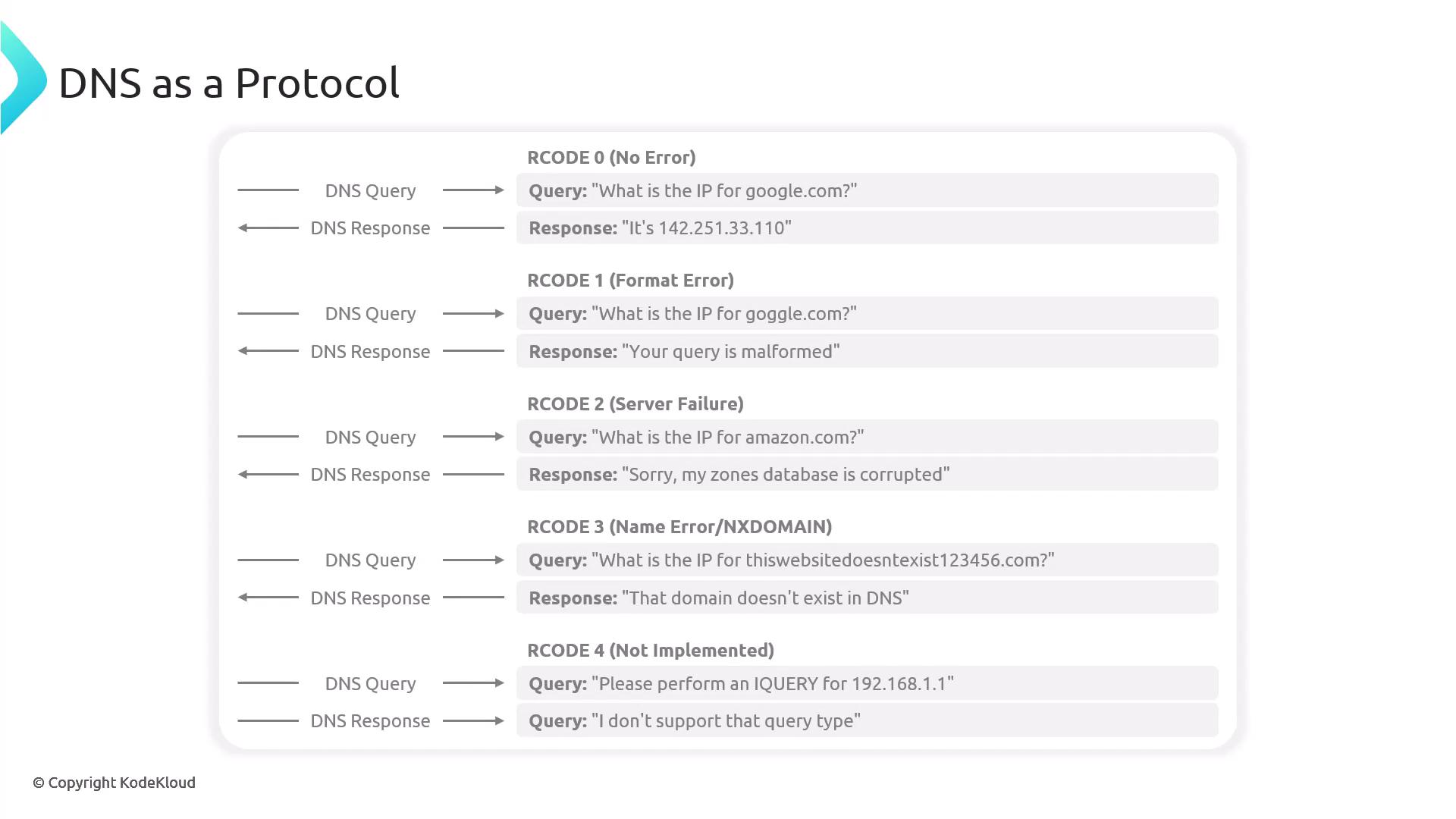
- A request from the client that carries the query.
- A response from a DNS component that carries the answer.
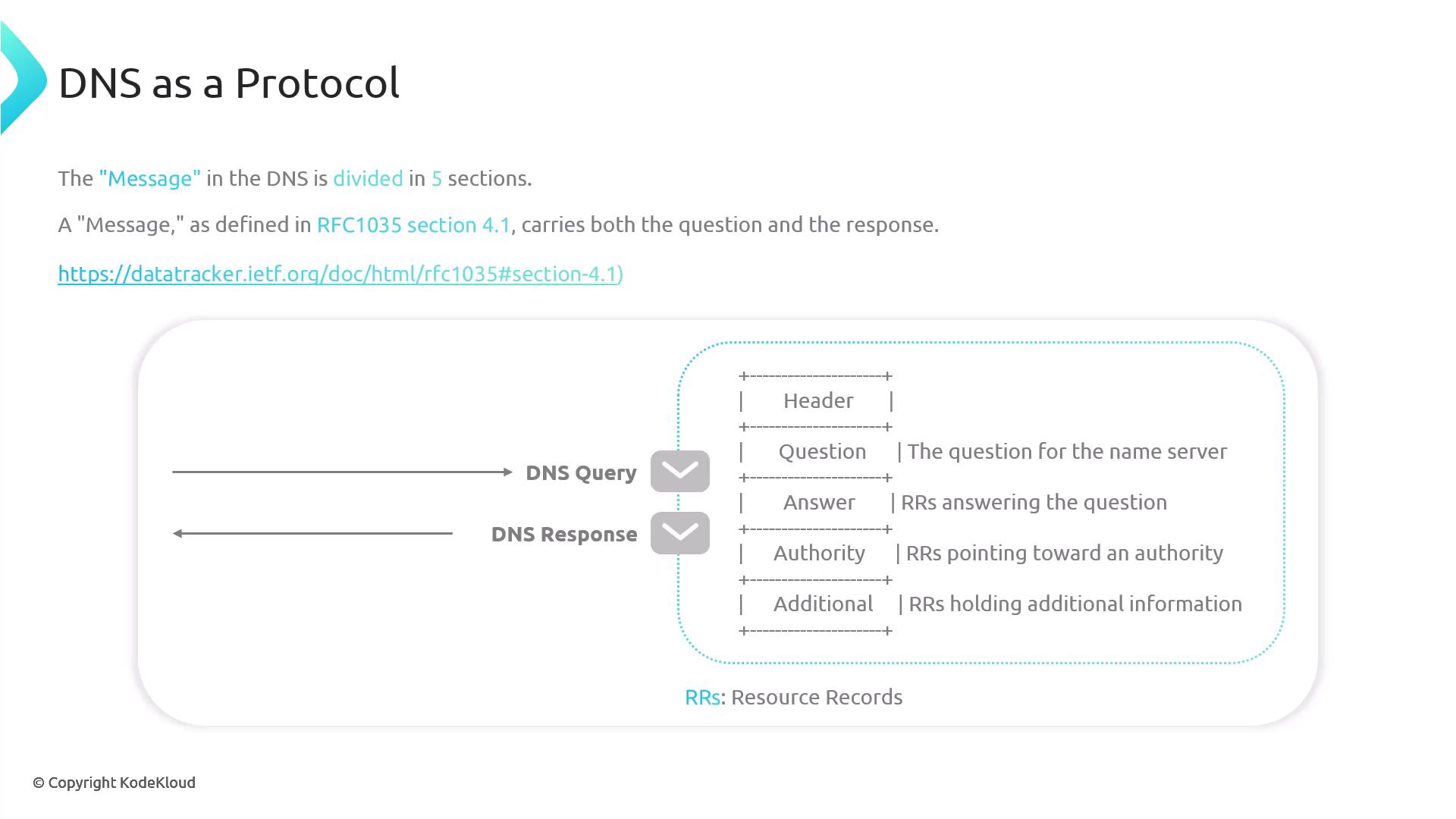
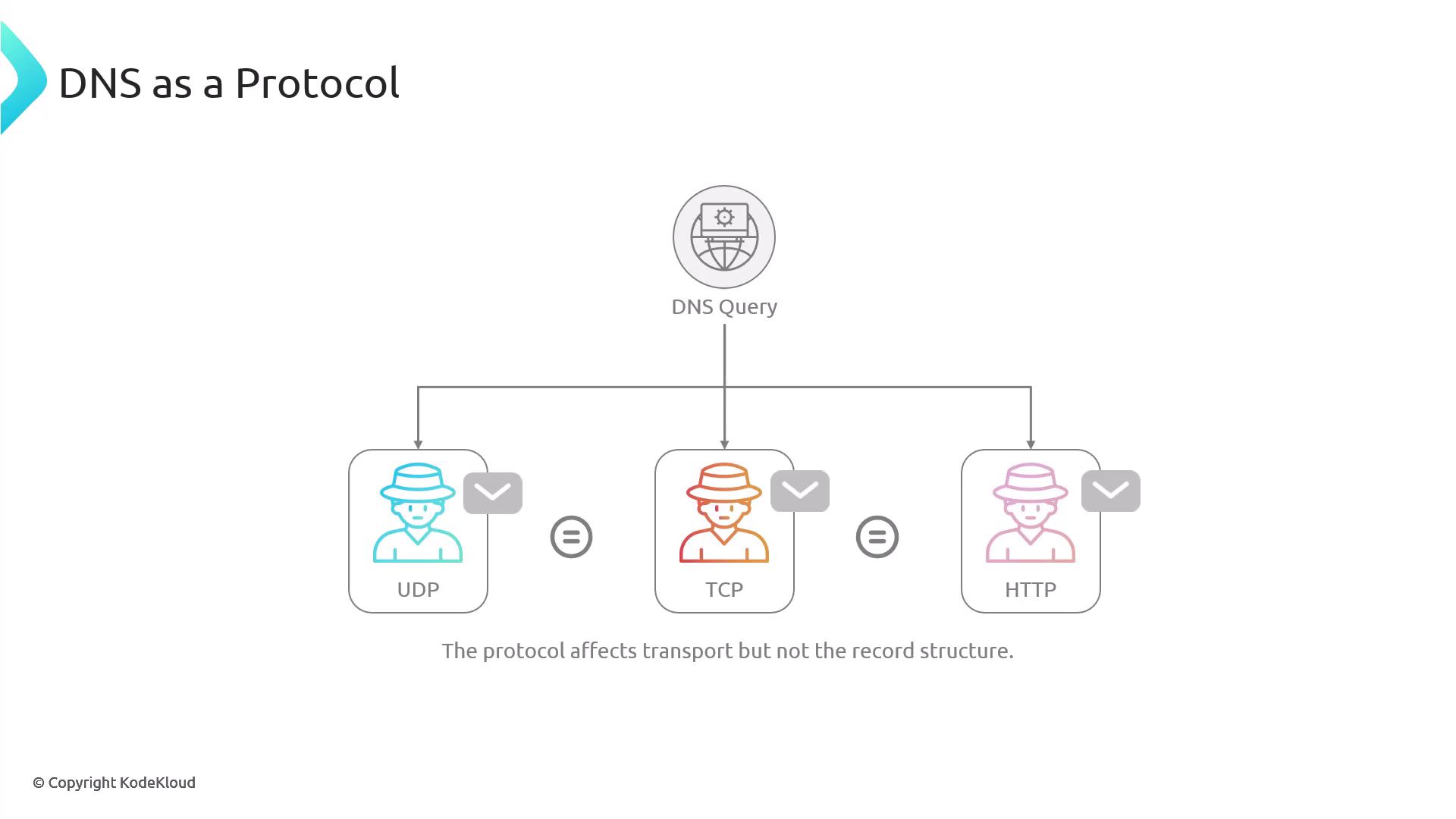
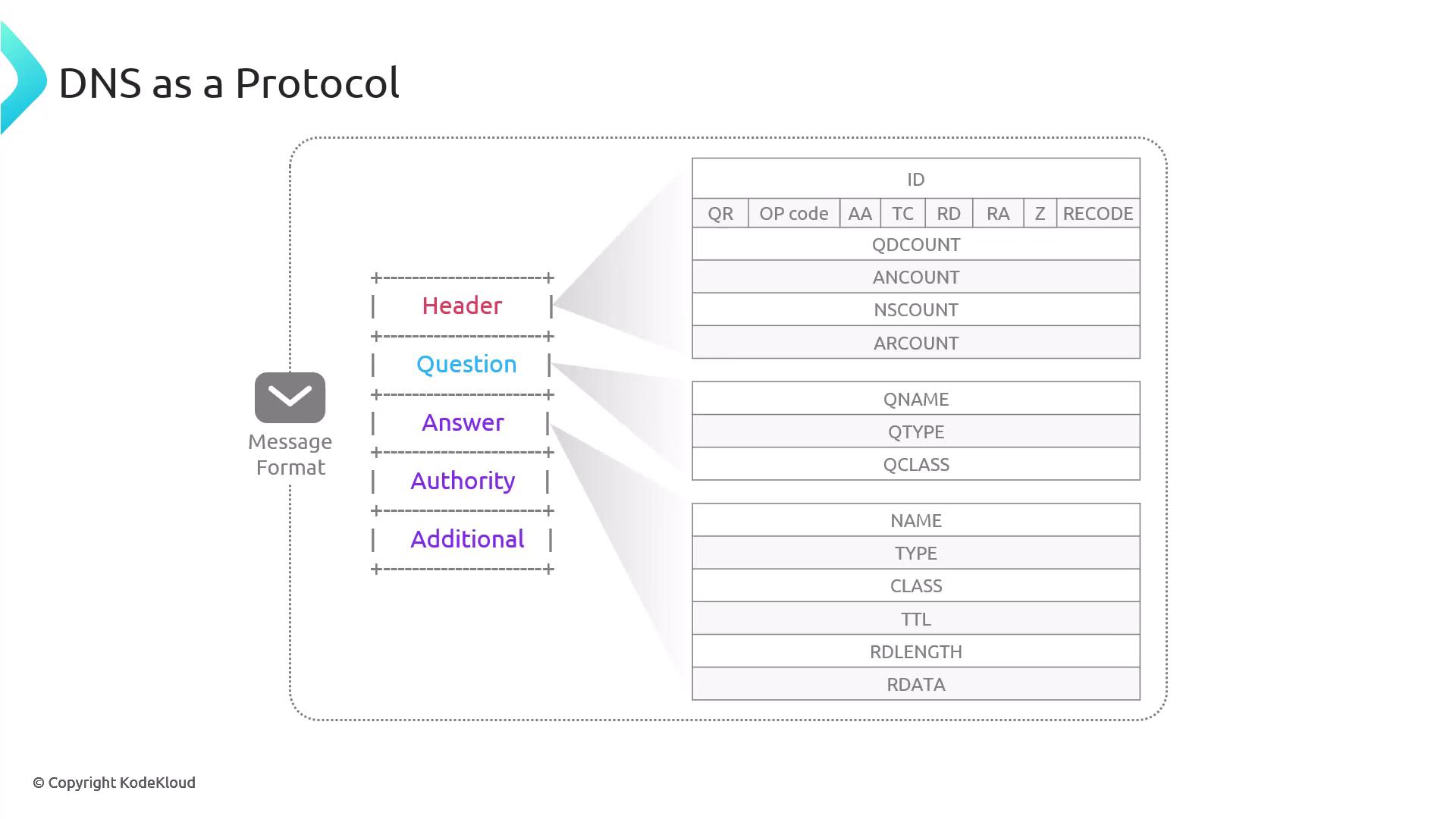
DNS Header
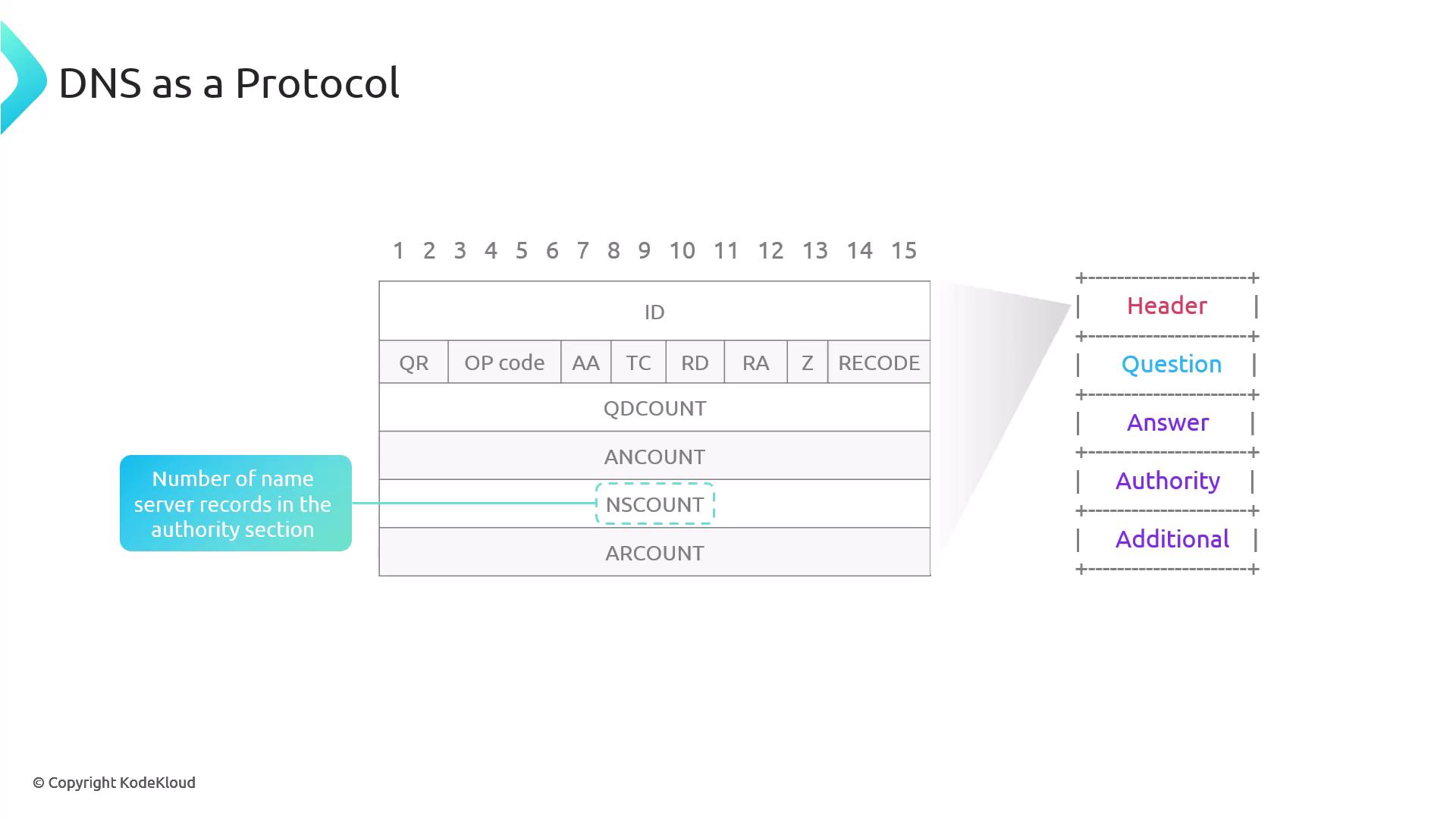
The DNS header is 12 bytes long and contains several key fields:- ID Field: An integer generated by the client to match responses with queries, since UDP does not inherently track packets. The server copies this ID into its response.
- Flags Row:
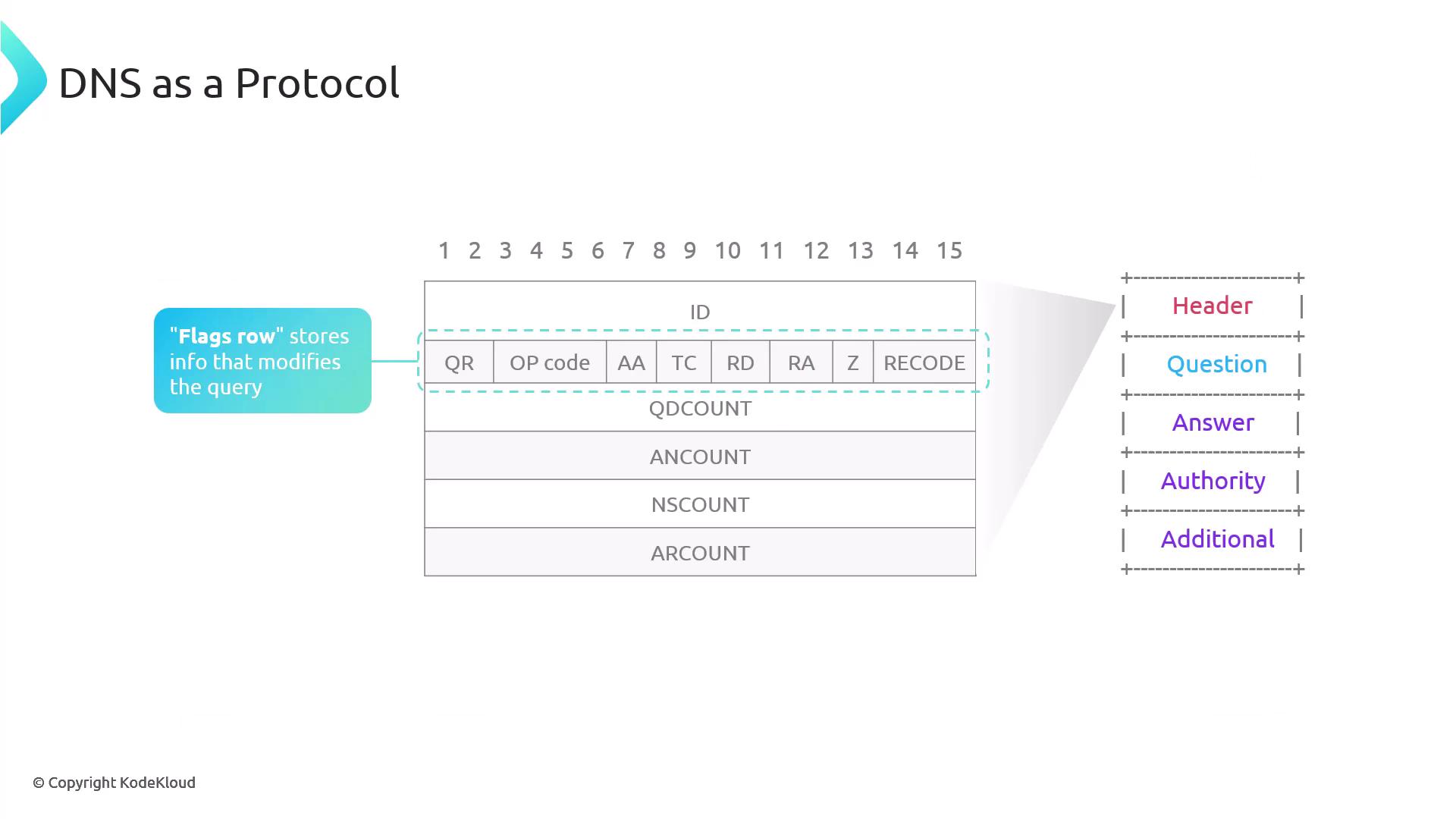
- QR: Indicates if the message is a query (0) or a response (1). DIG outputs will show 1 for responses.
- Opcode: Specifies the query type; standard queries use 0.
- AA: Authoritative Answer – set if the responding nameserver is authoritative.
- TC: Truncation – if a DNS response is too large for UDP, the server sets TC to 1 to prompt a TCP retry.
- RD and RA:
- RD (Recursion Desired): Set by the client to request full DNS resolution.
- RA (Recursion Available): Indicates in the response whether recursive queries are supported.
- Z Flag: Reserved for future use.
- Rcode: Indicates the outcome of the query. An Rcode of 0 means success, while 3 indicates that the domain does not exist.
Header Count Fields
- QDCOUNT (Question Count): Number of questions in the question section (typically 1).
- ANCOUNT (Answer Count): Number of resource records in the answer section. Multiple A records for a domain increase this count.
- NSCOUNT (Authority Count): Number of nameserver records in the authority section. Although DIG shows the authorities, the raw NS count is visible through packet capture tools like TCPDump or Wireshark.
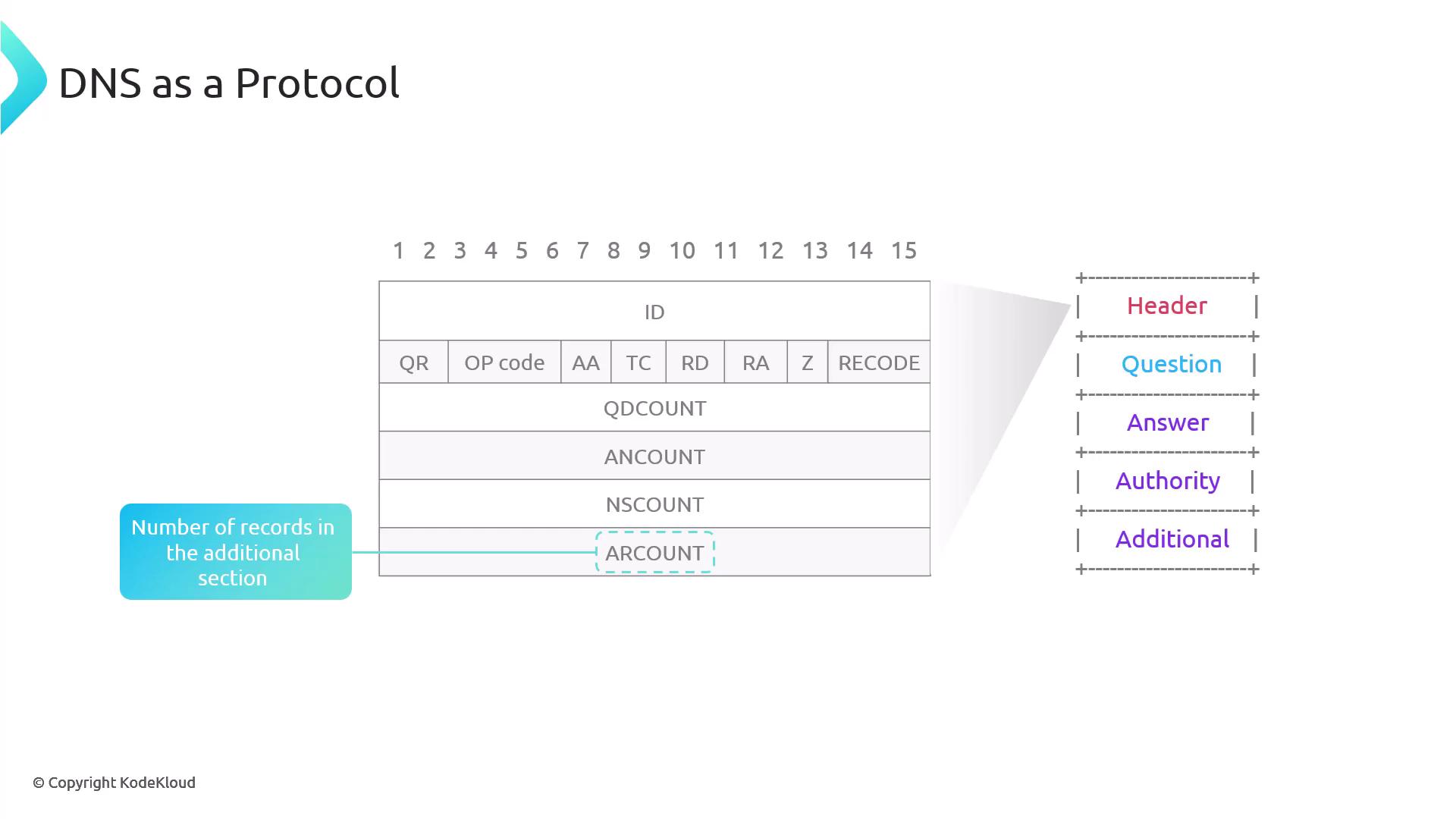
- ARCOUNT (Additional Count): Number of records in the additional section, often used for supplementary data like glue records.
Question Section
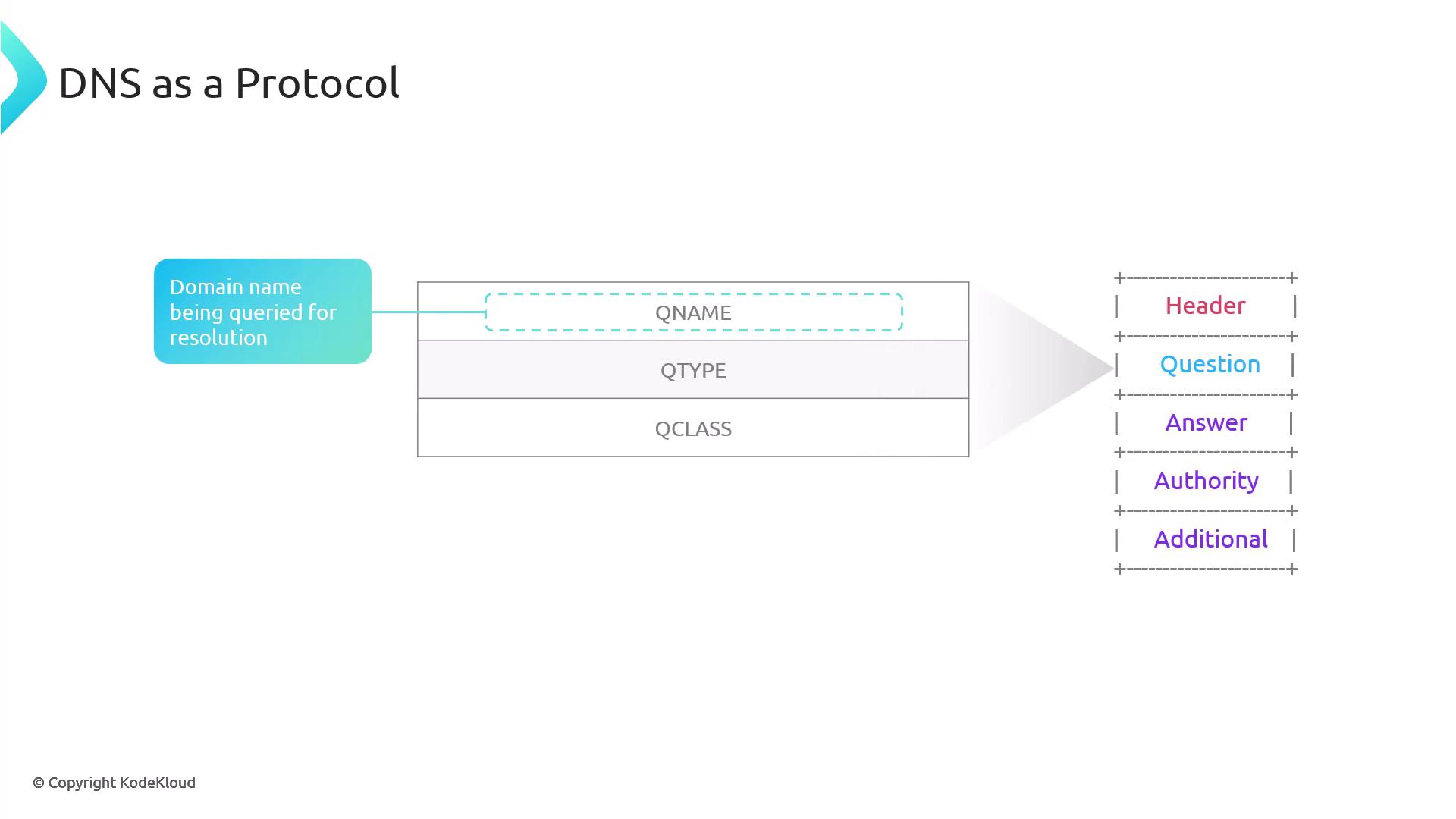
The question section carries information about the query and consists of:- QName: The domain name being queried.
- QType: The type of DNS record requested (e.g., A, AAAA, CNAME, MX). If omitted, an A record is assumed.
- QClass: The query class, which is typically 1 (IN for the Internet).
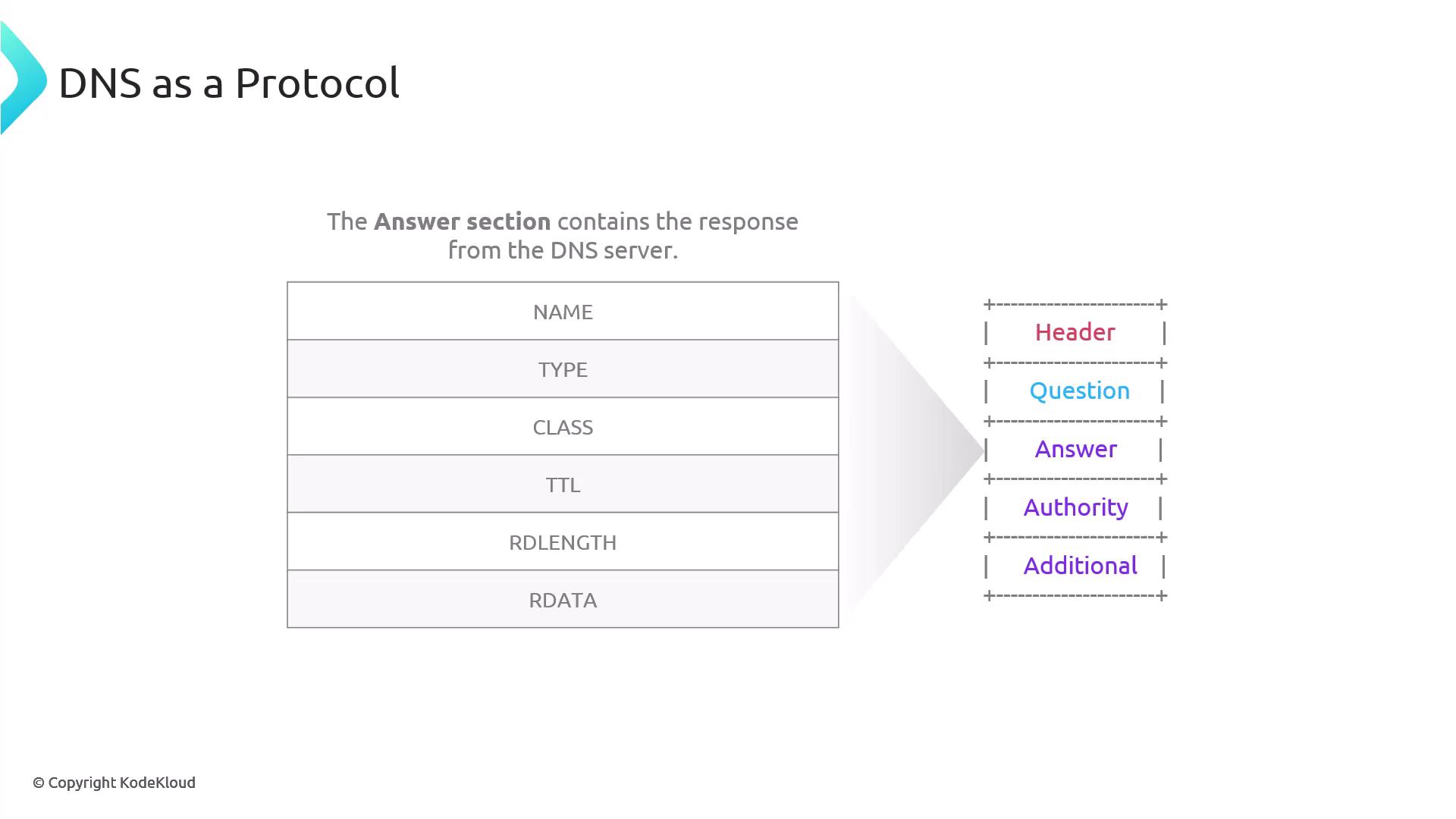
Answer Section
The answer section is populated by the DNS component that responds to the query. It contains resource records with the following fields:- NAME: The queried domain name.
- TYPE: The type of record (e.g., A, AAAA).
- CLASS: Typically IN.
- TTL: Time-to-live value in seconds, which dictates caching duration.
- RDLength: Length (in bytes) of the record data (e.g., 4 bytes for an A record, 16 bytes for an AAAA record).
- RDATA: The actual data, such as an IP address.
Authority Section
The authority section also contains resource records that are similar in structure to those in the answer section. It is typically filled when the nameserver responds authoritatively—for example, when a root nameserver is queried for a TLD. For instance, running the following command against a .gtld nameserver might produce this output:Additional Section
The additional section follows the same resource record structure and is used to provide supplementary information. As the DNS protocol evolved, this section was repurposed to store new functionality while maintaining backward compatibility. It is particularly useful for displaying glue records or supplementing NS records. For example, using the +additional flag:Think of the additional section as a versatile drawer in your DNS toolkit. Originally designed for a single purpose, it has been repurposed to store extra information without changing the overall format.