This lesson covers CI/CD with Docker, focusing on integration into development pipelines for efficient building, testing, and deploying of containerized applications.
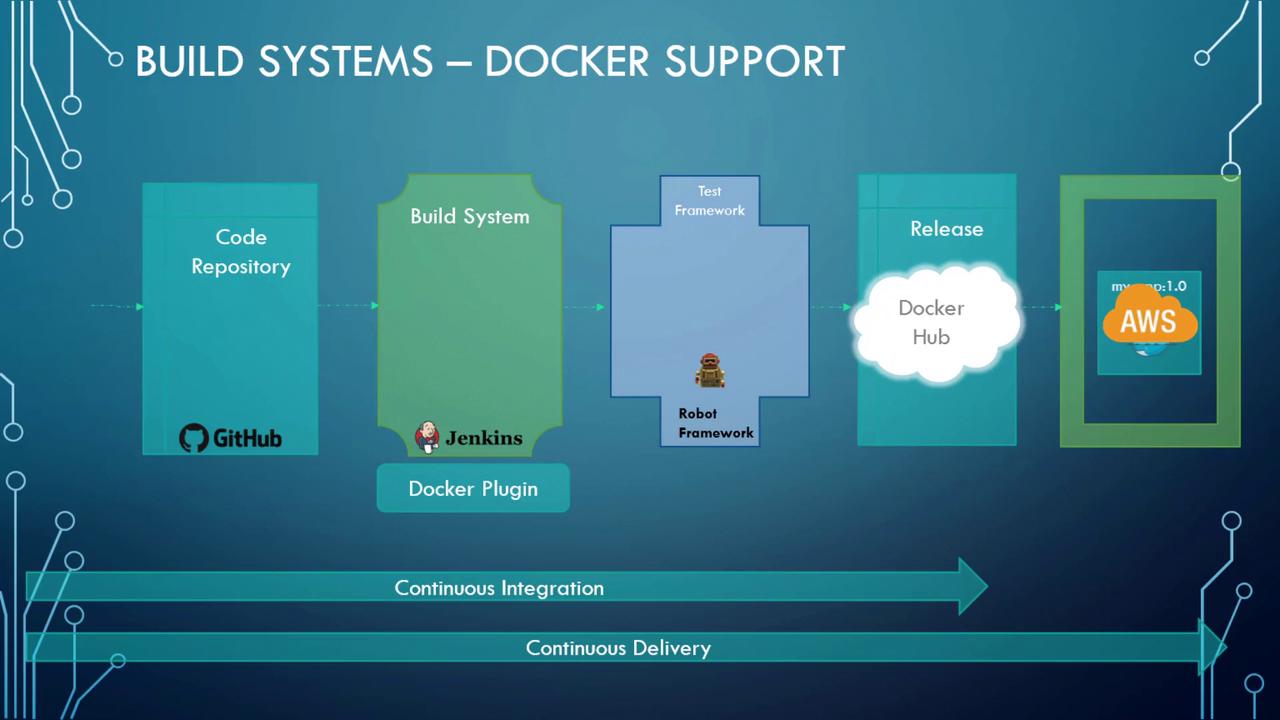
Hello and welcome to this lesson on Continuous Integration and Continuous Delivery (CI/CD) with Docker.My name is Mumshad Mannambeth, and in this session we delve into advanced Docker concepts with a focus on CI/CD pipelines. Docker is a cornerstone in modern DevOps workflows, seamlessly integrating with popular build systems like Jenkins, Bamboo, Travis CI, and more.Each project typically contains a Dockerfile—stored in the application’s code repository—that outlines the steps to build a Docker image. For instance, when code is committed to GitHub, Jenkins retrieves the repository and uses the Dockerfile to build the image. This process often utilizes a Docker plugin tailored for the build system.After the image is built, Jenkins assigns it a build number (for example, 1.0) which serves as a tag for testing. Once the tests are successful, the image is pushed to a Docker registry. This registry could be an internal company repository or an external one such as Docker Hub. From here, the image is ready to be deployed on container hosting platforms like Amazon ECS, thereby completing the automated CI/CD cycle—from code commit to production deployment.The following diagram outlines how Docker fits into a CI/CD workflow:
Integrating Docker into your CI/CD pipeline ensures that every code change is automatically built, tested, and deployed, streamlining the development process and improving operational efficiency.
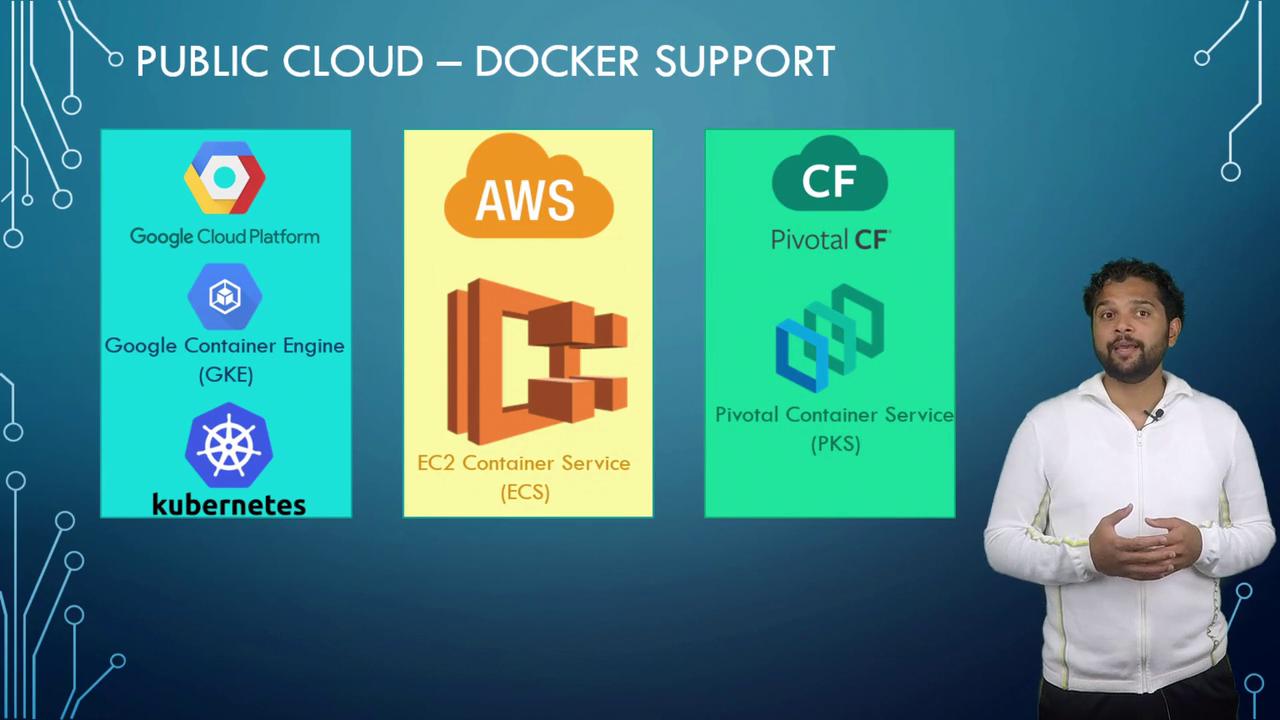
Once an image is validated, the next step is deploying it in a production environment. Major cloud providers including Amazon, Google, and Azure offer robust support for containerized applications. For example, Google Container Engine—now part of Google Kubernetes Engine—allows containers to run in production on Kubernetes clusters. Kubernetes offers an alternative to Docker Swarm for container orchestration, a topic we covered in a previous lesson.AWS provides the EC2 Container Service (ECS) as a production-ready container solution, while on-premises platforms like Pivotal Cloud Foundry use the Pivotal Container Service (PKS), which leverages Kubernetes under the hood. Additionally, Docker’s own hosting service, Docker Cloud, employs Docker Swarm for orchestrating containers.The following diagram highlights various public cloud options that support Docker:
Explore the wide range of deployment solutions offered by major cloud providers to choose the one that best fits your application’s needs and scalability requirements.
In summary, Docker is a versatile and essential tool across numerous CI/CD systems and cloud platforms. Its integration into development pipelines makes it easier than ever to build, test, and deploy containerized applications efficiently.That concludes this lesson—see you in the next one!