

Welcome to this in-depth guide on Docker Stacks. I’m Mumshad Mannambeth, and in this article we’ll explore advanced Docker concepts to help you deploy and manage application stacks more efficiently. Instead of running multiple individual containers with the Docker run command, you can now define your entire application stack in a single Docker Compose file and launch it effortlessly.Documentation Index
Fetch the complete documentation index at: https://notes.kodekloud.com/llms.txt
Use this file to discover all available pages before exploring further.
From Single Containers to Application Stacks
Previously, you might have deployed your services with commands like:Deploying with Docker Swarm
When deploying on Docker Swarm, the concept is similar but offers additional flexibility. Instead of using the Docker run command, you create services for each component. For instance:Understanding the Docker Stack Hierarchy
Understanding the hierarchy within Docker helps you manage resources effectively. Here’s a breakdown of the Docker stack hierarchy:- Container: A packaged unit of an application with all its dependencies.
- Service: One or more instances of the same container running on one or more nodes. For example, running several instances of a web application creates a service.
- Stack: A collection of interrelated services that form a complete application.
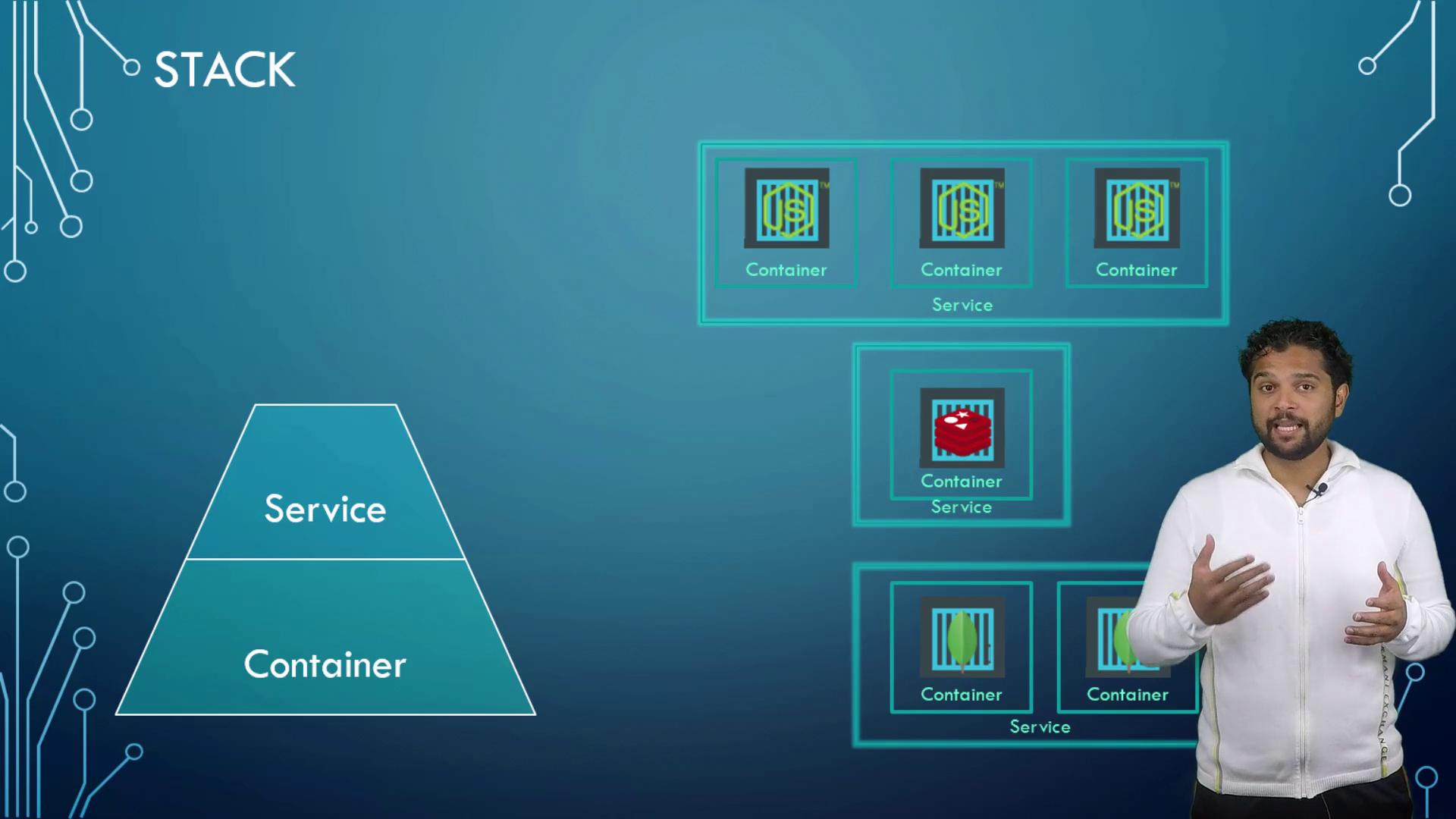
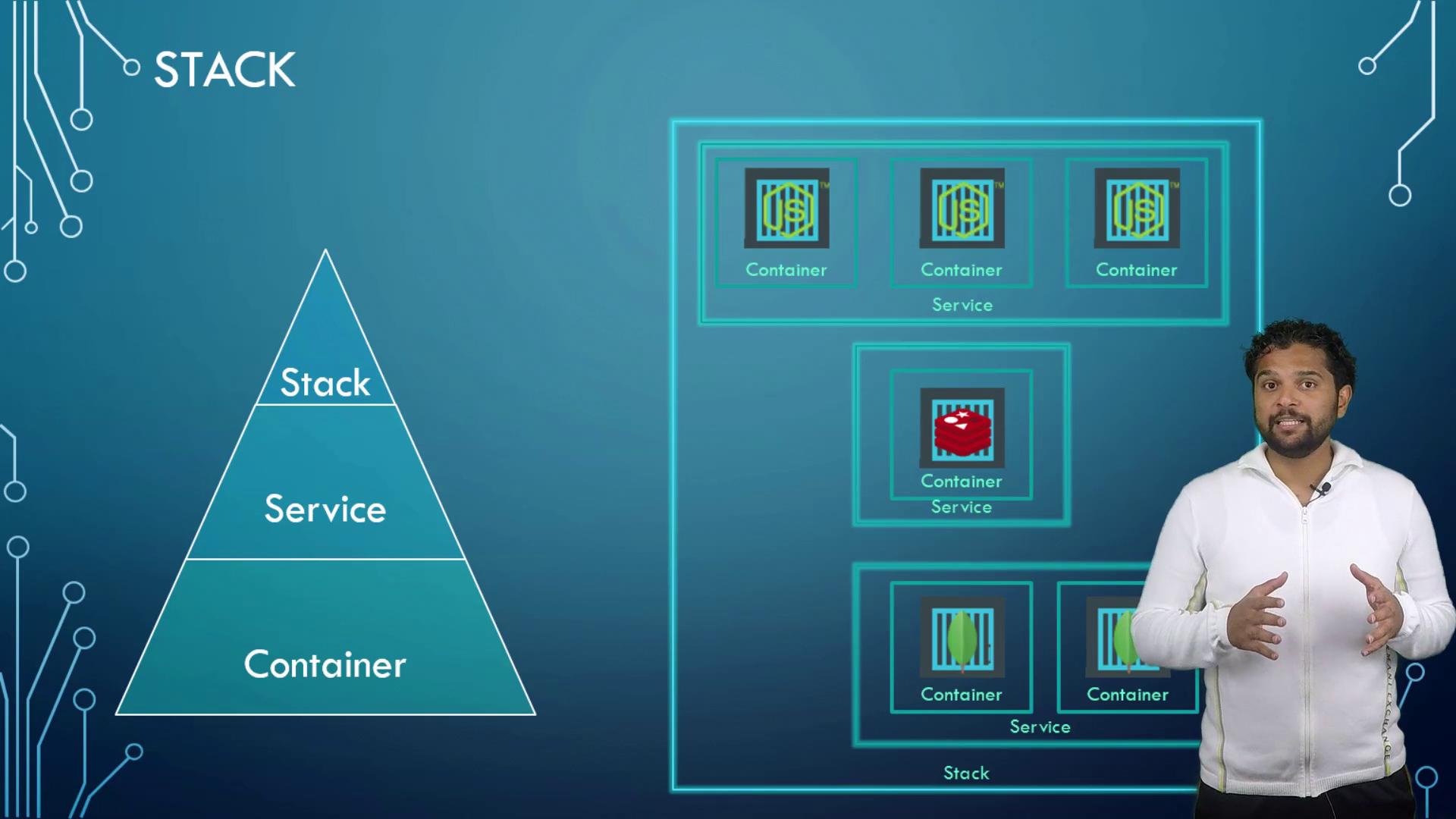
Deploying an Application on a Multi-Node Swarm Cluster
Let’s examine a scenario where you deploy an application on a Docker Swarm Cluster with five nodes (four worker nodes and one manager node). Consider the following deployment details:- Redis Service: One instance, which Docker Swarm deploys on any available worker node.
- PostgreSQL Database: Should reside on a manager node using placement constraints.
- Voting Application: Due to high traffic, this application runs two instances, and you may also run separate Result and Worker services.
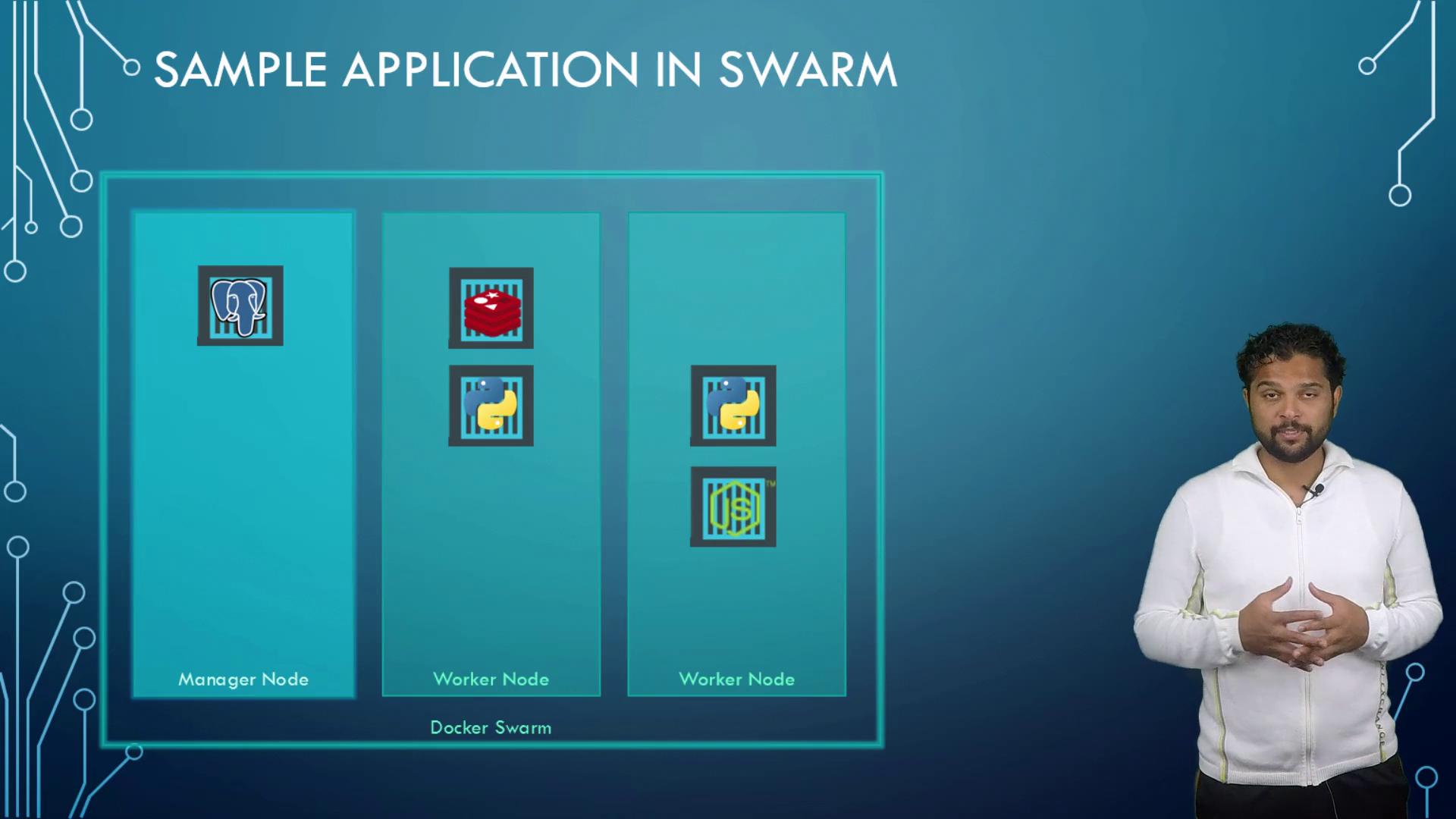
Configuring a Stack for Docker Swarm
Stacks in Docker Swarm are defined using YAML files similar to Docker Compose files, but they use version 3 to include swarm-specific properties under the deploy key. Below is a basic configuration example:Placement Constraints
To ensure that the database service runs on a specific node (e.g., a manager node), use placement constraints:Limiting Resource Usage
To prevent a service from consuming excessive resources, you can set resource limits. For example, to restrict Redis resource usage:Keep in mind that these configurations allow for scalable deployment and resource management. For more advanced options, refer to the latest Docker documentation.
While numerous options and properties exist for configuring Docker Stacks, it’s crucial to understand the core concepts to adapt them to real-world applications. For the most current best practices and sample templates, always refer to the Docker Documentation. Ready to put these concepts into practice? Continue to the demo section and experiment with the provided configurations to create your own stack file. That’s it for this comprehensive guide on Docker Stacks—see you in the next lesson!