This article explores advanced Docker concepts focusing on Docker Cloud for production cloud deployments and streamlining CI/CD processes.
Hello and welcome to this lesson. My name is Mumshad Mannambeth, and in this article we will dive into advanced Docker concepts with a special focus on production cloud deployments. Here, you’ll explore options including Docker Cloud, Kubernetes, and AWS ECS. Choose the subject that best fits your learning path.
Docker Cloud is Docker’s cloud-based container hosting platform. Previously, you learned how to:
Create an image for your application using Dockerfiles.
Set up a Swarm cluster by provisioning multiple hosts or virtual machines.
Install Docker on those hosts and join them together to form a swarm.
Create a stack file and deploy your application onto the swarm cluster.
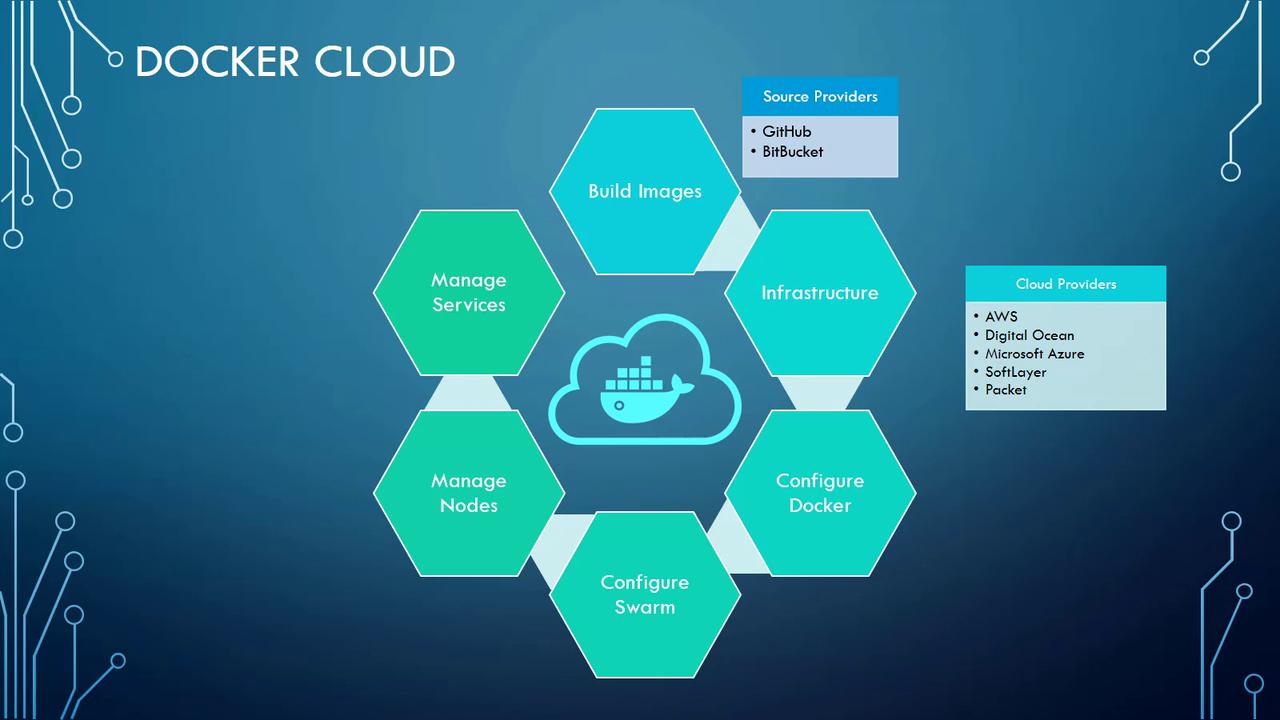
If managing all these infrastructure details seems overwhelming, Docker Cloud simplifies your workflow significantly. Rather than manually provisioning resources and configuring your swarm cluster, Docker Cloud allows you to concentrate solely on developing your application, creating Docker images, and preparing your Docker stack configuration file.
With Docker Cloud, you can log into the Docker Cloud portal, create a stack using your configuration file, and have Docker Cloud automatically provision the necessary hosts on your chosen cloud provider. This process includes installing Docker and Docker Swarm, configuring networking, creating services, and running the containers as specified in your stack file.
It is important to note that Docker Cloud does not directly host the infrastructure. Instead, it connects to cloud providers such as AWS, Azure, DigitalOcean, and others. Docker Cloud provisions the required resources on these platforms to host your application seamlessly.
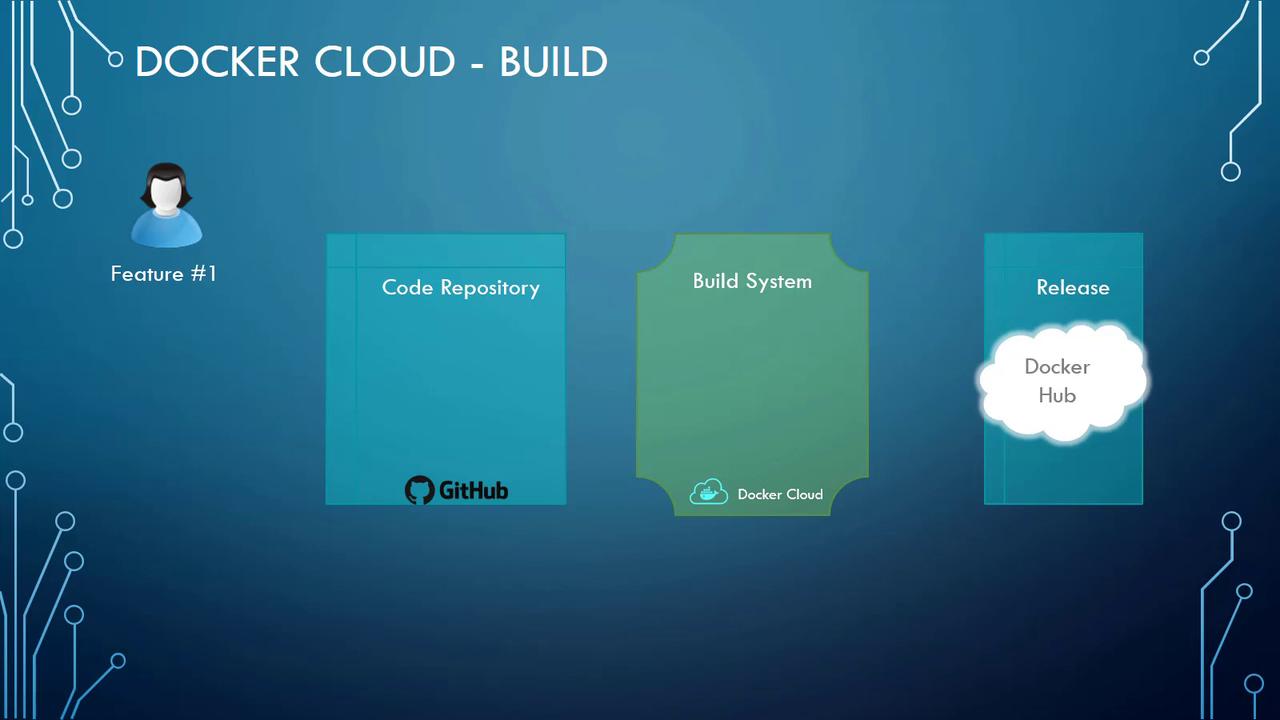
Docker Cloud integrates with source code management services like GitHub or Bitbucket to streamline your CI/CD pipeline. For example, when you link your GitHub account to Docker Cloud:
The system monitors code commits.
When changes are pushed to the repository, Docker Cloud’s internal build system automatically detects and builds a Docker image.
After a successful build, the image is pushed to Docker Hub, making it available for public use.
In the next section, we will walk through a demonstration of deploying the example voting application on Docker Cloud. This hands-on example will guide you through real-world deployment scenarios, further solidifying your understanding of Docker’s production capabilities in cloud environments.For more advanced Docker topics and best practices, keep exploring our resources and tutorials.