

Overview
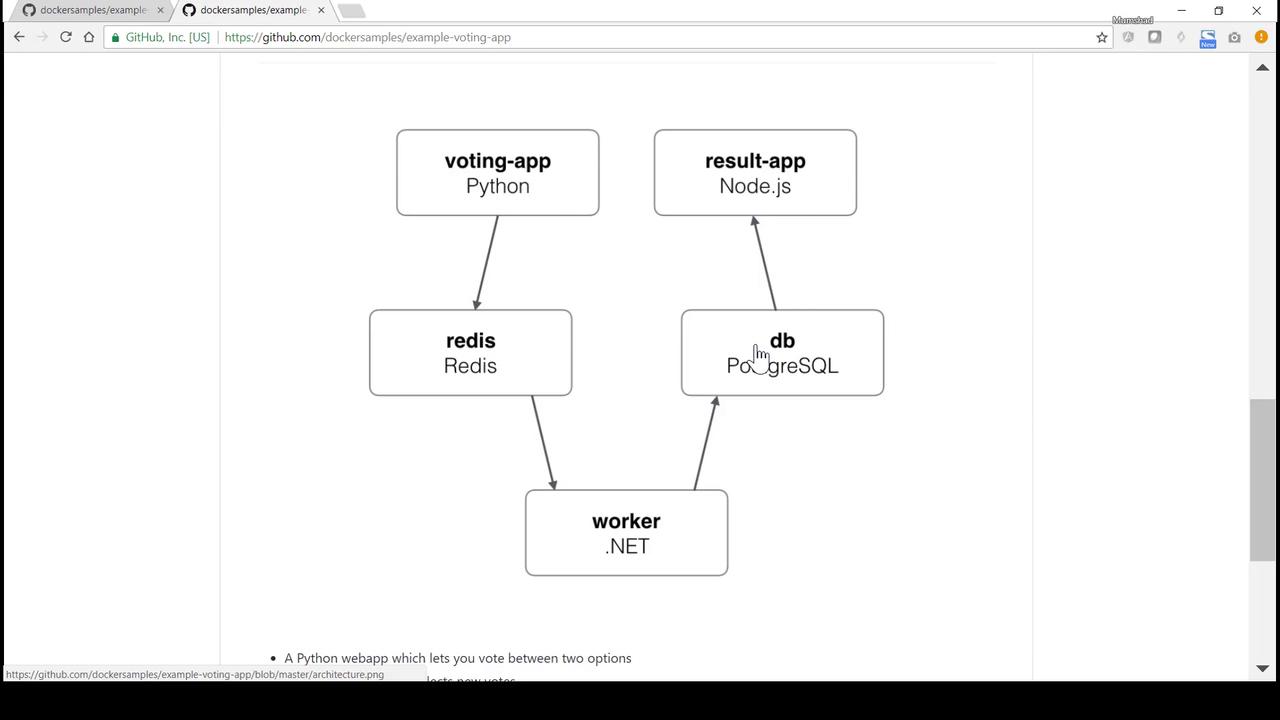
The voting application is composed of the following components:- A Python-based voting application (using Flask) that presents a web page for casting votes.
- A Redis messaging service that temporarily stores votes.
- A Java-based worker application that processes votes from Redis and updates a PostgreSQL database.
- A Node.js-powered results application that queries PostgreSQL and displays real-time voting results.
The Voting Application
The repository organizes the custom applications into distinct folders. Let’s begin by exploring the voting application. Within the vote directory, the Flask application is defined in the fileapp.py. The application handles both GET and POST requests. In a GET request, it renders the main page (index.html), while the POST handler processes the vote by pushing vote data to Redis.
Below is an example of the Python code for the voting application:
Dockerfile, which builds the voting application image. This Dockerfile uses the Python 2.7 Alpine image, installs dependencies from requirements.txt, copies the source code, exposes port 80, and runs the application using Gunicorn.
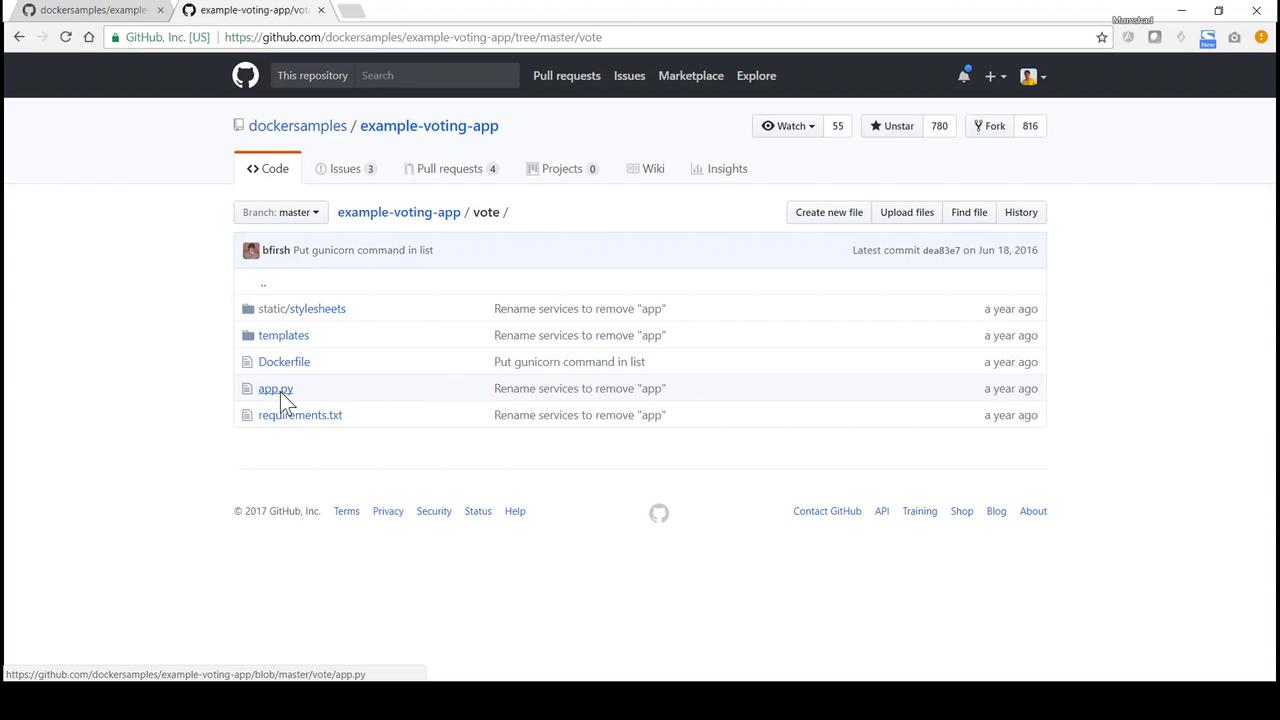
Click on the vote directory in the repository to view files such as
app.py and the Dockerfile. This overview helps in understanding how the application components are organized.Dockerfile and app.py:
The Worker Application
The worker is located in the worker folder. This Java-based application connects to Redis and PostgreSQL. It monitors Redis for new votes using a blocking pop operation. When a vote is received, the worker updates the PostgreSQL database. Here is a snippet of the Java code for the worker:Even though the code uses hostnames “redis” and “db” for connectivity, ensure that corresponding containers or network links are available at runtime.
The Results Application
The results application, implemented with Node.js and Express, connects to PostgreSQL to fetch vote counts. It also uses websockets to emit live score updates to client browsers. Below is an excerpt from itsserver.js file:
package.json, sets up the working directory, and starts the Node.js server on port 80.

Deployment Walkthrough
Cloning the Repository
Begin by cloning the repository to your local system:Building and Running the Voting Application
-
Navigate to the vote directory to inspect its contents:
You should see files such as
app.py,Dockerfile, and the directoriesstaticandtemplates. -
View the Dockerfile to confirm its contents:
-
Build the Docker image for the voting application:
-
Run the voting application container by mapping host port 5000 to container port 80:
Starting Redis
To provide a backend for votes, start a Redis container. If a container named “redis” exists, remove it first:Deploying PostgreSQL for Worker and Results Applications
The worker and results applications depend on a PostgreSQL database. It is recommended to use PostgreSQL 9.4. If a container named “db” is running, remove it:Building and Running the Worker Application
- Navigate to the worker directory to inspect the source code and Dockerfile.
-
Build the worker image:
-
Run the worker container, linking both Redis and the PostgreSQL database:
Building and Running the Results Application
-
Change to the result directory:
-
View the Dockerfile to ensure correctness:
-
Build the results application image:
-
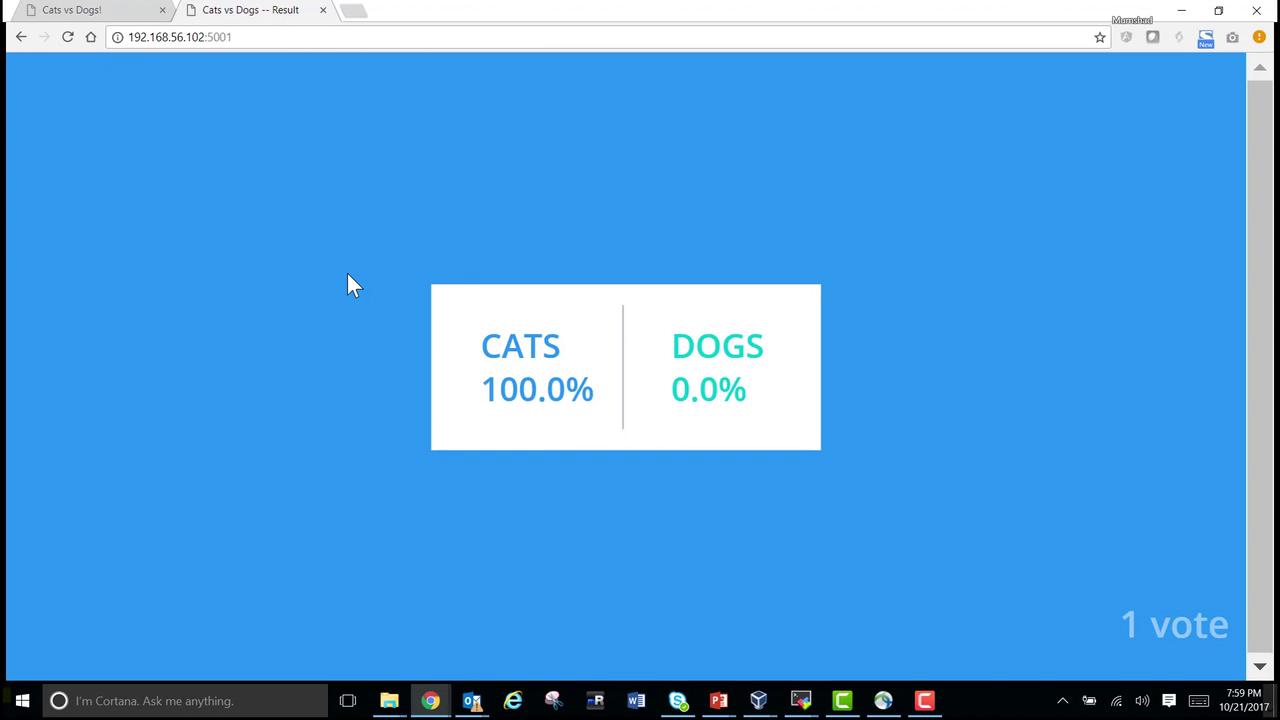
Run the results container, linking it to PostgreSQL and mapping host port 5001 to container port 80:
Summary
In this guide we have:- Explored the architecture of the example voting application.
- Reviewed the Flask-based voting app that accepts votes and pushes them to Redis.
- Examined the Java worker which processes votes from Redis and updates PostgreSQL.
- Analyzed the Node.js results app that queries PostgreSQL and displays real-time results.
- Built and deployed each component individually using Docker commands and container linking.