Original Compose File (Version 1)
Below is the initial Docker Compose file (version 1):Upgrading to Docker Compose Version 3
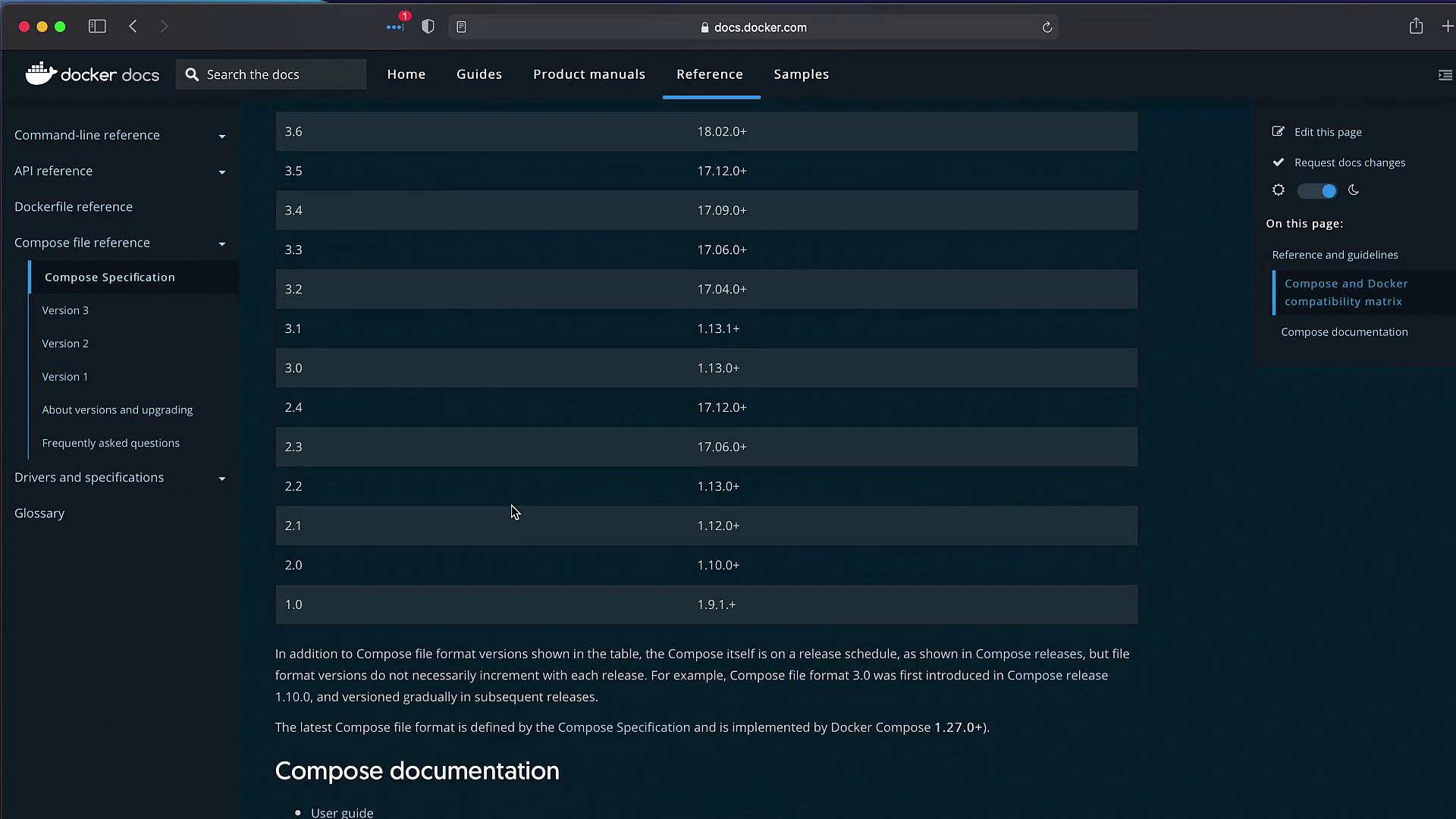
To update the file, start by referencing the Docker Compose file documentation. The documentation provides a comprehensive compatibility matrix that details the relationships between Compose file versions and Docker Engine requirements.Minimal Update to Version 3
Here is the updated file with only minimal modifications:Creating a “services” Section with the Version Declaration
The next step is to add the version declaration and create a “services” block. For example, you can update the file in an editor like VS Code by indenting all configuration lines under a new block. The revised file looks like this:When you deploy this updated configuration with the
docker-compose up command, Docker automatically creates a network for the containers. All containers join the same network allowing services to refer to each other by name.Deploying the Updated File
Deploy the application using the following command:Handling PostgreSQL Environment Variables
When running the updated file, you may encounter an error where the worker or result apps cannot connect to the database. This issue is due to recent changes in the PostgreSQL image which now require thePOSTGRES_PASSWORD environment variable to be set. Without it, the database fails to initialize properly.
Ensure that you update the database service with the required environment variables. Without
POSTGRES_PASSWORD, dependent services may fail to establish a connection.Verifying the Deployment
Once the deployment is successful, you can access the voting application via localhost on port 5000 and the results application on port 5001. For example, cast a vote for “cats” and verify that the results page shows 100% for cats. Changing the vote to “dogs” should update the results accordingly, confirming that your containerized setup is functioning as intended.Conclusion
This article has demonstrated how to upgrade a Docker Compose file from version 1 to version 3, enabling modern features like automatic networking and enhanced DNS resolution. Happy containerizing, and see you in the next article!