

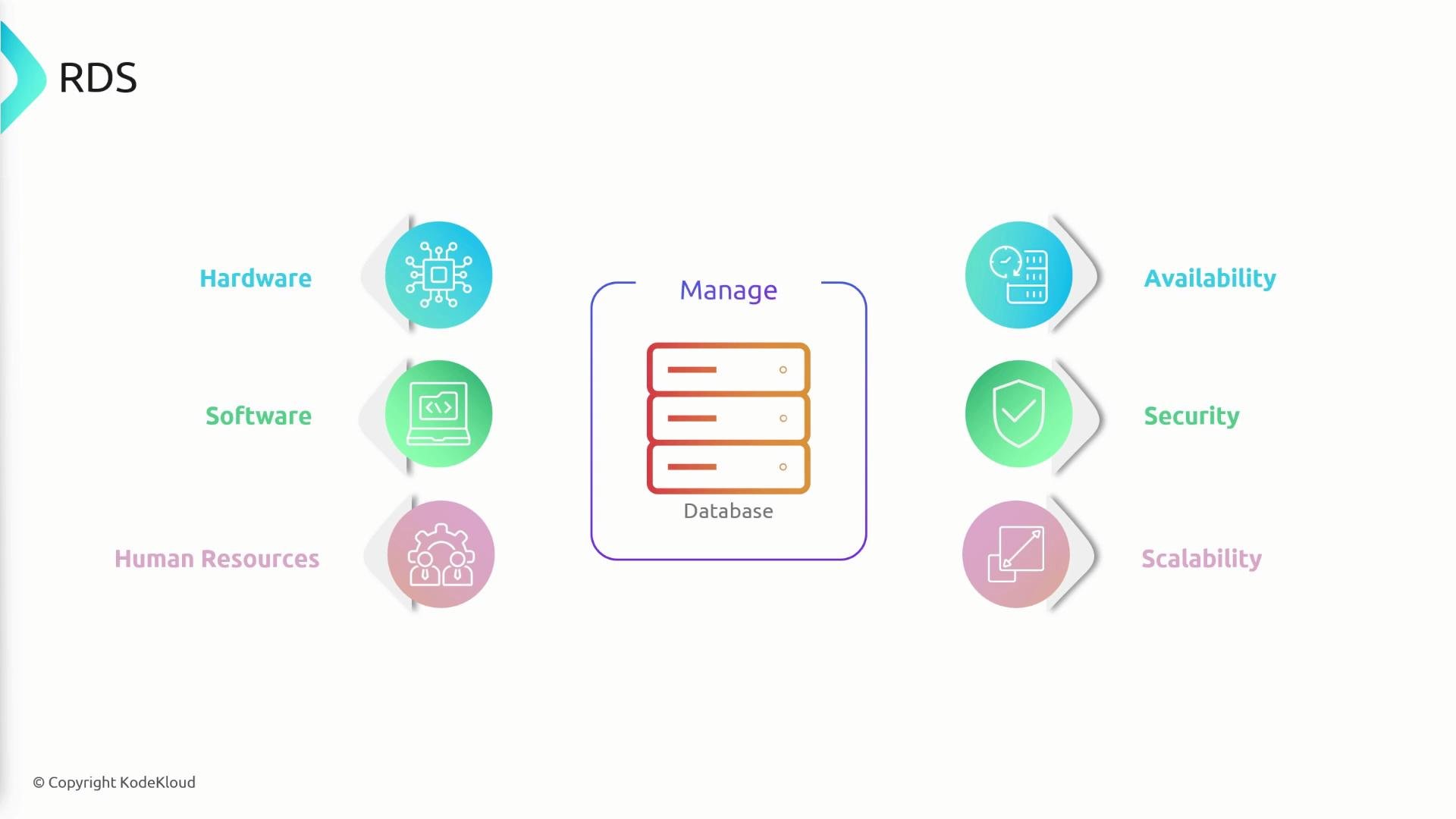
- Automatic OS and database patching to keep instances secure and up to date.
- Automated backups, database snapshots, and point-in-time recovery.
- Durable, high-performance storage: most RDS engines use Amazon Elastic Block Store (EBS); snapshots are stored in Amazon Simple Storage Service (S3).
- Storage autoscaling to grow capacity when you approach configured limits.
- Multi-AZ deployments for high availability and automatic failover.
- Support for multiple popular engines: Amazon Aurora, MySQL, PostgreSQL, MariaDB, Oracle, and Microsoft SQL Server.
Storage, snapshots, and backups
For most RDS engines, RDS instances use Amazon EBS for durable, high-performance block storage. EBS-backed volumes support automated snapshots that are stored in Amazon S3, enabling point-in-time recovery and restoration to new volumes if needed.
Amazon Aurora differs: it uses a distributed, purpose-built storage subsystem rather than conventional EBS volumes. Aurora’s architecture improves performance and availability for clustered workloads.


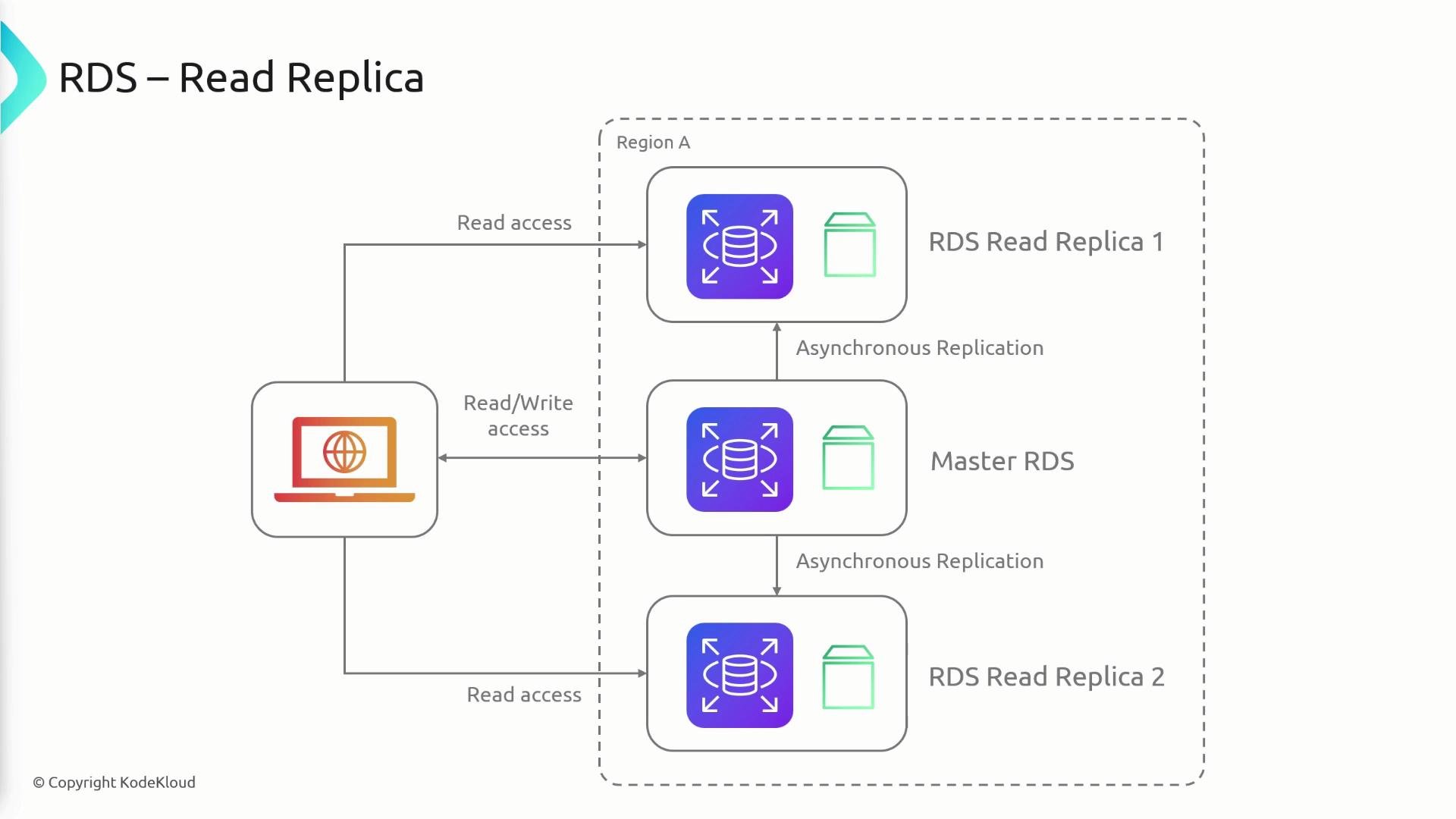
- Primary instance accepts reads and writes.
- Asynchronous replication streams data from primary to replicas.
- You can provision multiple read replicas (limits vary by engine and configuration — check current AWS quotas).
- Applications should send writes to the primary; route read-only queries to replicas.
- Cross-region replicas incur inter-region data-transfer charges; intra-region replication typically does not.
- The primary DB instance runs in one Availability Zone (AZ).
- A standby replica runs in a different AZ and is kept synchronized via synchronous replication.
- The standby is not used for application read/write traffic; it is maintained solely for failover.
- If the primary fails, RDS automatically fails over to the standby and updates the DNS endpoint so your application continues using the same connection string with minimal downtime.
Standby instances used for Multi-AZ failover are not exposed for read traffic. For read scaling, provision read replicas. Amazon Aurora uses a different model where multiple replicas can serve reads and participate in faster failover.
- RDS provides a managed DNS endpoint for each DB instance or cluster.
- Under normal operation, the endpoint resolves to the primary instance.
- During a Multi-AZ failover, RDS promotes the standby to primary and updates the DNS record so connections resolve to the new primary. This enables automatic failover with minimal change required in application configuration.
- For read scaling, applications should explicitly route read requests to replica endpoints (or use a proxy/load-balancer layer).
Summary
- Amazon RDS is a managed relational database service that reduces operational overhead (provisioning, patching, backups, snapshots).
- Supported engines include Amazon Aurora, MySQL, PostgreSQL, MariaDB, Oracle, and Microsoft SQL Server.
- For many engines, RDS uses Amazon EBS for storage and stores snapshots in Amazon S3; Aurora uses a distributed storage subsystem.
- RDS supports storage autoscaling to avoid running out of space.
- Use Multi-AZ deployments to achieve synchronous replication and automatic failover for high availability.
- Use read replicas to scale read-heavy workloads; replicas are asynchronously replicated and can be in the same region or cross-region (cross-region replication incurs data transfer fees).
- RDS exposes a DNS endpoint; on failover RDS updates that endpoint to minimize application disruption.