This lesson gives a high-level overview of Amazon DynamoDB, AWS’s fully managed NoSQL database service. Expect DynamoDB to appear frequently on AWS certification exams (for example, the AWS Certified Developer — Associate). Before diving into DynamoDB specifics, it’s useful to briefly review NoSQL concepts. NoSQL databases trade rigid schemas for flexible data models and horizontal scalability. They are optimized for large volumes of unstructured or semi-structured data and different access patterns than relational databases. NoSQL database types
An infographic titled "NoSQL" showing four database types — Key-Value Stores, Document Stores, Column-Family Stores, and Graph Databases — each represented by a colored icon and label. The four panels are arranged side by side across the image.
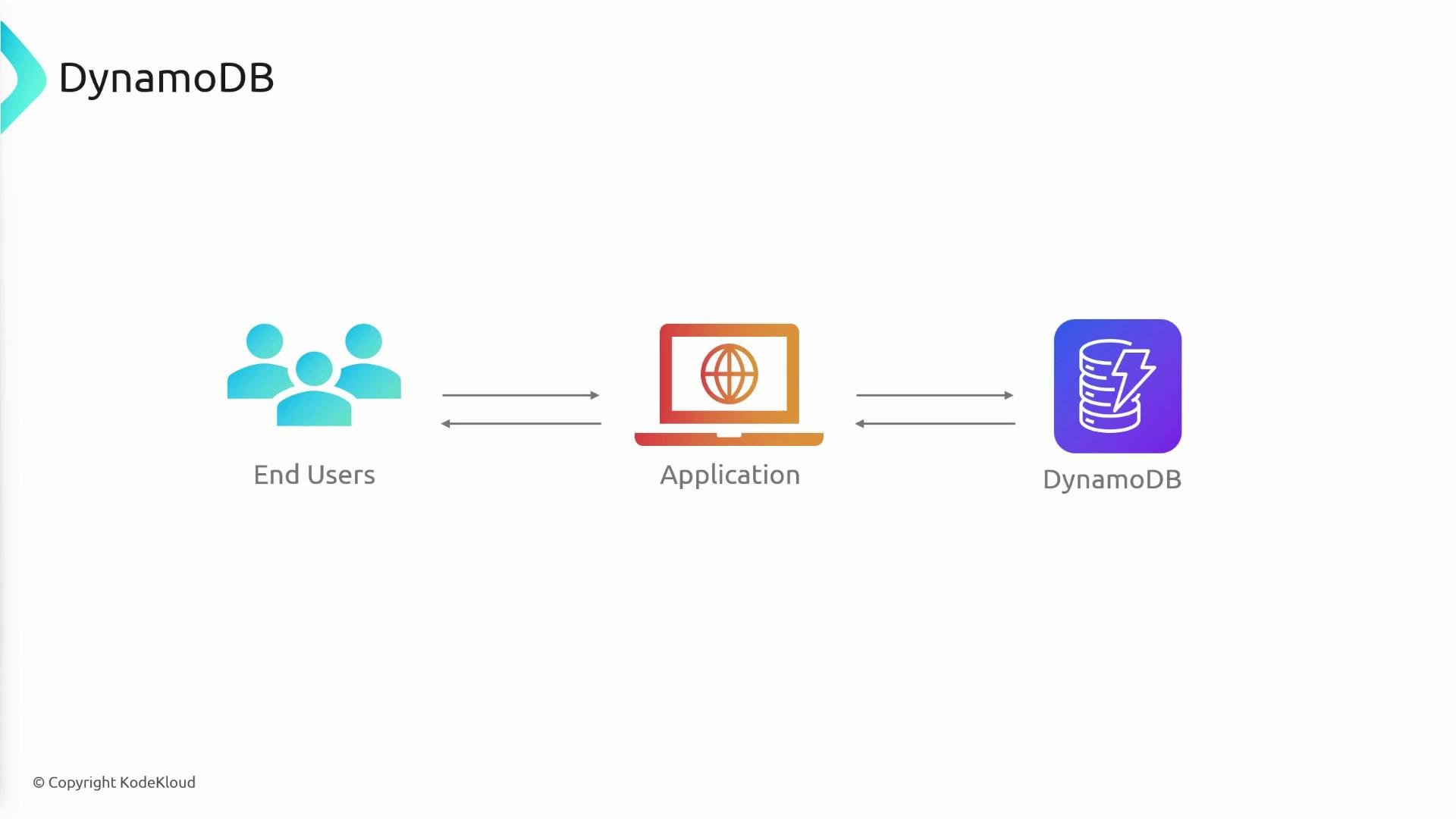
What is DynamoDB? DynamoDB is AWS’s managed NoSQL database designed for low-latency, predictable performance at any scale. It removes most operational overhead (provisioning, patching, replication, hardware management) while providing built-in high availability and durability. A typical architecture places your application between end users and DynamoDB: the application issues reads and writes, and DynamoDB stores the application’s state, sessions, configuration, or business data.
A simple architecture diagram titled "DynamoDB" showing End Users on the left, an Application (laptop) in the center, and a DynamoDB database icon on the right. Bidirectional arrows indicate data flow between users and the application and between the application and the database.
Key benefits and features
  • Seamless scalability: DynamoDB scales automatically to handle growing traffic and data volumes.
  • Predictable low latency: single-digit millisecond read/write latencies for typical use cases.
  • Flexible data model: store items with attributes (including nested documents) without a fixed schema.
  • Pay-as-you-go pricing: you pay for throughput and storage consumed; choose on-demand or provisioned capacity.
A DynamoDB slide showing four colored tiles. Each tile is labeled and iconified: Scalability, High Performance, Flexible Data Model, and Cost‑Effectiveness.
Additional capabilities
  • High availability & durability: data is replicated across multiple Availability Zones.
  • Streams: DynamoDB Streams capture item-level changes in time order for change processing or replication.
  • AWS integrations: works well with AWS Lambda, Amazon S3, Amazon Redshift, and many other services.
An infographic slide featuring a central DynamoDB icon surrounded by colorful icons and labels. The surrounding text lists features like Stream Integration, Integrated with AWS Ecosystem, Performance at Scale, Fully Managed, Seamless Scalability, and High Availability and Durability.
ACID transactions DynamoDB supports ACID transactions for multi-item, multi-table operations. When you need transactional guarantees, DynamoDB provides:
  • Atomicity — all operations in a transaction succeed or none do.
  • Consistency — transactions maintain defined constraints and consistency rules.
  • Isolation — in-flight transaction changes are not visible until commit.
  • Durability — committed transactions persist despite failures.
Use DynamoDB transactions when you require strong consistency across multiple items (for example, transferring balances between accounts). Transactions incur additional cost and throughput considerations, so use them only when necessary.
A slide titled "DynamoDB Transactions – ACID Properties" showing four colored panels labeled Atomicity, Consistency, Isolation, and Durability with corresponding icons beneath each. The slide appears to illustrate the ACID properties of DynamoDB transactions.
DynamoDB data model: tables, items, attributes
  • Table: a container for items (analogous to a table in other databases).
  • Item: a single record in a table (e.g., a user or an order).
  • Attribute: a key-value pair on an item. Attributes can be scalars (string, number, binary) or complex (lists, maps).
Example item (JSON):
A slide titled "DynamoDB" showing three stylized icons labeled "Table", "Items", and "Attribute" (each in a different color) representing database concepts.
Naming rules and limits
  • Names must be UTF-8 encoded and are case-sensitive.
  • Table and index names: between 3 and 255 characters.
  • Attribute names: at least 1 character; the attribute name size can be large (up to implementation limits).
Primary key overview Every item must have a primary key that uniquely identifies it. Design the primary key to match your application’s access patterns. Two primary key types:
  1. Partition key (simple primary key)
    • A single attribute.
    • Each item must have a unique partition key value in the table.
  2. Composite primary key (partition key + sort key)
    • The partition key groups items; the sort key orders items within the partition.
    • The pair (partition key, sort key) must be unique. The same partition key can appear in multiple items if the sort key differs.
Primary keys are immutable: you cannot change an item’s primary key values. To “change” a primary key you must create a new item and delete the old one.
A presentation slide explaining primary/partition keys using a sample employee table where "employee_id" is marked as the partition key and "name", "email", and "salary" are shown as attributes. The table highlights duplicate employee_id values to illustrate the uniqueness requirement.
Composite primary key example Composite keys help model one-to-many or hierarchical relationships in a single table. Example: a Reviews table where a user can leave multiple reviews for different products.
  • Partition key: user_id
  • Sort key: product_id
This allows multiple reviews per user (same user_id, different product_id) while preventing duplicate user_id/product_id pairs.
A slide illustrating that a primary key is a combination of a partition key and sort key. It shows a sample table with columns user_id (partition key), product_id (sort key) and attributes rating and review.
Querying with PartiQL DynamoDB supports PartiQL, an SQL-compatible query language that simplifies querying and modifying items using familiar SQL syntax. Example PartiQL query:
PartiQL is convenient for quick reads and for people coming from relational databases, but keep in mind that DynamoDB still enforces primary key access patterns and scalability characteristics. Summary
  • NoSQL databases (including DynamoDB) provide flexible schemas and horizontal scalability for large datasets.
  • DynamoDB is a fully managed, high-performance NoSQL service with automatic scaling, high availability, and integration across the AWS ecosystem.
  • Data model: tables → items → attributes (attributes can be nested).
  • Primary keys uniquely identify items: choose a single partition key or a composite key (partition + sort) based on your query patterns.
  • DynamoDB supports ACID transactions and PartiQL for SQL-like queries.
A presentation summary slide that explains data is stored in tables with each item made of attributes and a primary key identifies items uniquely. It also lists two primary key options: partition key alone or partition key plus sort key.
Further reading and references Use the above references to deepen your understanding of DynamoDB integration patterns, pricing models (on-demand vs provisioned), and best practices for table design and indexing.

Watch Video