

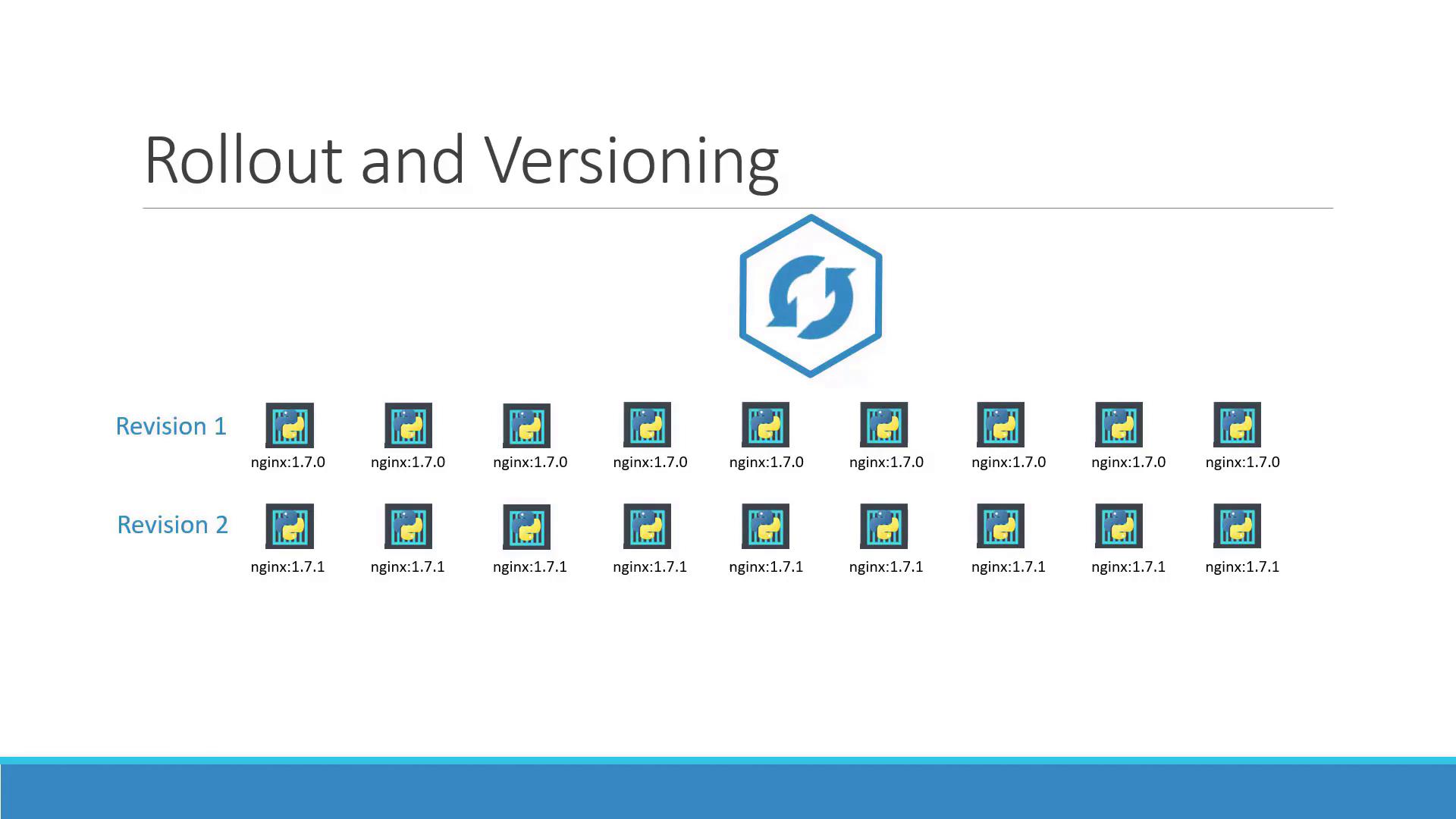
Deployment Strategies
There are two primary deployment strategies in Kubernetes:-
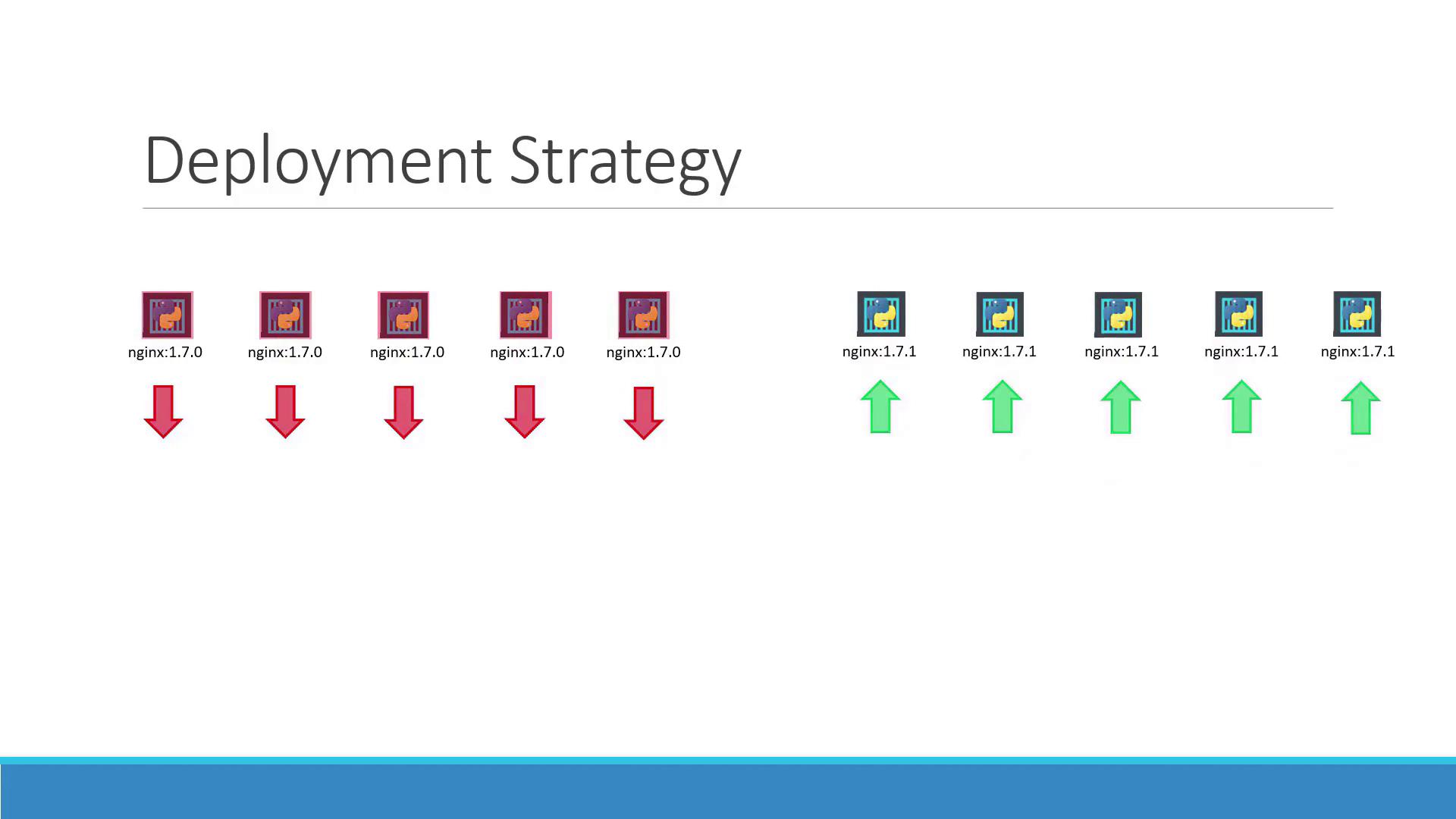
Recreate Strategy:
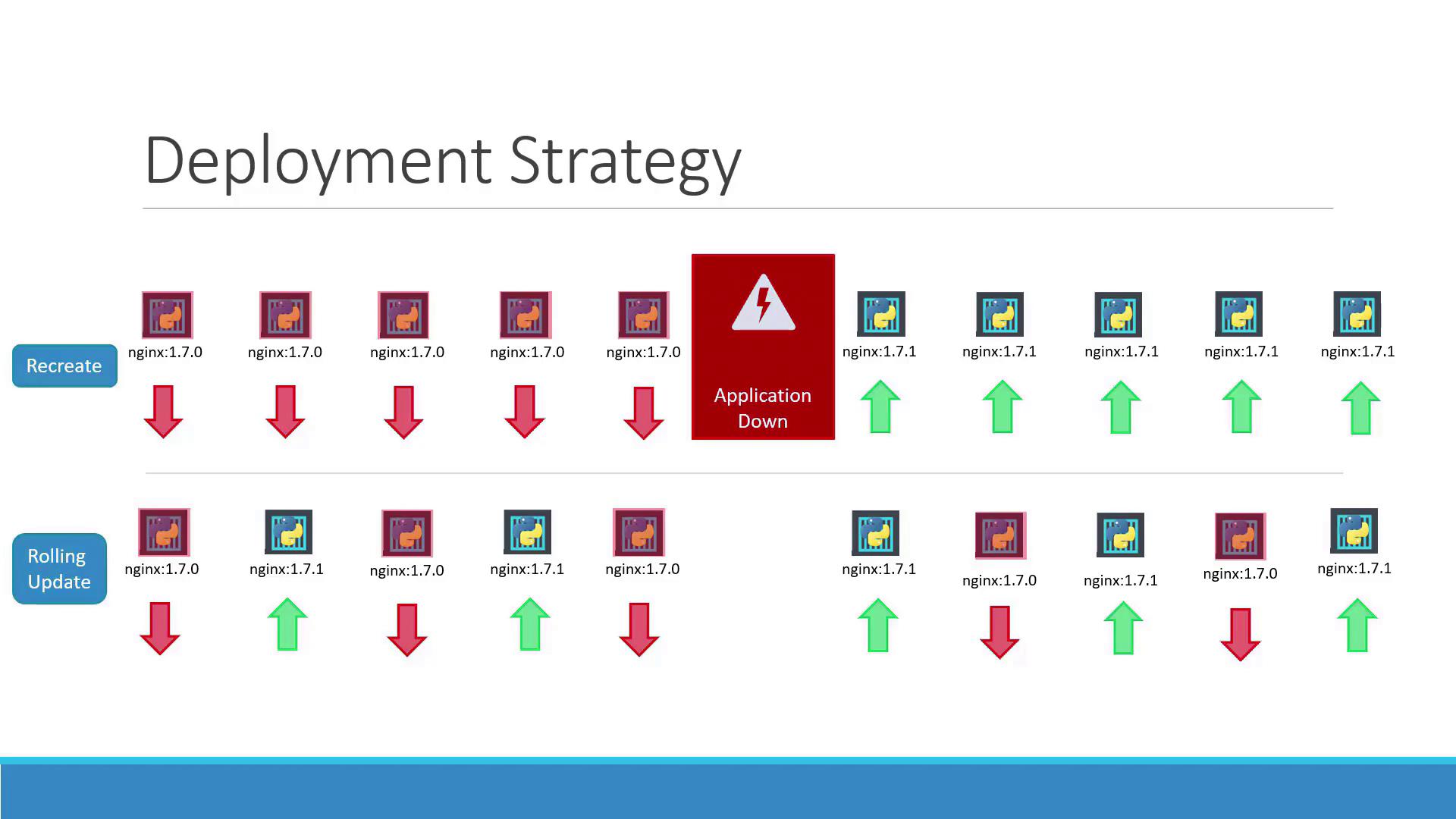
In this method, when you have multiple replicas (such as five instances of your application), all existing instances are terminated before the new instances are deployed. This approach, while straightforward, causes downtime between shutting down the old pods and starting the new ones. The following diagram demonstrates the recreate strategy:
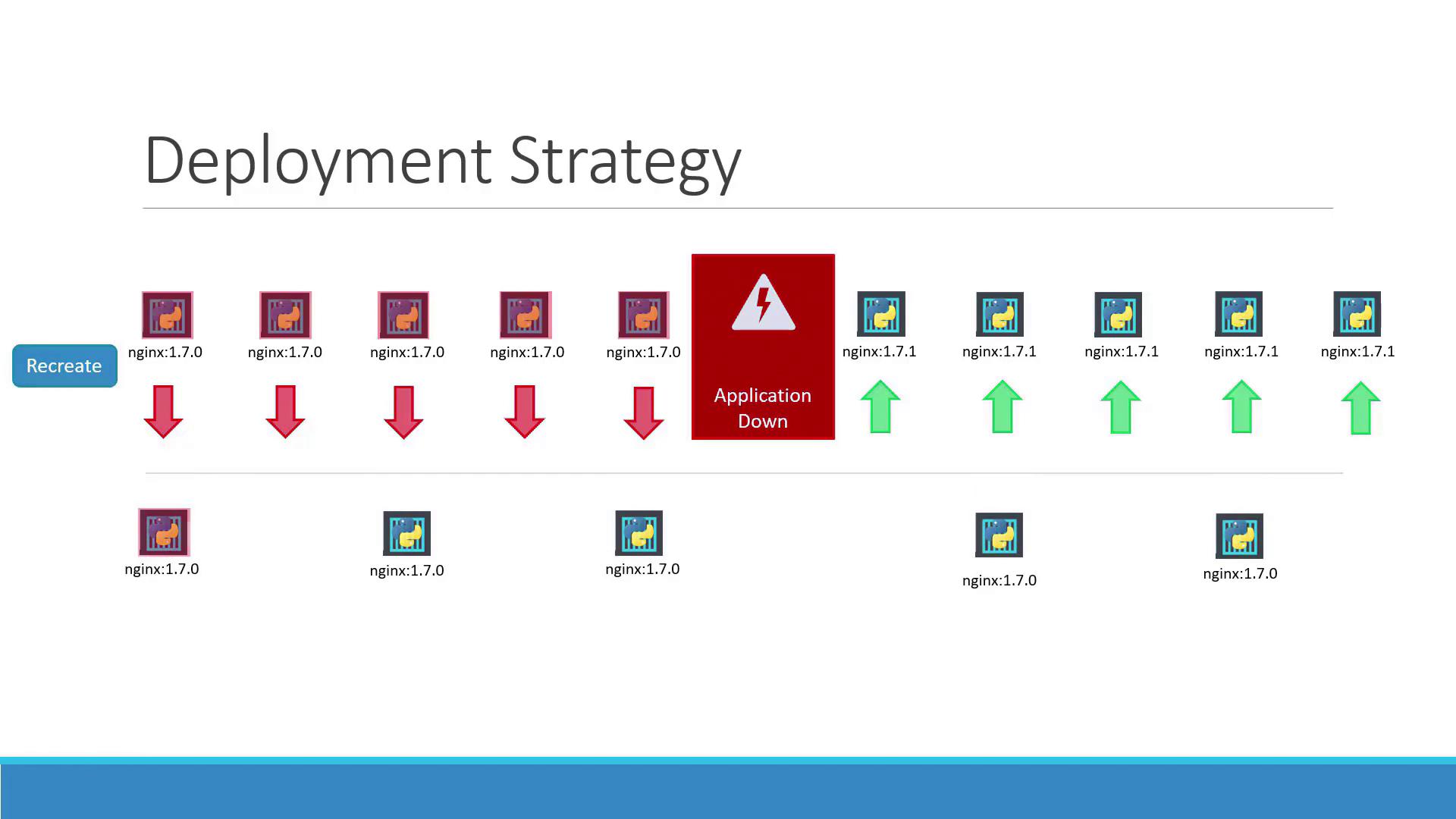
- Rolling Update Strategy:
Here, the new version gradually replaces the old version without impacting application availability. Kubernetes incrementally scales up the new pods while scaling down the old ones. The diagram below depicts this seamless transition:
Updating a Deployment
Updating a deployment can involve modifying the Docker container image, changing labels, or adjusting the number of replicas. You have two methods to update a deployment:Method 1: Modify the Deployment Definition
Update your deployment YAML file (for example,deployment-definition.yml) by modifying parameters like the container image version. An updated example might look like this:
Method 2: Update the Container Image Directly
If you want to quickly update the container image without changing the rest of the configuration, use:Keep in mind that updating the image directly can lead to a mismatch with your deployment definition file. It is advisable to update and track changes consistently within your deployment YAML file.
Inspecting Deployment Details
To understand how your rollout strategy is functioning, use:Recreate Strategy Example
When using the recreate strategy, you may see entries showing that the old ReplicaSet is scaled down to zero before the new ReplicaSet is scaled up. For example:Rolling Update Strategy Example
For the rolling update strategy, the output indicates a gradual scaling of the old and new ReplicaSets: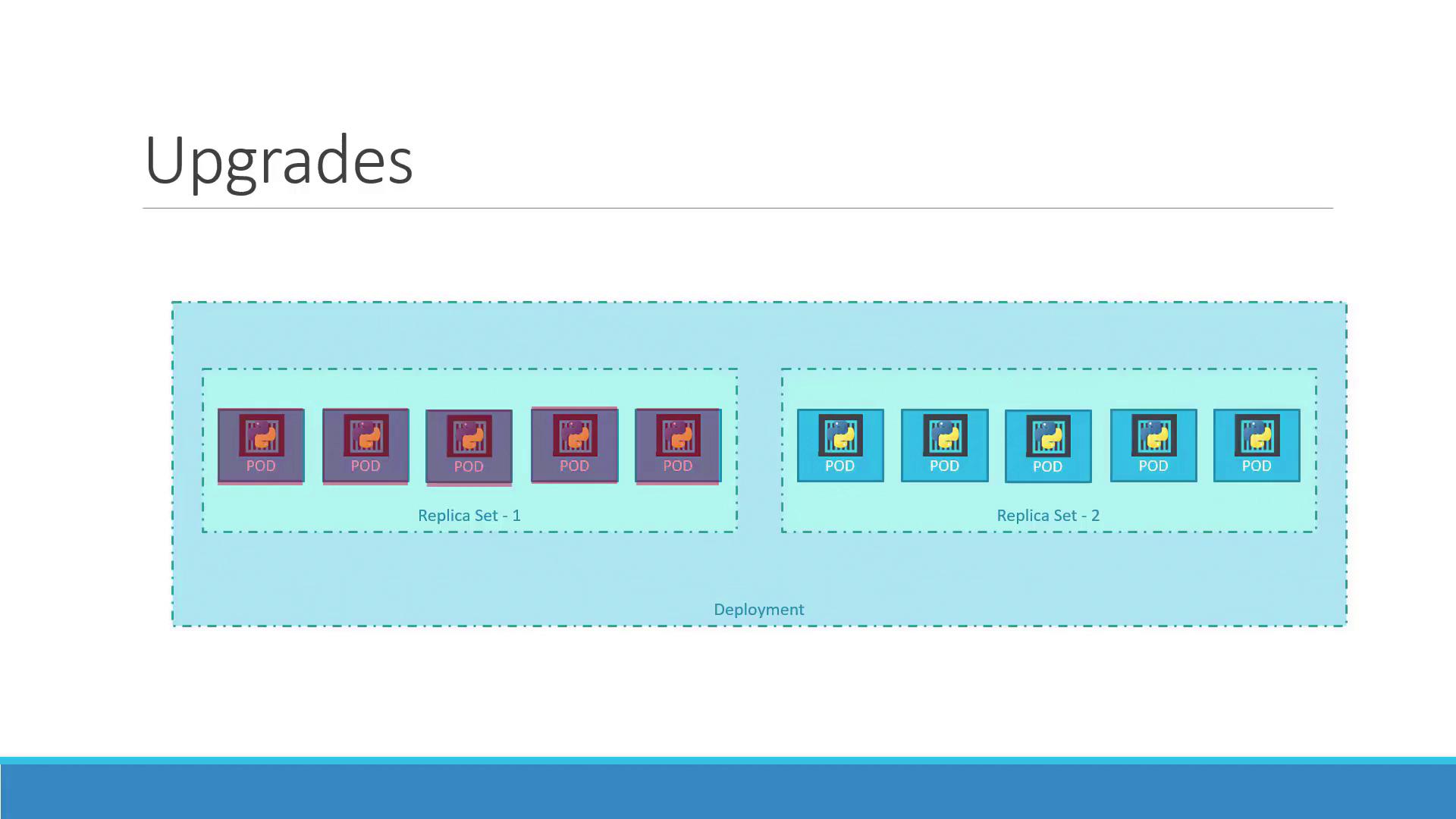
Rolling Back a Deployment
If issues are detected with the new version after an upgrade, Kubernetes makes it simple to roll back to a previous working deployment. Execute the following command to undo the latest rollout:kubectl get replicasets before and after the command.
Before the rollback, the output may appear similar to:
Always verify your ReplicaSet status after a rollback to ensure that the correct version is deployed and that the scale-up process is complete.
Summary of Essential Commands
Below is a table summarizing key commands for managing deployments in Kubernetes:
These commands enable you to create, update, monitor, and roll back deployments effectively.
This concludes our article on updating and rolling back Kubernetes deployments. For more detailed documentation, refer to the official Kubernetes Documentation.