

Prerequisites
These steps work on Windows, macOS, or Linux. Adjust commands for your OS and editor of choice.
1. Enable Kubernetes in Docker Desktop
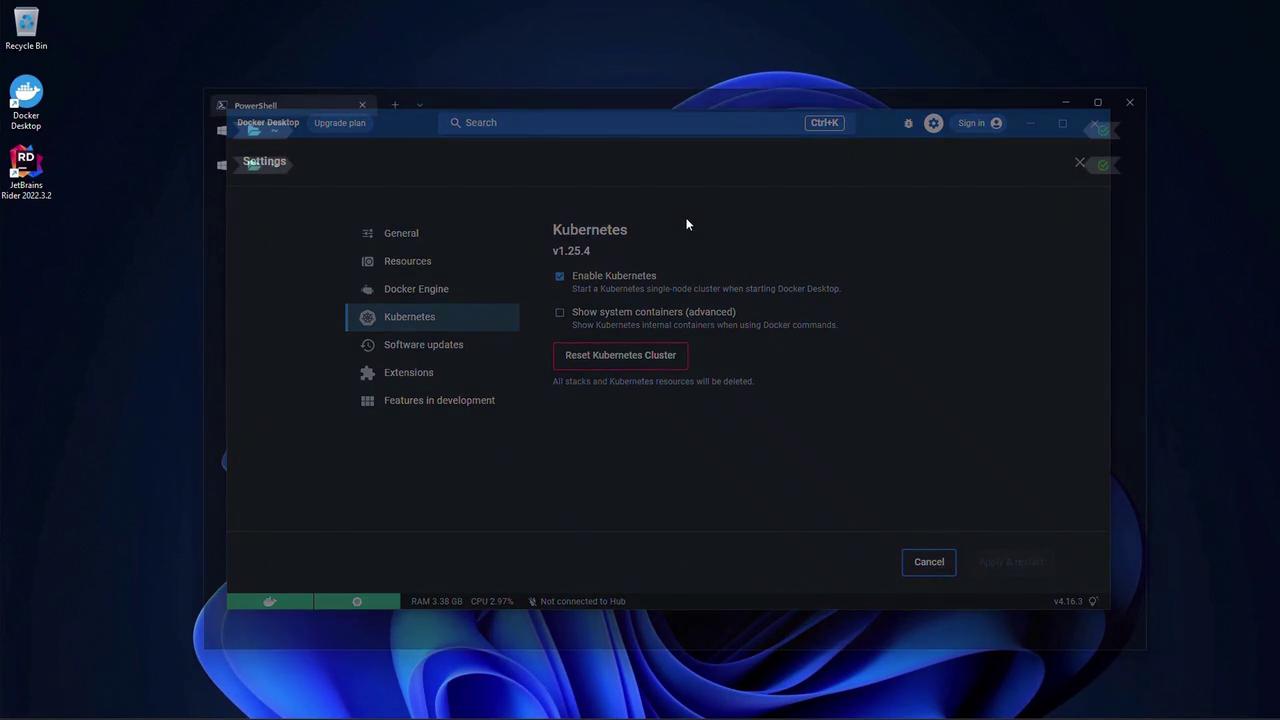
Open Docker Desktop, go to Settings > Kubernetes, then:- Check Enable Kubernetes.
- Click Apply & Restart to bootstrap a single-node cluster.
2. Verify Your .NET 6 Installation
Run:Make sure
.NET 6.x appears in the list. Earlier versions will not compile this sample.3. Create the ASP.NET Core Web App
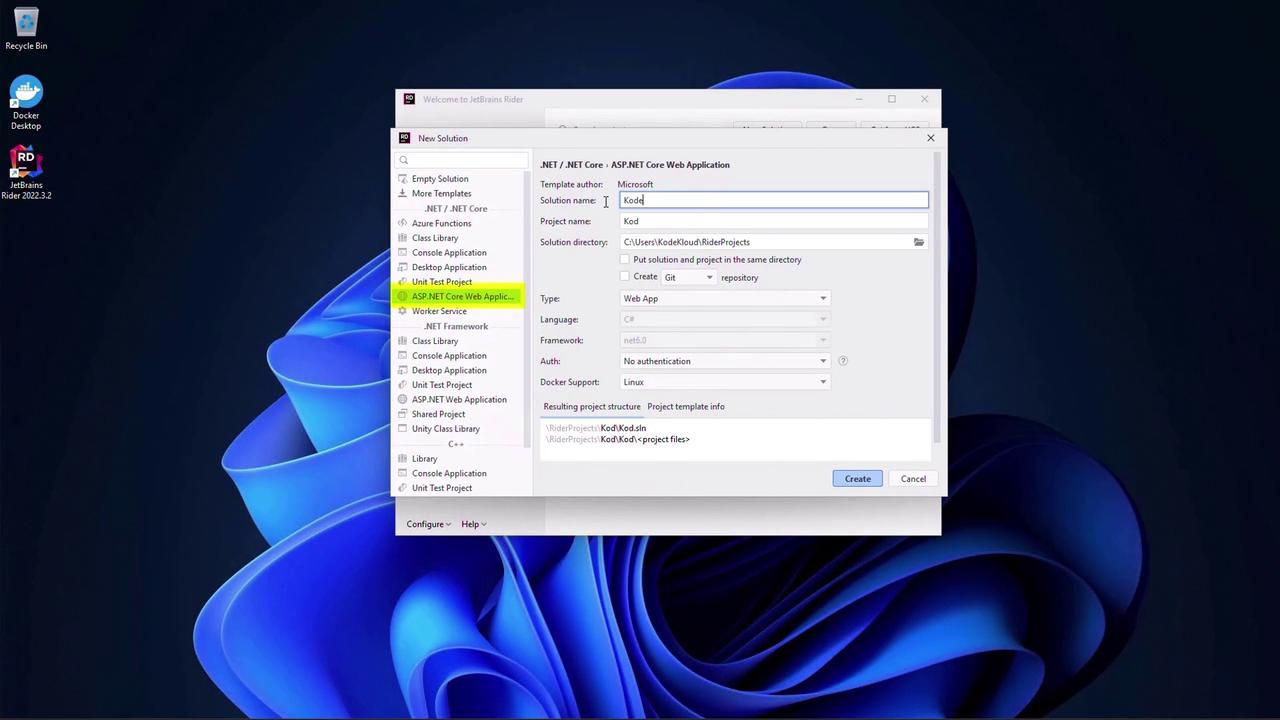
- Launch JetBrains Rider and click New Solution.
- Select ASP.NET Core Web Application. Name the project
KodeKloudAppand set the solution folder. - Choose the Web App template.
- Enable Docker support and select Linux containers.
4. Modify the Page Model
OpenPages/Index.cshtml.cs and inject IConfiguration to read a custom message:
5. Configure appsettings.json
Add the"Message" key to the JSON file:
6. Update the Razor Page
InPages/Index.cshtml, render the message:
7. Run and Validate
Start the application:https://localhost:5001). You should see Hello World.Stop the app, update
"Message" in appsettings.json to "Hello World changed", save, then restart and refresh:
