

Azure Container Registry SKUs
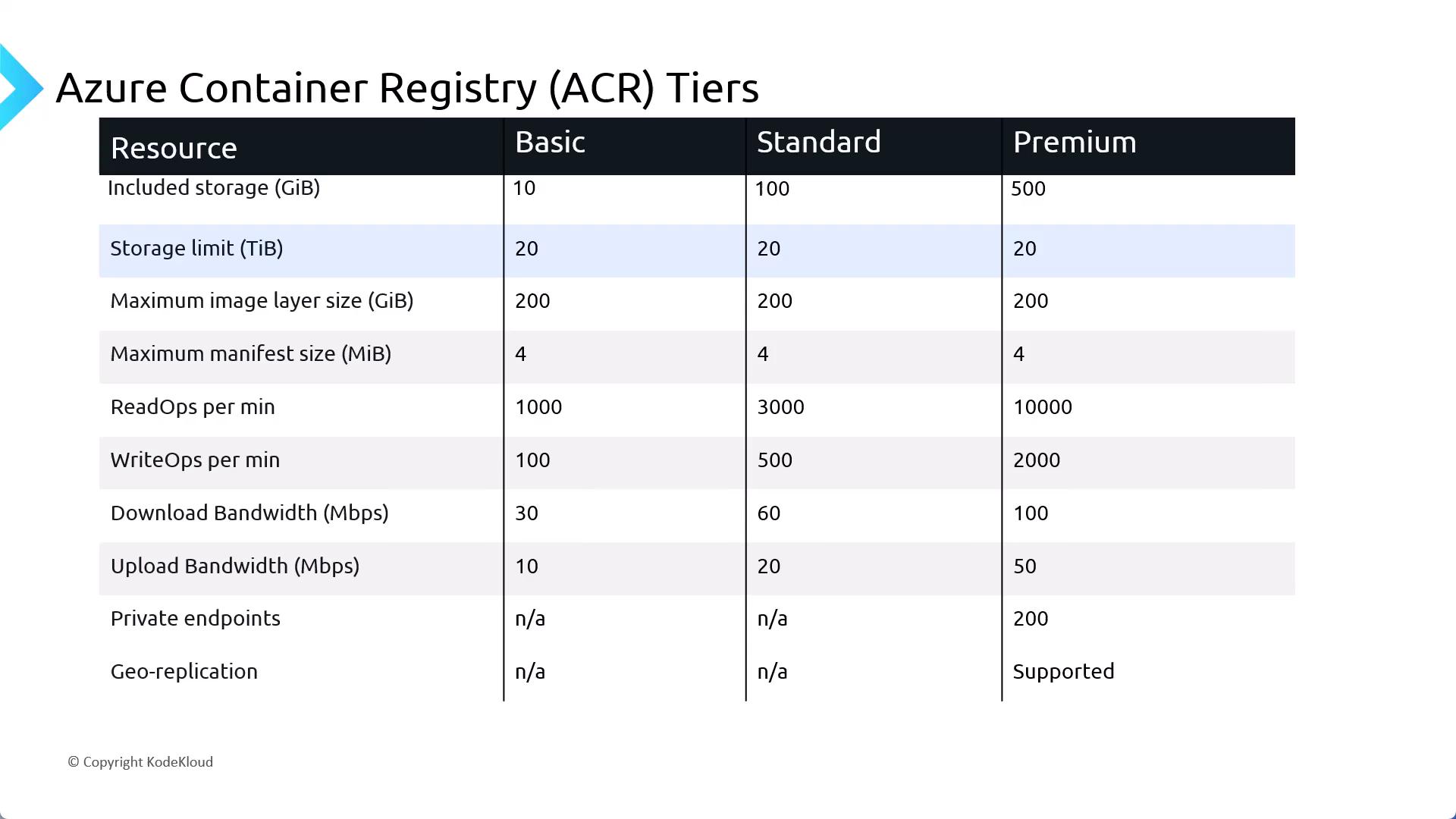
ACR comes in three SKUs—Basic, Standard, and Premium—each varying by storage capacity, daily operations, and outbound bandwidth. As you move from Basic → Standard → Premium, quotas increase and additional features are unlocked.You can upgrade or downgrade between SKUs as long as your storage usage stays within the target tier’s quota.
Downgrading from Premium (200 GB) to Standard (100 GB) will fail if your registry exceeds 100 GB of stored artifacts.
Provisioning and Access Control
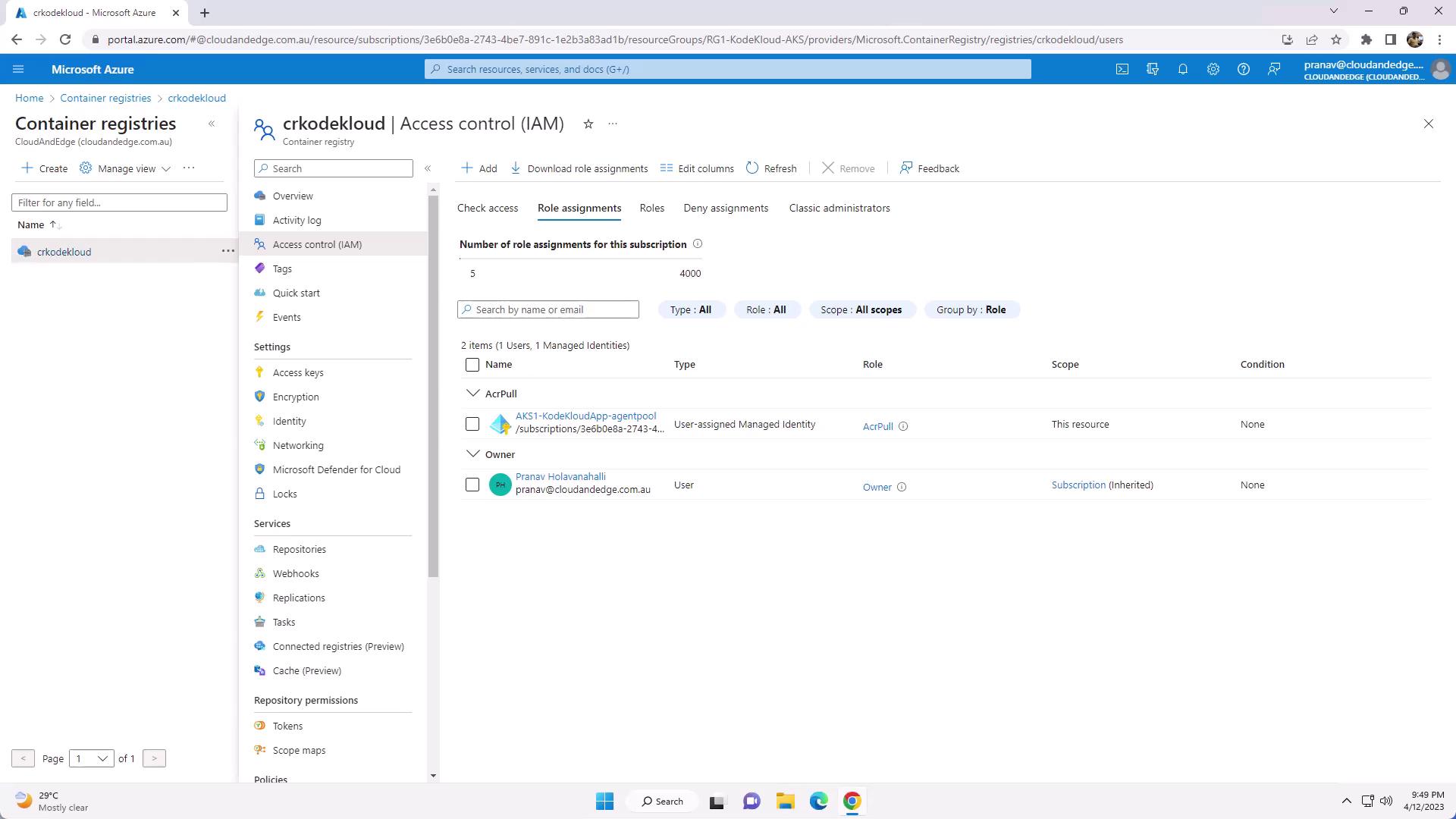
When you create an AKS cluster with the Azure CLI or Portal, you can automatically provision an ACR instance and grant the cluster’s managed identity the AcrPull role. If you create your registry separately, assign roles as follows:- In the Azure Portal, navigate to your Container Registry.
- Open Access Control (IAM) → Role assignments.
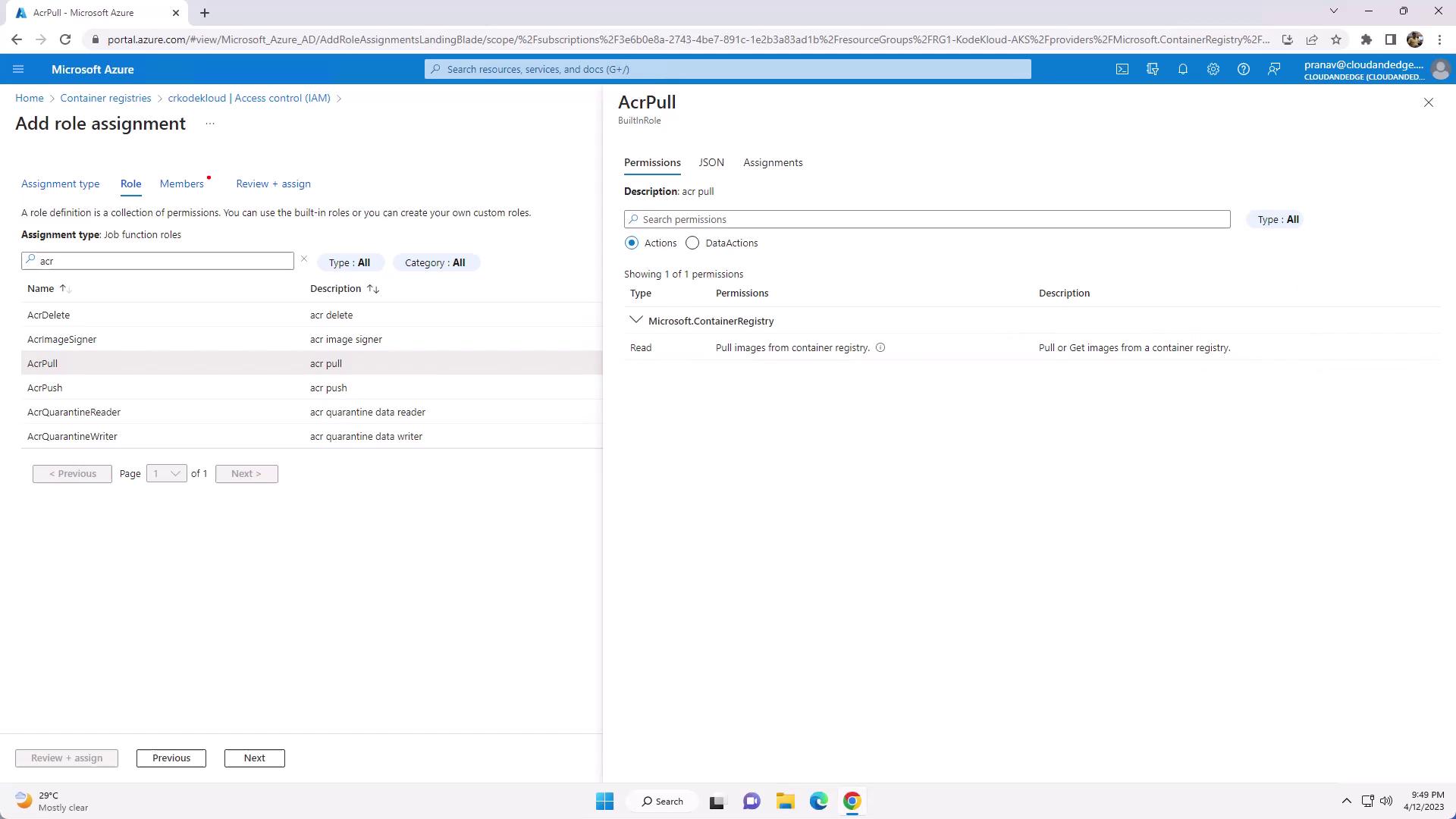
- Filter by “ACR” to see built-in roles: AcrPull, AcrPush, Owner.
- Click Add role assignment, select the appropriate role, and assign it to your AKS managed identity or service principal.
Built-in ACR Roles
Here’s the JSON definition of the AcrPush role:
Tagging and Pushing Images to ACR
-
List your local Docker images:
-
Tag each image for your ACR:
-
Verify the new tags:
-
Authenticate with your registry:
-
Push both tags:
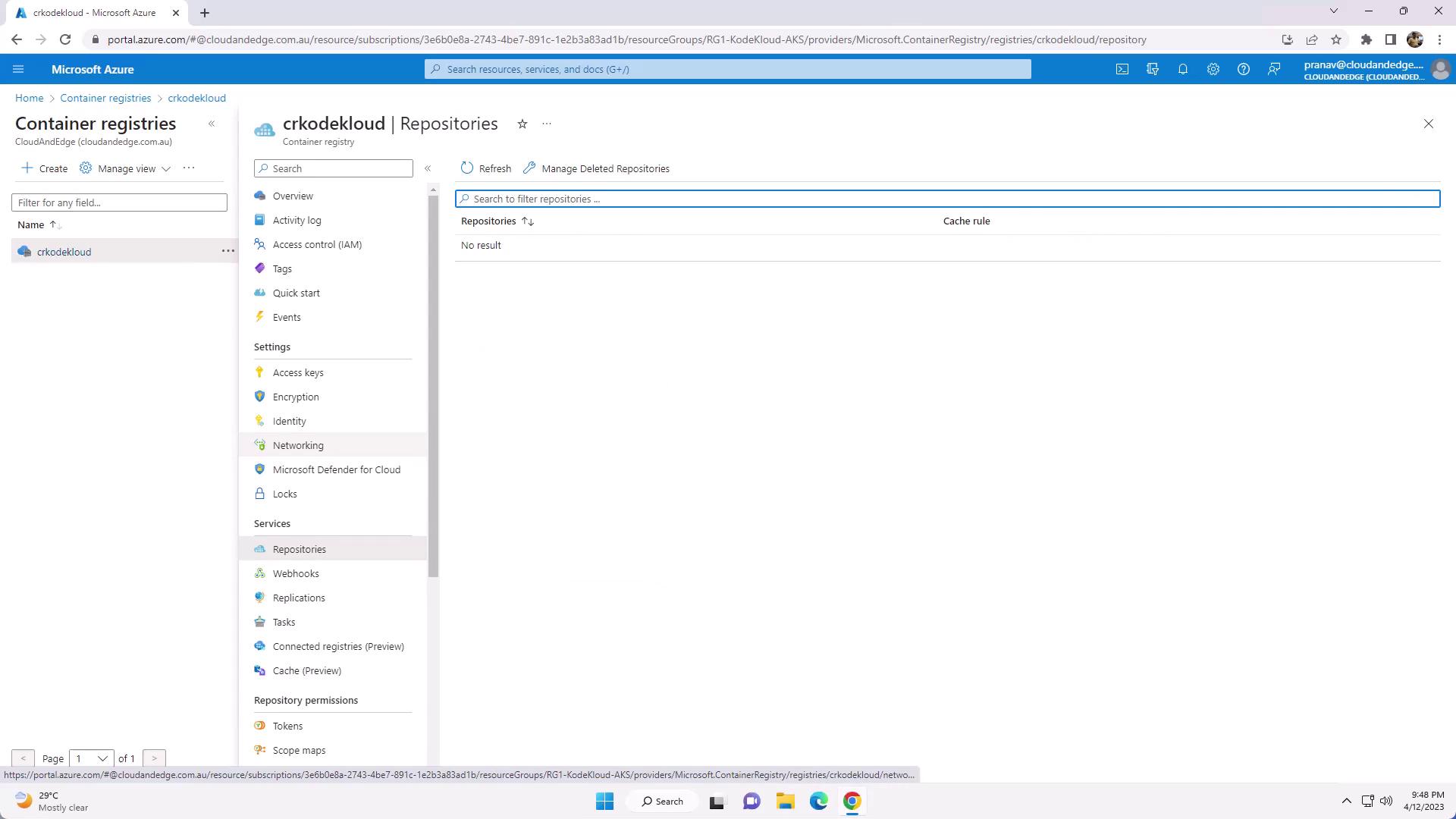
- In the Azure Portal, go to your registry’s Repositories blade to confirm the image tags.
Deploying to Azure Kubernetes Service (AKS)
Deploy versionv1 of your application directly from ACR: