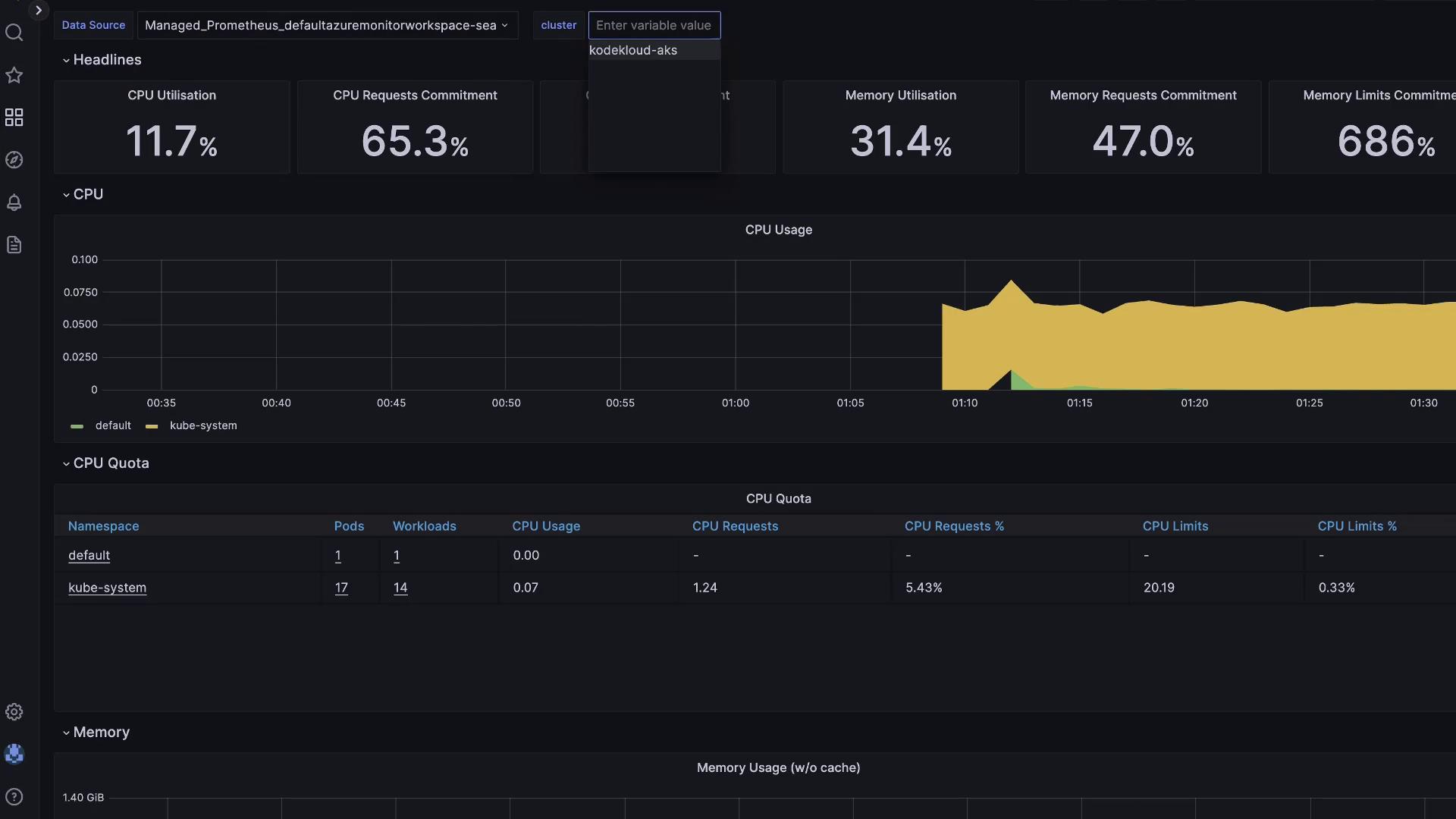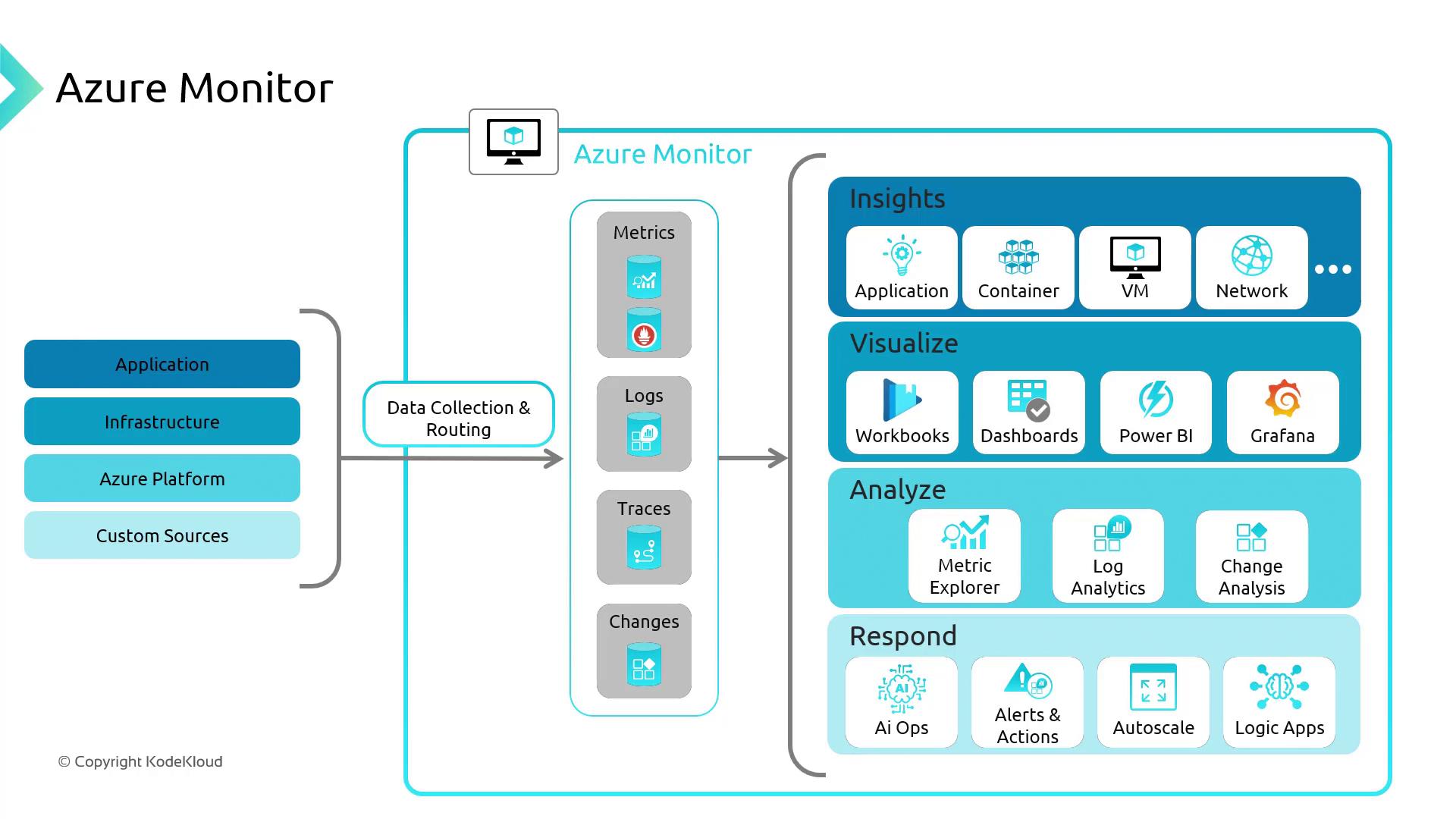
- Real-time metrics and logs
- Interactive dashboards and workbooks
- Alerting and diagnostic capabilities
What Is Container Insights?
Container Insights is an Azure Monitor feature built specifically for AKS clusters. It collects performance and health data across your nodes and containers, allowing you to:- Detect resource hotspots
- Trace application failures
- Set up proactive alerts
Metrics power visualizations and alerts, while logs are stored in a Log Analytics workspace for ad-hoc querying and root-cause analysis.
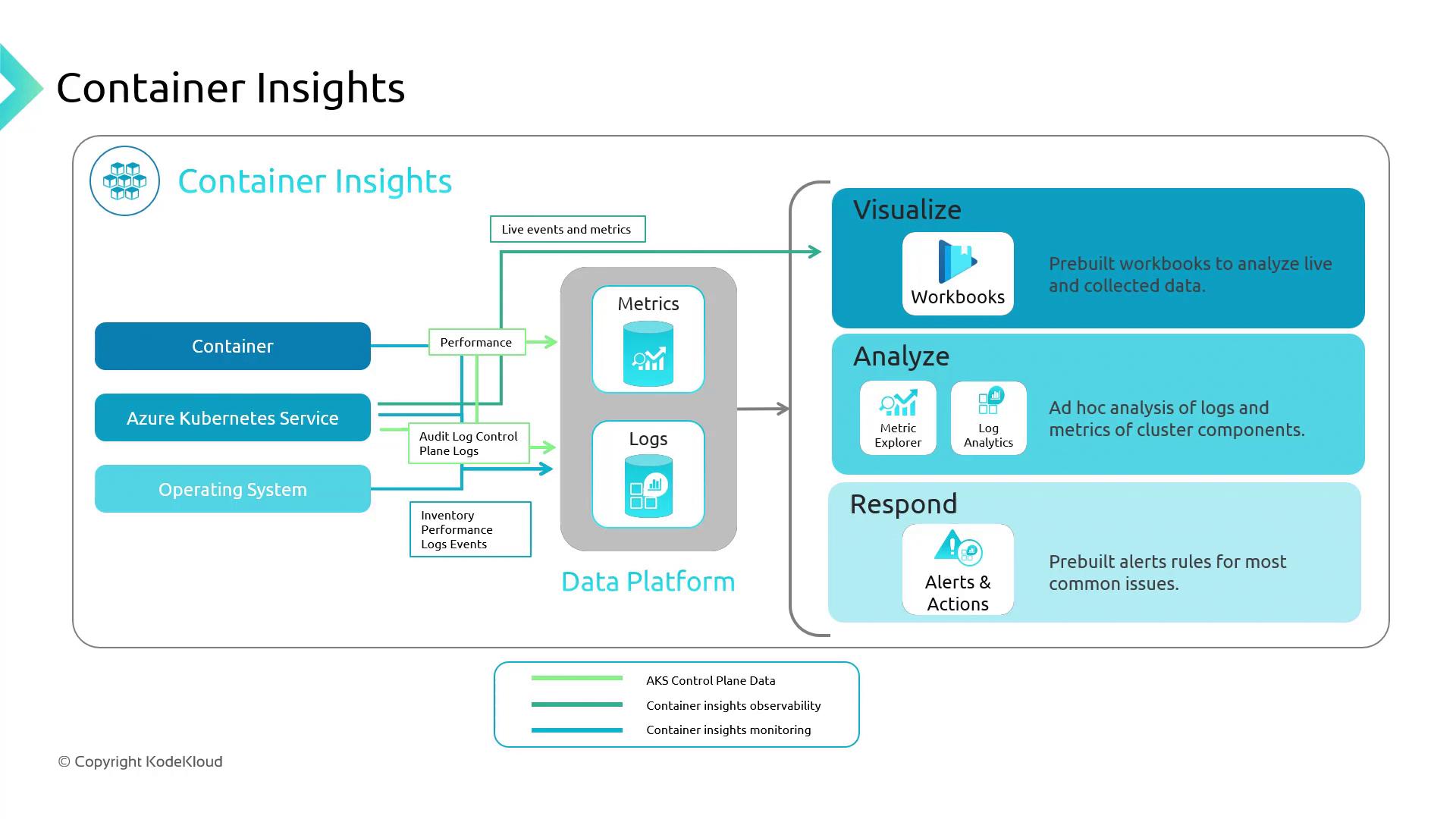
Azure Monitoring Agent Architecture
Enabling the monitoring add-on on AKS deploys two Azure Monitoring Agents (AMA):
Both agents send data to a dedicated Log Analytics workspace for storage and analysis.
Demo: Create an AKS Cluster with Container Insights
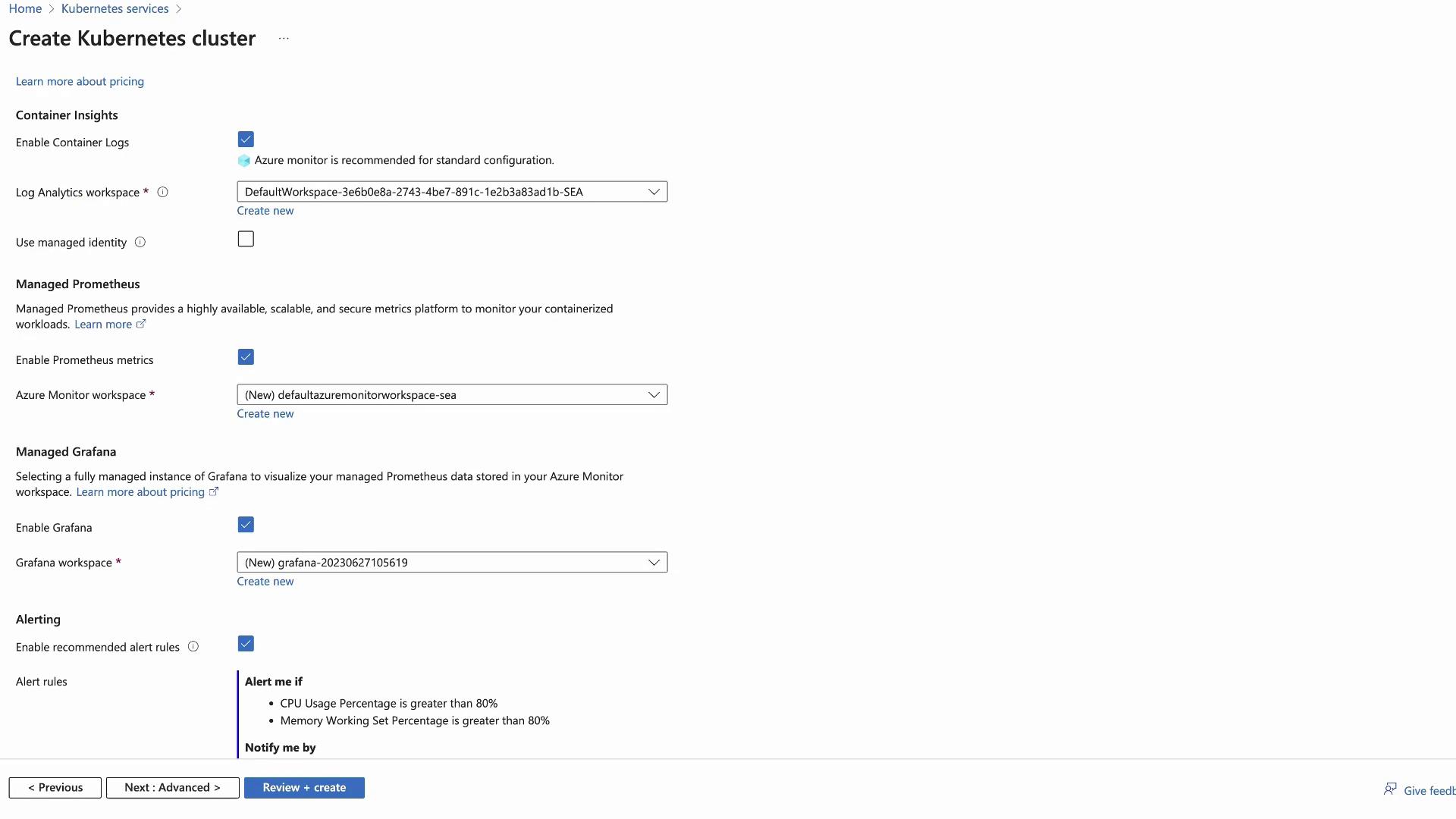
Follow these steps in the Azure portal to spin up an AKS cluster with Container Insights:- Navigate to Create Kubernetes cluster.
- Under the Integration tab, enable Container Insights.
- (Optional) Enable Managed Prometheus and Managed Grafana.
- For this demo, toggle Alerting Off.
- Review and Create.
Exploring Cluster Metrics
The Container Insights dashboard provides a high-level overview of your AKS environment:- Total node count
- CPU and memory utilization over time
- Active pod count
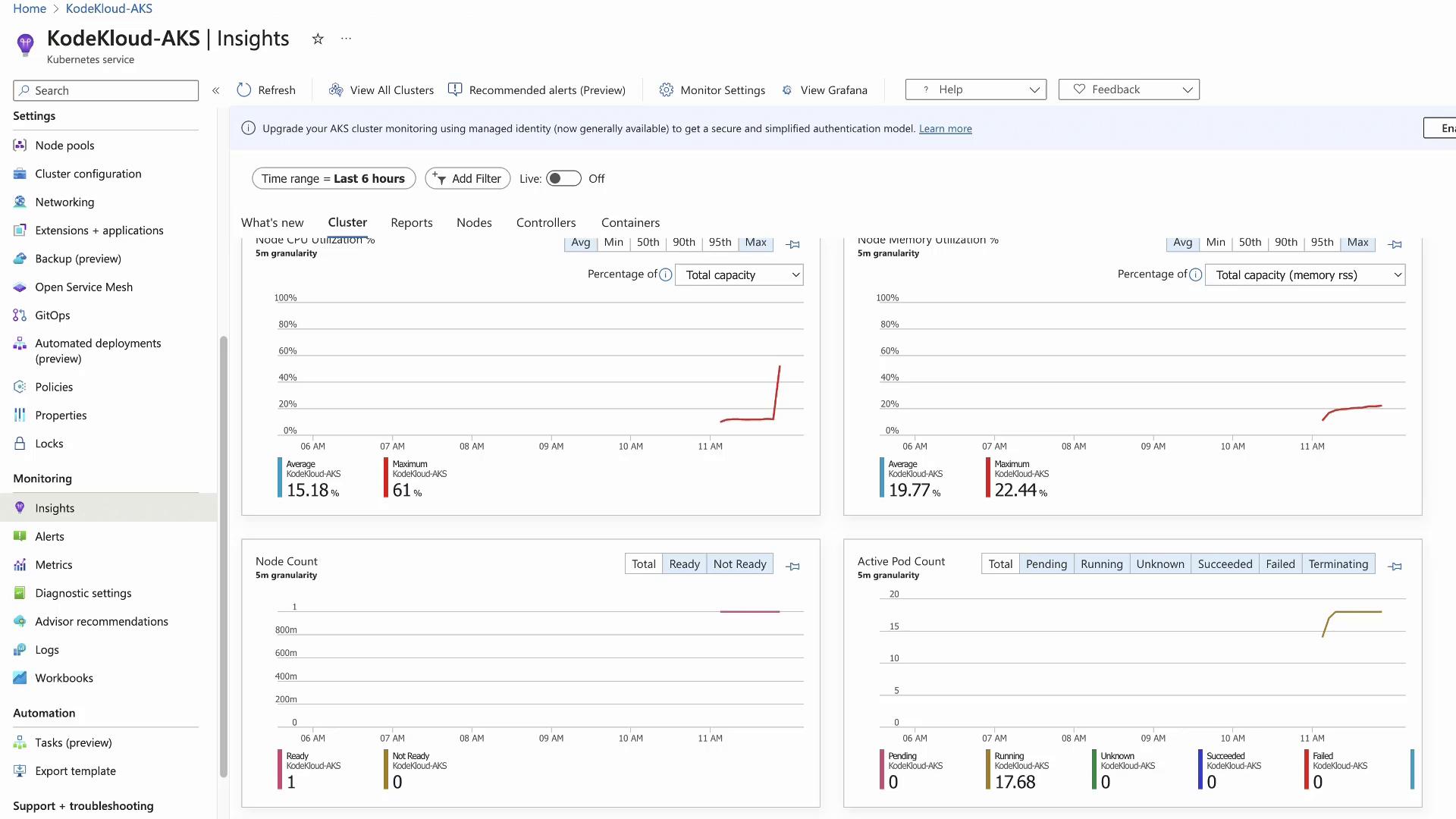
Generating Load with a Stress Test
To observe real-time metric changes, create CPU load in a test namespace:test-shell pod:
Viewing Node and Container Details
Within Container Insights:- Nodes tab: Displays per-node CPU/memory metrics. The stressed node will be easily identifiable.
- Containers tab: Lists every container and its performance metrics.
test-shell to view its live status, console output, and event timeline:
Cost Considerations
Azure Monitor charges based on the volume of data ingested into Log Analytics. Enabling Managed Prometheus increases ingestion volume, and Azure Managed Grafana incurs additional per-user costs.Review your ingestion rates and retention settings in your Log Analytics workspace to optimize costs.
Integrating Prometheus and Grafana
Azure Monitor for Containers can natively scrape Prometheus endpoints—no self-hosted server needed. Expose your metrics endpoint to AMA, and configure PromQL alerts.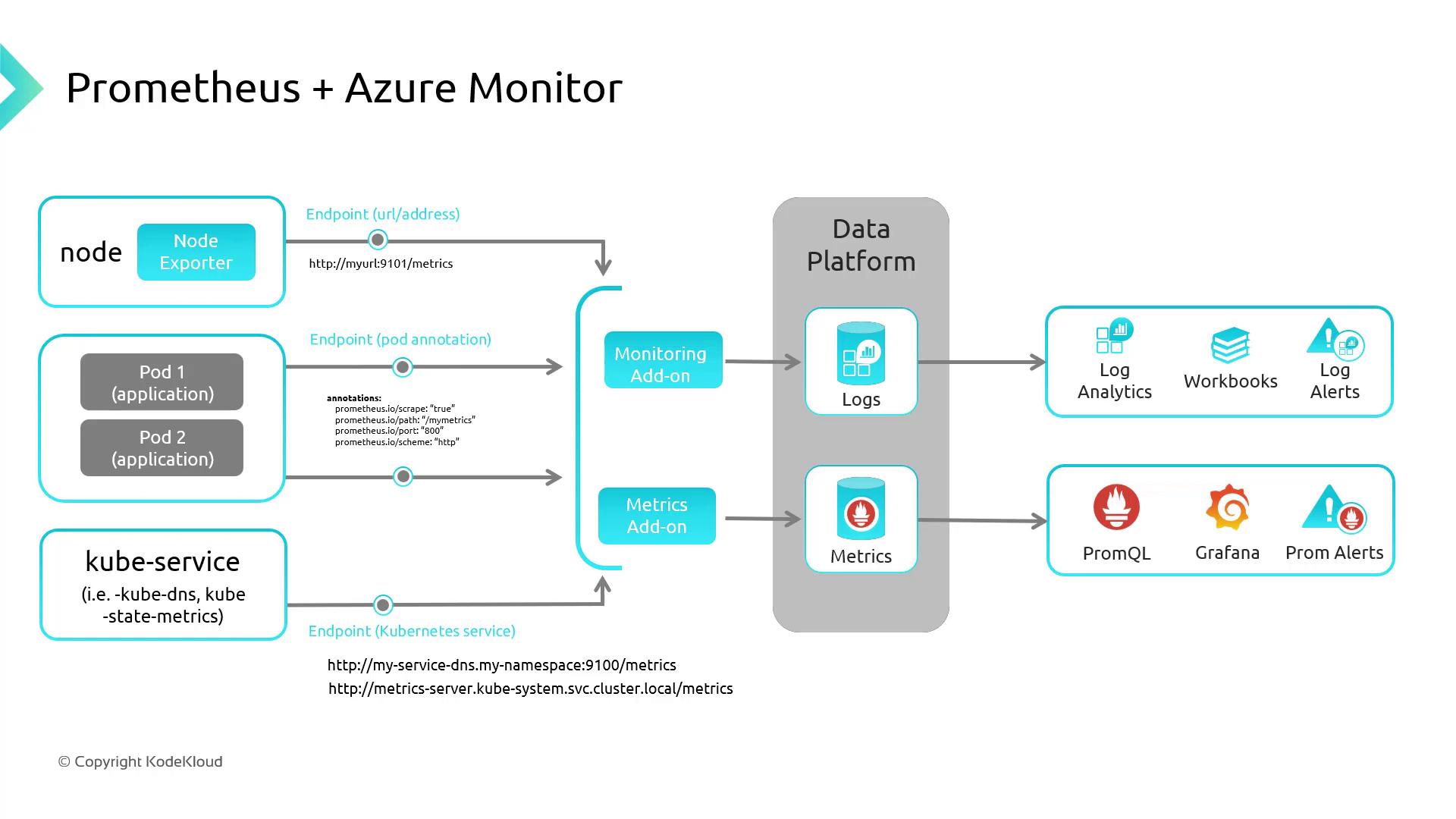
- Open the Grafana resource in the Azure portal.
- Copy the Instance URL and sign in with Azure AD.
- Browse pre-built Azure dashboards under Dashboards.