

audits/ folder. We won’t necessarily fix every issue immediately—this scan creates a repeatable baseline you or another developer can act on.
Why this matters: authentication endpoints, database access, and middleware configuration are high-risk areas. Claude Code accelerates the discovery process (including optional npm audit) and helps you produce handoff-ready reports.
Quick start — inspect the repo with Claude Code
Start Claude Code and let it inspect the repository. The interactive welcome and working directory might look like this:audits/ folder and save reports there so they are versioned with your repo and simple to share.
Initial project analysis: sample prompt
Use a single focused prompt to locate entry points, middleware, auth flows, and other attack surfaces. Example prompt we use to drive the initial analysis:npm audit) if you allow it. During the scan you may see output like:
npm audit based on your workflow. Running it often uncovers known-vulnerability flags in dependencies and helps prioritize fixes.
Creating the audit report
Claude Code can create theaudits/ directory and write a Markdown report for you. You will typically be asked to confirm edits before they are committed:
Example excerpt: Security Audit Report (Express Login Demo)
Below is an excerpt of a generated security audit. It highlights core components and high-priority findings with recommendations you can action immediately.Project structure & core components
- Database: PostgreSQL with
pgdriver - Authentication: JWT for tokens and
bcryptfor password hashing - Validation:
express-validator
Actionable findings summary
Full report entries include file locations, risk descriptions, impact statements, and remediation steps so developers can triage based on severity.
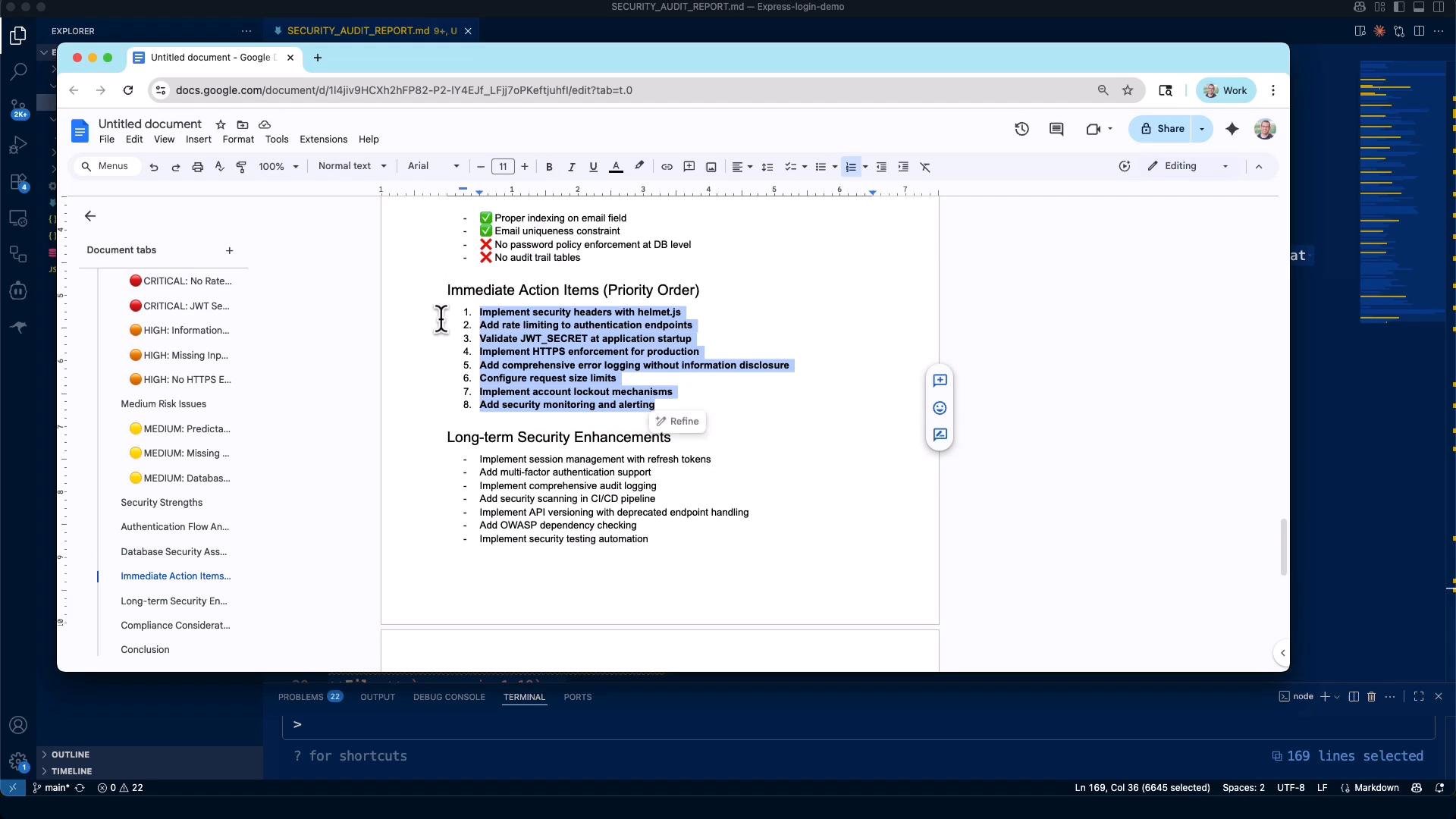
You can export these Markdown reports to Google Docs, Word, or share them directly with stakeholders. Claude Code also generates convenient “Immediate Action Items” lists for rapid remediation planning.
The prompts used in this lesson are available at
github.com/JeremyMorgan/claude-code-reviewing-prompts. They are released under Creative Commons—feel free to reuse and adapt them.How to use the audit outputs
- Prioritize fixes by risk level (CRITICAL → HIGH → MEDIUM → LOW).
- Create small PRs that address one class of issues (e.g., add
helmet, then add rate limiting). - Re-run Claude Code after changes to validate fixes and detect regressions.
- Keep
audits/SECURITY_AUDIT_REPORT.mdupdated and link it in your project README for visibility.