

Data Stores for Batch Processing
Whether you’re aggregating sales metrics or preparing large datasets for machine learning, choosing the right batch storage is crucial.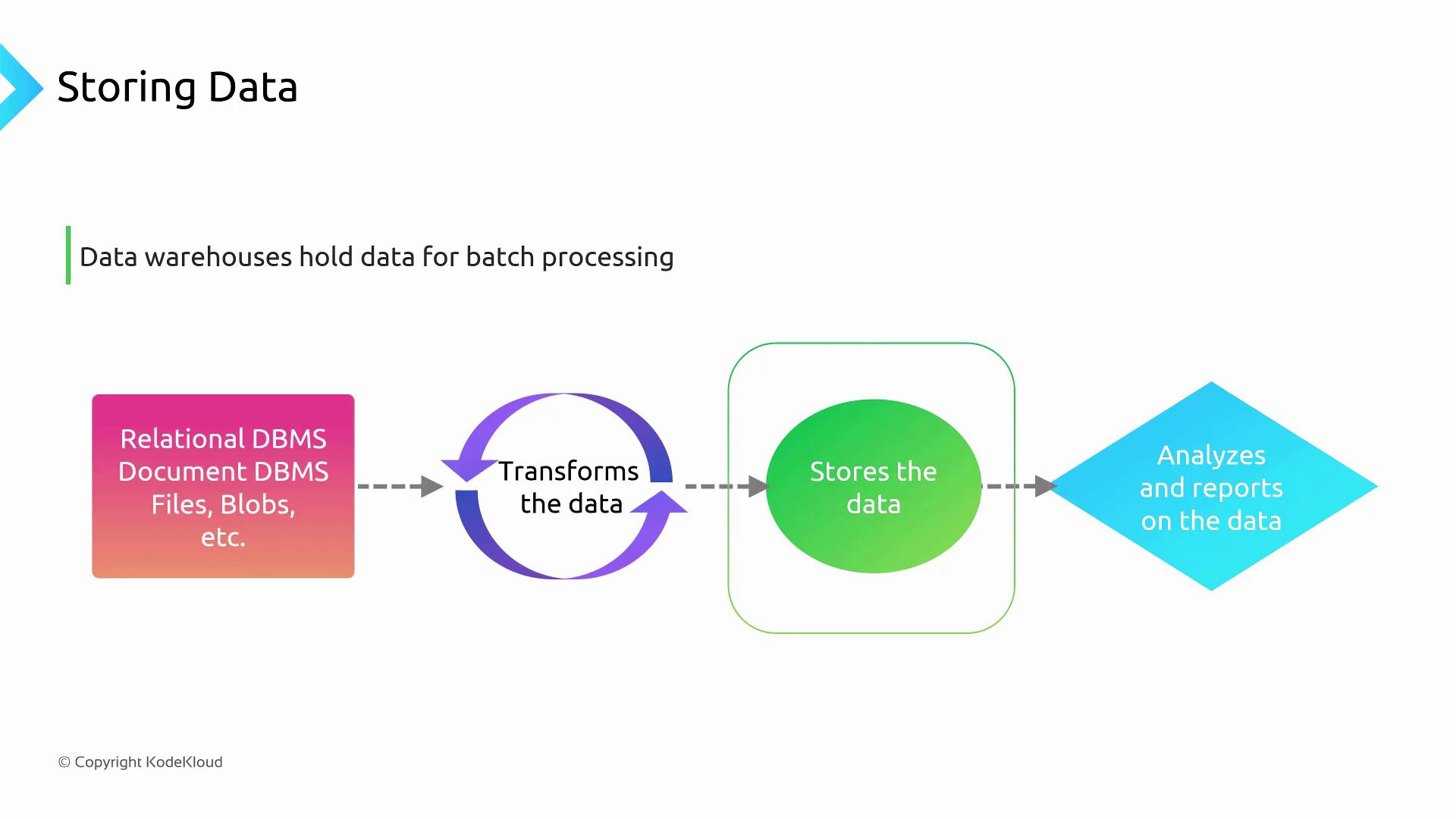
Key Batch Storage Options
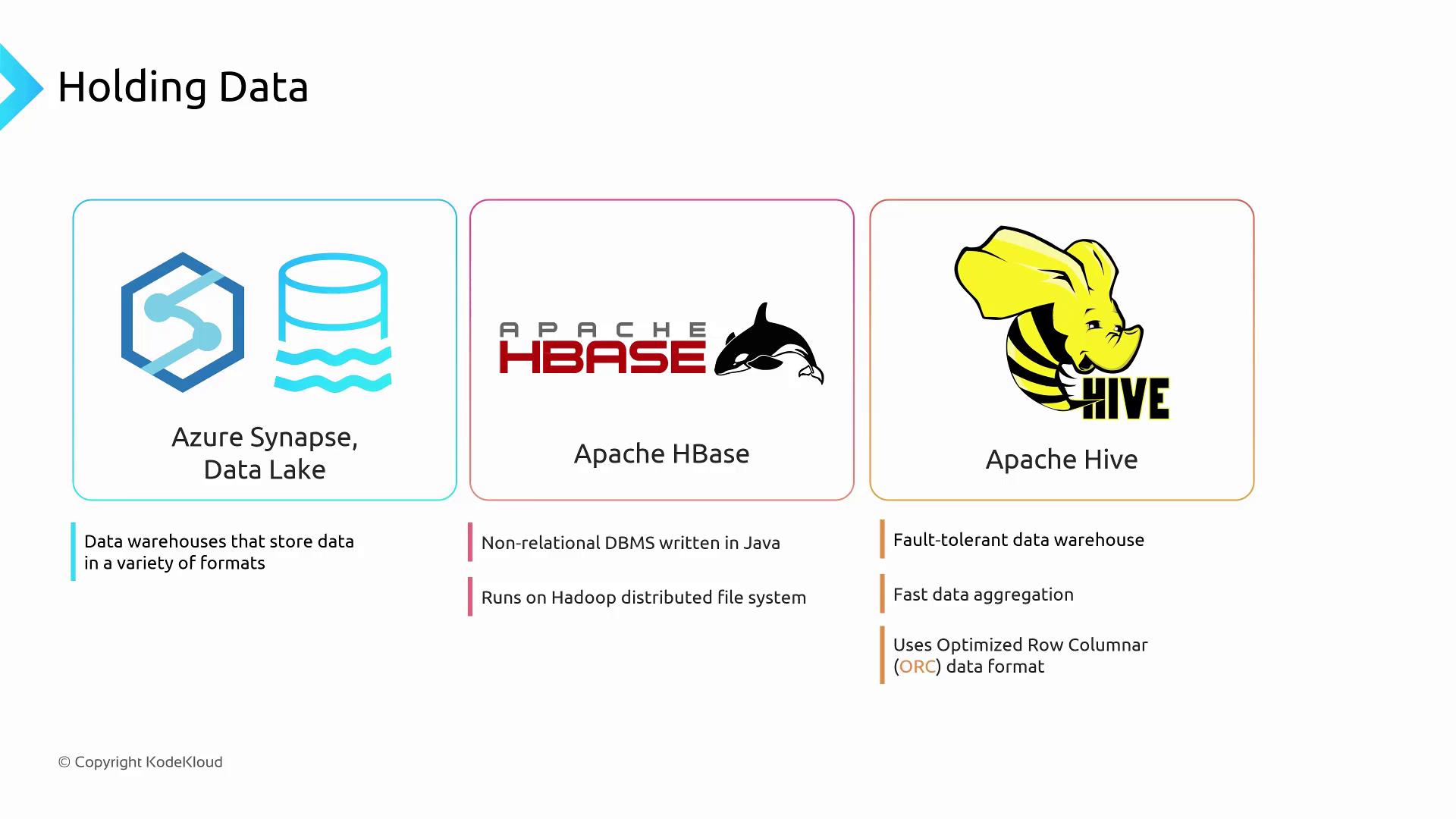
Azure Synapse Analytics and Azure Data Lake Storage
Azure Synapse Analytics integrates seamlessly with Azure Data Lake Storage (ADLS). You can store data in multiple formats—CSV, Parquet, JSON, and more—and use PolyBase to run T-SQL queries directly against your files.No ETL is required before querying. PolyBase pushes computation down to ADLS, boosting performance and reducing costs.
Apache HBase
Apache HBase is a Java-based, NoSQL wide-column store built on Hadoop Distributed File System (HDFS). It offers:- Horizontal scalability: Distributes data across many nodes for parallel reads and writes.
- HDFS ecosystem: Leverages existing Hadoop clusters, minimizing I/O bottlenecks.
- Easy migration: On-premises HBase schemas lift-and-shift to Azure effortlessly.
Apache Hive
Apache Hive transforms Hadoop into a fault-tolerant data warehouse. Hive uses the Optimized Row Columnar (ORC) format to:- Accelerate aggregations like
SUM,AVG, andCOUNT. - Read only relevant columns, reducing I/O overhead.
- Maintain schema-on-read for flexible data ingestion.
Data Warehouse Schemas for Analytics
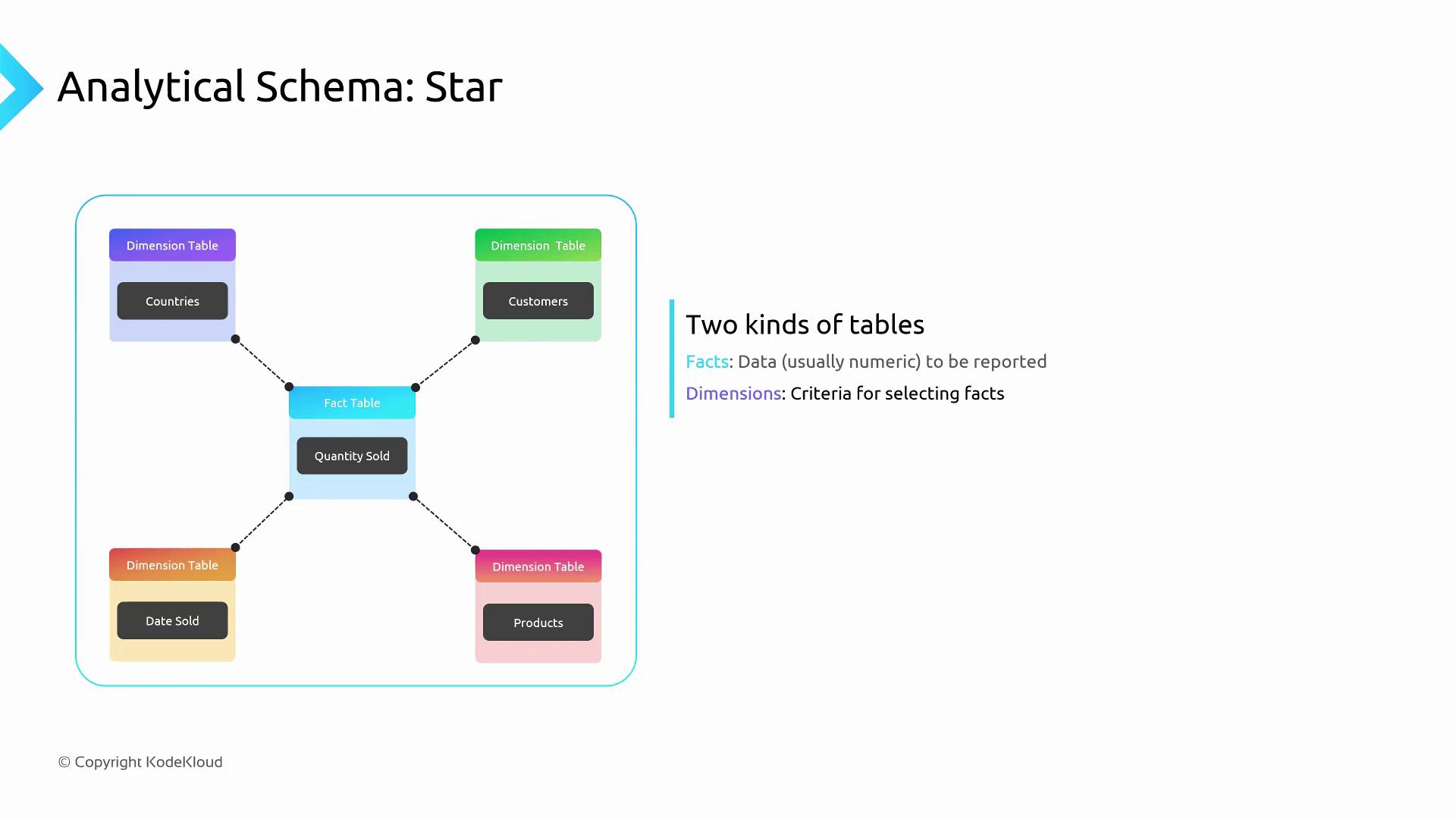
When designing for analytics, your table schemas often deviate from OLTP patterns. Two popular modeling techniques are the Star Schema and the Cube Schema.Star Schema
A star schema centers around a fact table containing numeric measures (e.g., sales amounts), linked to multiple dimension tables (e.g., Customer, Product, Date).- Fact table: Holds transactional metrics over time.
- Dimension tables: Store descriptive attributes for filtering and grouping.
Cube Schema
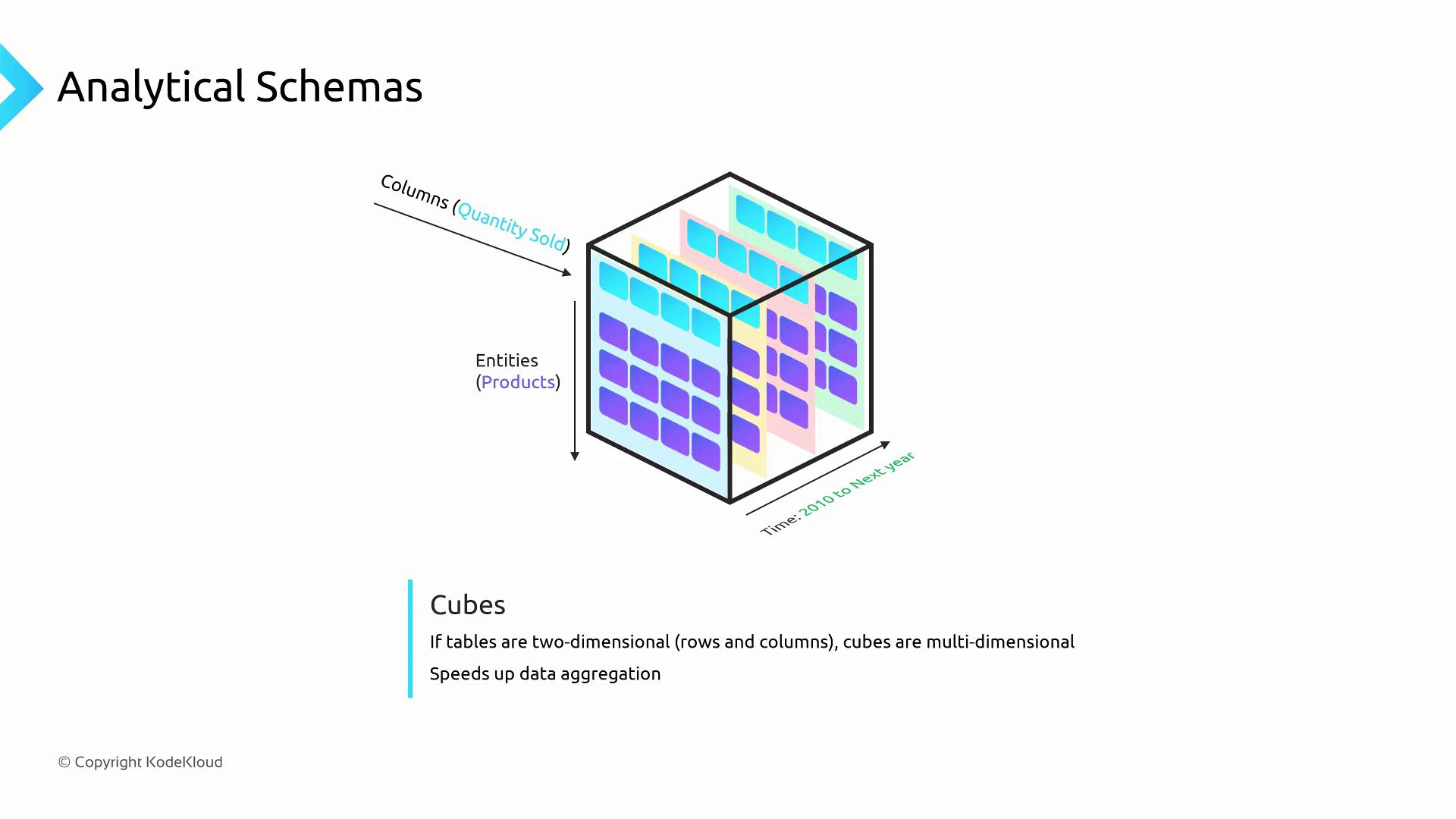
A cube schema extends beyond two dimensions by stacking multiple slices of data—each slice represents the fact table at a specific dimension value (e.g., year).- Fast aggregations along time, geography, and product axes.
- Pre-aggregated views reduce query runtime.
- Scales to 4+ dimensions in many OLAP systems.
Links and References
- Azure Data Factory Overview
- Azure Synapse Analytics Documentation
- Apache HBase Reference Guide
- Apache Hive ORC Format
- DP-900 Microsoft Certified: Azure Data Fundamentals