This article explores AWS Auroras backtracking feature, explaining its functionality and importance for interview preparation.
In this article, we explore an important AWS interview question focused on the backtracking feature in AWS Aurora. This discussion will help you understand how backtracking differs from traditional database backups and enable you to confidently explain this functionality during an interview.
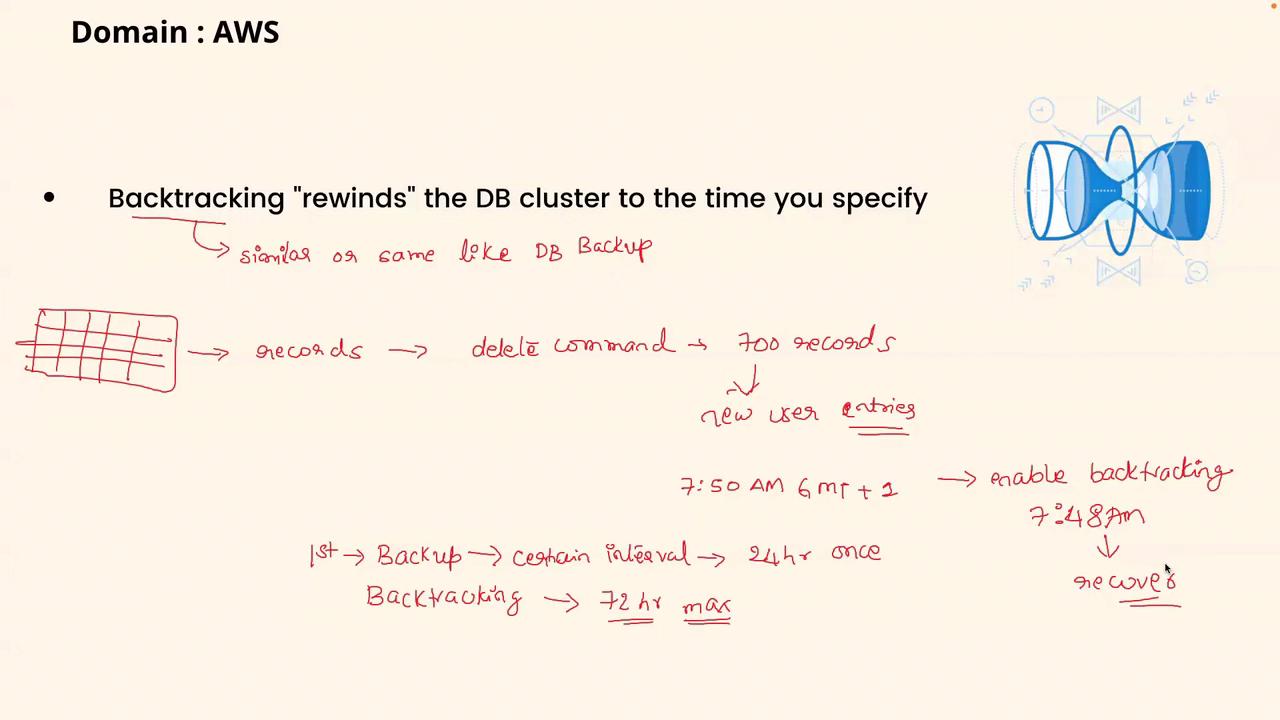
Backtracking in AWS Aurora allows you to rewind a DB cluster to a selected point in time. This capability is especially useful when accidental modifications or deletions occur, enabling you to recover your data from a recent state.
Backtracking is not a substitute for comprehensive backups; instead, it serves as an efficient mechanism to quickly recover from recent errors over a span of up to 72 hours.
Imagine you have a database containing several tables with critical user records. Suppose an accidental DELETE command removes around 700 user entries at approximately 7:50 AM (GMT+1). In this situation, recovering the lost data is vital.Traditional database backups typically occur at fixed intervals—say, once every 24 hours—and backing up an entire database every 30 minutes is impractical, particularly for large databases. Here, backtracking offers a solution:
It acts as a mini backup system that captures incremental changes over a maximum window of 72 hours.
If an issue occurs, such as the accidental deletion at 7:50 AM, you can rewind the database state to just before the error (for example, 7:48 AM) to restore the lost records.
In contrast, a full database backup creates a complete snapshot of your data, which is more time-consuming to restore.
When addressing this question in an interview, you might say:“Backtracking in AWS Aurora is a specialized feature that enables you to rewind the DB cluster to a specified point within a maximum window of 72 hours. Essentially, it functions as a mini backup system that captures incremental changes, allowing quick recovery from recent accidental deletions or modifications. Unlike a full database backup, which takes a complete snapshot and requires more time to restore, backtracking is designed for swift recovery in time-sensitive scenarios. While I haven’t deployed this feature in a production environment, I understand its operational benefits and its critical role in minimizing downtime.”Feel free to adjust your response based on your personal experience with AWS Aurora.
AWS Aurora’s backtracking feature provides a unique advantage by allowing the database to be rewound to a precise moment in time, facilitating rapid recovery from inadvertent data deletions. Understanding and articulating this concept effectively in an interview not only demonstrates your technical knowledge but also highlights your preparedness to handle real-world database challenges.Let’s move on to the next topic in our series.