

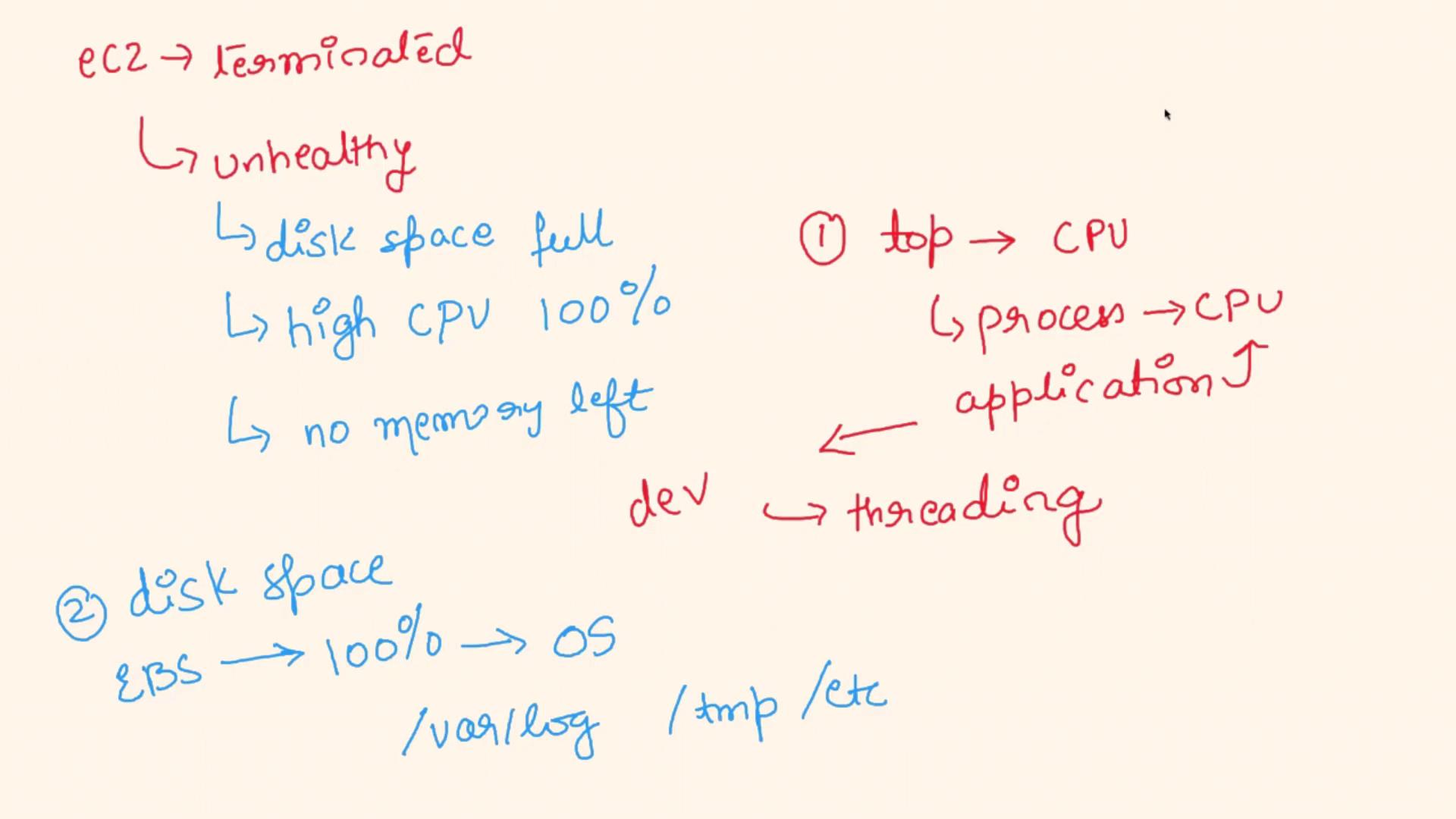
- Full Disk Space: Critical partitions (like system or log partitions such as /var/log) may have insufficient space.
- High CPU Utilization: The CPU might be maxed out, leaving no headroom for normal operations.
- Exhausted Memory Resources: Limited available memory or swap space—even caused by memory leaks—can render an instance unhealthy.
Debugging Steps
Begin by thoroughly investigating system resources to pinpoint the cause of the unhealthy state.
-
CPU Utilization
- Log into a problematic instance.
-
Run the following command to inspect CPU utilization and identify any processes consuming excessive CPU:
- If a specific application (e.g., a Java or Node.js process) shows unusually high CPU usage, coordinate with the development team to look into potential threading issues or performance bottlenecks.
-
Disk Space
- Evaluate the disk space, especially for partitions such as the root or log volumes that use EBS. A full disk might impair the OS from performing critical operations, causing the instance to be marked as unhealthy.
-
Memory Resources
-
Check available memory and swap space with the following command:
- If the output shows that available swap or RAM is zero, the instance might not have sufficient resources to handle the application’s workload, leading to an unhealthy state.
-
Check available memory and swap space with the following command:
Analysis and Actions
Based on the results of these checks, consider the following actions:
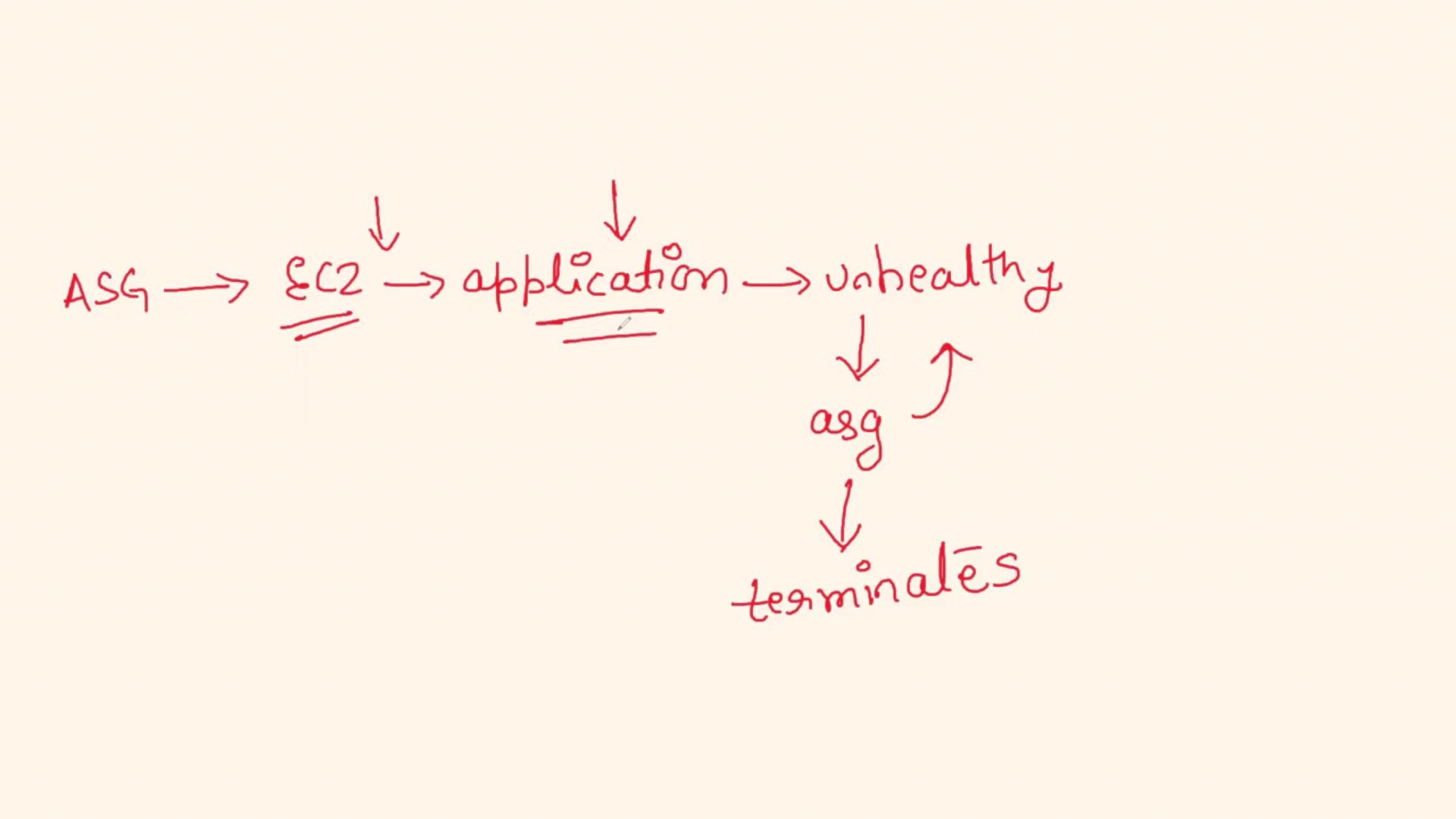
The overall sequence generally follows this cycle:
- The Auto Scaling Group provisions new EC2 instances.
- Due to resource exhaustion or application-level problems, an instance quickly becomes unhealthy.
- The ASG detects the unhealthy state and terminates the instance.
- The cycle repeats, resulting in continuous terminations and provisioning.
Summary
-
Cause of EC2 Termination:
The issue stems from the health of the EC2 instances rather than the ASG or any AWS configuration settings. Resource exhaustion—whether in CPU, disk space, or memory—is pushing instances into an unhealthy state, leading to their termination. -
Debugging Strategy:
- Monitor CPU usage with
top. - Check disk space on essential partitions.
- Inspect available memory and swap using
free -m.
- Monitor CPU usage with
-
Proposed Remedial Measures:
- Establish communication with the development team to resolve high CPU usage caused by a specific process.
- Increase the EBS volume size if the disk usage is high.
- Consider an alternative EC2 instance type with more memory if memory exhaustion continues.