

- The state file is protected against simultaneous modifications.
- No additional status message is shown when the lock is acquired.
- Failure to acquire the lock causes the operation to fail, preventing any potential corruption.
- Although the lock can be disabled using the
-lockflag, it is strongly discouraged because of the increased risk of conflicts.
If you see no status message regarding the lock, it indicates that the lock mechanism is functioning as expected.
-
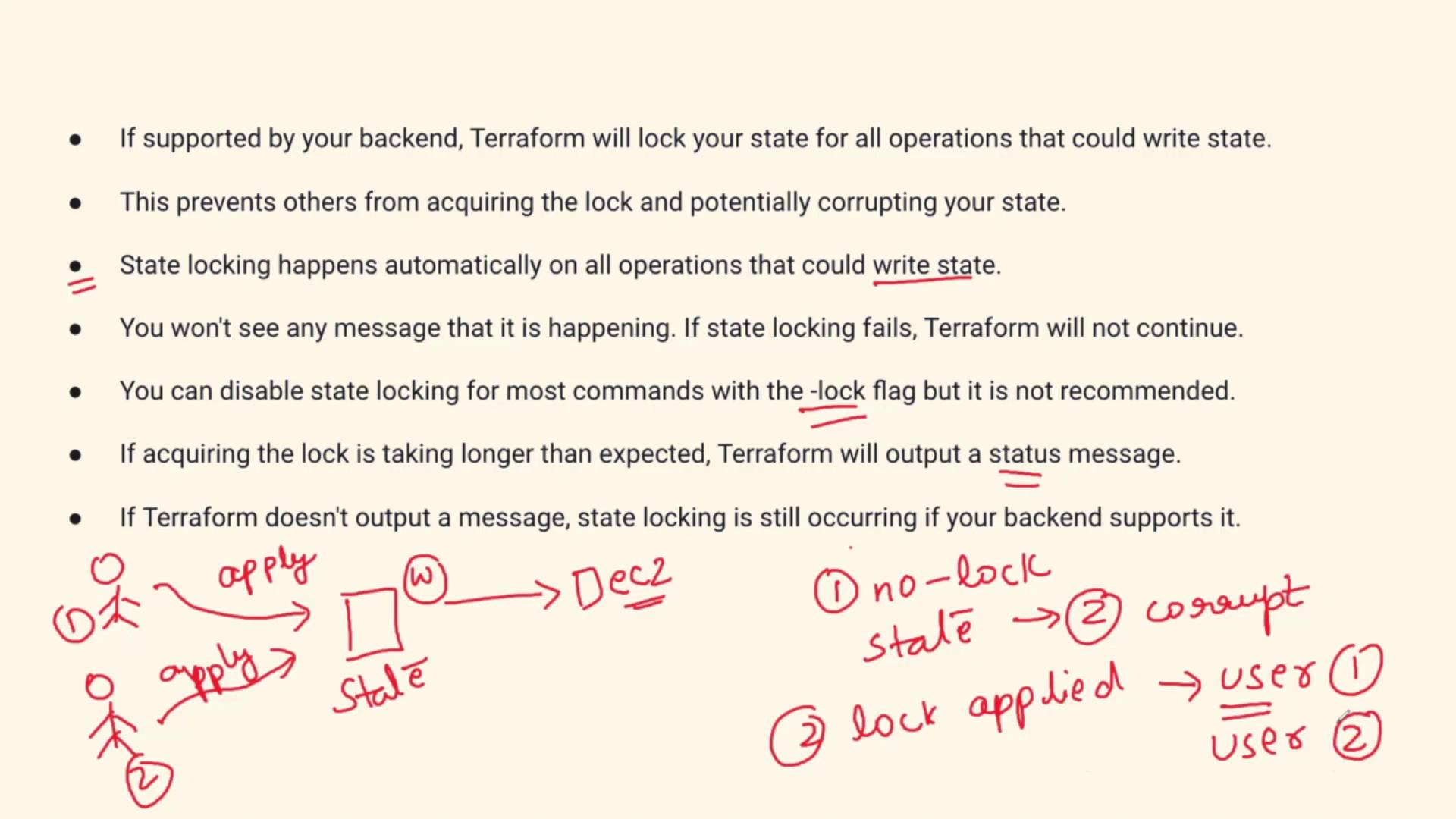
Without Terraform State Lock:
When two users attempt to modify the state file concurrently, the absence of a lock can lead to corruption—much like two people editing the same document simultaneously. -
With Terraform State Lock:
When User One initiates a Terraform apply, the state file is locked automatically. User Two must wait until the changes by User One are complete and the lock is released. Once the file is unlocked, User Two can then acquire the lock and proceed. This sequential process maintains state file integrity and prevents concurrent write conflicts.
Interview Answer Sample
When addressing questions in an interview related to Terraform State Lock, you might respond as follows: “Terraform State Lock is an automatic mechanism that locks the state file during operations such as Terraform apply. This preventive measure ensures that multiple users or processes do not modify the state file simultaneously, thereby minimizing the risk of corruption. Although it is possible to disable the lock using the-lock flag, this practice is not recommended because it increases the likelihood of encountering conflicts. Essentially, the locking mechanism is a critical safeguard to maintain state integrity during deployments.”
This answer highlights both how the mechanism functions and why it is essential.