Automate your Terraform Cloud workflows—workspaces, variables, team access, and more—by codifying everything you’d normally click through in the Terraform Cloud UI. In this lab, we’ll use the official hashicorp/tfe provider to:
Initialize the TFC provider
Query and inspect existing workspaces
Create new workspaces
Manage workspace variables
Specify Terraform versions
Dynamically generate multiple workspaces
Assign team permissions
Clean up resources
Prerequisites
Terraform CLI v1.x installed
A Terraform Cloud account
A Terraform API token with appropriate permissions
Keep your TFE_TOKEN secure. Do not commit API tokens to version control.
Set your Terraform Cloud API token in the shell:
export TFE_TOKEN = YOUR_TERRAFORM_CLOUD_TOKEN
Create a directory named workspace_automation and inside it, add a main.tf file:
terraform {
required_providers {
tfe = {
source = "hashicorp/tfe"
version = "~> 0.31"
}
}
}
provider "tfe" {
token = var . tfe_token
}
variable "tfe_token" {
type = string
description = "Terraform Cloud API token"
}
variable "organization" {
type = string
description = "Terraform Cloud organization name"
}
variable "workspace_name" {
type = string
description = "Existing workspace name to query"
}
Initialize the provider:
2. Query an Existing Workspace
Add a data source block to main.tf to fetch a workspace by name:
data "tfe_workspace" "existing" {
name = var . workspace_name
organization = var . organization
}
output "workspace_id" {
value = data . tfe_workspace . existing . id
}
output "workspace_terraform_version" {
value = data . tfe_workspace . existing . terraform_version
}
Apply the configuration:
terraform apply \
-var "organization=YOUR-ORG" \
-var "workspace_name=devops-aws-myapp-dev"
Sample output:
data.tfe_workspace.existing: Reading...
data.tfe_workspace.existing: Read complete after 2s [id=ws-pj5yrEcvvrdxjYji]
Outputs:
workspace_id = "ws-pj5yrEcvvrdxjYji"
workspace_terraform_version = "1.2.7"
Inspect the state:
terraform state list
terraform state show data.tfe_workspace.existing
3. Create a New Workspace
Extend main.tf with a resource block to provision a workspace:
variable "workspace_name_new" {
type = string
description = "Name of the new workspace to create"
}
resource "tfe_workspace" "new" {
name = var . workspace_name_new
organization = var . organization
}
output "workspace_new_id" {
value = tfe_workspace . new . id
}
output "workspace_new_terraform_version" {
value = tfe_workspace . new . terraform_version
}
Format and apply:
terraform fmt
terraform apply \
-var "organization=YOUR-ORG" \
-var "workspace_name=devops-aws-myapp-dev" \
-var "workspace_name_new=webserver-aws-stage"
Preview plan:
# tfe_workspace.new will be created
resource "tfe_workspace" "new" {
name = "webserver-aws-stage"
organization = "YOUR-ORG"
terraform_version = (known after apply)
}
Plan: 1 to add, 0 to change, 0 to destroy.
After successful apply, verify the new workspace in Terraform Cloud.
4. Manage Workspace Variables
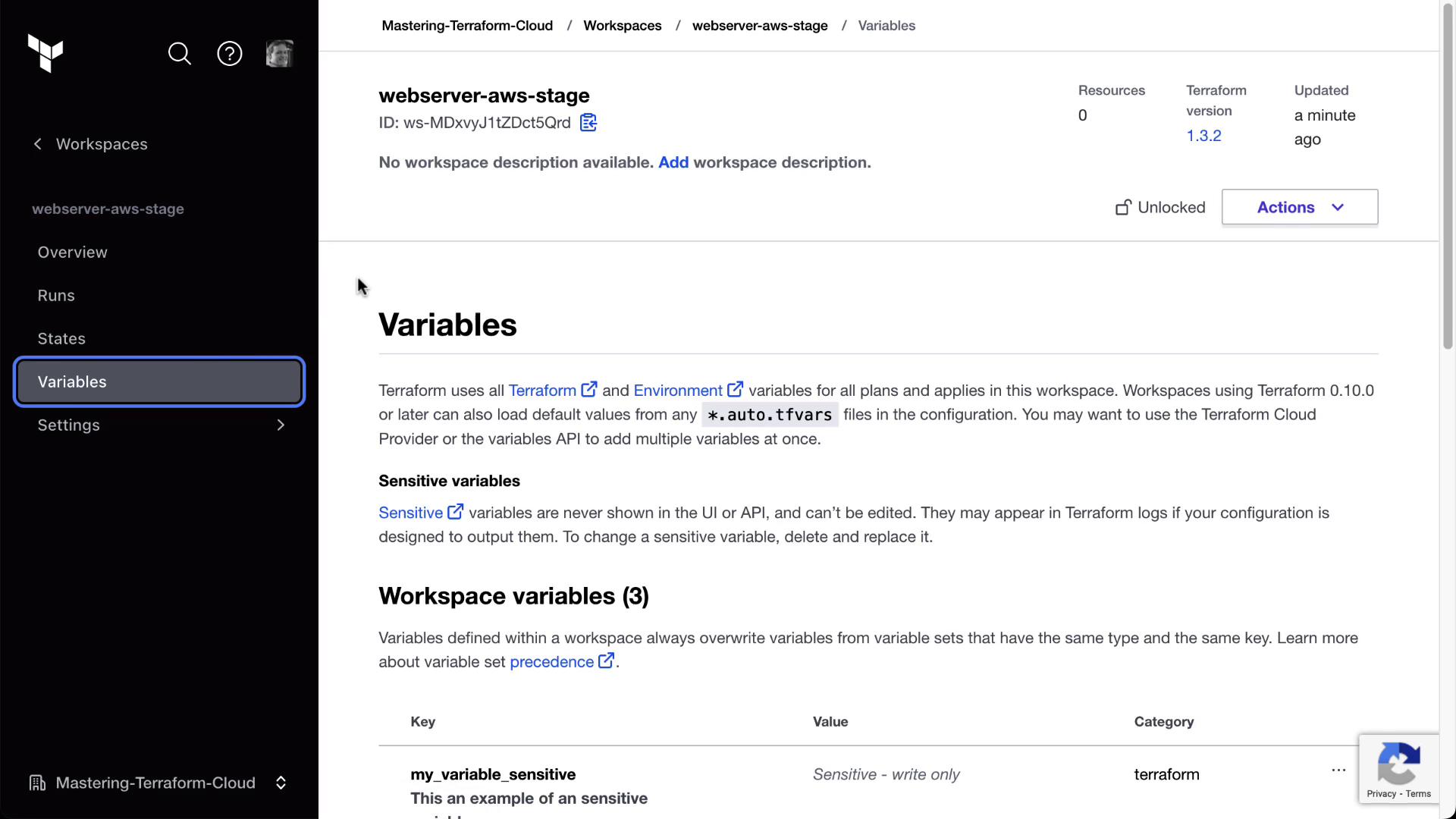
Use tfe_variable resources to define standard, sensitive, and HCL variables:
resource "tfe_variable" "standard" {
key = "variable_name"
value = "variable_value"
category = "terraform"
workspace_id = tfe_workspace . new . id
description = "A standard variable"
}
resource "tfe_variable" "sensitive" {
key = "my_variable_sensitive"
value = "my_sensitive_value"
category = "terraform"
workspace_id = tfe_workspace . new . id
sensitive = true
}
resource "tfe_variable" "hcl" {
key = "my_variable_hcl"
value = "[hcl_variable_value]"
category = "terraform"
workspace_id = tfe_workspace . new . id
description = "An HCL variable example"
}
Apply the changes:
terraform apply \
-var "organization=YOUR-ORG" \
-var "workspace_name_new=webserver-aws-stage"
Confirm in the Terraform Cloud UI under Variables that all variables appear correctly.
Control the Terraform version used by the workspace:
variable "tf_version" {
type = string
default = "1.2.7"
}
resource "tfe_workspace" "new" {
name = var . workspace_name_new
organization = var . organization
terraform_version = var . tf_version
}
Reapply:
terraform apply \
-var "organization=YOUR-ORG" \
-var "workspace_name_new=webserver-aws-stage"
Verify the Terraform version update in the workspace settings.
6. Dynamically Create Multiple Workspaces
Define apps and environments, then loop to create all combinations:
variable "apps" {
description = "Map of applications with Terraform versions"
type = map ( object ({ terraform_version = string }))
default = {
appA = { terraform_version = "1.2.7" }
appB = { terraform_version = "1.2.8" }
}
}
variable "environments" {
description = "List of environments"
type = list ( string )
default = [ "sandbox" , "development" , "production" ]
}
locals {
app_envs = flatten ([
for app_key , app in var . apps : [
for env in var . environments : {
name = " ${ app_key } - ${ env } "
terraform_version = app . terraform_version
}
]
])
}
resource "tfe_workspace" "all" {
for_each = { for env in local . app_envs : env . name => env }
name = each . value . name
organization = var . organization
terraform_version = each . value . terraform_version
}
Apply all at once:
terraform apply -var "organization=YOUR-ORG"
You’ll see six workspaces created (appA/appB × sandbox/development/production).
7. Assign Team Access to Workspaces
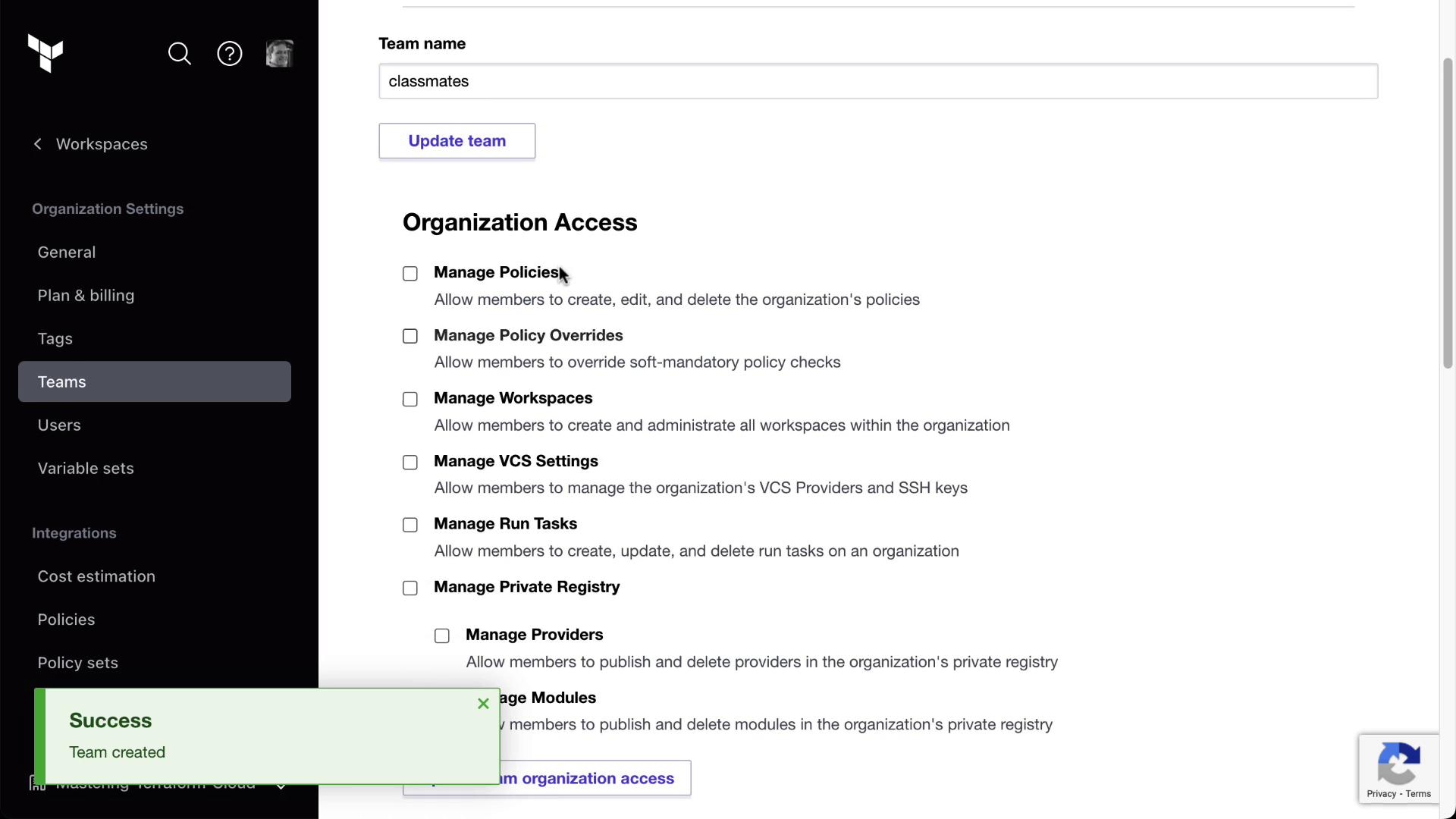
Ensure your TFC plan supports Teams & Governance. Create a teams.tf:
data "tfe_team" "classmates" {
name = "classmates"
organization = var . organization
}
data "tfe_workspace_ids" "all" {
names = [ "*" ]
organization = var . organization
}
resource "tfe_team_access" "classmates_all" {
for_each = toset ( data . tfe_workspace_ids . all . ids )
access = "read"
team_id = data . tfe_team . classmates . id
workspace_id = each . value
}
Apply:
terraform apply -var "organization=YOUR-ORG"
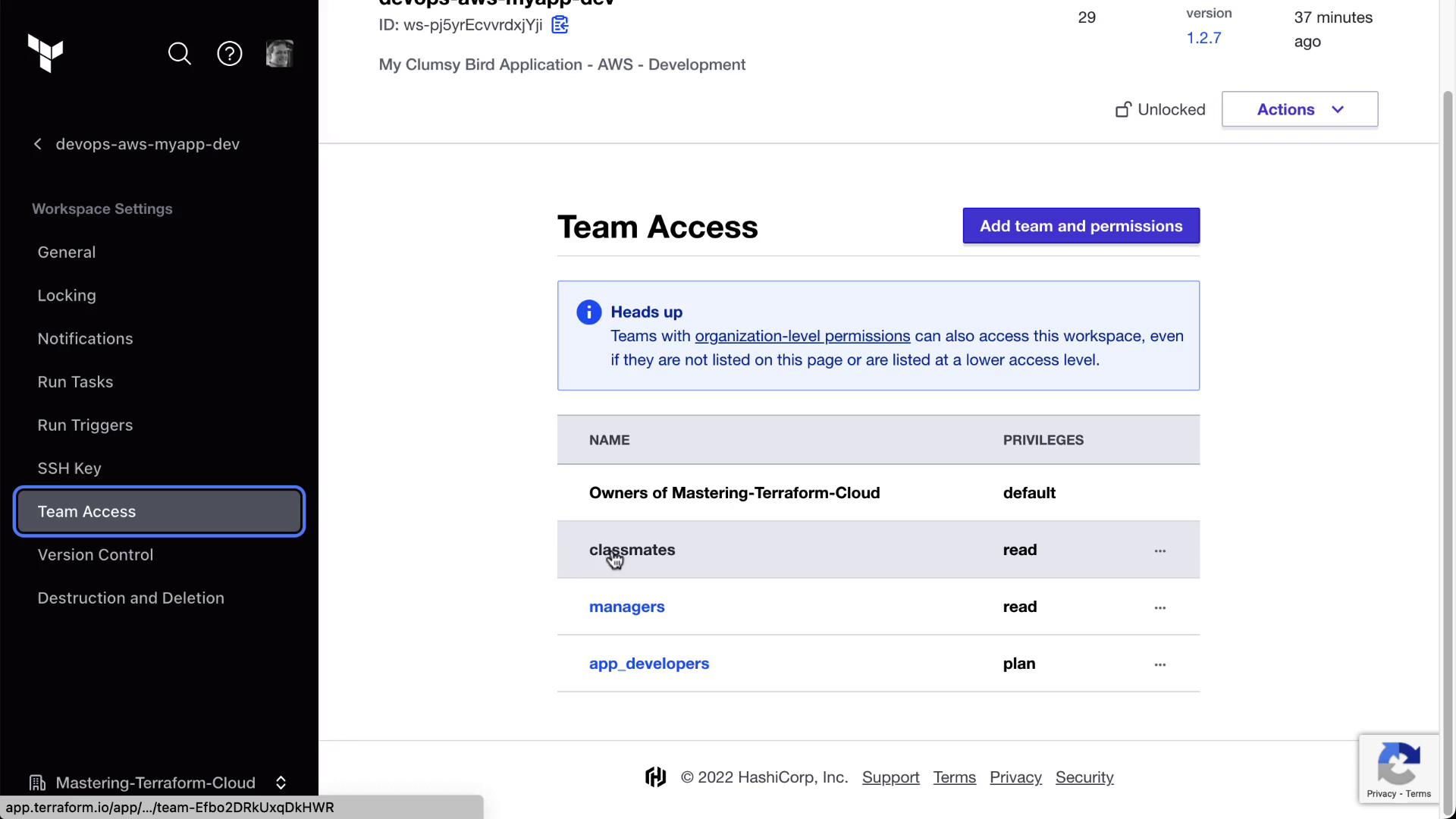
Verify in the Terraform Cloud UI under Organization → Teams → classmates and in each workspace’s Team Access page.
Browse to any workspace’s Team Access settings to confirm the “classmates” team has read privileges.
8. Cleanup
When you’re done, destroy all created resources:
terraform destroy \
-var "organization=YOUR-ORG" \
-var "workspace_name=devops-aws-myapp-dev" \
-var "workspace_name_new=webserver-aws-stage"
Resource Overview
Resource Type Description Terraform Block tfe_workspace Manages Terraform Cloud workspaces resource / data source tfe_variable Defines workspace-level variables (sensitive, HCL) resource tfe_team_access Grants teams specific access to workspaces resource
Links and References