Terraform Cloud’s REST API enables robust automation and integration for infrastructure provisioning. Teams can use it to:
API Workflow Description CI/CD Integration Trigger Terraform runs from pipelines State & Data Query Programmatically retrieve Terraform state and outputs Self-Service Portals Build user-facing interfaces for provisioning Custom CLI Automation Enhance scripts with API-driven capabilities
In this lab you will:
Authenticate via the CLI
Configure workspace variables
Initiate a Terraform run using the API
1. Authenticate and Prepare
Log in to Terraform Cloud via CLI to obtain your API credentials:
terraform login opens a browser for authentication and saves your token in ~/.terraform.d/credentials.tfrc.json.
Clone the sample repository and run the setup script:
git clone https://github.com/hashicorp/tfc-getting-started.git
cd tfc-getting-started
scripts/setup.sh
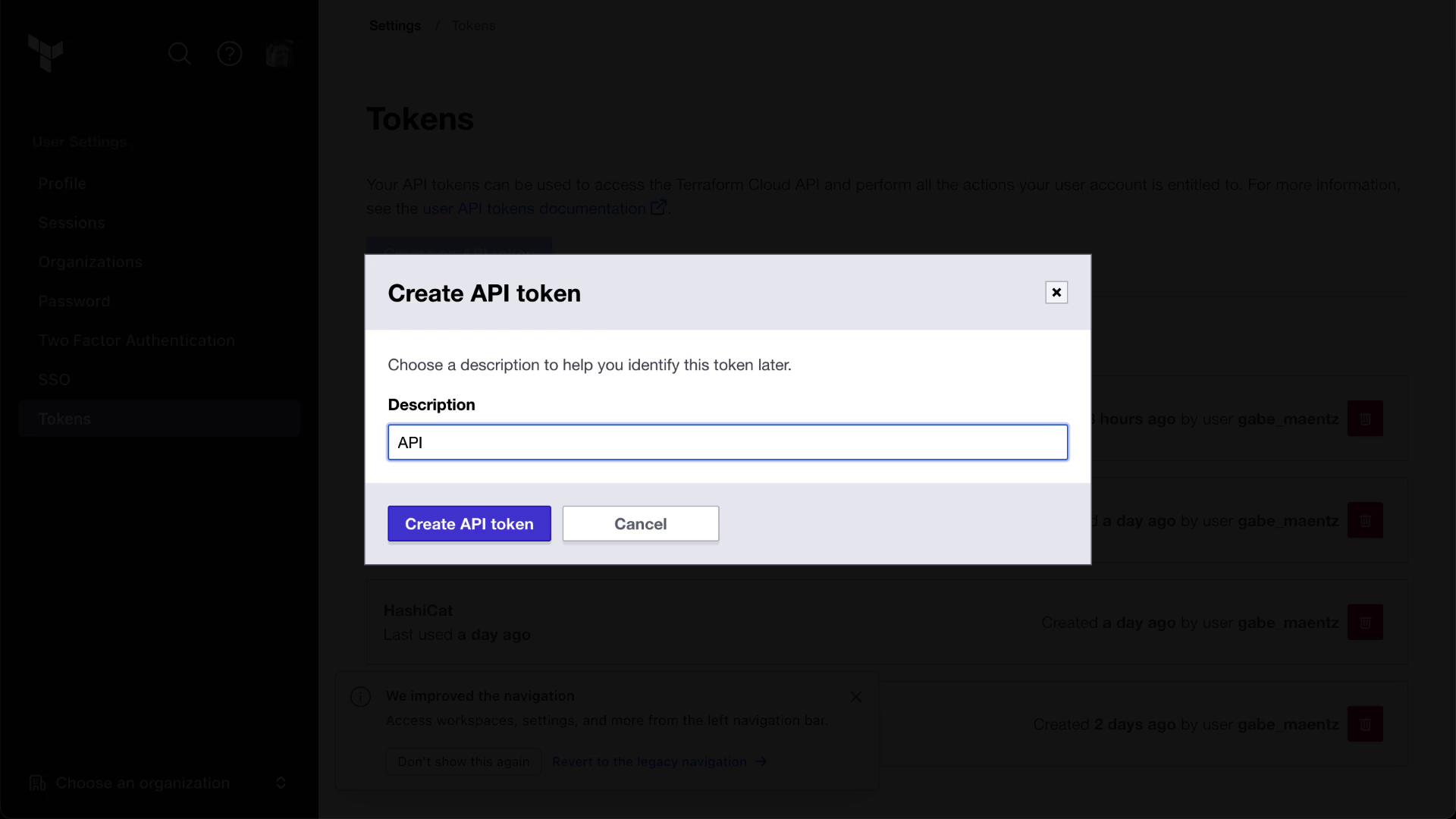
In the Terraform Cloud UI, navigate to User Settings → Tokens and create a new API token:
Export your token and organization name as environment variables (replace MYORGNAME with your org):
export TOKEN = $( grep token ~/.terraform.d/credentials.tfrc.json | cut -d '"' -f4 )
export ORG = "MYORGNAME"
Keep your TOKEN secure. Do not commit it to source control or share it publicly.
2. Retrieve the Workspace ID
Every Terraform Cloud workspace has a unique ID. Store it in an environment variable:
export WORKSPACE_ID = $(
curl -s \
--header "Authorization: Bearer $TOKEN " \
https://app.terraform.io/api/v2/organizations/ $ORG /workspaces/ $WORKSPACE_NAME \
| jq -r '.data.id'
)
You can also copy the workspace ID from the Terraform Cloud UI under your workspace name:
Validate that your environment variables are set correctly:
printenv | grep -E 'TOKEN|ORG|WORKSPACE_ID'
3. Define Variable Payloads
Create three JSON payloads in the json/ directory to configure workspace variables:
File Key Value Category Sensitive HCL placeholder.jsonplaceholder placedog.net terraform false false width.jsonwidth 800 terraform false false height.jsonheight 600 terraform false false
// json/placeholder.json
{
"data" : {
"type" : "vars" ,
"attributes" : {
"key" : "placeholder" ,
"value" : "placedog.net" ,
"category" : "terraform" ,
"hcl" : false
}
}
}
// json/width.json
{
"data" : {
"type" : "vars" ,
"attributes" : {
"key" : "width" ,
"value" : "800" ,
"category" : "terraform" ,
"hcl" : false ,
"sensitive" : false
}
}
}
// json/height.json
{
"data" : {
"type" : "vars" ,
"attributes" : {
"key" : "height" ,
"value" : "600" ,
"category" : "terraform" ,
"hcl" : false
}
}
}
Refer to the Workspace Variables API documentation for details on the POST /workspaces/:id/vars endpoint:
4. Create Workspace Variables via API
Switch into the JSON directory and run the following curl commands:
cd tfc-getting-started/json
curl \
--header "Authorization: Bearer $TOKEN " \
--header "Content-Type: application/vnd.api+json" \
--request POST \
--data @placeholder.json \
https://app.terraform.io/api/v2/workspaces/ $WORKSPACE_ID /vars | jq
curl \
--header "Authorization: Bearer $TOKEN " \
--header "Content-Type: application/vnd.api+json" \
--request POST \
--data @width.json \
https://app.terraform.io/api/v2/workspaces/ $WORKSPACE_ID /vars | jq
curl \
--header "Authorization: Bearer $TOKEN " \
--header "Content-Type: application/vnd.api+json" \
--request POST \
--data @height.json \
https://app.terraform.io/api/v2/workspaces/ $WORKSPACE_ID /vars | jq
Refresh the Variables page in the Terraform Cloud UI to confirm the new variables:
Prepare the apply.json payload to create a run:
// apply.json
{
"data" : {
"attributes" : {
"is-destroy" : false ,
"message" : "Terraform Cloud API is Magic!"
},
"type" : "runs" ,
"relationships" : {
"workspace" : {
"data" : {
"type" : "workspaces" ,
"id" : "REPLACEME"
}
}
}
}
}
Replace REPLACEME with your $WORKSPACE_ID:
sed -i "s/REPLACEME/ $WORKSPACE_ID /" apply.json
On macOS, use sed -i '' for inline replacements.
Using the Runs API documentation , execute:
curl \
--header "Authorization: Bearer $TOKEN " \
--header "Content-Type: application/vnd.api+json" \
--request POST \
--data @apply.json \
https://app.terraform.io/api/v2/runs | jq
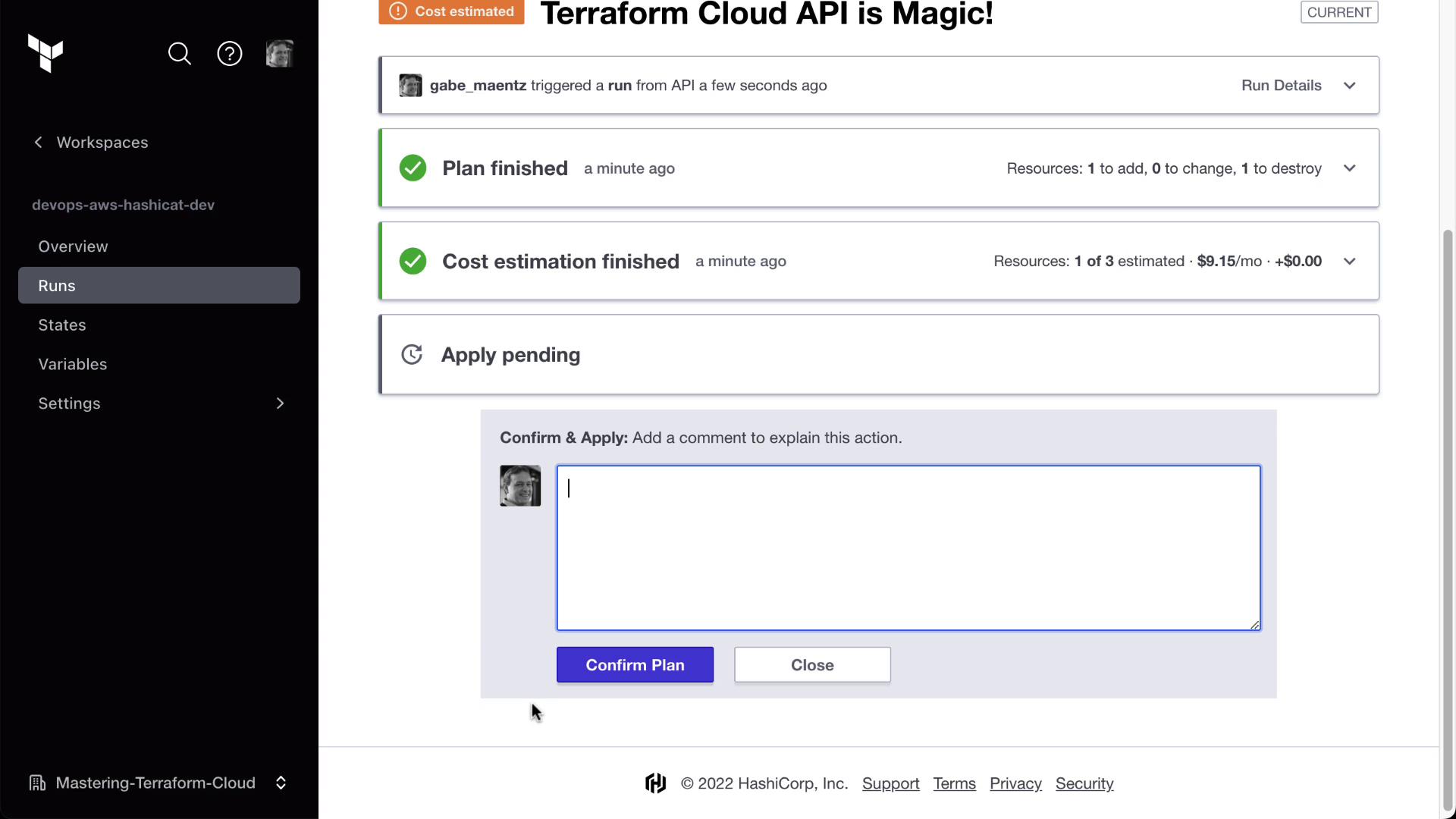
Monitor the run status (pending, planned, applied) in the Terraform Cloud UI:
Conclusion
You have successfully:
Authenticated to Terraform Cloud via CLI
Used the Workspace Variables API to set variables
Triggered a Terraform run through the Runs API
Next steps: explore additional API endpoints for run cancellation, policy checks, cost estimation, and more.
Links and References