Prerequisites
Cost Estimation is available in the Team & Governance tier of Terraform Cloud. If you’re not on this tier yet, start a free trial to enable cost forecasting features.
1. Enable Cost Estimation
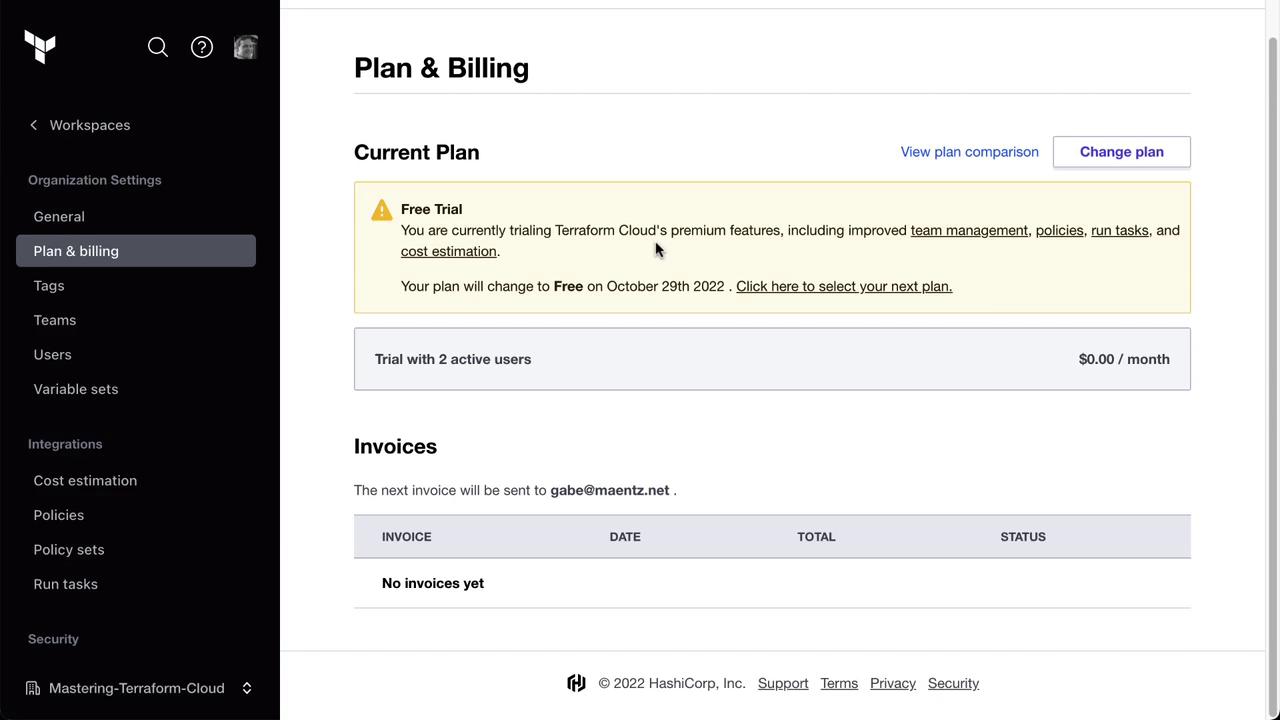
- Navigate to Settings > Plan & Billing in your Terraform Cloud organization to confirm your Team & Governance tier and trial status.
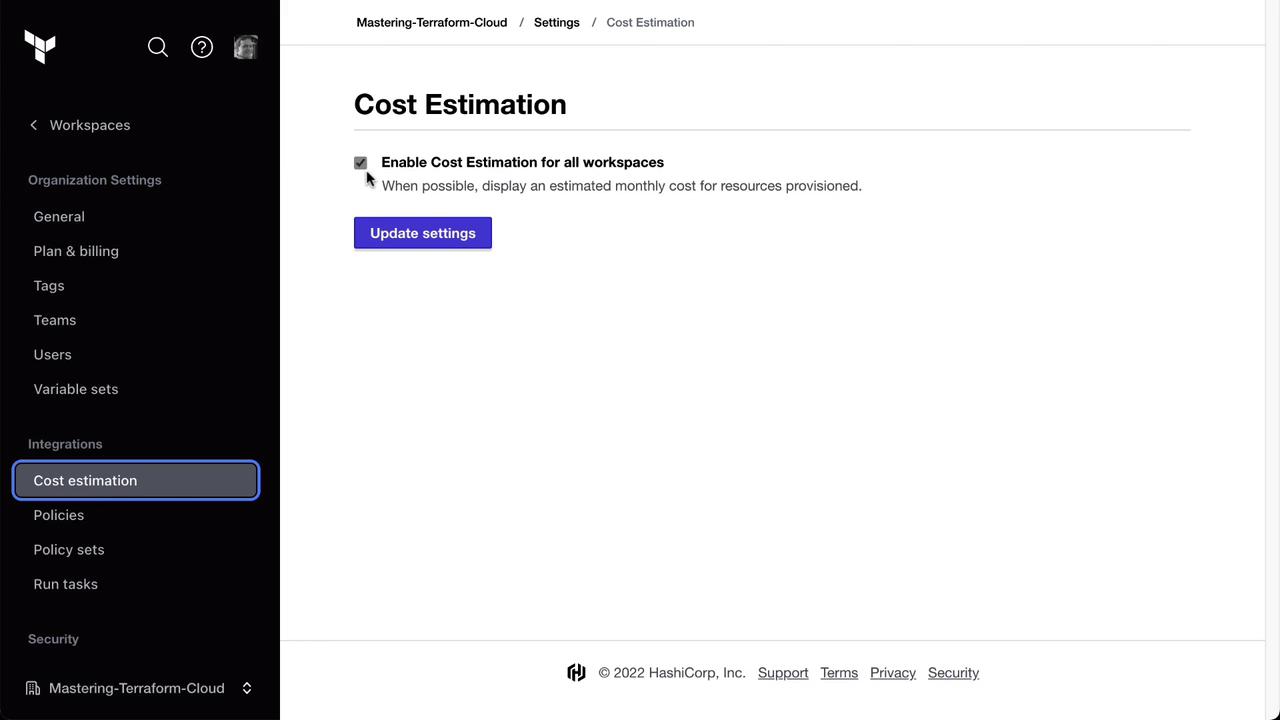
- Next, go to Settings > Cost Estimation Integration, enable cost estimation for all workspaces, and click Update Settings.
2. Viewing Cost Estimates
After enabling the feature, open any workspace (for example, MyAppDev) and trigger a plan. The Cost Estimation stage appears immediately after the Terraform plan phase: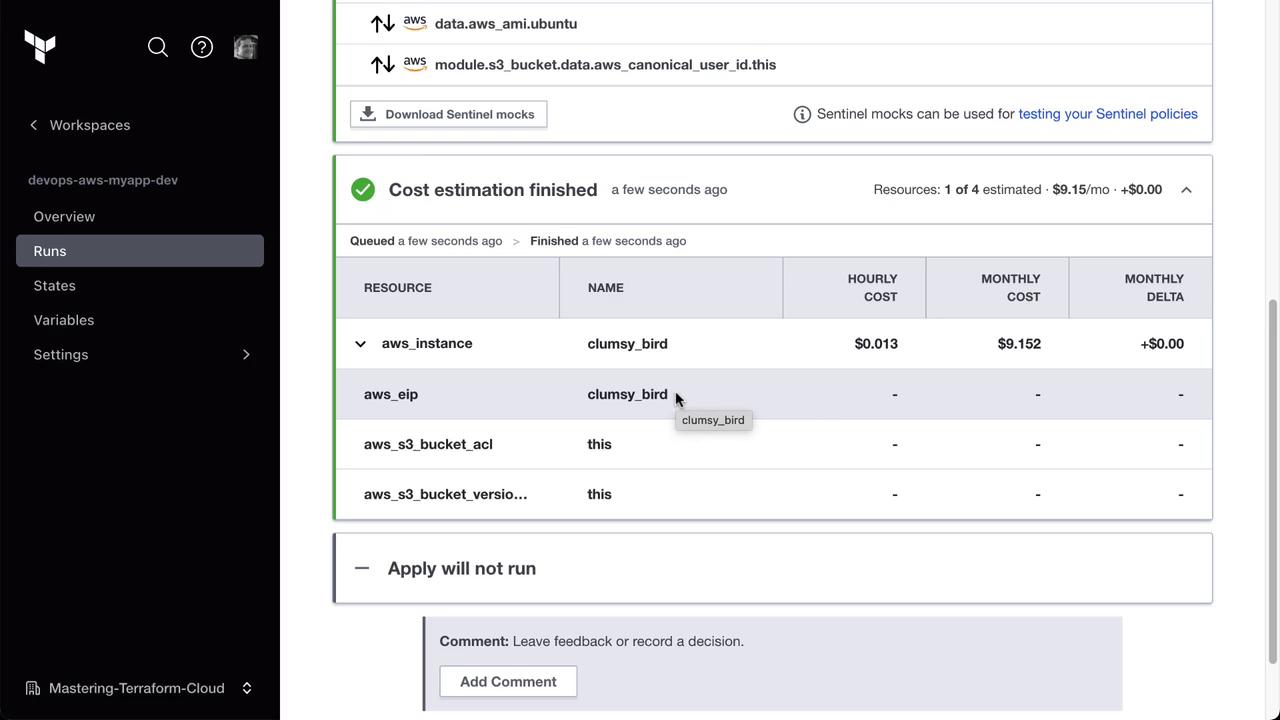
- Hourly Cost: Estimated rate per hour for each resource.
- Monthly Cost: Projected charge over a full month.
- Monthly Delta: Difference between the new monthly cost and the current state.
3. Testing Cost Impact
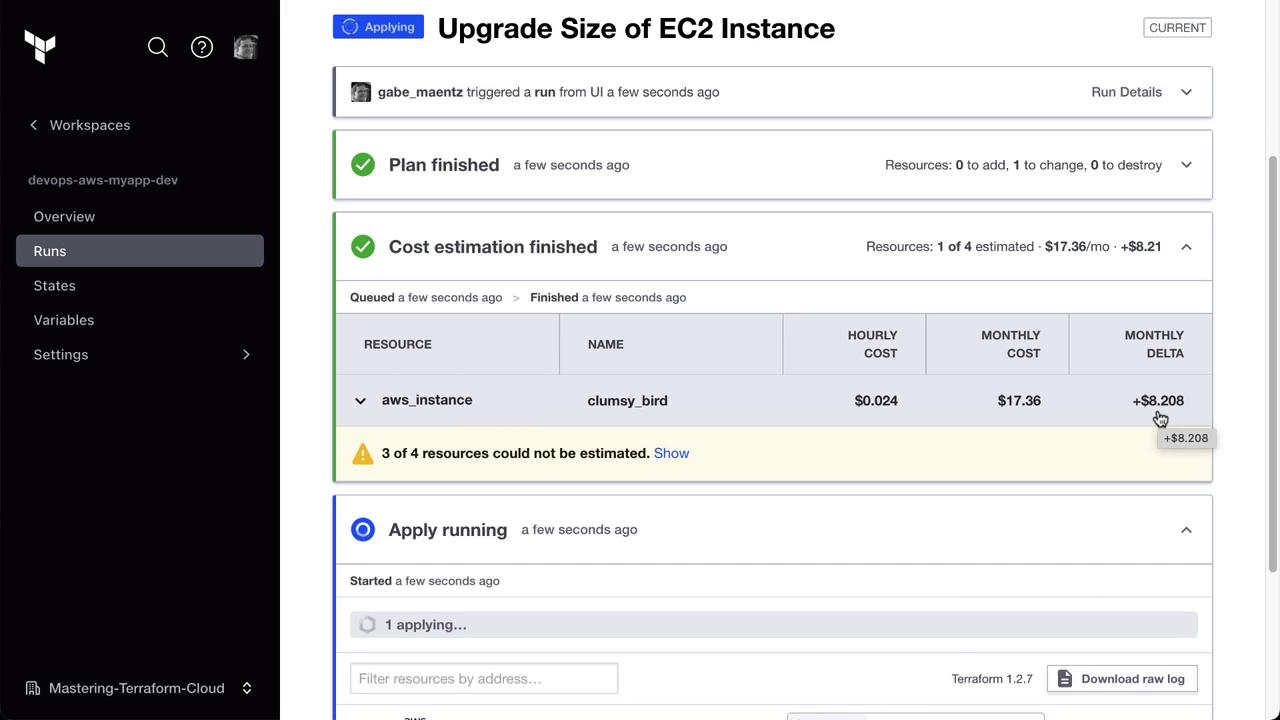
Modify your Terraform code to see how changes affect cost. For instance, update the EC2 instance type for the Clumsy Bird application fromt2.micro to t2.small, commit your change, and run a new plan. The Cost Estimation section will highlight the updated delta: