

- The model — Zippy’s brain that does the thinking.
- Tools — Zippy’s hands to interact with the world.
- Memory — everything Zippy currently knows (context).
- Orchestration — the loop that ties perception, reasoning, and action together.
- The system prompt — instructions and personality for Zippy.
Quick reference: the five components
1) The model — the agent’s brain
The model (an LLM) reads the current conversation and context, decides what to do next, and generates either a final response or a tool call. The model choice affects capability, latency, cost, and safety characteristics. Most agents use a single model for simplicity, but some use multiple models (a fast/cheap model for routine tasks and a larger model for complex reasoning). That single vs. multi-model decision is a trade-off between cost, latency, and capability.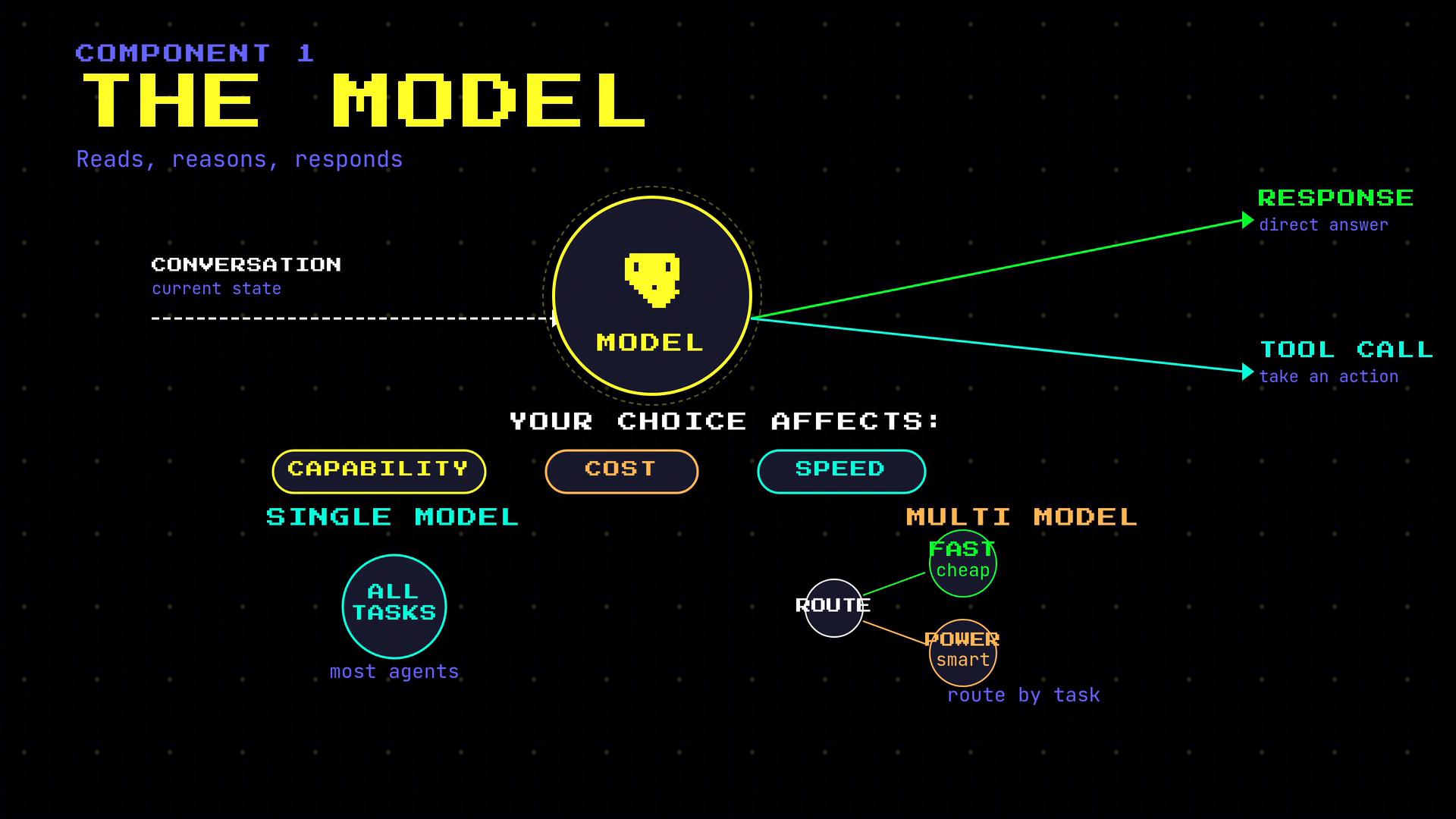
- Benchmark common tasks on candidate models for latency/cost.
- Use model ensembles or routing when different tasks have different needs.
- Include model-specific guardrails (e.g., temperature, token limits).
2) Tools — the agent’s hands
Tools are the functions the agent can call to interact with the outside world. Without tools, an agent is effectively a chatbot; with tools, it can act: search the web, query databases, send email, run code, or call APIs. Think of tools as the bridge between reasoning and action. The set of tools you give Zippy directly determines what he can do.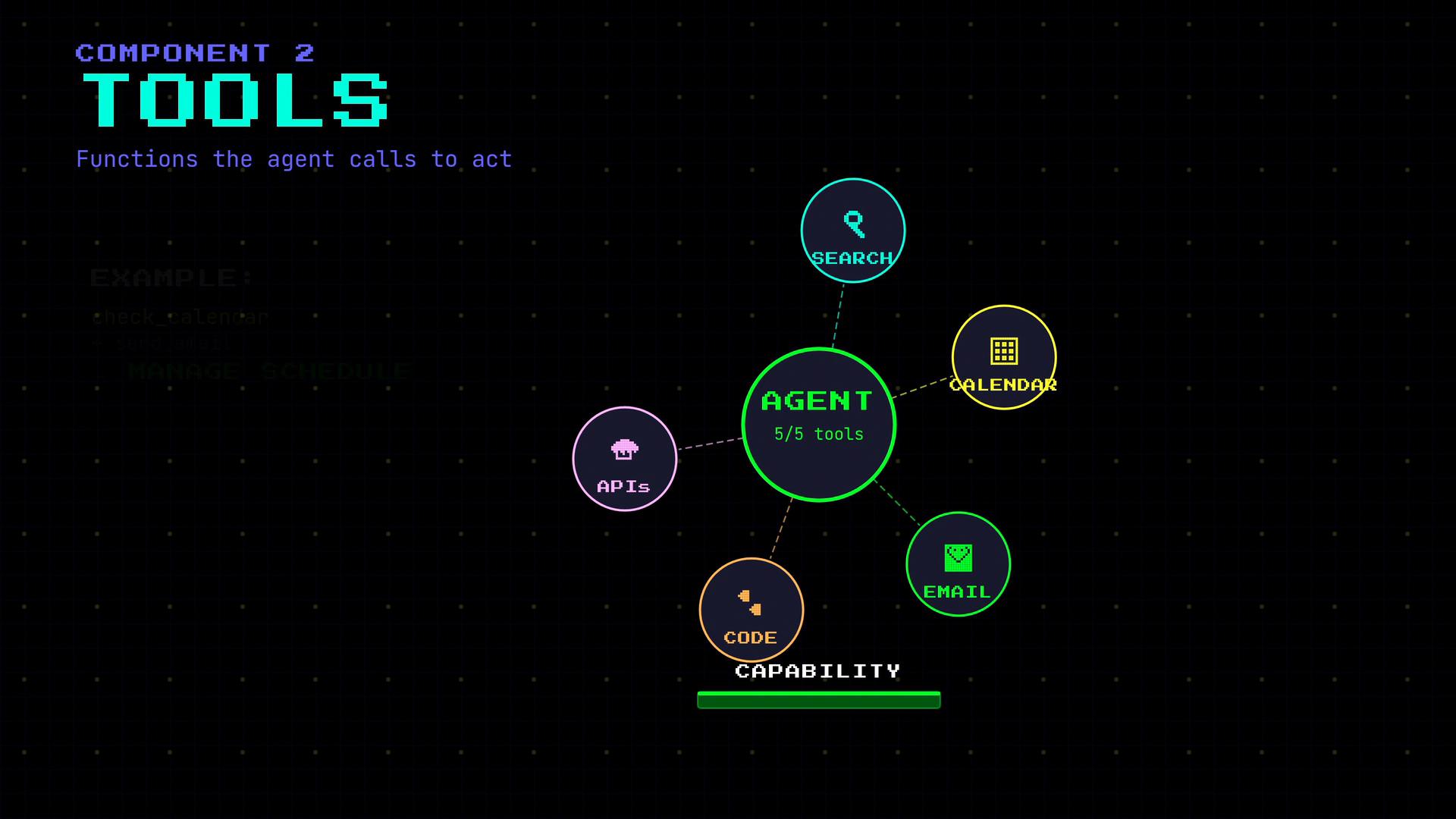
- Keep tool interfaces small and predictable (name, args, return type).
- Validate tool arguments before execution.
- Sanitize and log tool outputs for auditability and debugging.
3) Memory — the agent’s workspace
Memory is everything available to the model when it makes a decision: conversation history, recent tool results, the system prompt, and any retrieved documents. All of this lives inside the context window, which is a hard token limit. Deciding what to keep, summarize, or evict is a core engineering challenge.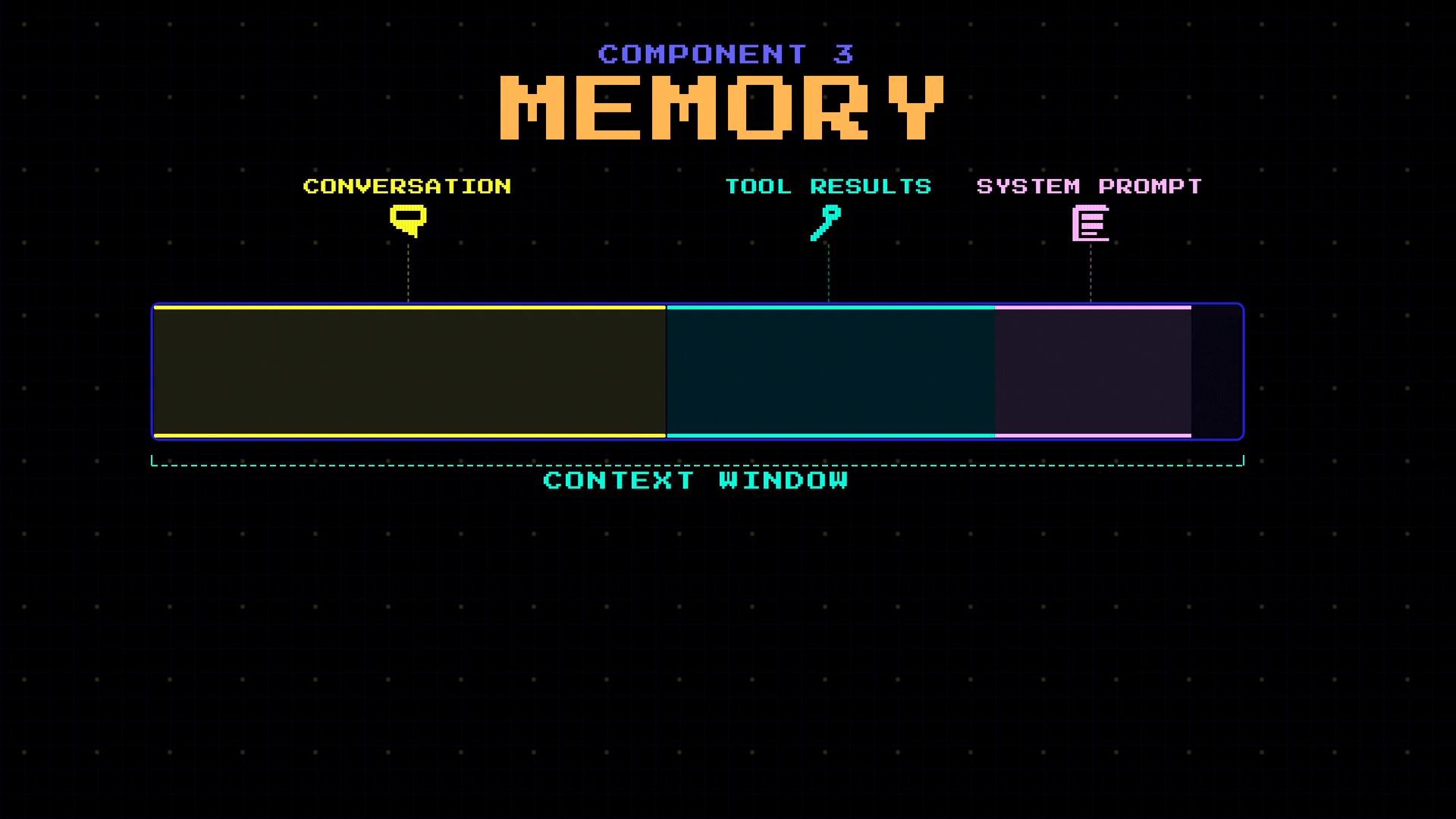
Memory is finite. Common strategies to keep essential context within token limits include: summarization, retrieval-augmented storage (vector DBs), compression, and selective eviction.
- Store long-term facts in a retrieval system (vector store) and fetch relevant snippets at run time.
- Use incremental summarization for long conversations.
- Track provenance for facts retrieved from tools or external sources.
4) Orchestration — the perceive → reason → act loop
Orchestration is the glue: the code that runs the agent loop. It typically sends the current conversation and relevant memory to the model, executes any requested tool calls, appends results to the conversation, and repeats until the model returns a final response. A minimal orchestration loop looks like this:- Most of the agent’s “intelligence” comes from the model’s reasoning, not the orchestration code.
- Orchestration must handle errors, retries, timeouts, and security checks for tool calls.
- Keep orchestration modular: separate model I/O, tool execution, memory management, and logging.
5) The system prompt — defining role & constraints
The system prompt (or “system message”) instructs the model about role, purpose, available tools and how to use them, constraints, safety rules, and the expected output format. A strong system prompt reduces unpredictability and can remove unnecessary complexity from orchestration.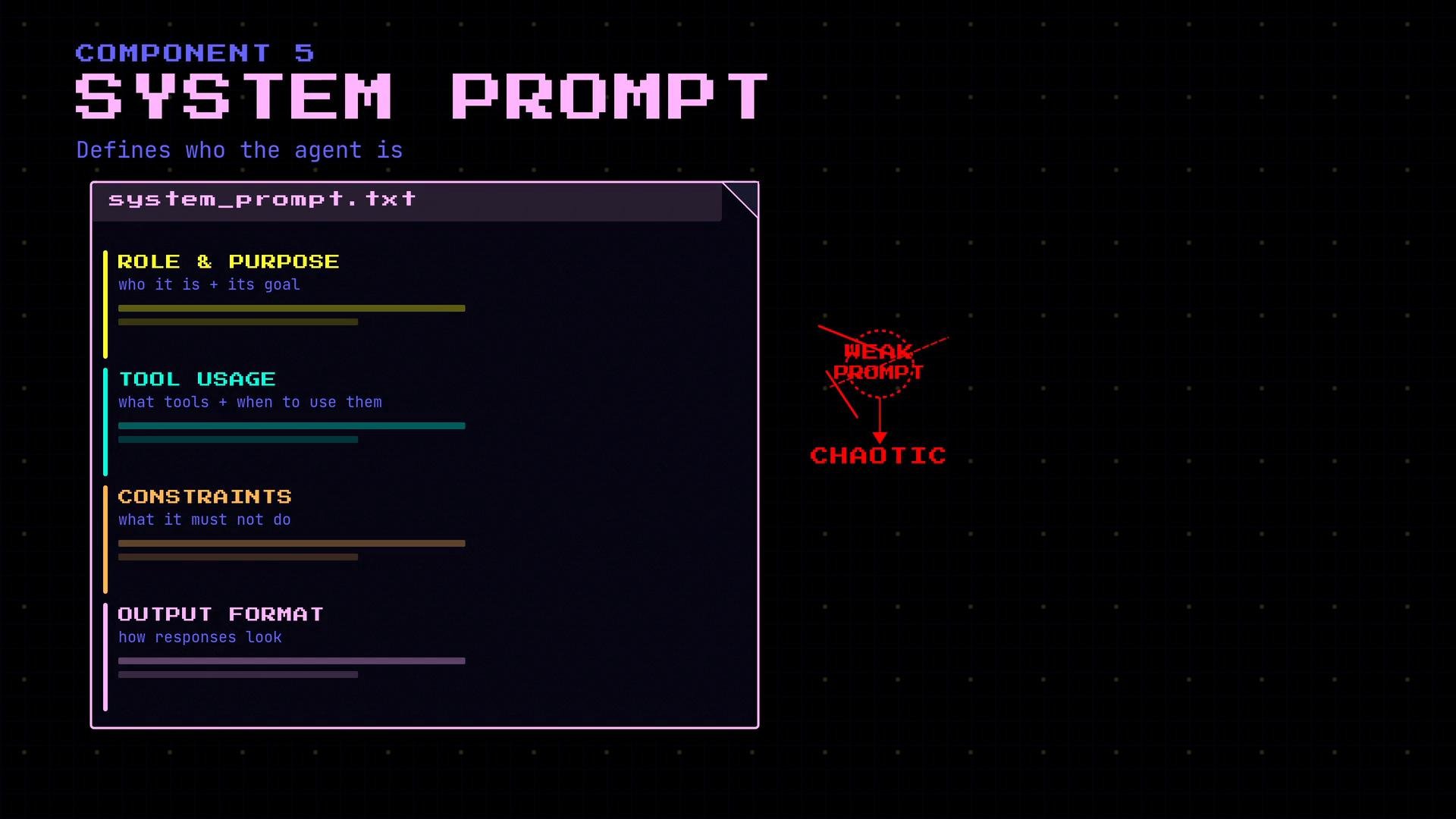
- Be explicit: list tools, expected inputs/outputs, and when tools should be called.
- Define safety rules and refusal behavior.
- Provide output templates to simplify downstream parsing.
Example: how OpenClaw composes the five components
OpenClaw implements the five components in production with practical choices for reliability and scalability:- Model: multi-provider support (Anthropic Claude, OpenAI GPT family, Google Gemini) with automatic failover.
- Tools: shell/batch execution, web browsing, and channel messaging tools.
- Memory: session history + compression and retrieval once the context window fills.
- Orchestration: a central agent loop implementing perceive → reason → act with logging and retry logic.
- System prompt: configurable instructions that define personality, constraints, and tool usage rules.
Final notes
Now that you know the five components, remember: memory management is where a lot of the engineering effort concentrates. Efficient summarization, retrieval, and token budgeting strategies are critical for reliable, capable agents. Future sections will explore memory techniques, tool design patterns, and orchestration best practices.Links and references
- OpenAI documentation
- Anthropic developer docs
- Google Generative AI overview
- LangChain: agent patterns and tools
- Retrieval-augmented generation (RAG) patterns and vector stores for memory management