Lesson 11: Workflows versus Agents Developers routinely combine large language models (LLMs) with external tools to build intelligent applications. There are two common architectural approaches:
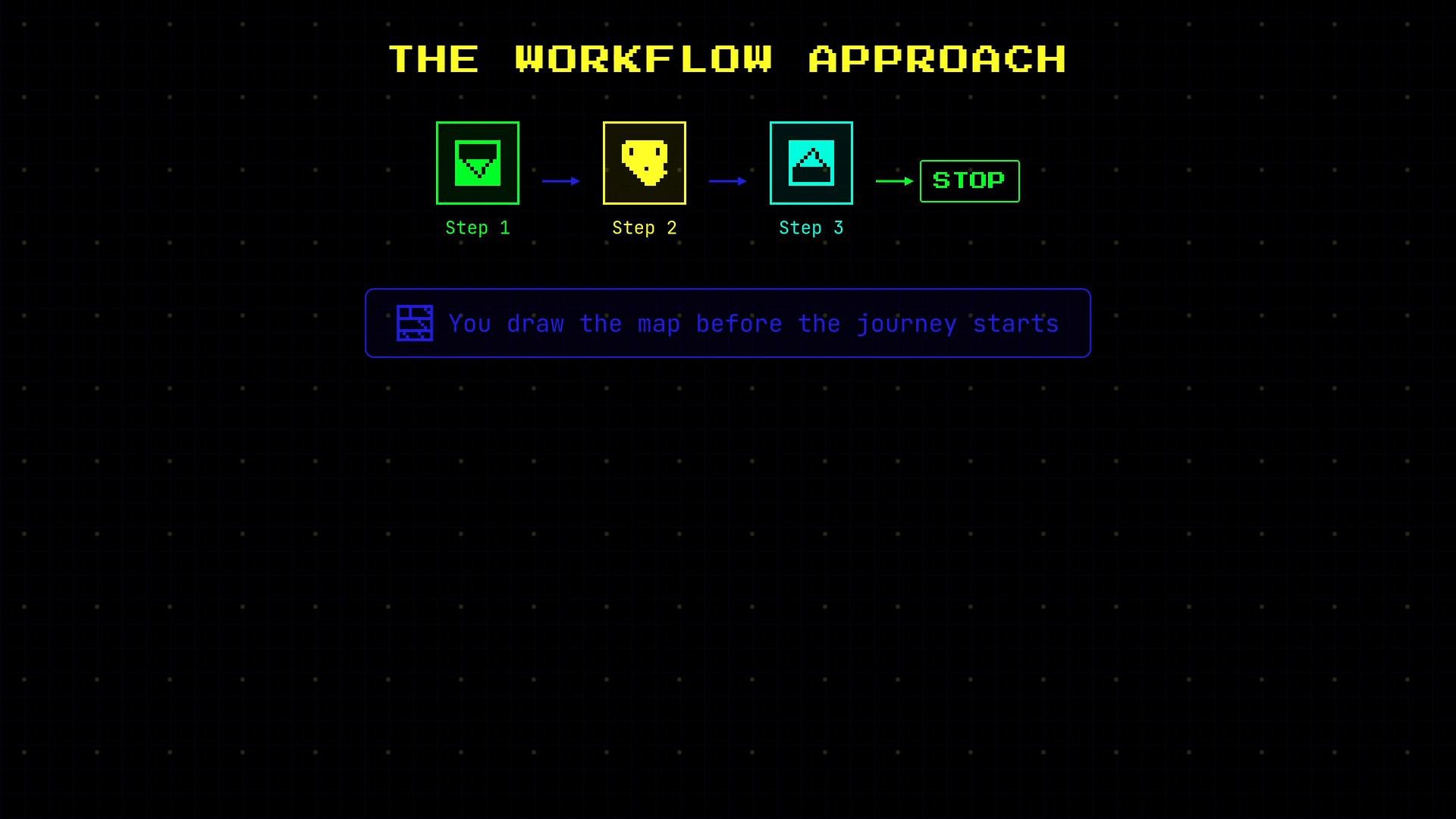
  • Workflows — where the developer draws the entire map in advance: which steps run, in what order, and when to stop.
  • Agents — where the LLM can inspect the situation at runtime, choose tools, and decide the next steps dynamically.
Understanding the differences helps you pick the right pattern for cost, latency, observability, and safety.
A retro neon-style infographic titled "THE WORKFLOW APPROACH" showing three sequential steps (Step 1 → Step 2 → Step 3 → STOP) with pixel icons and a caption box that reads "You draw the map before the journey starts."
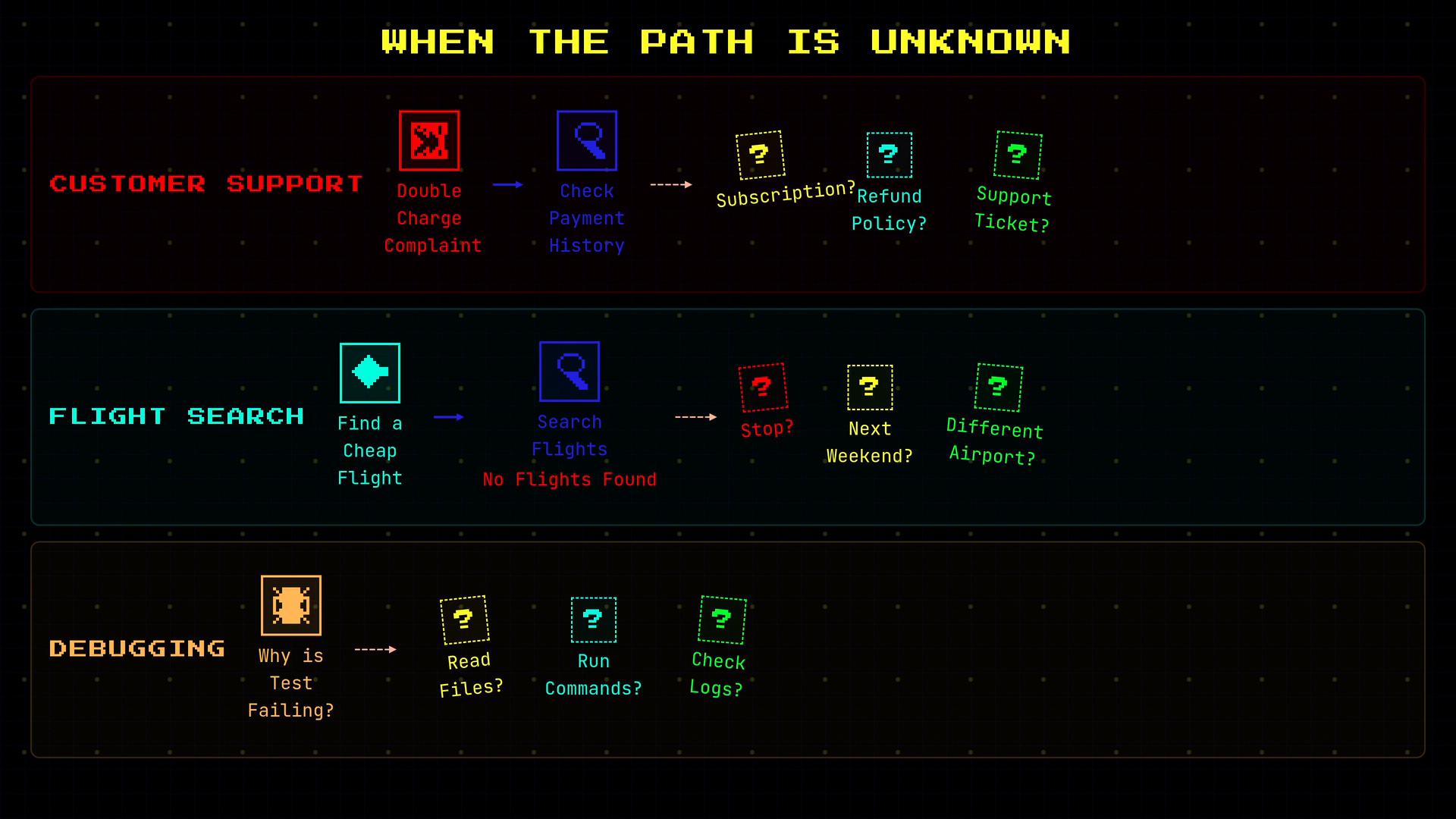
There are many scenarios where predefining every path is impractical. Real-world examples:
  • A customer reports a duplicate charge: you might first check payment history, then branch to subscription details, refund rules, or existing tickets depending on what you find.
  • A user asks for “cheap flights to London next weekend”: if none are available, should you search nearby airports, try alternate dates, or offer multi-city itineraries?
  • A developer asks the AI “Why is this test failing?”: that could require reading files, running commands, or inspecting logs — each bug may take a different path to resolution.
When the next action depends on intermediate results, you need a mechanism that can decide dynamically what to do next.
A retro neon-styled flowchart infographic titled "WHEN THE PATH IS UNKNOWN" showing three problem tracks—Customer Support, Flight Search, and Debugging—with icons and dotted question‑mark decision steps. Each row maps example steps and uncertain next actions (e.g., check payment history, try a different weekend/airport, read files or run commands).
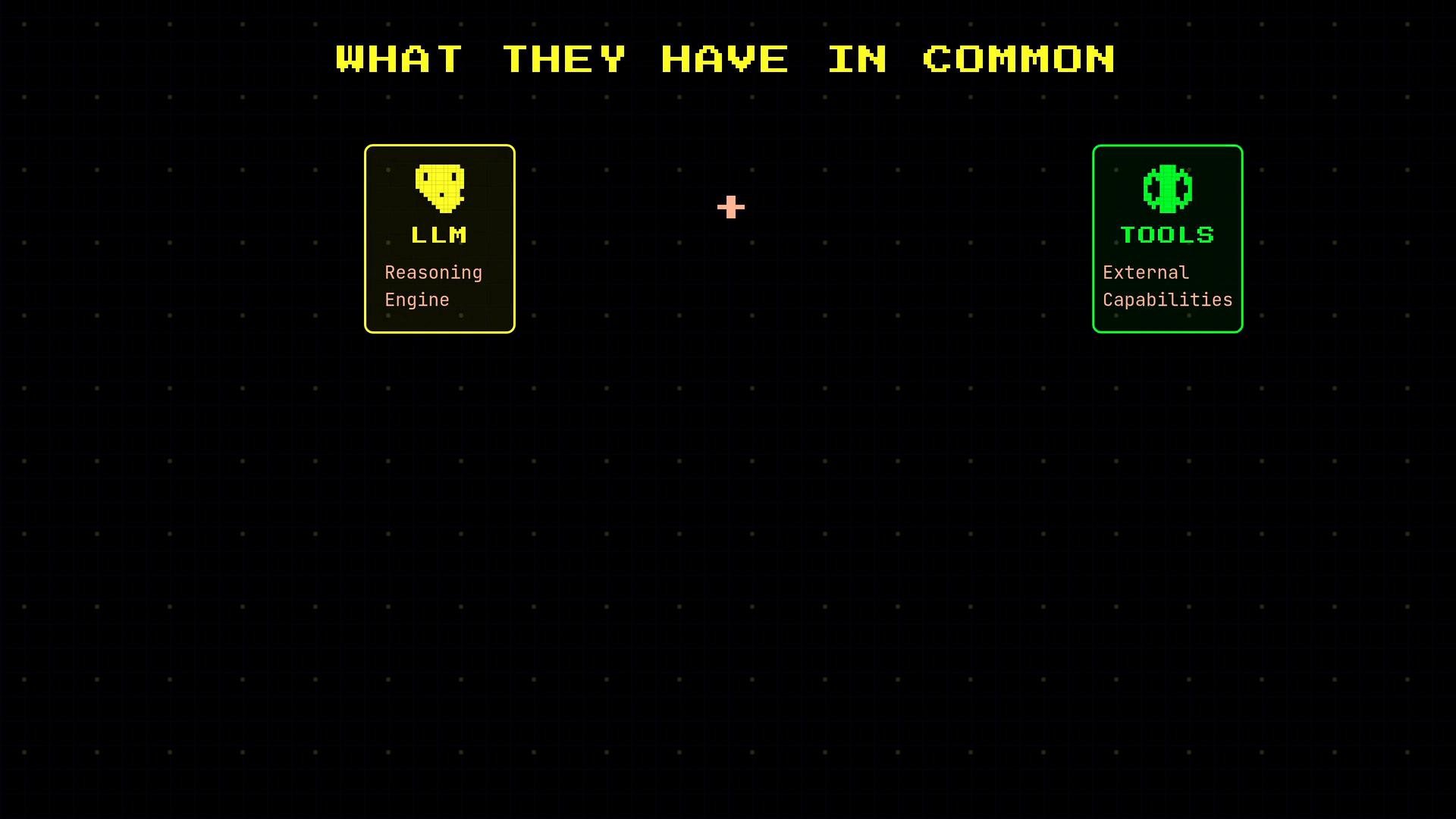
Both workflows and agents combine LLM reasoning with external tools (APIs, databases, command runners, etc.). They share the same building blocks, but the locus of control differs.
A retro-style graphic titled "WHAT THEY HAVE IN COMMON" showing two cards: a yellow "LLM – Reasoning Engine" card on the left and a green ".TOOLS – External Capabilities" card on the right, with a small plus sign between them.
Key distinction: who controls the flow.
  • Workflows — the developer encodes steps, branching, and termination logic. The LLM is invoked at specific steps to perform tasks (classification, generation, translation), but it does not decide the sequence.
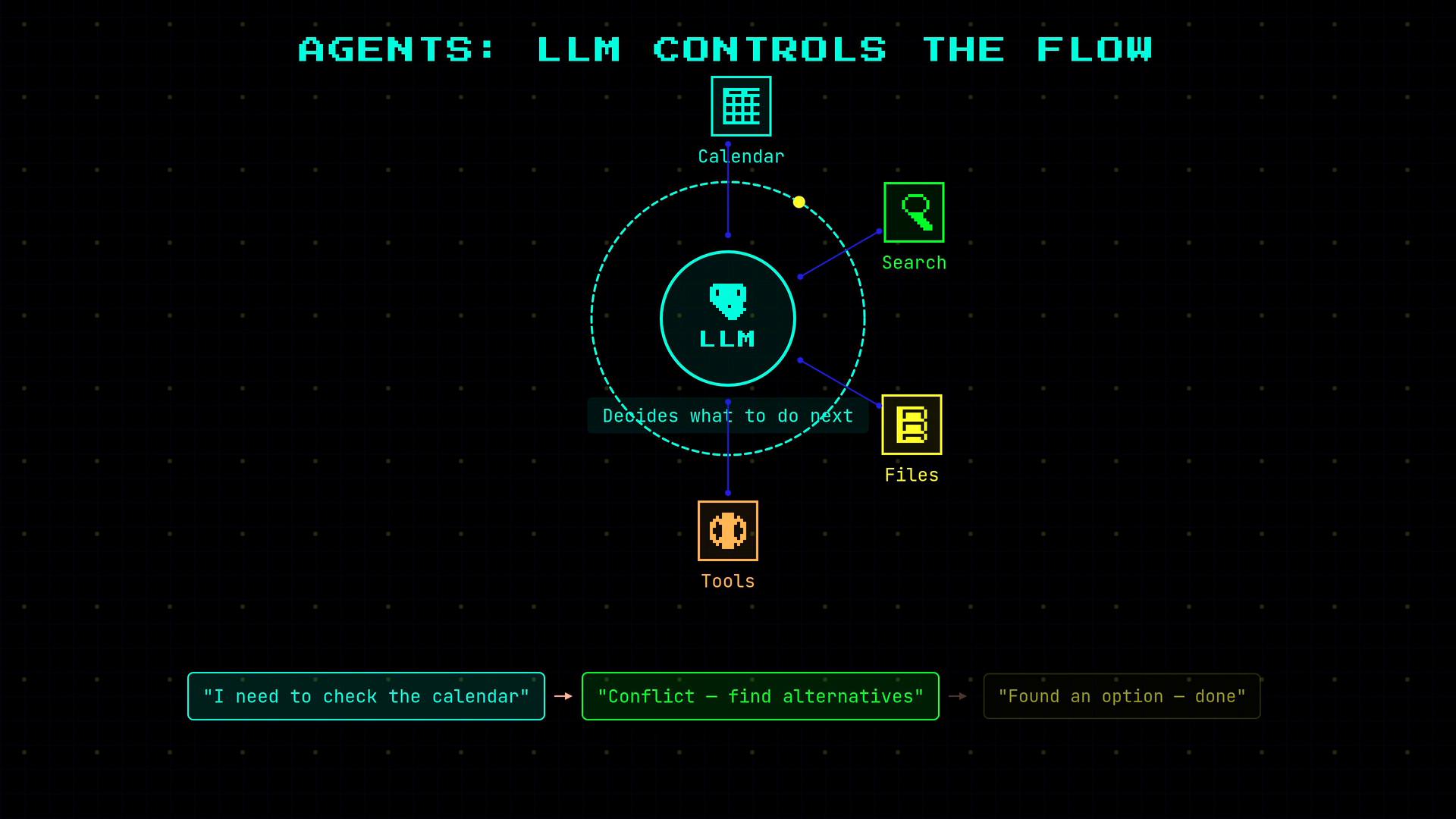
  • Agents — the LLM inspects the current context, selects and calls tools, evaluates outputs, and chooses subsequent actions until the task is completed.
Example developer-defined flow:
Example agent-driven flow: “I need to check the calendar” → call calendar tool → “There’s a conflict — search for alternatives” → call search tool → “Found an option — call response tool.”
A neon-style diagram titled "AGENTS: LLM CONTROLS THE FLOW" showing an LLM at the center connected to Calendar, Search, Files, and Tools. Below it is a short text flow: "I need to check the calendar" → "Conflict — find alternatives" → "Found an option — done."
The developer still provides the toolset, APIs, and safety guardrails; the difference is whether your program or the LLM orchestrator chooses which tools to call and when. Execution characteristics at a glance: This is a continuum rather than a binary choice. Systems can mix approaches:
  • Routing: LLM chooses one of several predefined workflows.
  • Orchestrator: LLM generates or sequences subtasks for developer tools.
  • Autonomous agent: LLM loops, calls tools, and decides when to stop.
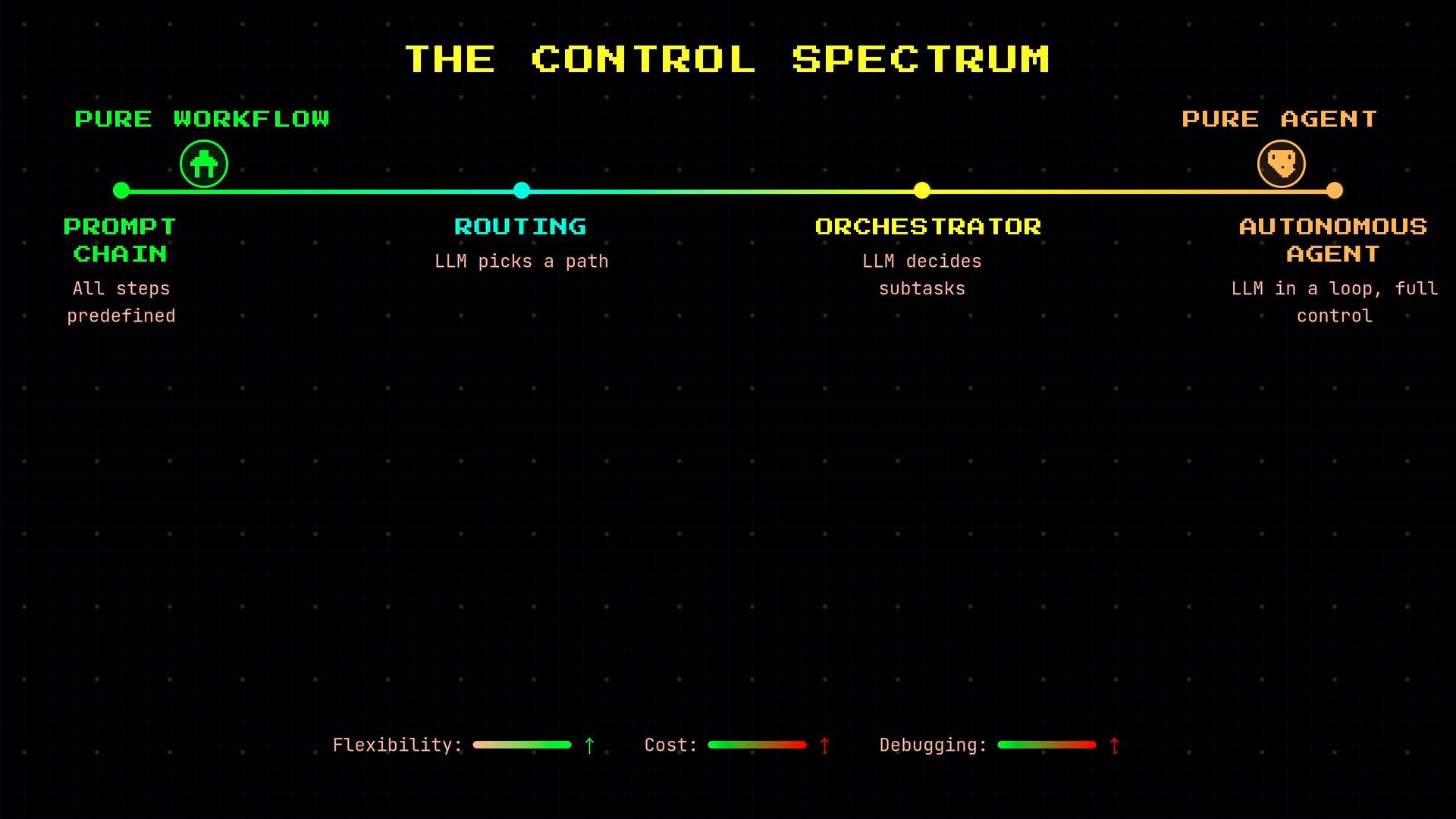
Moving right on the spectrum increases flexibility but raises cost, latency, and observability challenges.
A stylized infographic titled "The Control Spectrum" showing a colored horizontal continuum from "Pure Workflow" (prompt chain) through "Routing" and "Orchestrator" to "Pure Agent" (autonomous agent). Each stage has brief descriptions (e.g., "LLM picks a path", "LLM decides subtasks") and small meters at the bottom for flexibility, cost, and debugging.
If you can enumerate every path and outcome before execution, implement a workflow: it offers predictability, lower cost, and simpler debugging. If the task requires dynamic decisions based on intermediate outputs, design an agentic system—but plan for higher cost, variable latency, and stronger observability and safety controls.
Ask yourself: can I draw a flowchart of every possible path before running it? If yes, choose a workflow. If not, consider an agentic design and invest in logging, traceability, and guardrails. Links and references

Watch Video