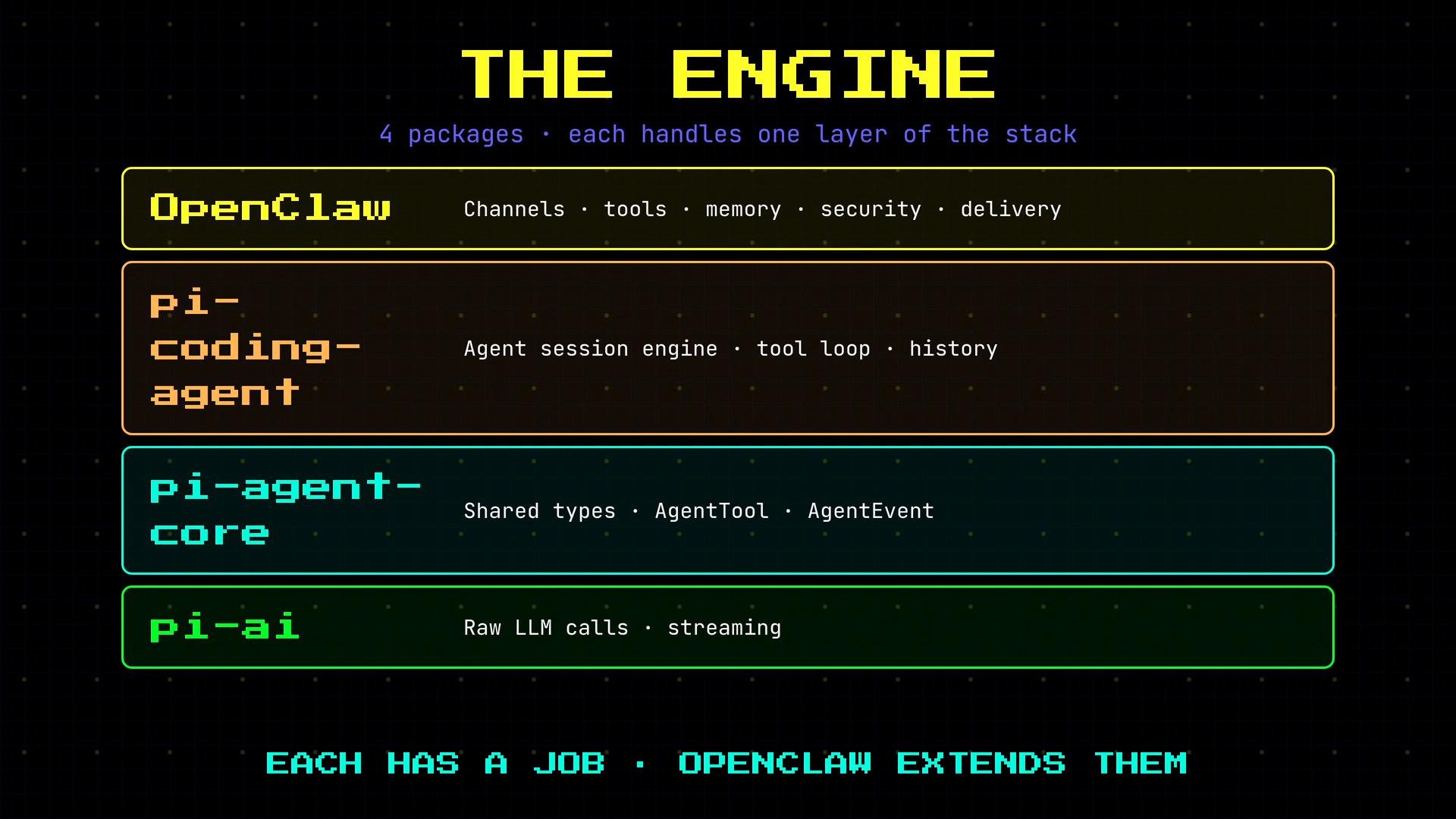
- PyLLM (pi-ai) — raw LLM calls and token streaming (foundation).
- PyAgent (pi-agent-core) — shared types and runtime events.
- PyAgentCoding (pi-coding-agent) — agent session engine, tool loop, and history.
- OpenClaw — channels, tools, memory, security, and delivery (edges and orchestration).
PyLLM (pi-ai) — LLM transport and streaming
PyLLM is the low-level provider integration layer. It performs the HTTP requests to model providers and returns tokens as they stream. OpenClaw uses PyLLM in three main scenarios:- Agent loop —
streamSimpleis the streaming call used to send the conversation to the model and receive token deltas. OpenClaw wraps this call to inject temperature, caching, routing headers, and other runtime tuning. - Voice synthesis — when converting a long assistant response to speech, OpenClaw summarizes the response using a non-streaming completion (e.g.,
completeSimple) before passing it to a TTS provider. - Image analysis — when an agent needs to analyze images, OpenClaw calls PyLLM for non-streaming completions for image captioning or related tasks.
PyAgent (pi-agent-core) — shared types and runtime events
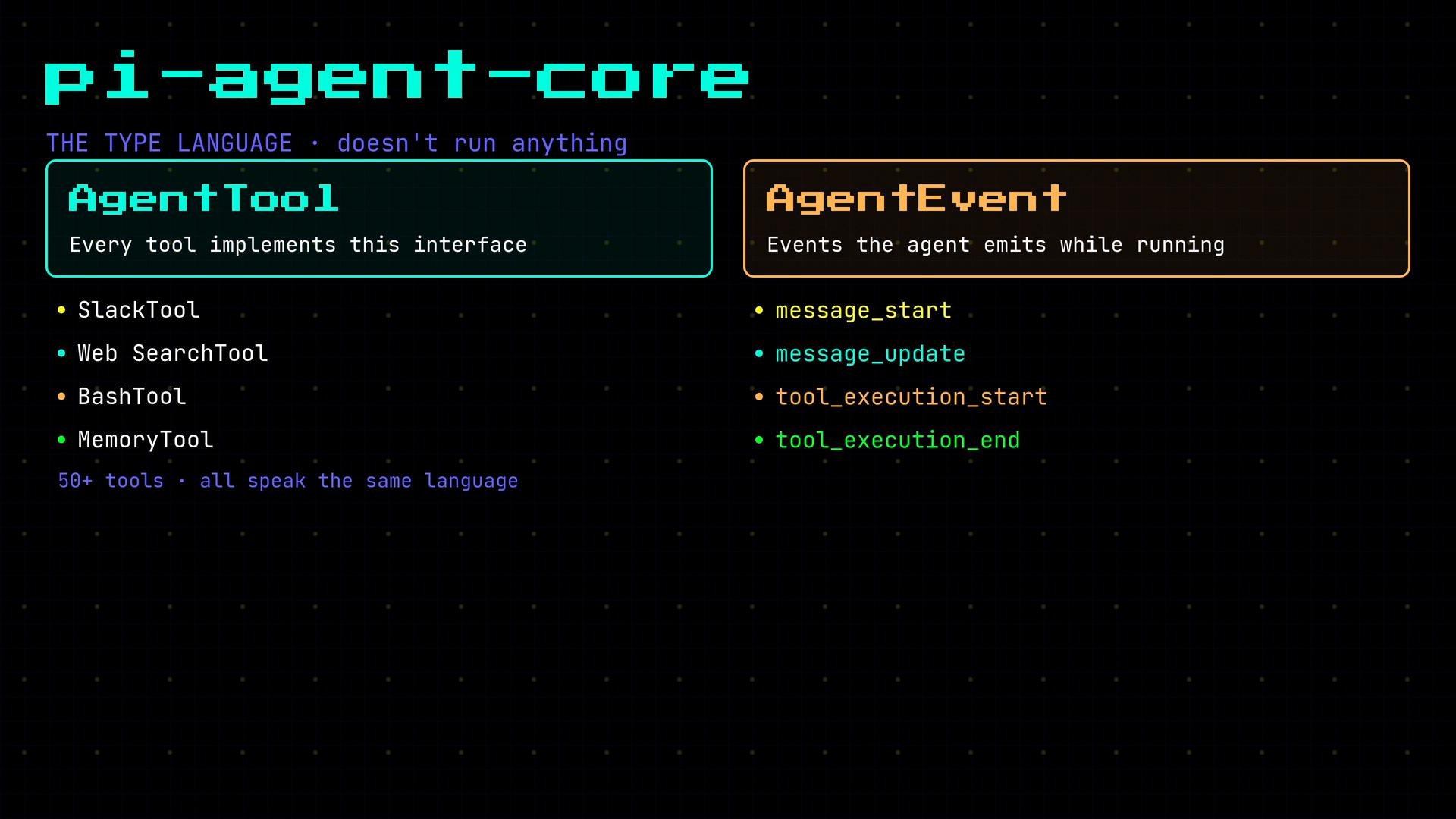
PyAgent defines the common interfaces and events used across OpenClaw and the other packages. Two core concepts are:- AgentTool: the interface implemented by every tool exposed to the agent (SlackTool, WebSearchTool, BashTool, MemoryTool, etc.). Implementing
AgentToolallows tools to be invoked uniformly by the agent loop. - AgentEvent: runtime events emitted during session execution, such as
MessageStartEvent,MessageDeltaEvent,ToolExecutionStartEvent, andToolExecutionEndEvent. OpenClaw subscribes to these events to stream partial responses and tool outputs back to channels and UIs in real time.
PyAgentCoding (pi-coding-agent) — the agent session engine
PyAgentCoding is the heart of the runtime that OpenClaw relies on heavily. It provides a session object responsible for:- Holding conversation state and the message history.
- Running the tool call loop (detecting and invoking tools).
- Persisting history to disk.
- Emitting the
AgentEvents that other layers subscribe to.
createAgentSession. OpenClaw constructs a session with a session file, a model specification, and the set of tools available to the agent. Calling session.prompt(text) runs the agent loop: it sends messages to the model, detects tool calls, executes tools, loops until the agent reaches a completion, and writes history.
Example usage (JavaScript):
PyAgentCoding ships with a default system prompt, but OpenClaw completely replaces it. OpenClaw builds a dynamic system prompt from 19 sections that are assembled at runtime depending on the agent, the originating channel, and enabled skills. This allows fine-grained control over agent behavior per-channel and per-skill.
File tool operations are sandboxed by OpenClaw. Do not disable path enforcement in production or you risk exposing host files to agent access.
PyUI — terminal UI primitives used by OpenClaw
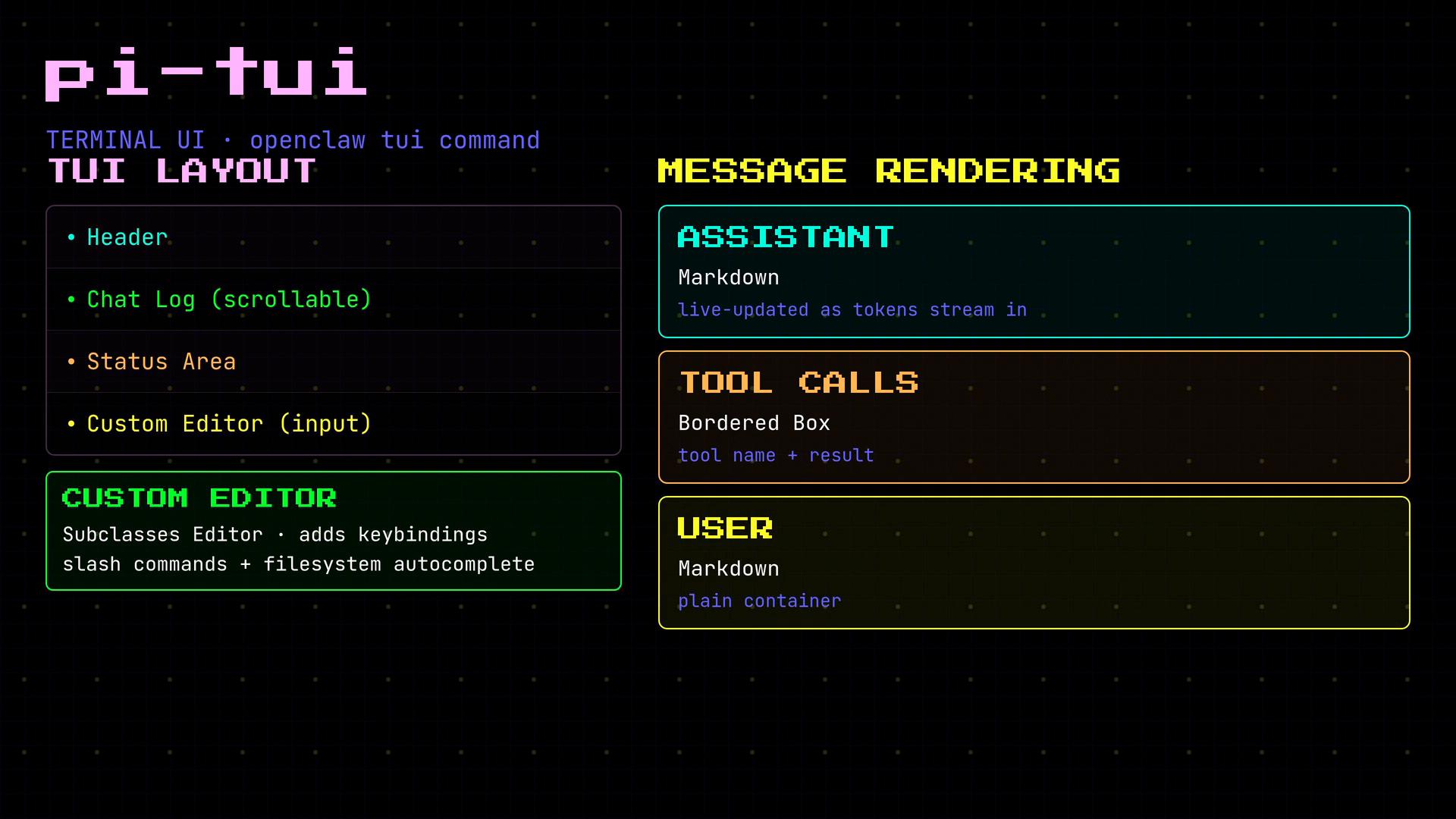
PyUI provides the TUI primitives that OpenClaw’stui command uses. PyUI supplies a basic chat UI (header, scrollable chat log, status area, and a custom editor). OpenClaw subclasses the editor to add key bindings and a combined autocomplete (slash commands + filesystem paths).
Message rendering behavior:
- Assistant messages: rendered with a Markdown component and updated live as tokens stream in.
- Tool calls: rendered inside a bordered box showing structured tool output.
- User messages: rendered as plain Markdown.
The complete request/response flow in OpenClaw
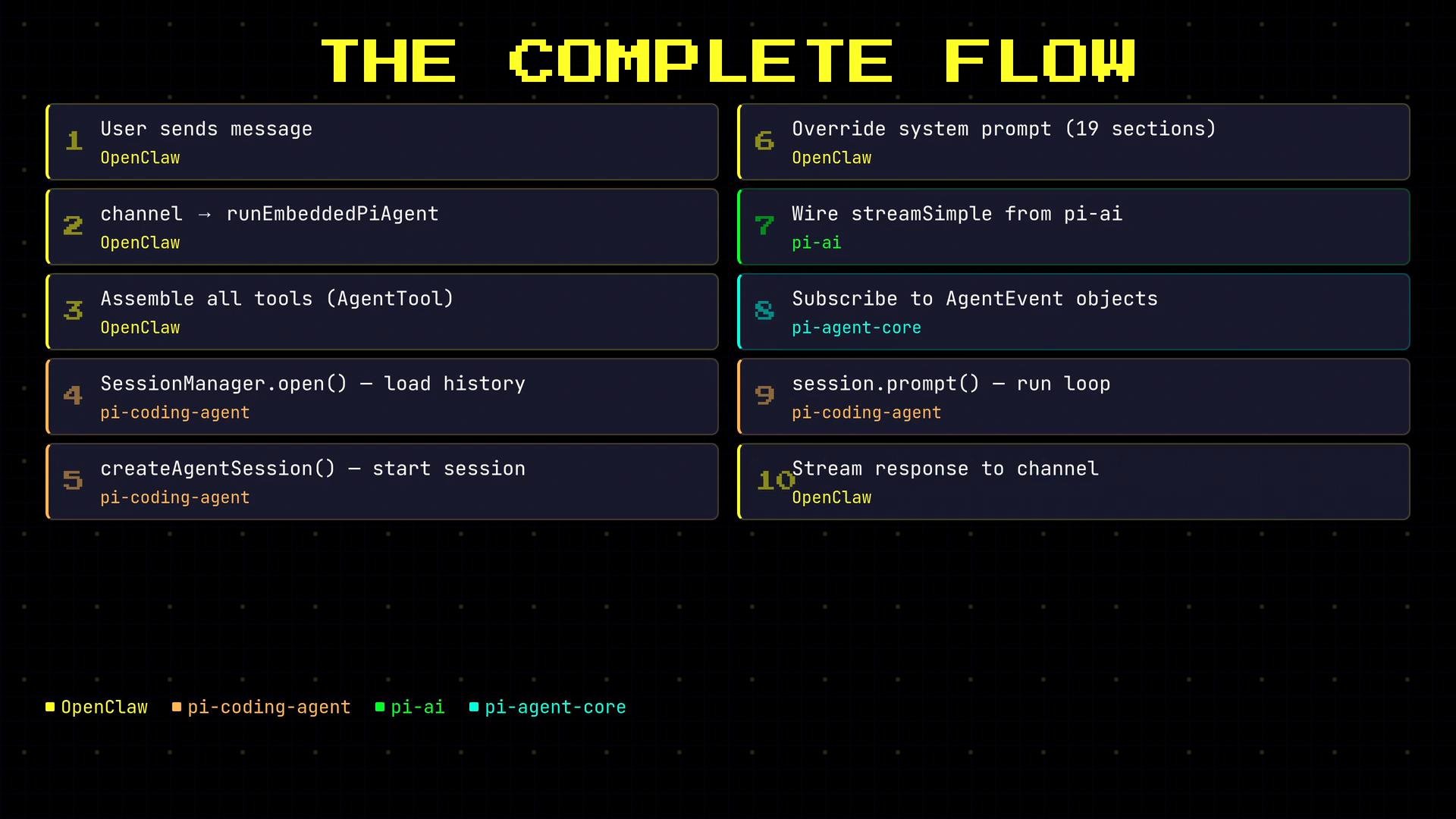
All messages funnel through the same end-to-end path. Below is the canonical flow OpenClaw implements when processing a user message:- A user sends a message through a channel (Slack, Terminal, Web UI, etc.).
- The channel calls
runEmbeddedPyAgentor the appropriate OpenClaw entrypoint. - OpenClaw assembles the toolset: file tools (sandboxed), channel tools, and any custom tools — each implements
AgentTool. SessionManagerloads history from disk and callscreateAgentSession.- OpenClaw overrides the default system prompt with its dynamic, multi-section prompt.
- PyLLM’s
streamSimpleis wired in and wrapped with OpenClaw-specific headers, routing, and tuning. - Event handlers subscribe to
AgentEventobjects so UIs and channels receive streaming updates and partial outputs. - The session runs: PyAgentCoding executes the tool loop, emits events, persists history, and streams the agent response.
- The response streams back through OpenClaw to the originating channel.
- The channel/UI renders the response appropriately (live Markdown updates, tool output formatting, attachments, etc.).