

messages list carries the full conversation. That list supports three roles — system, user, and assistant — and their order determines the model’s behavior and context. Understanding these roles is essential for predictable, repeatable responses from the API.
Why roles matter
- The model reads the entire
messagesarray in order and generates a reply based on that context. - Every API call is stateless: there is no built-in memory between calls. To preserve context across turns you must re-send the prior messages in the next API request.
- The roles let you control persona, constraints, and conversational history.
The system role — set behavior and constraints
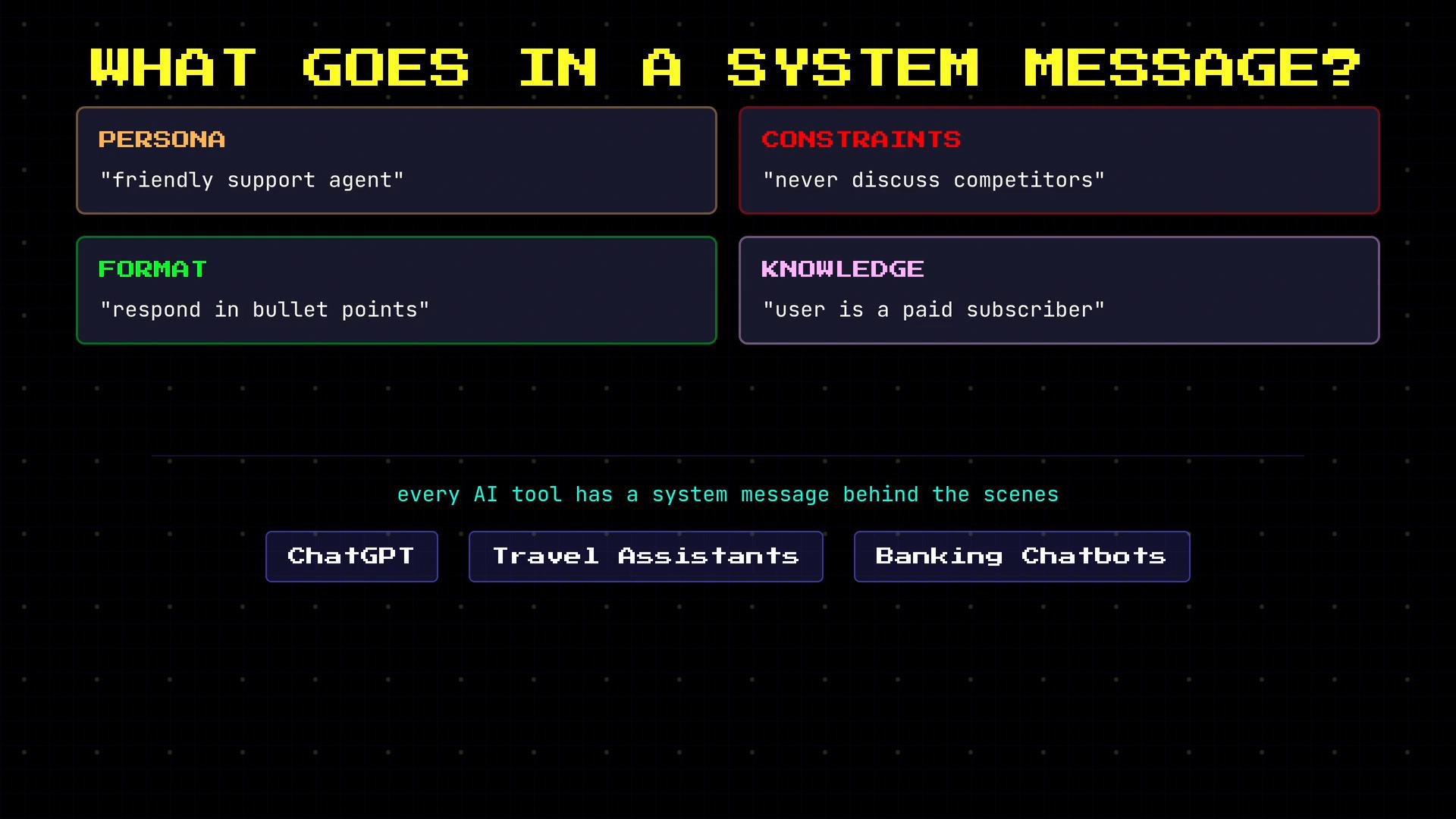
The system message is a preface the user never sees. Use it to set tone, constraints, and rules the assistant should follow throughout the conversation (persona, formatting rules, or any background assumptions).
Example system message:
The assistant role — include prior model replies
assistant messages are previous model outputs included back into the conversation history. Because each API call is independent, you must include earlier assistant responses in the messages list to maintain context and allow the model to resolve pronouns or references like “that city.”
Example of a short conversation history:
The user role — the human side of the conversation
user messages represent the active inputs from the human. They are the most common role for new content. Example:
Quick reference table
Best practices and tips
Use the
system message to encode non-user-visible policies (tone, safety, and formatting rules). Keep system prompts concise and deterministic: long, ambiguous system messages can produce inconsistent behavior.- Always include the
systemmessage if you need consistent persona or constraints. - For multi-turn flows, replay the full conversation history (previous
userandassistantmessages) back to the API. - Prefer small, focused system instructions rather than very long scripts.
Do not place secrets (API keys, passwords, or PII) inside messages. Messages are used to generate responses and may be logged or inspected; keep sensitive data in secure storage.
Example: building a multi-turn API payload
A typical request body for a follow-up question:assistant reply is included, the model can take the follow-up into account and produce the requested variant.
Links and references
- OpenAI API reference: https://platform.openai.com/docs/api-reference
- Conversation design guide: https://developers.google.com/assistant/conversational
- Best practices for prompt design: https://learn.microsoft.com/azure/ai-services/openai/concepts/prompt-engineering
system, user, and assistant messages let you precisely control the assistant’s behavior and maintain conversational state across stateless API calls.