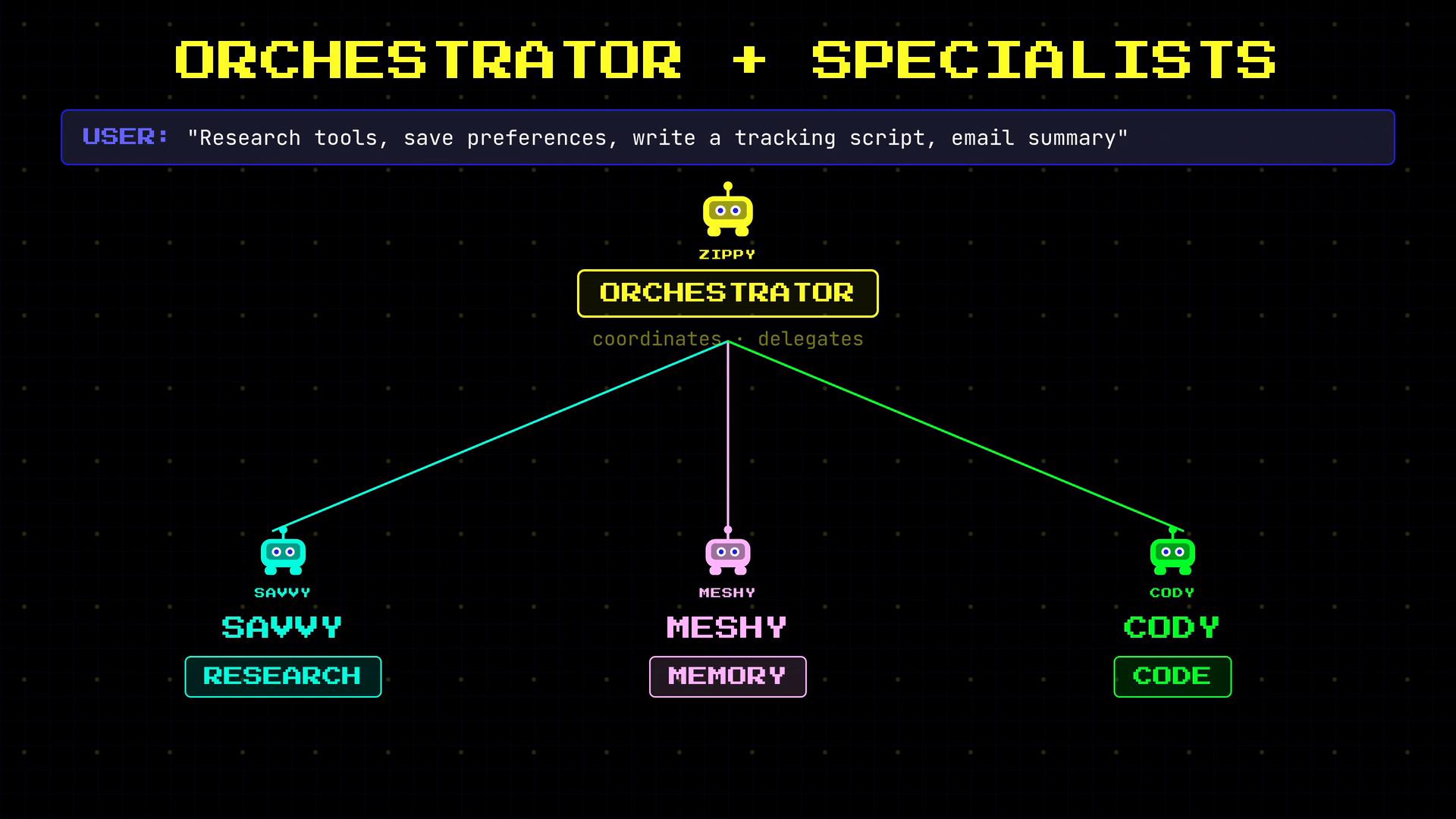
- Zippy handles quick tasks and orchestration.
- Savvy handles research and summarization.
- Meshy — memory specialist. Meshy stores and retrieves persistent data across sessions: user preferences, past conversations, and important facts. When Zippy needs to recall something from last week, he asks Meshy.
- Cody — code and automation specialist. Cody runs scripts, queries databases, and executes tasks that require a real computing environment. When Zippy needs a computation performed or a script executed, he delegates to Cody.
- Orchestrator + Specialists: One agent coordinates others that specialize in research, memory, execution, etc.
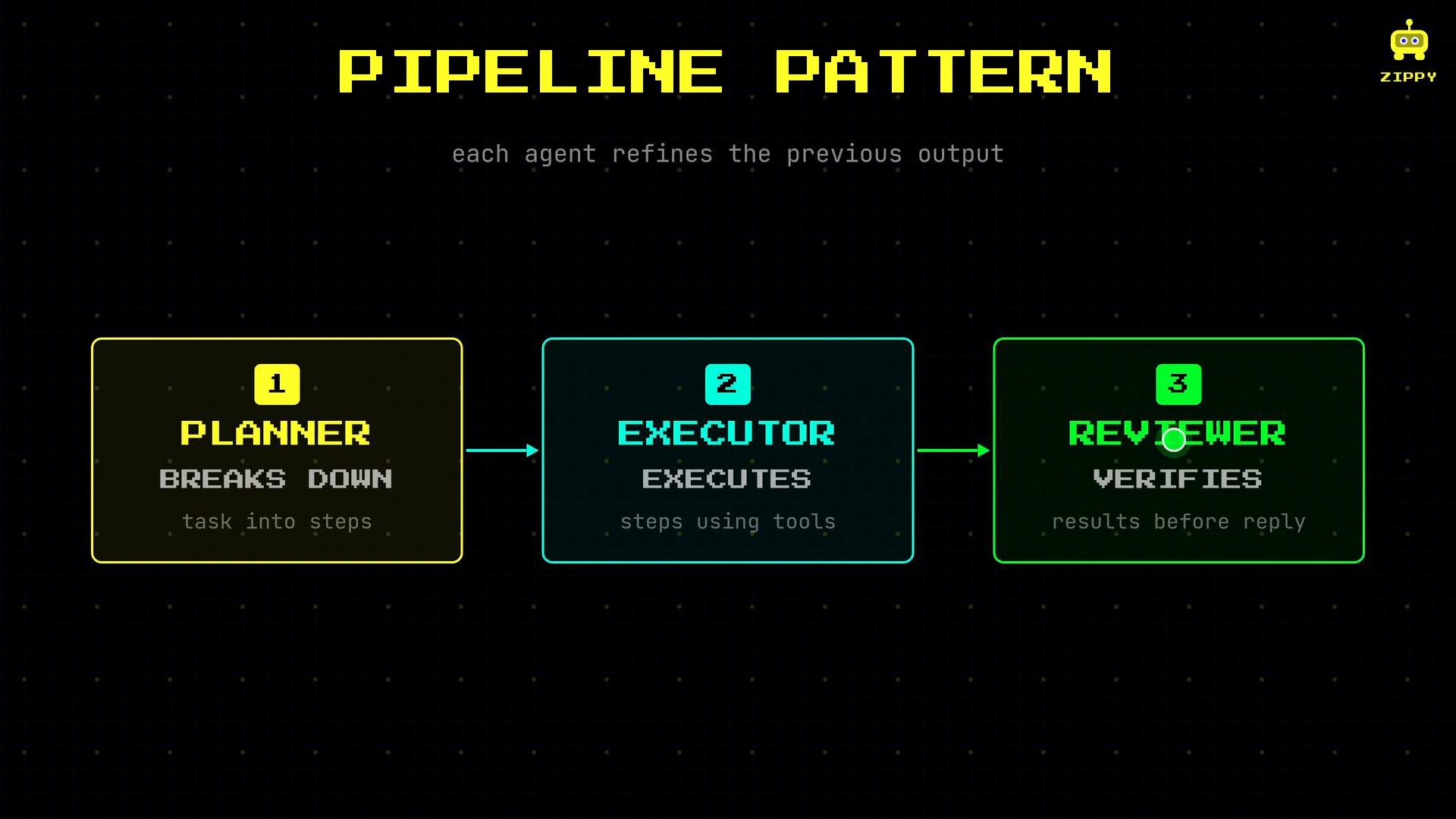
- Pipeline: Agents work in sequence, refining results at each stage (planner → executor → reviewer).
- Debate / Adversarial: Agents argue different perspectives; a synthesizer issues a final recommendation.
- Ask Savvy to research the tools.
- Ask Meshy to save the user’s preferences.
- Ask Cody to write and run the script.
- Ask Savvy to summarize the findings and prepare the email.
- Use when later steps depend on earlier results or verification is critical.
- Typical roles:
- Planner — breaks the task into concrete steps.
- Executor — carries out steps using tools.
- Reviewer — verifies results and catches errors before final reply.
- Two or more agents take opposing positions to surface trade-offs (e.g., cost vs. convenience).
- A synthesizer agent listens to both sides and issues a final recommendation that respects user preferences and constraints.
- Shared message history: all agents read/write the same conversation log (simple but riskier for consistency).
- Hand-off messages: one agent summarizes and passes results to the next (cleaner boundaries).
- Shared memory store: a centralized database or vector store that agents can read from and write to (scales well, supports persistence).
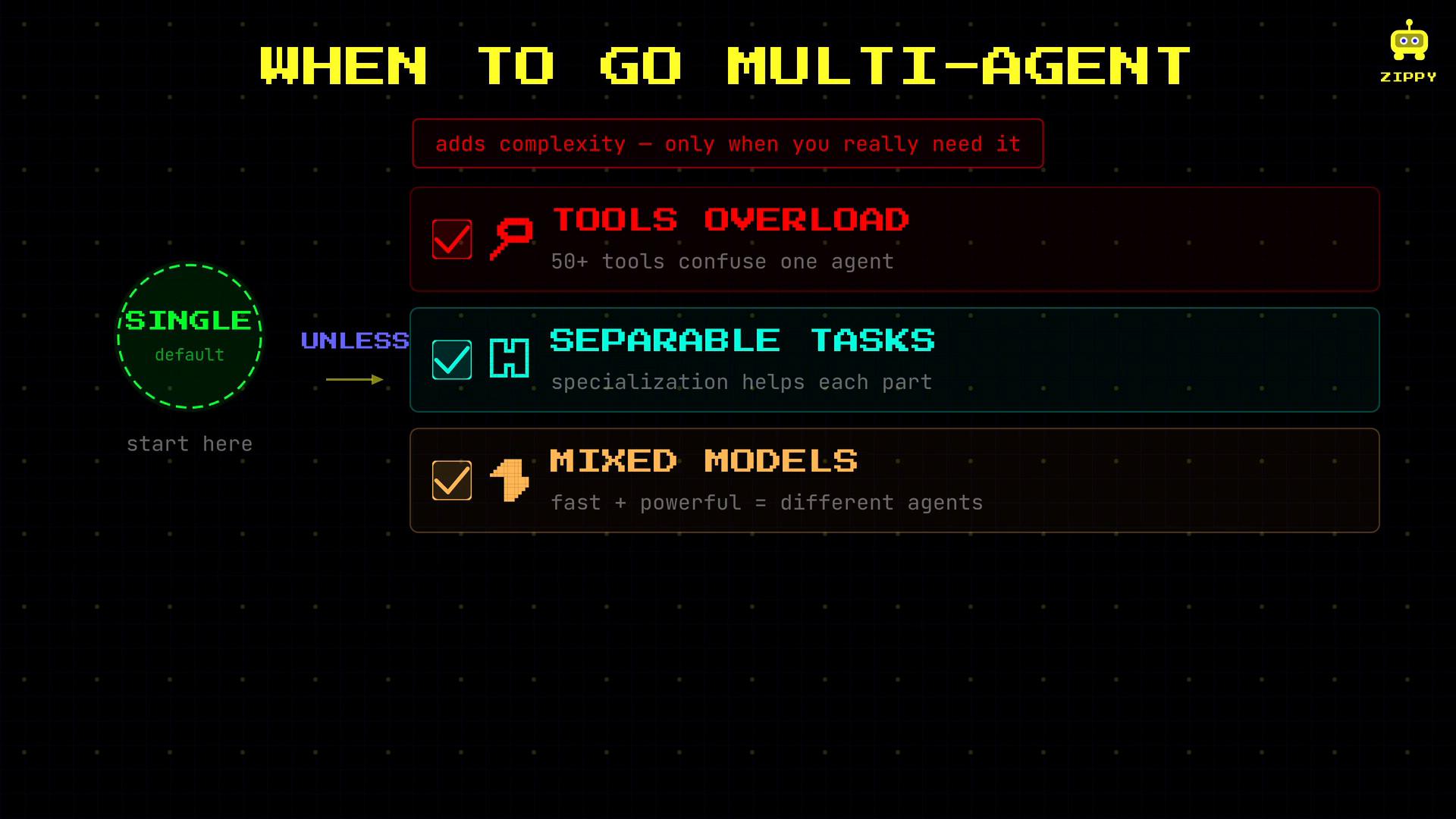
Start with a single agent and clear tools. Split into multiple agents when the workload, toolset, or modeling needs justify the extra complexity.
- Tools overload: A single agent managing many disparate tools becomes error-prone.
- Separable tasks: Task cleanly decomposes into independent subtasks (e.g., research, memory, execution).
- Mixed models or latency needs: Different subtasks benefit from different model families (fast vs. deep reasoning) or parallel execution.
Operational trade-offs and best practices
- Start with one well-designed agent; instrument it with good logging and a clear tool interface.
- Add agents only when you consistently hit limits: performance, accuracy, or tool management.
- Define clear communication protocols (message schemas, memory contracts).
- Monitor for latency, consistency issues, and failure modes introduced by coordination.
- Use vector stores or small databases for persistent memory and retrieval consistency.
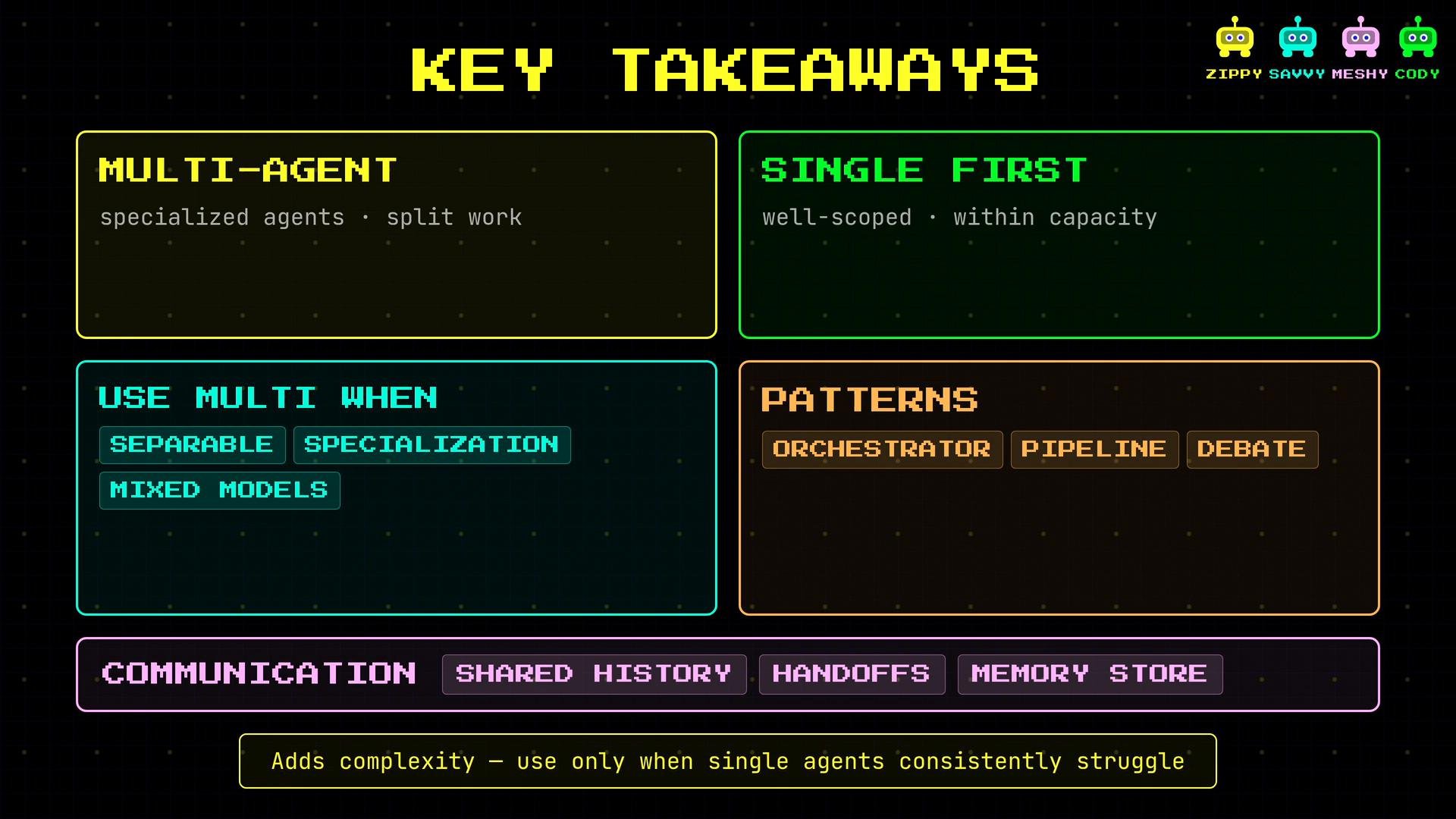
- Multi-agent systems split work across specialized agents to improve reliability and parallelism.
- Single-agent systems are still the right choice when tasks are well-scoped and fit within one agent’s capabilities.
- Use multi-agent setups when tasks have separable subtasks, require specialization, or need different models.
- Common patterns: orchestrator + specialists (parallel), pipeline (sequential refinement), and debate (trade-off analysis).
- Communication options include shared message history, hand-off messages, and shared memory stores — each with trade-offs.
- Adopt multi-agent architectures deliberately; they add complexity and operational overhead.