

How Lifecycle Policies Work
When you upload an object (for example,file1.txt) using S3 Standard, its access pattern may change over time. You can configure a lifecycle policy such as:
- After 30 days: transition to S3 Standard-IA (Infrequent Access).
- After 90 days: archive to S3 Glacier Deep Archive.
- After 365 days: delete the object.
- An entire bucket.
- A subset of objects defined by prefix or tag.
- Specific versions (if you have versioning enabled).
Lifecycle rules only move objects “downhill,” from a higher-cost class to a lower-cost class.
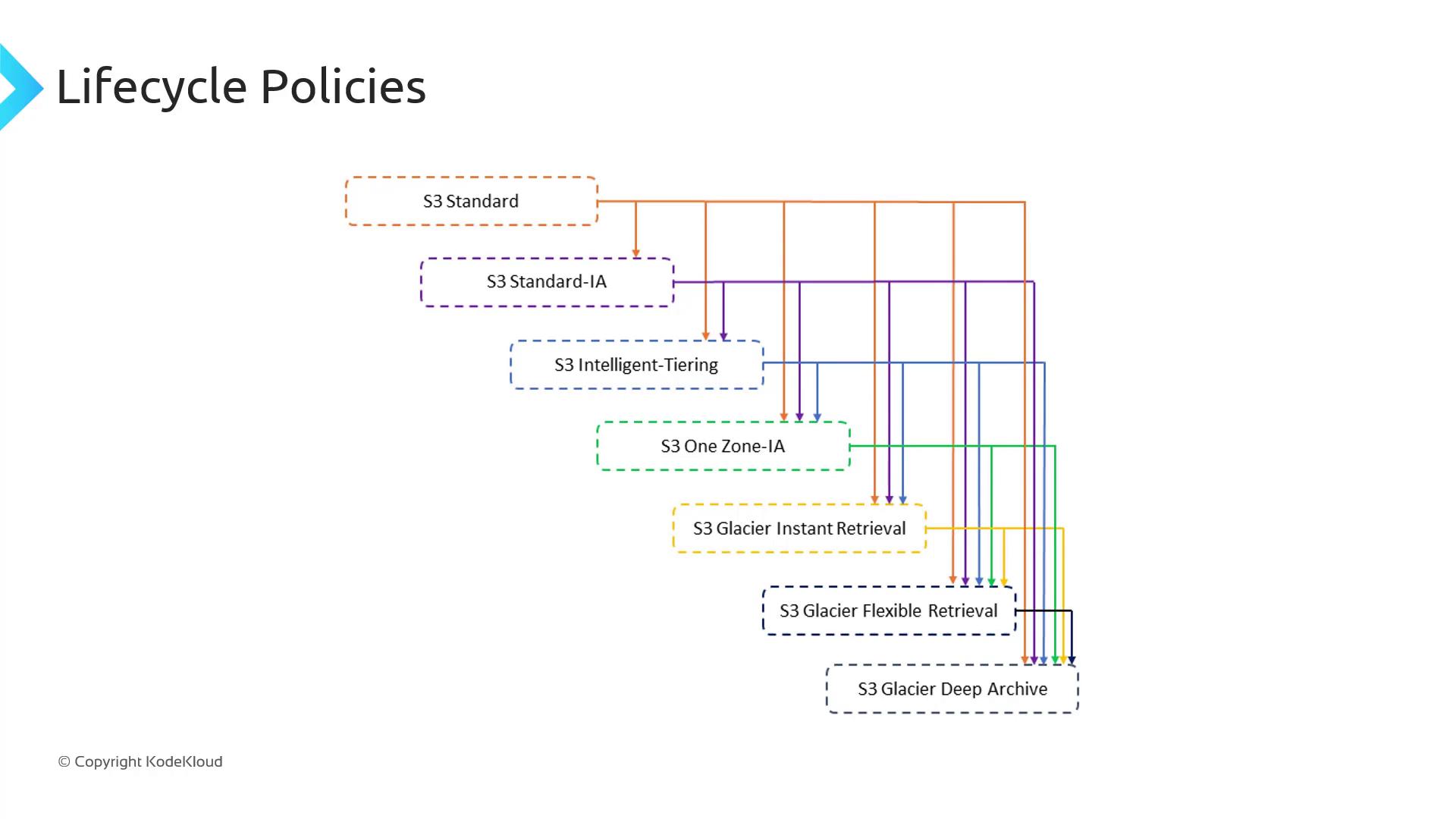
Storage Class Transition Rules
Not every storage class can transition directly to every other. The following table summarizes permitted transitions:Additional Constraints
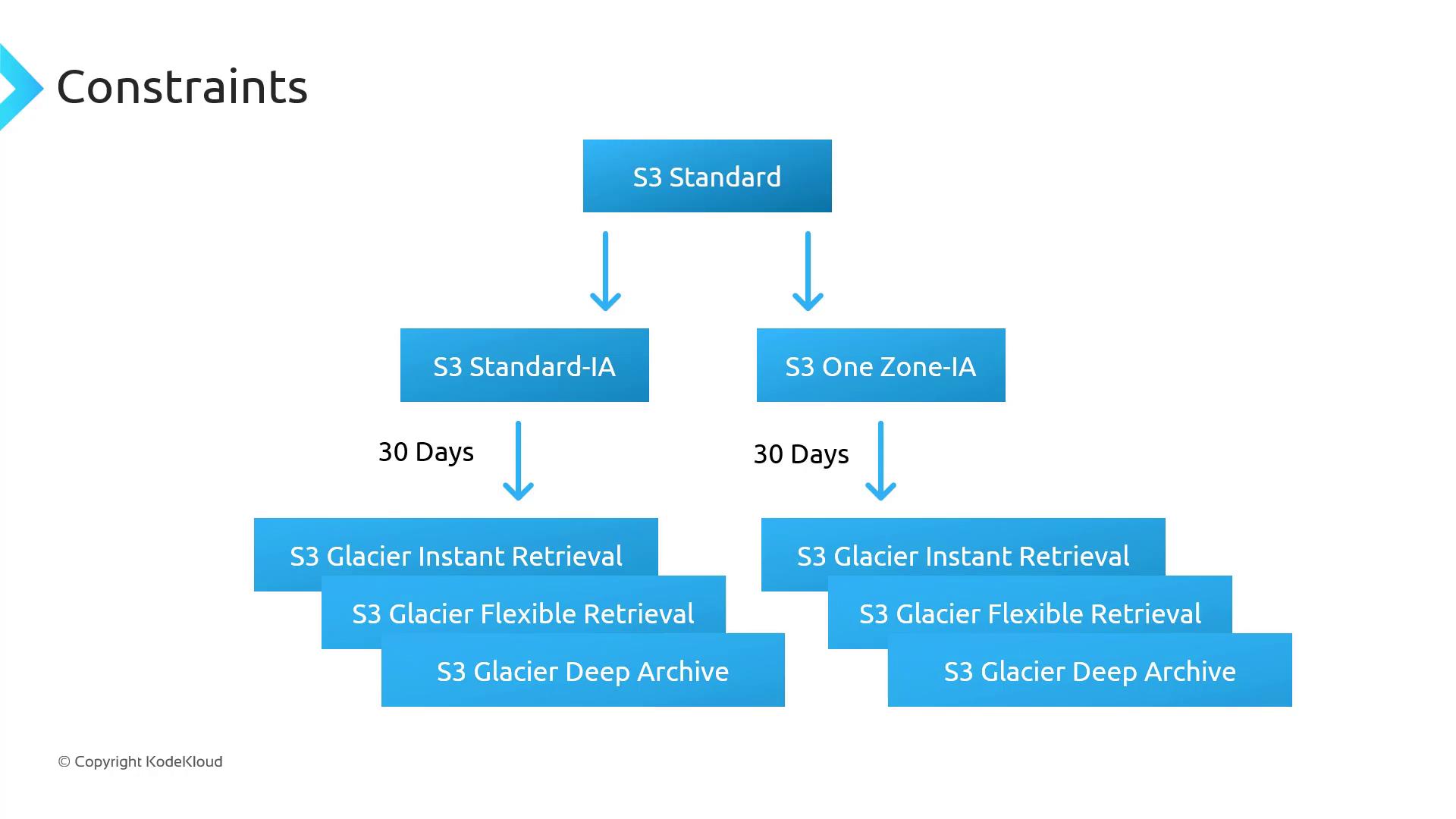
When defining lifecycle rules, observe these key constraints:- Minimum object size
Objects must be ≥ 128 KB to transition from Standard or Standard-IA to Intelligent-Tiering or Glacier Instant Retrieval. - Minimum storage duration
- Standard → Standard-IA or One Zone-IA: 30 days in the source class.
- After moving to Standard-IA or One Zone-IA, wait another 30 days before transitioning to any Glacier class.
Violating minimum size or duration requirements will cause your lifecycle rule to skip transitions. Always verify object metadata before applying a rule.
Next Steps
In the next lesson, we’ll perform a hands-on demo in the S3 console. You’ll learn how to:- Create a lifecycle rule step-by-step.
- Apply filters by prefix or tag.
- Review the rule summary and activate it in minutes.