

Understanding Default S3 Bucket Permissions
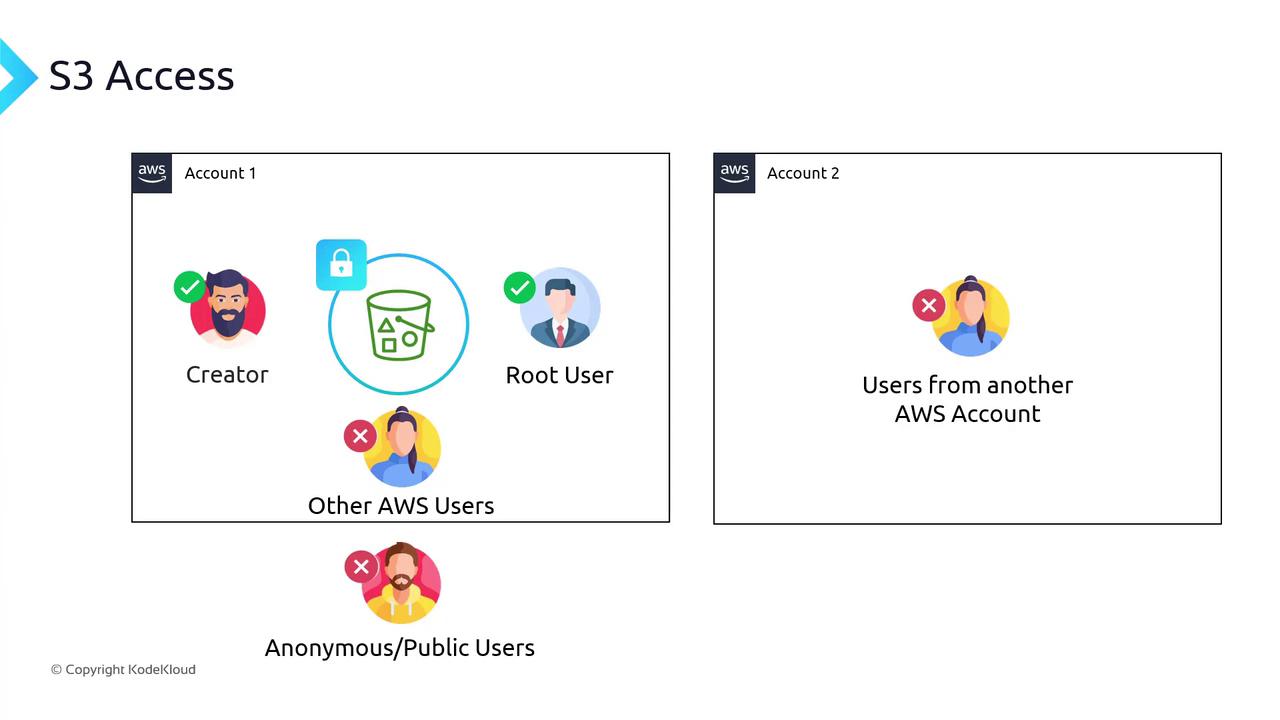
When you create a new S3 bucket:- Only the bucket creator (and the AWS root user) has access.
- No other IAM users—even in your own account—can access it.
- Public or anonymous users are explicitly denied until you grant permission.
Resource Policies (Bucket Policies)
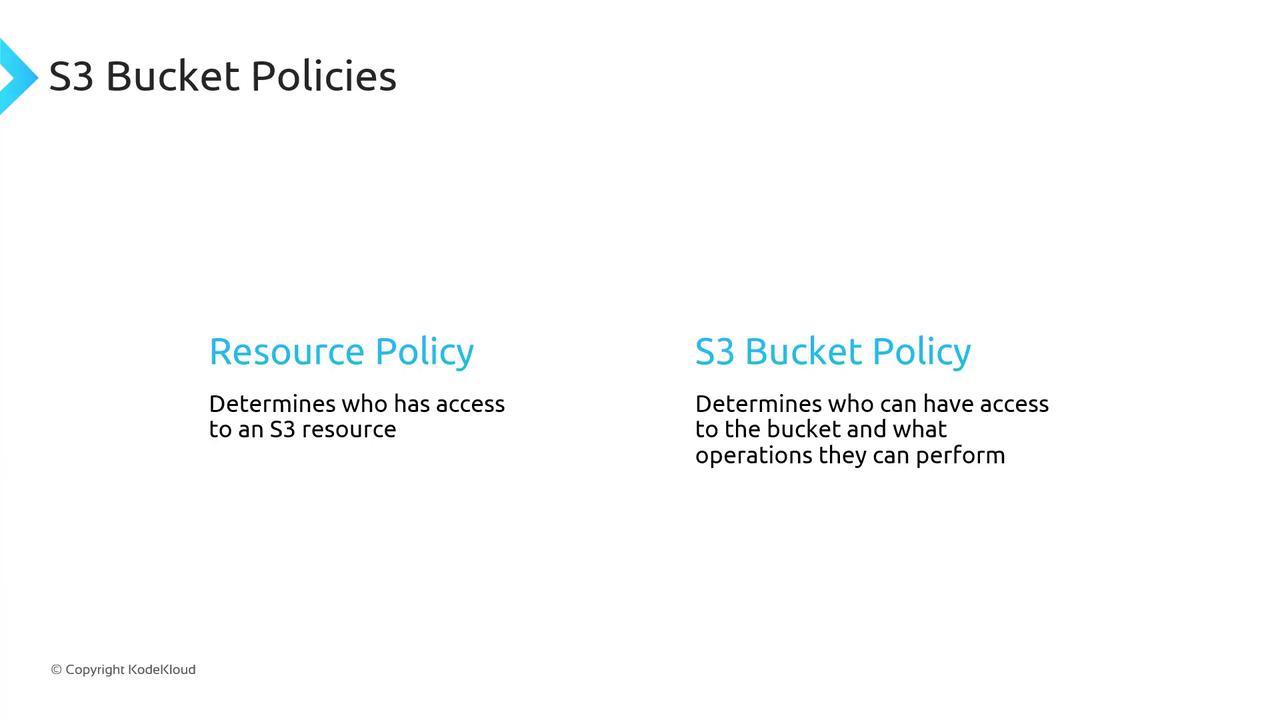
A resource policy is a JSON document attached directly to an AWS resource. For S3, this is called a bucket policy. It specifies:- Principals: Who can access
- Effect: Allow or Deny
- Actions: S3 operations
- Resources: Which buckets or objects
- Conditions (optional): Additional restrictions
Anatomy of a Bucket Policy
Below is a minimal bucket policy. Use this as a template:Always specify the least-privilege permissions. Start by allowing only the actions and resources that are strictly required.
Multiple Statements
You can combine statements in one policy. For example, allow everyone to read objects but deny one user:- A principal of
*covers all AWS users and anonymous/public users. - You may add as many statements as needed.
Restricting by Prefix
To limit access to a specific “folder” (prefix):Adding Conditions
You can enforce network or request constraints:Granting Access to Multiple Folders
UseStringEquals on s3:prefix and s3:delimiter:
Block Public Access Settings
Even if a bucket policy usesPrincipal: "*", AWS provides Block Public Access as a safety net. With these settings enabled, public policies are overridden until you disable them.
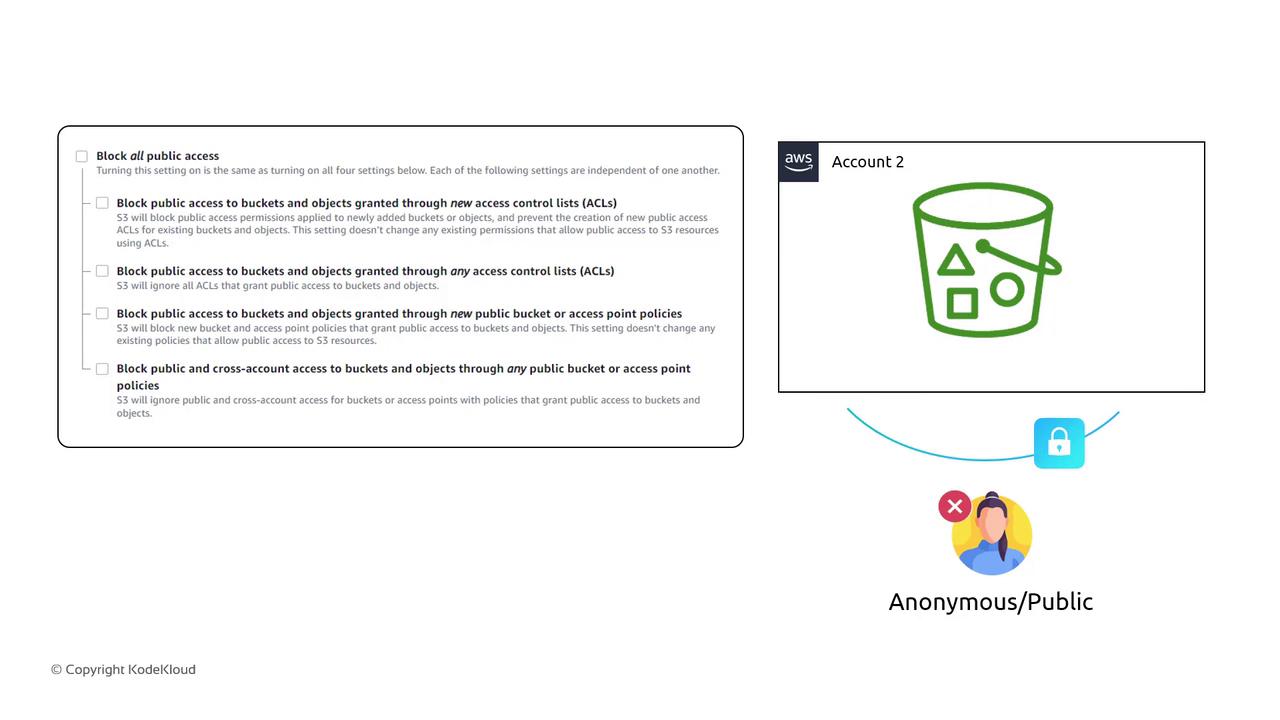
Disabling Block Public Access can expose your data to the internet. Confirm your policies and audit logs before making public.
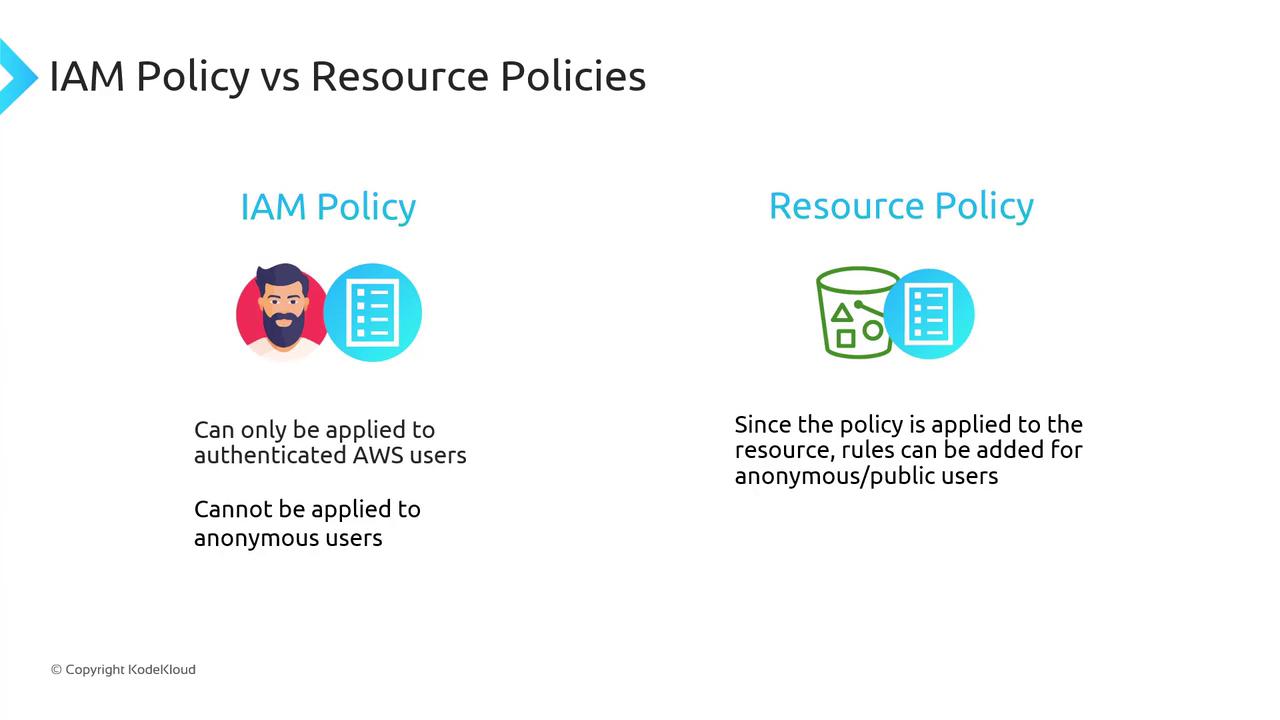
IAM Policies vs. Resource Policies
Both must allow an action for access to succeed. A deny in either one blocks access.
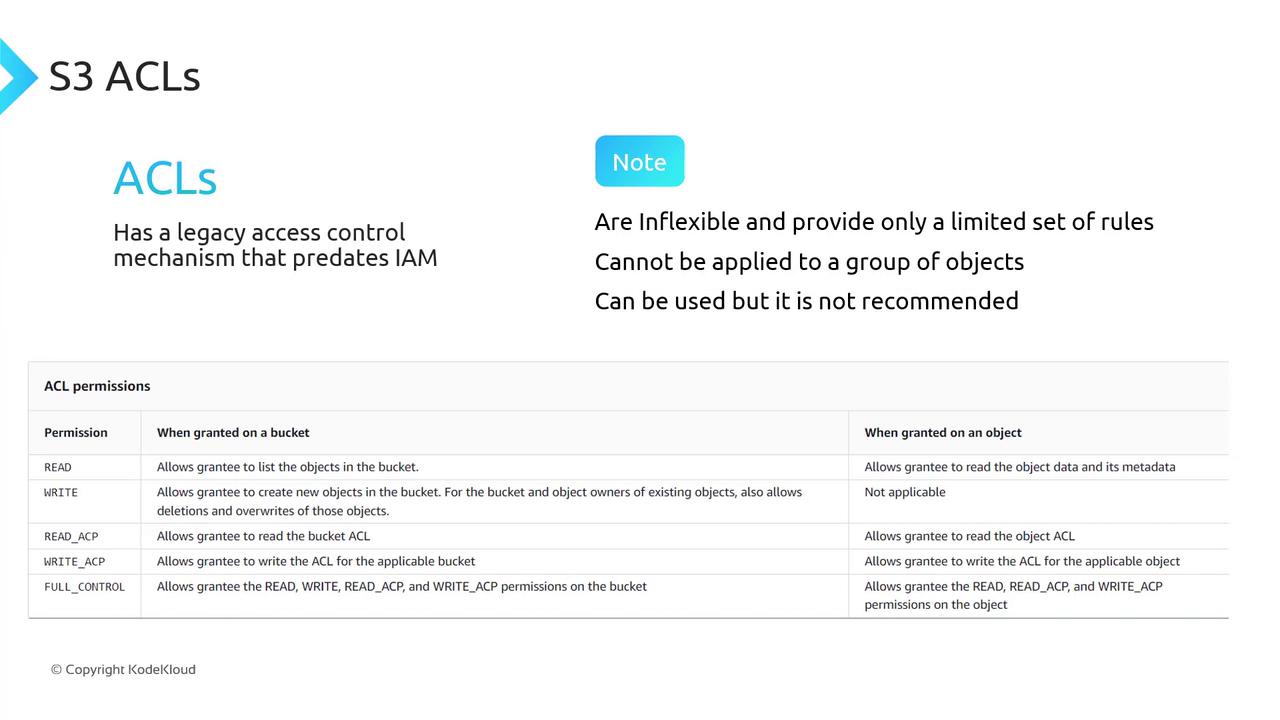
ACLs (Legacy)
S3 ACLs predate IAM and offer only five permission sets:AWS recommends using IAM policies and bucket policies instead of ACLs for fine-grained access control.
By combining IAM policies, bucket policies, and block public access settings, you can lock down your S3 buckets and grant exactly the permissions your applications need.