

Access Points work with existing S3 features, including bucket ACLs, public access settings, and server-side encryption.
The Challenge of Complex Bucket Policies
When you have diverse stakeholders sharing one bucket, the policy can balloon:
Every change to a team’s access means editing the monolithic bucket policy, which increases the risk of errors and makes audits difficult.
Introducing Access Points
With S3 Access Points, you assign each team or application its own “window” to the bucket. Each Access Point:- Has a unique ARN (
arn:aws:s3:<region>:<account-id>:accesspoint/<name>) - Behaves like an independent bucket
- Carries a tailored resource policy
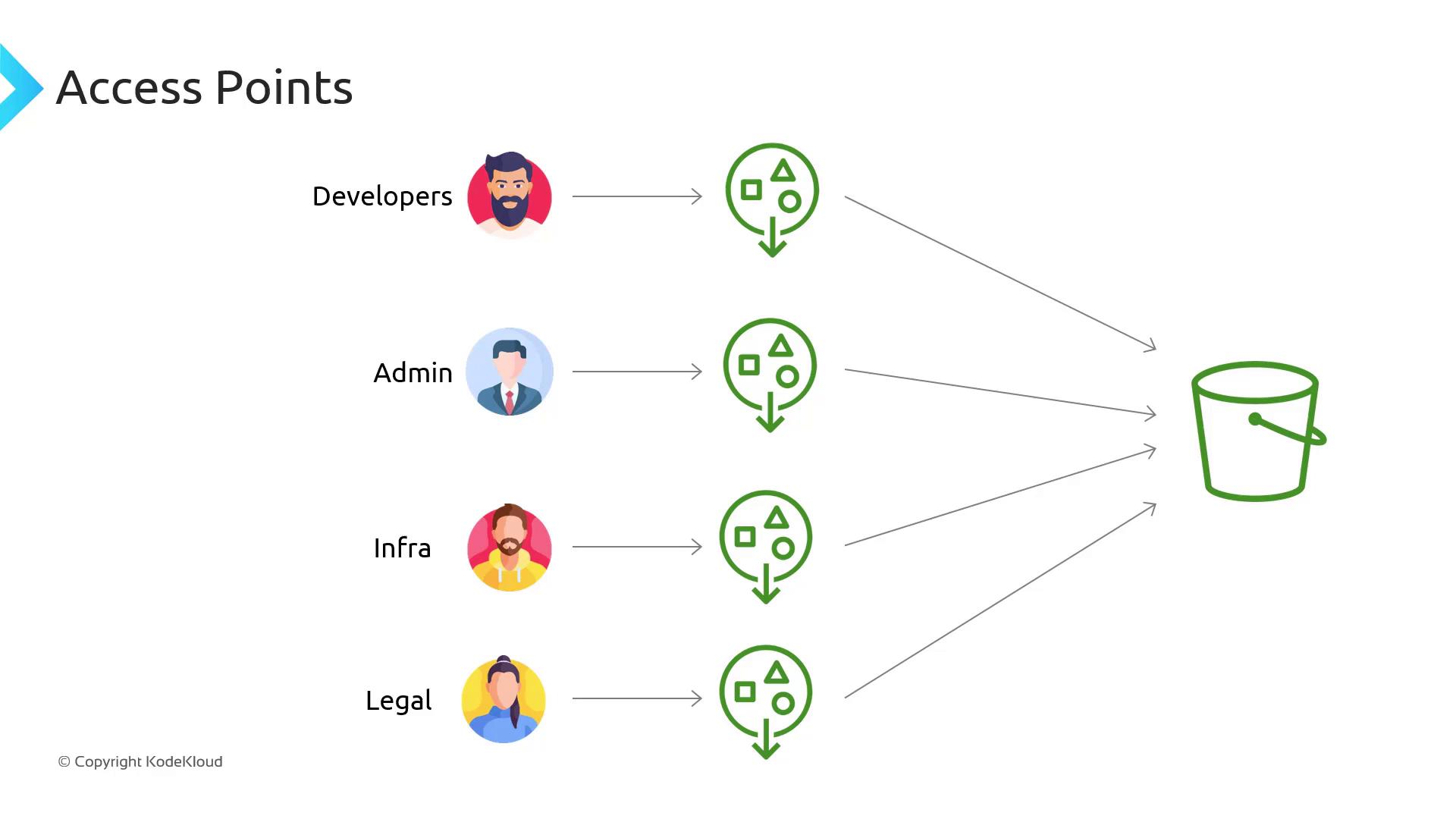
developer-ap Access Point ARN with write/delete privileges, while the legal team uses legal-ap with read-only permissions.
Restricting Access by VPC
You can tie an Access Point to a specific VPC Endpoint to enforce network-level boundaries. Bind the Access Point so only resources in your VPC can connect: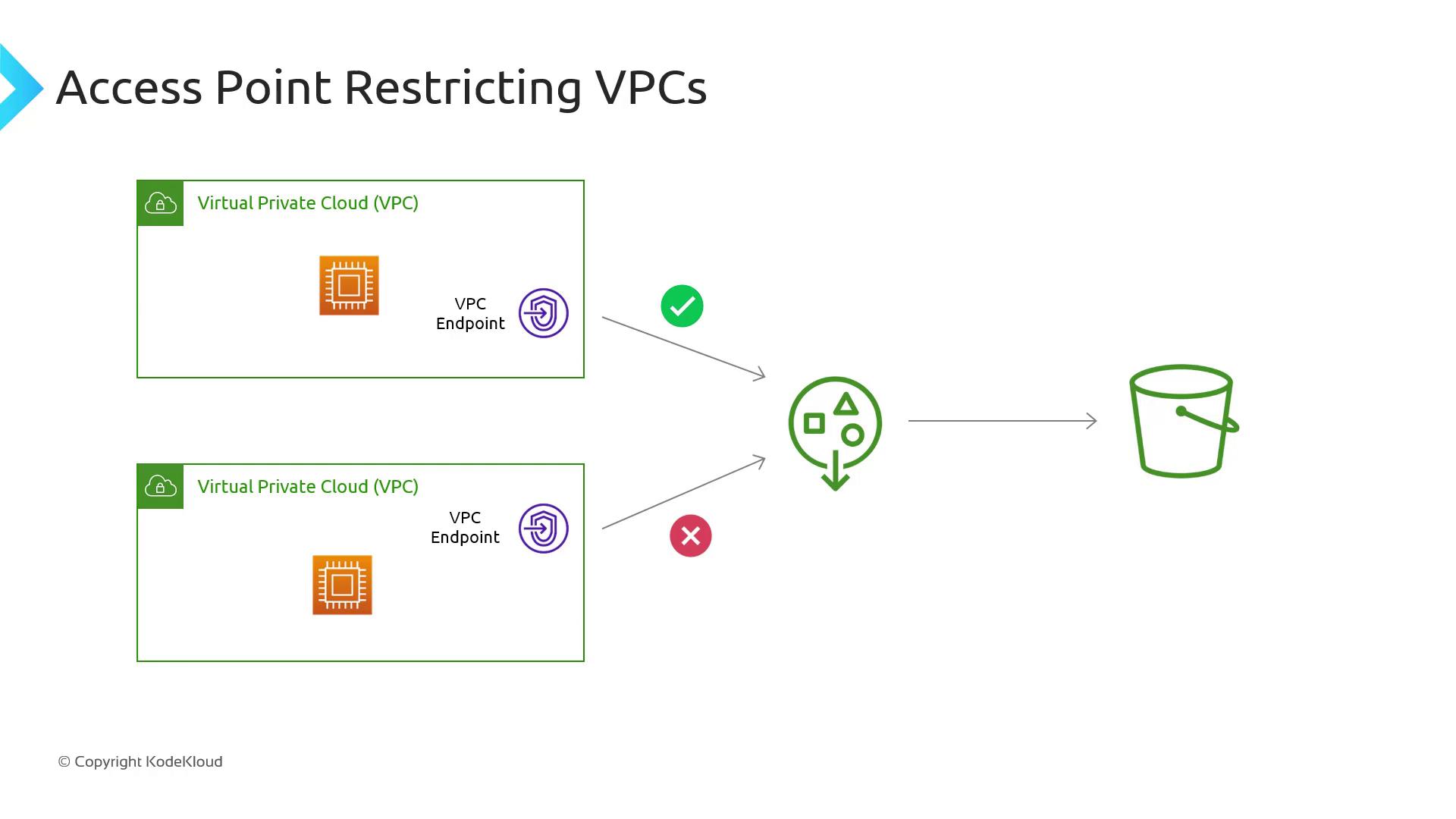
- VPC A: EC2 instances can access via
ap-vpc-a. - All other VPCs: Traffic is blocked by the endpoint policy.
Ensure your VPC Endpoint policy explicitly grants
s3:* actions for the Access Point ARN; otherwise, requests will be denied.Simplifying Policy Management
Instead of embedding every role’s permissions in the bucket policy, you delegate authority to Access Points with a single bucket policy statement: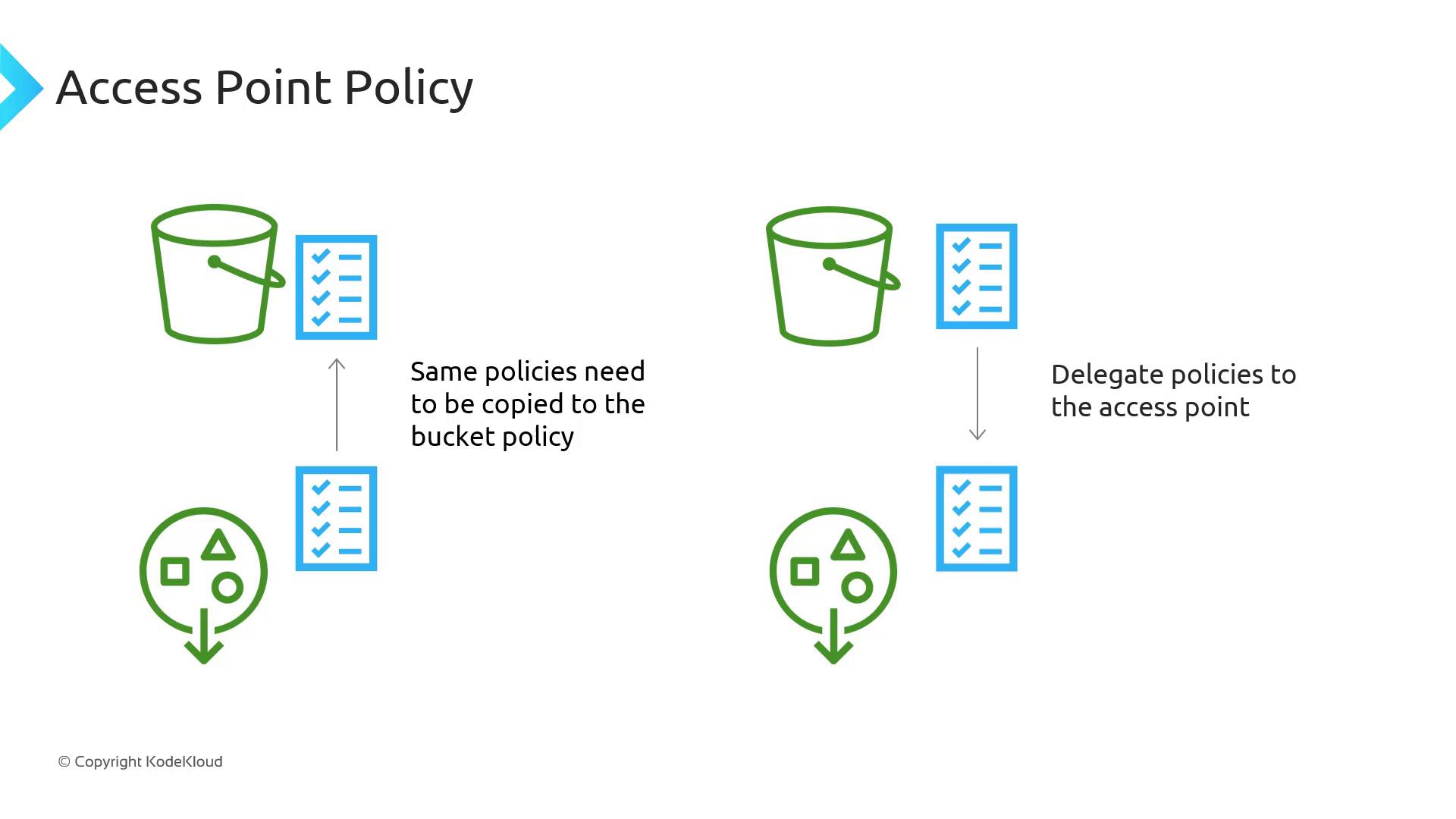
- Delegate in the bucket policy to allow S3 actions for any Access Point.
- Define fine-grained permissions within each Access Point resource policy.