In this guide, we’ll walk through Backstage’s architecture by comparing it to a typical web application. You’ll learn how Backstage’s frontend, backend, and plugin system interconnect to form a unified developer portal.
Typical Web Architecture A standard web application consists of two main parts:
Frontend : Runs in the browser, handling UI rendering and user interactions.Backend : Exposes REST APIs, implements business logic, and communicates with a database.
When the browser needs data, it issues an HTTP request:
GET http://backend-url/products
The flow looks like this:
Browser requests /products.
API server queries the database.
Database returns product data.
API responds with JSON.
Frontend displays the product list.
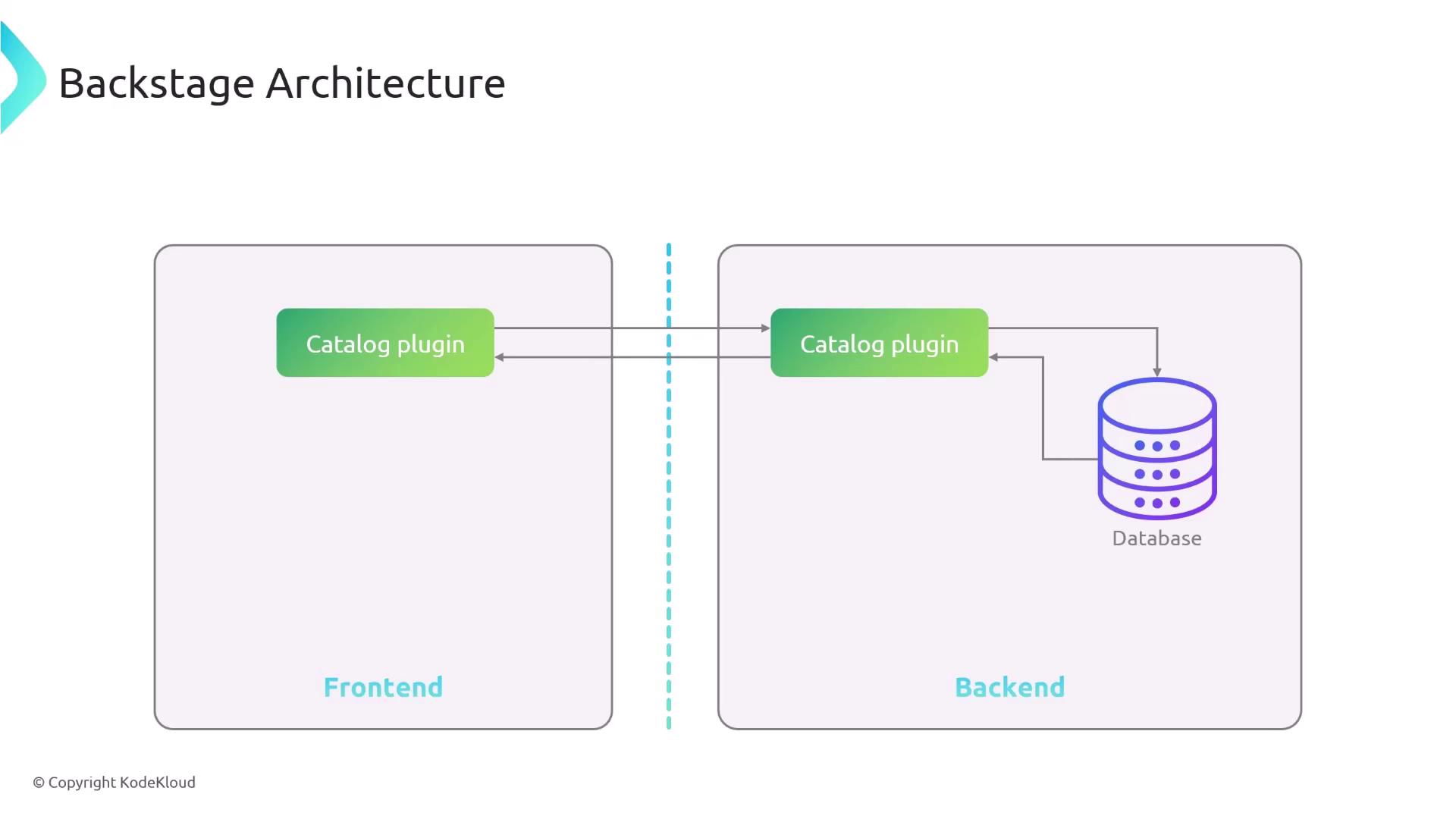
Backstage Core Architecture Backstage follows the same front end/back end pattern:
Frontend sends:
GET http://<backstage-backend>/catalog
Backend plugin queries the storage (database).
Database returns catalog entries.
Backend responds with JSON.
Frontend renders the catalog in the browser.
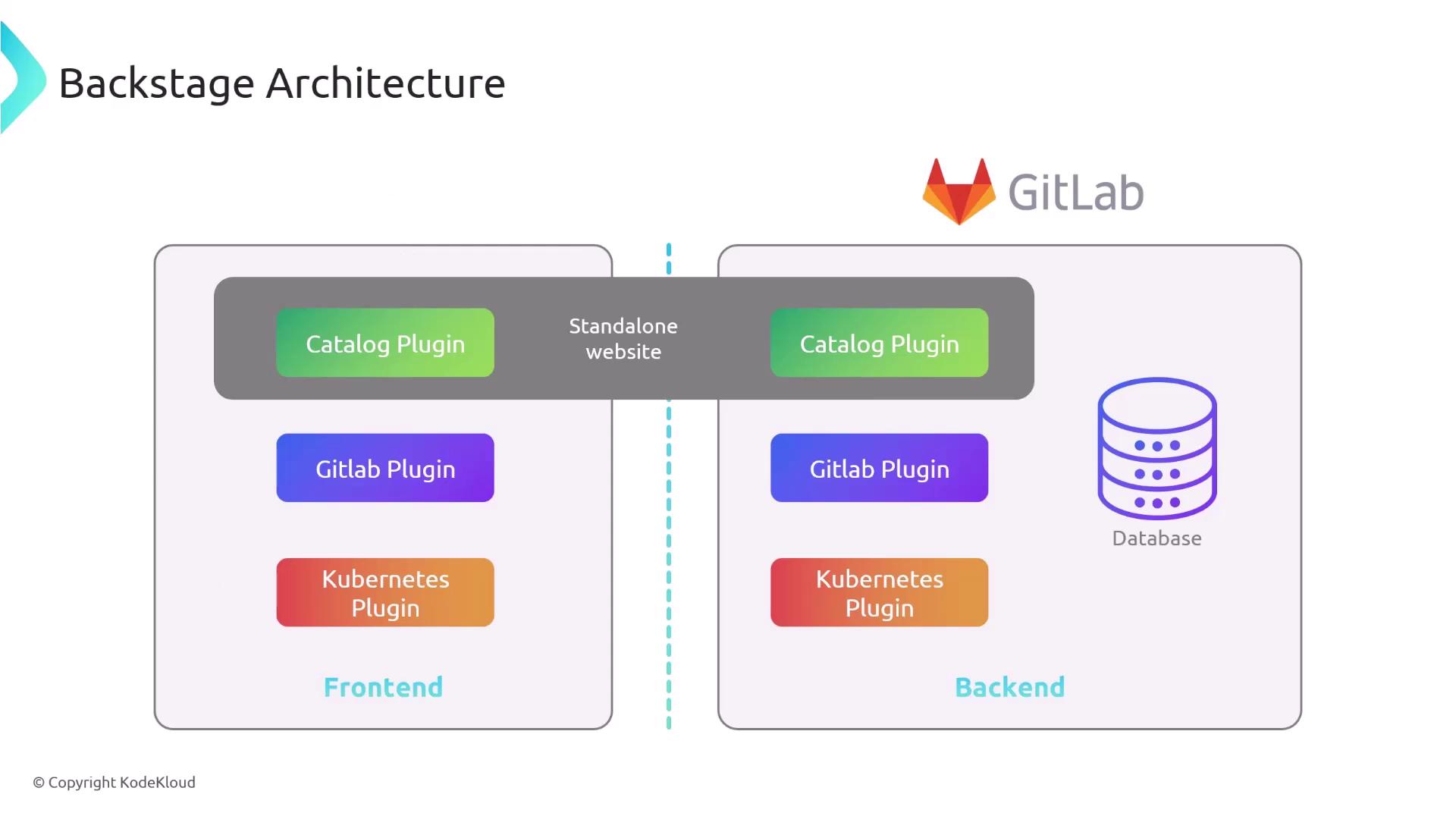
Plugin-Based Extension Every feature in Backstage is implemented as a plugin. A plugin can include:
Component Responsibility Example Frontend React components for UI Catalog page, Entity details view Backend (optional) API routes, business logic, data fetches GitLab API integration, caching service
For the Catalog plugin:
Frontend requests /catalog.
Backend plugin queries its database.
Storage returns catalog entries.
Backend sends JSON response.
Frontend displays the catalog.
A GitLab plugin’s backend, by contrast, would fetch data from GitLab’s REST API instead of a local database.
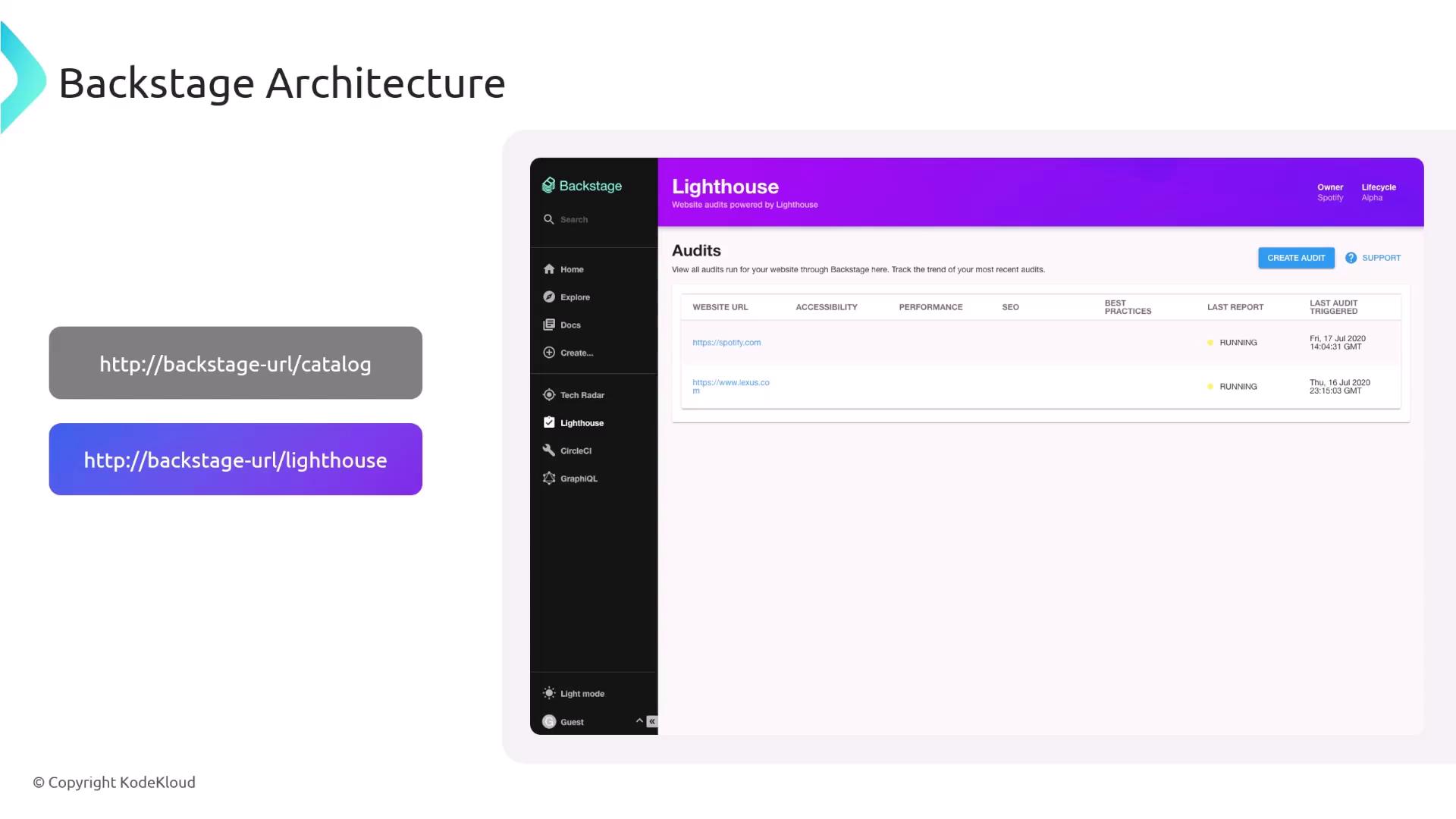
Plugin URLs and Navigation Backstage stitches all plugins into one React-based UI. Each plugin is mapped to its own route:
Path Plugin Description /catalogCatalog Browse and manage software entities /lighthouseLighthouse audit Run and view website performance audits
Visiting /lighthouse in the browser loads the Lighthouse audit plugin’s interface.
Monorepo Structure A new Backstage project uses a monorepo with two main folders:
packages/app: Frontend application (React).packages/backend: Backend service (Node.js).
You can develop, test, and deploy each part independently.
Keeping both frontend and backend in a single repository simplifies local development and ensures consistent versioning.
Frontend with React Backstage’s UI is built on React , allowing you to compose reusable components that bundle HTML, CSS, and JavaScript.
Example of a simple button component:
import React from 'react' ; export const Button = () => { const handleClick = () => { alert ( 'Button clicked!' ); }; return ( < div > < h1 > Don't Click The Button!!! </ h1 > < button onClick = { handleClick } > Click Me </ button > </ div > ); };
Components can be composed into larger UIs:
import React from 'react' ; import { Button } from './Button' ; export const MyForm = () => ( < div > < input id = "login" type = "text" /> < input id = "password" type = "password" /> < Button /> </ div > );
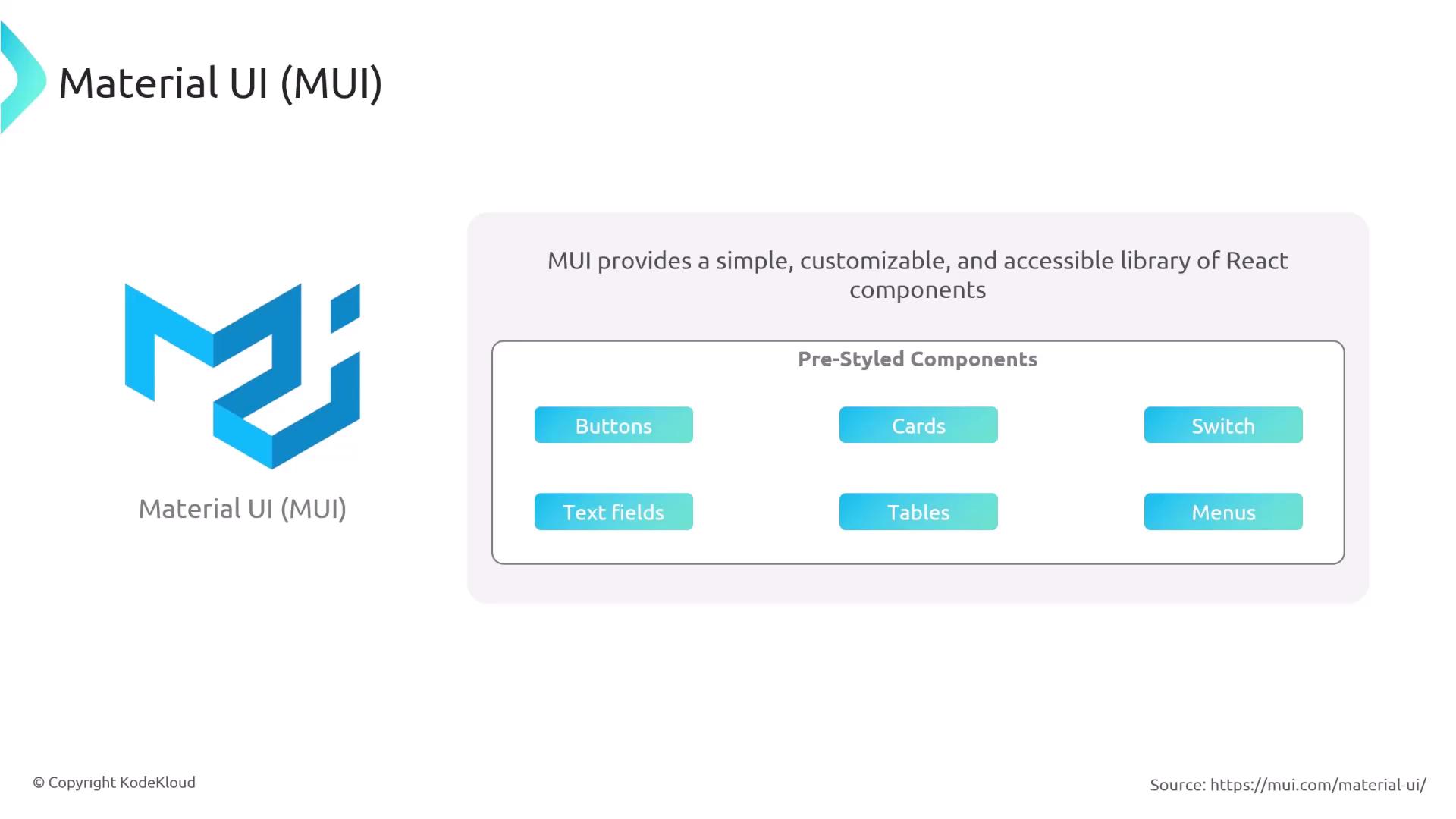
Design System with Material-UI To ensure consistent styling and accessibility, Backstage uses Material-UI (MUI) . MUI offers a suite of pre-styled React components—buttons, cards, tables, menus—that adhere to Material Design guidelines.
Summary
Backstage features are implemented as modular plugins (frontend + optional backend).
The project is organized as a monorepo with app and backend packages.
The frontend leverages React and Material-UI for a consistent, component-driven UI.
Links and References