

- Register a GitHub OAuth App.
- Configure
app-config.yamlfor GitHub auth. - Install the GitHub auth-backend module.
- Update the frontend SignInPage.
- Test login and troubleshoot common issues.
- Import GitHub users into the Backstage catalog.
Quick Steps Overview
| Step | Description |
|---|---|
| 1. Register OAuth App | Create a GitHub OAuth App for Backstage |
2. Configure app-config.yaml | Add GitHub provider under auth |
| 3. Install Backend Module | Add and register @backstage/plugin-auth-backend-module-github-provider |
| 4. Update Frontend Sign-In Page | Add GitHub button on your SignInPage |
| 5. Test & Troubleshoot | Verify login flow and fix configuration errors |
| 6. Import User Entities | Sync your GitHub org users into the catalog |
| 7. Verify Successful Login | Confirm you can sign in as a GitHub user |
1. Register a GitHub OAuth App
Follow the official Backstage GitHub Auth docs to set up your OAuth application.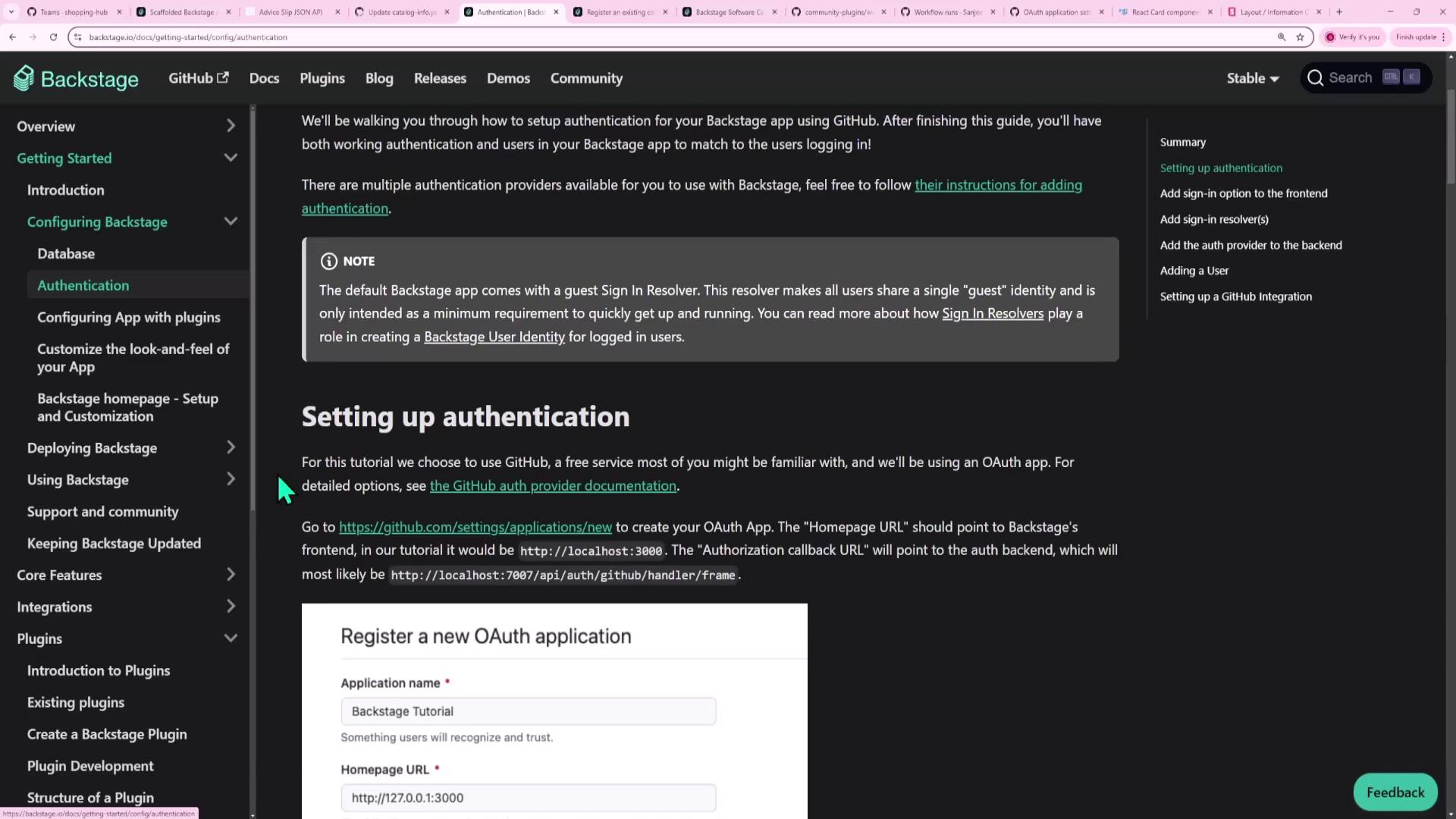
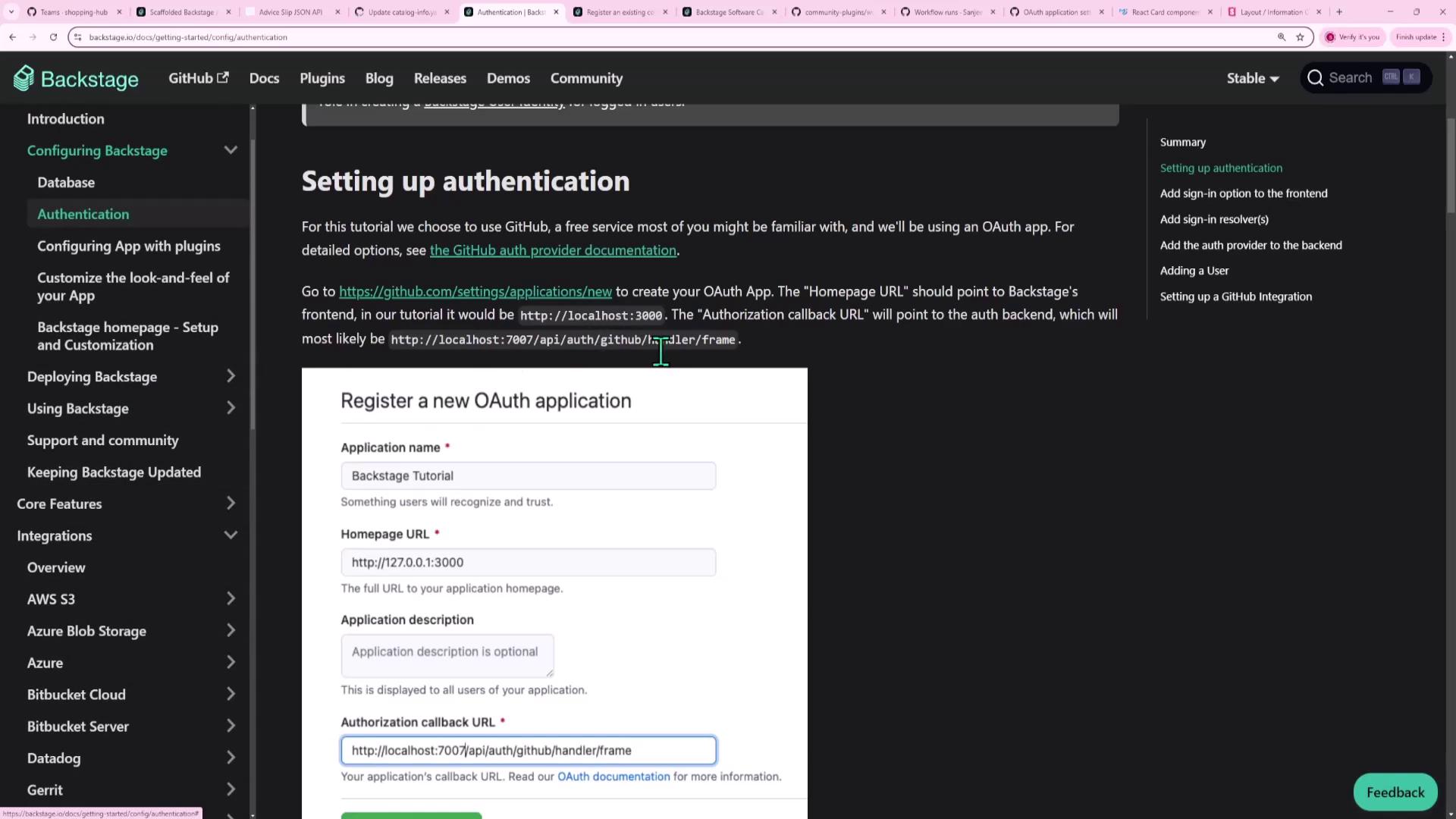
- In GitHub, go to Settings → Developer settings → OAuth Apps.
- Click New OAuth App.
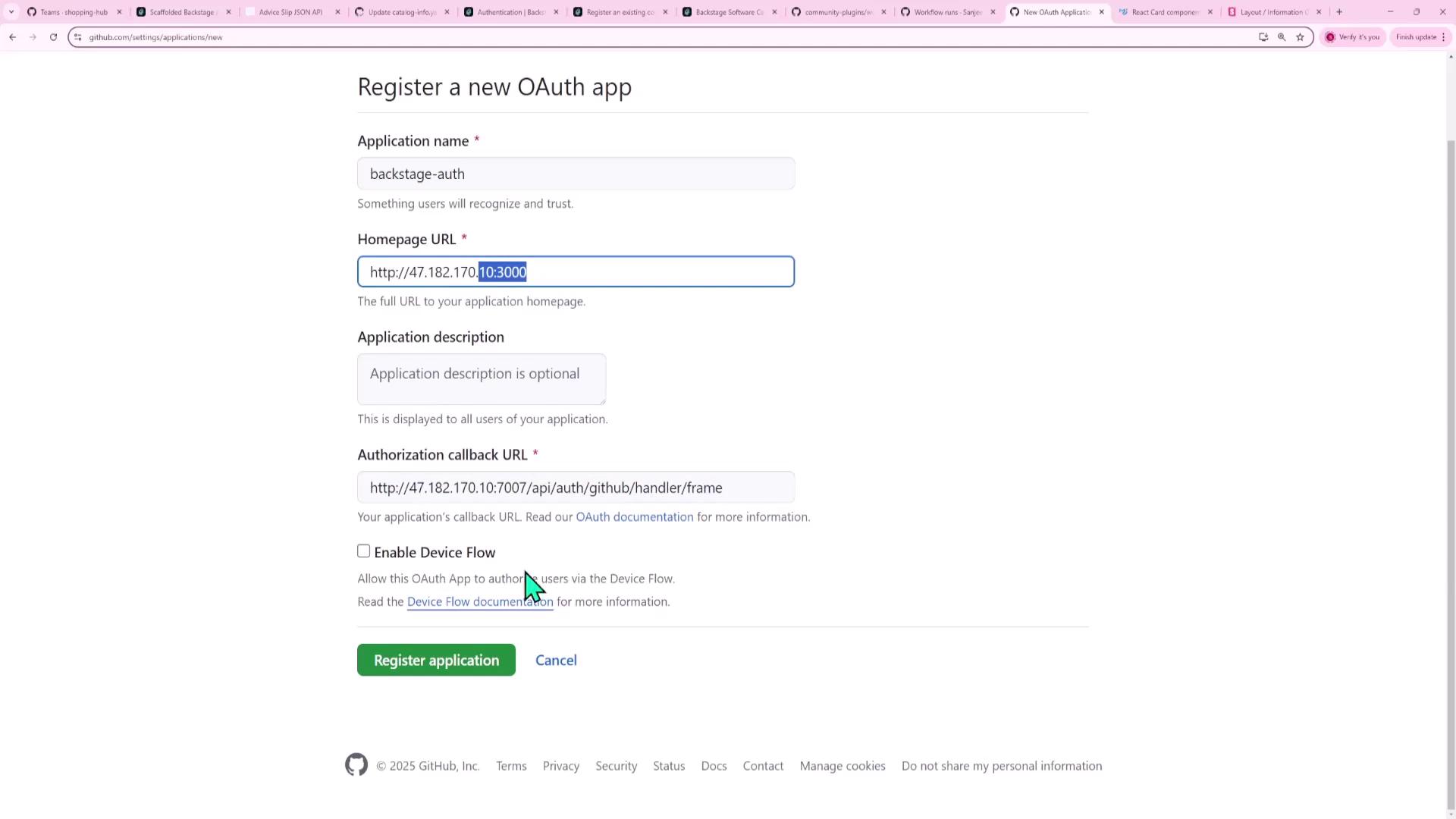
- Fill in the form:
- Application name:
Backstage Auth - Homepage URL:
http://<BACKSTAGE_HOST>:3000 - Authorization callback URL:
http://<BACKSTAGE_HOST>:7007/api/auth/github/handler/frame
- Application name:
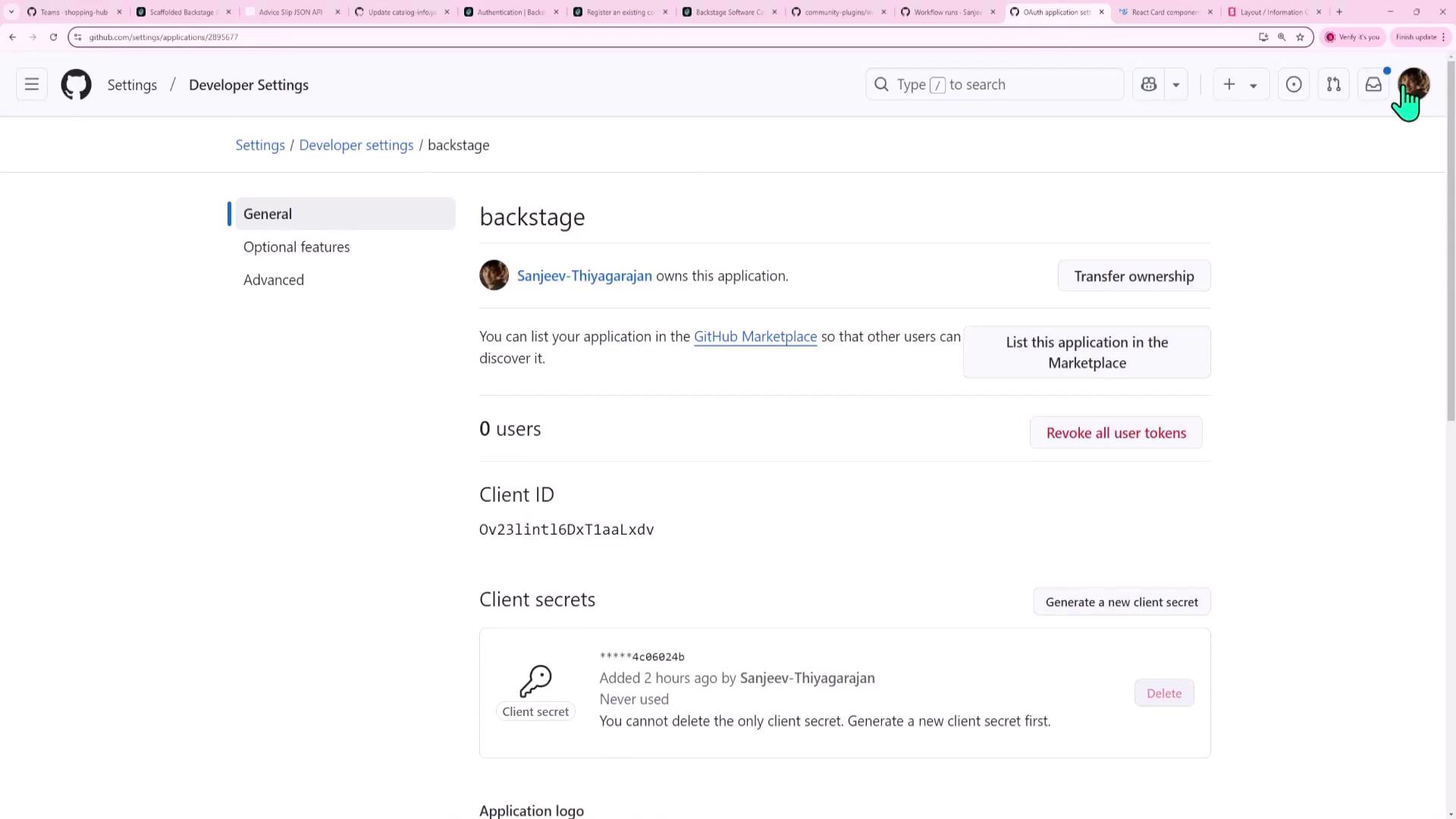
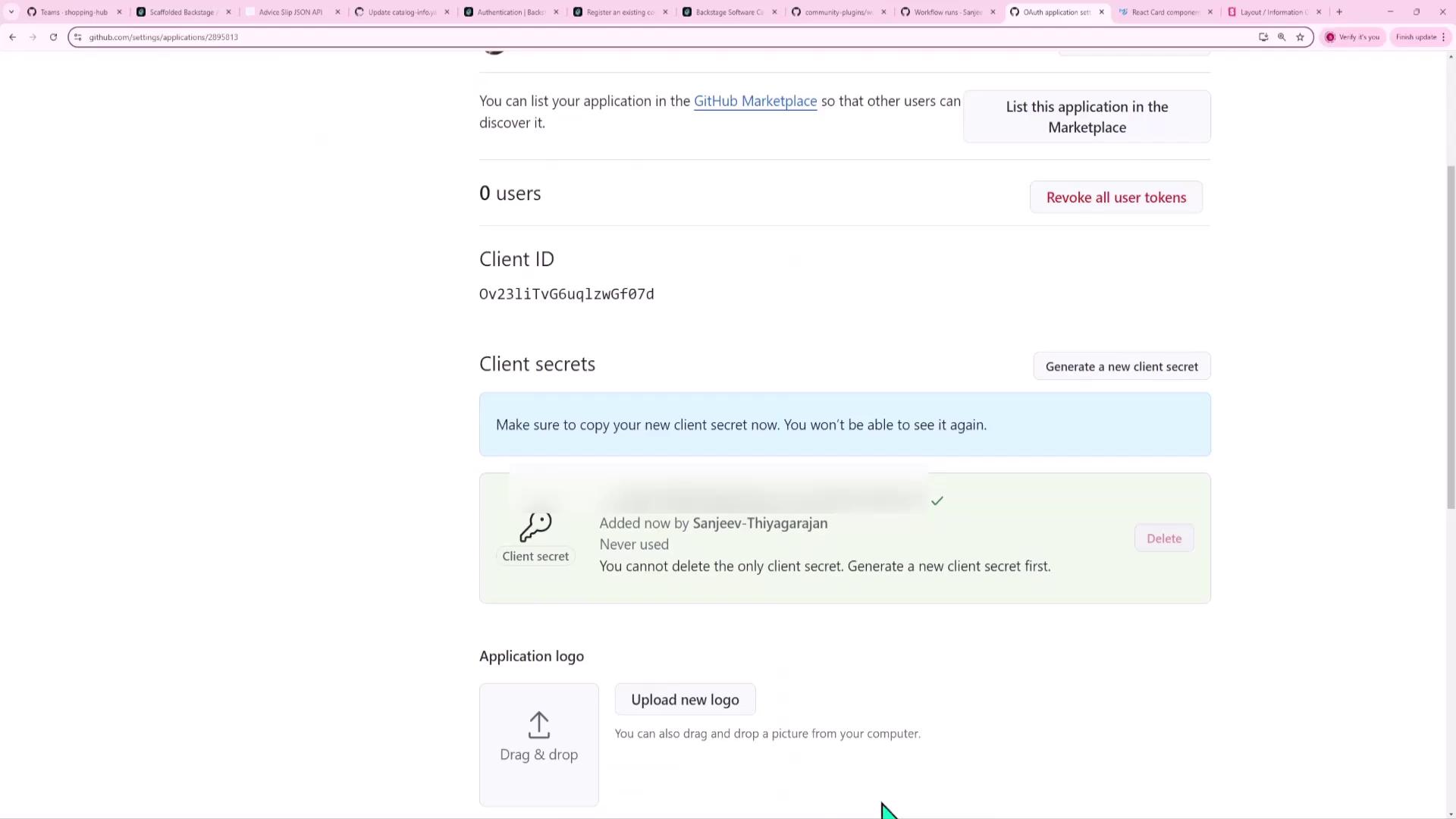
- Register the app, copy the Client ID, and generate a Client Secret:
2. Configure Backstage (app-config.yaml)
Enable GitHub under the auth section of your app-config.yaml:
Ensure that the
environment value matches the top-level key under providers:. If they don’t match, the GitHub provider won’t be found.usernameMatchingUserEntityName resolver to match GitHub usernames to Backstage user entities.
3. Install the GitHub Backend Module
Install the GitHub auth backend package:packages/backend/src/index.ts:
4. Update the Frontend Sign-In Page
Inpackages/app/src/app.tsx, import githubAuthApiRef and add a GitHub button to SignInPage:
5. Test and Troubleshoot
Clear your browser cookies for the Backstage domain and reload. You should see:- Enter as guest
- Sign in using GitHub
If you see an error like GitHub provider is not configured to support sign-in, double-check your
app-config.yaml for missing environment or providers entries.
6. Import User Entities from GitHub
If you sign in and see:shopping-hub will be imported into your catalog.

7. Verify Successful GitHub Login
Once your GitHub username matches a catalog user entity, login will succeed and you’ll be signed in as that user.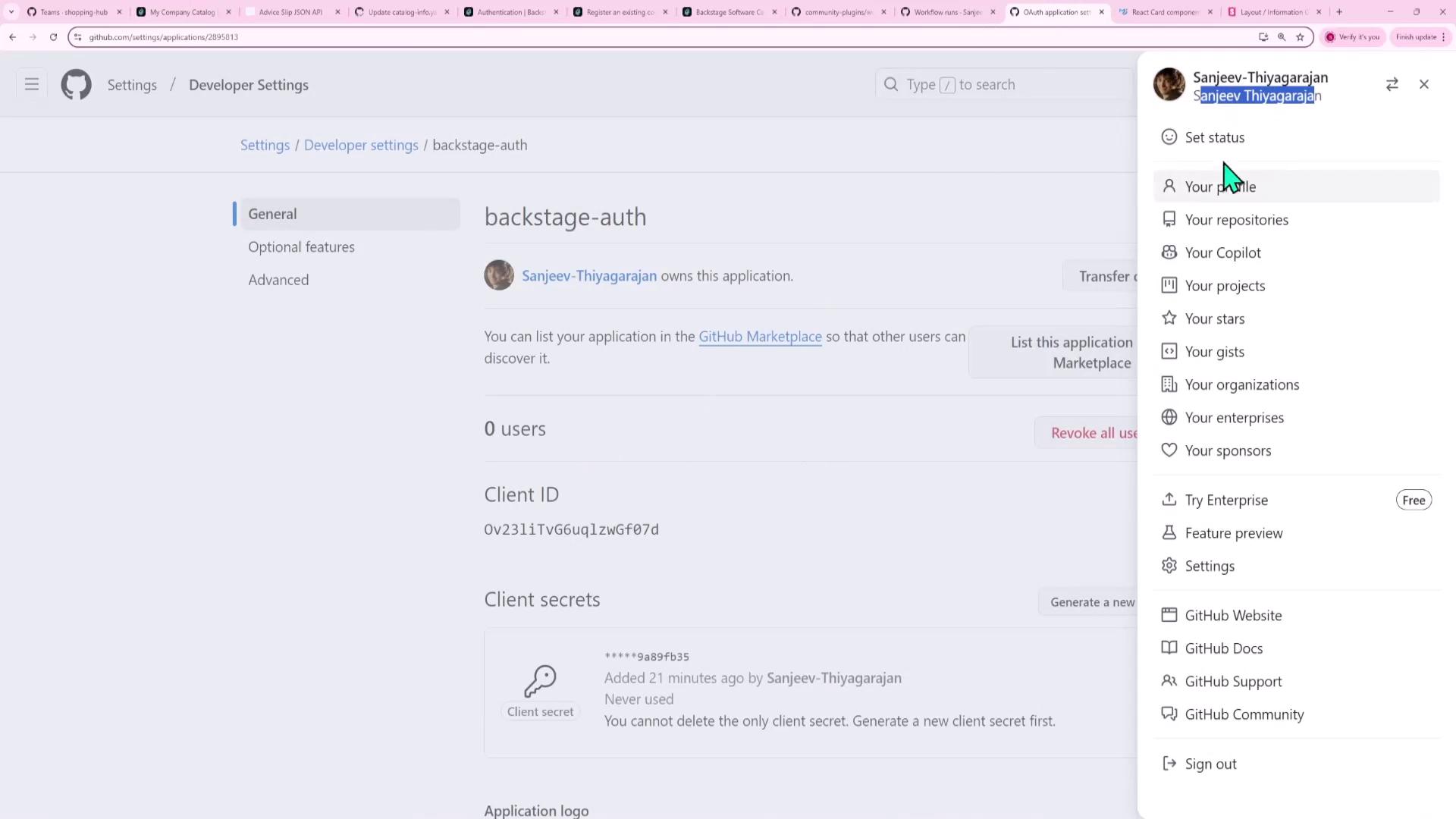
Links and References
- Backstage GitHub Auth Guide
- Backstage Plugin Auth Backend
- GitHub OAuth Apps
- Backstage Catalog Providers